
Garmin 010-02665-01
Contents
Garmin vívomove Trend Smartwatch User Manual
Model: 010-02665-01 | Brand: Garmin
Introduction
The Garmin vívomove Trend is a stylish hybrid smartwatch that combines the classic look of an analog watch with essential smart features. It offers a hidden touchscreen display, long-lasting battery life, and a comprehensive suite of health and wellness monitoring tools. This manual provides detailed instructions for setting up, operating, maintaining, and troubleshooting your device.

Image: The Garmin vívomove Trend smartwatch in Ivory, showcasing its elegant design with a rose gold bezel and white silicone band. The analog hands are visible, and the digital display is off.
What's in the Box
Upon unboxing your Garmin vívomove Trend, ensure all the following components are present:
- vívomove Trend Smartwatch
- Charging/data cable
- Documentation (this user manual and other guides)
Key Features
The vívomove Trend offers a blend of traditional watch aesthetics and modern smart functionalities:
- Stylish Design: 40 mm hybrid smartwatch with a sophisticated analog look, stainless steel bezel, and dynamic watch hands.
- Hidden Touchscreen Display: Analog-style hands move to reveal a full-dial touchscreen display that is visible only when needed.
- Long-Lasting Battery: Up to 5 days in smart mode and up to one additional day in watch mode (hands tell time only).
- Smart Notifications: Receive alerts for incoming calls, text messages, and calendar events when paired with your compatible Apple or Android smartphone.
- Garmin Pay™ Contactless Payments: Breeze through checkout lines and select transit systems with a supported payment card.
- Advanced Health Monitoring: Includes continuous heart rate sampling, Body Battery™ energy levels, Pulse Ox, sleep score, stress tracking, and women’s health tracking.
- Fitness Tracking: Tracks steps, floors climbed, calories, and intensity minutes.
- Connected GPS: Connects with your paired smartphone’s GPS to track outdoor walk, run, or bike activities.
- Preloaded Sports Apps: Activity profiles for yoga, strength, cardio, pool swimming, and more.
- Safety and Tracking Features: Incident detection (during outdoor walks, runs, and bike rides) and Assistance, sending messages with your live location to emergency contacts (requires compatible smartphone and network coverage).
Setup
1. Charging the Device
Before initial use, fully charge your vívomove Trend. The device comes with a charging/data cable.
- Plug the small end of the charging cable into the charging port on your watch.
- Plug the large end of the charging cable into a USB charging port (e.g., wall adapter, computer USB port).
- Allow the device to charge completely. A full charge typically takes approximately 2 hours.
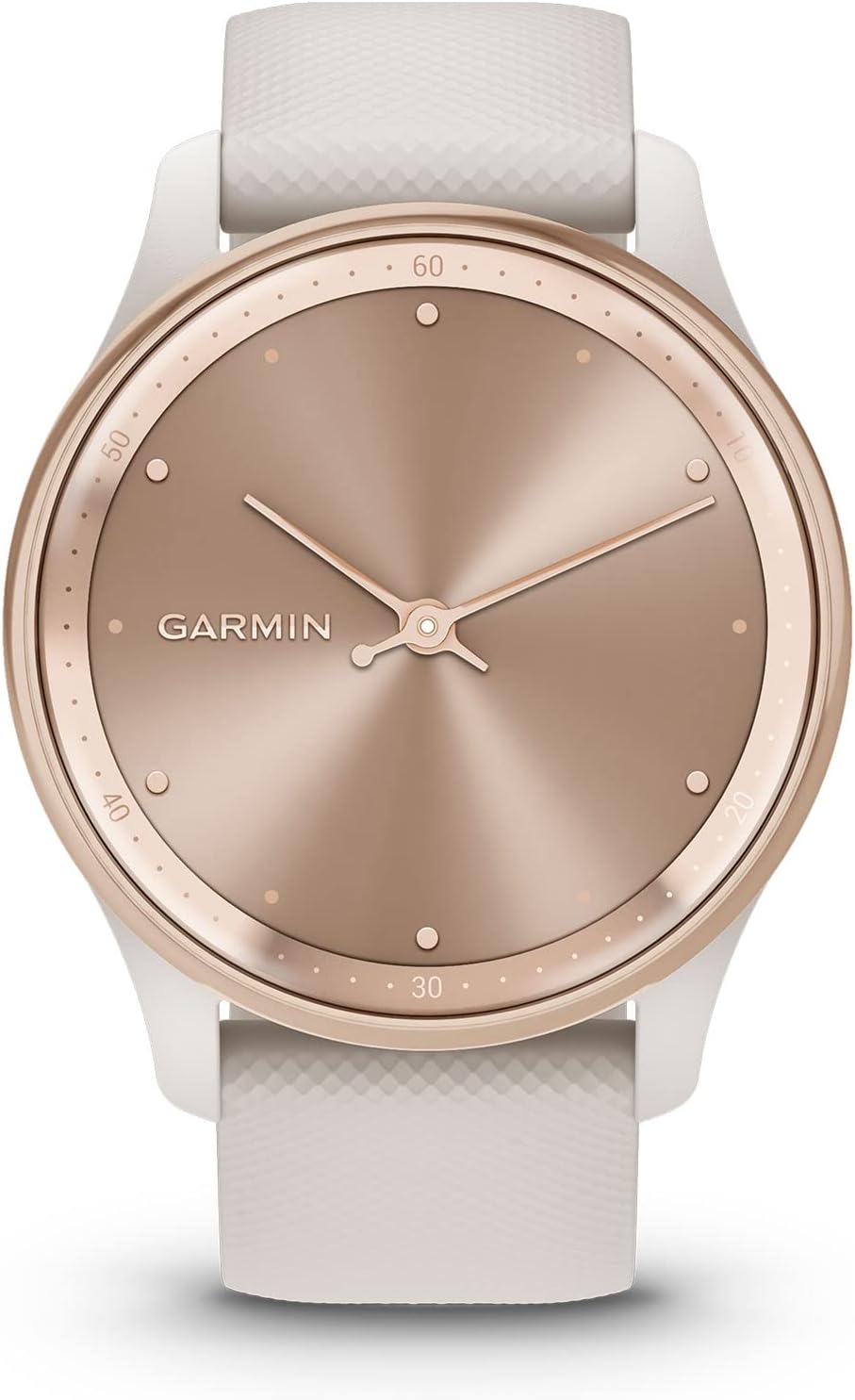
Image: A close-up view of the Garmin vívomove Trend smartwatch connected to its charging cable. The cable clips onto the back of the watch, aligning with the charging contacts.
2. Pairing with Your Smartphone
To access smart features, you must pair your vívomove Trend with the Garmin Connect™ app on your smartphone.
- Download the Garmin Connect app from your smartphone's app store (App Store for iOS, Google Play Store for Android).
- Open the Garmin Connect app and follow the on-screen instructions to create an account or sign in.
- On your vívomove Trend, press and hold the watch face to enter the menu. Select the Bluetooth icon.
- In the Garmin Connect app, select Devices > Add Device and follow the prompts to pair your watch.
- Confirm the pairing code displayed on both your watch and phone.

Image: A user interacting with the Garmin Connect app on a smartphone, showing various health and fitness metrics and options for connecting with friends and challenges.
Operating Your Device
Touchscreen Interaction
The vívomove Trend features a hidden touchscreen display. The analog watch hands will dynamically move out of the way when you interact with the screen.
- Tap: Tap the screen to wake the device, select options, or acknowledge messages.
- Swipe: Swipe up or down to scroll through widgets, features, and menus. Swipe left or right to navigate between different data screens or return to the previous screen.
- Hold: Press and hold the screen to access the main menu.

Image: The vívomove Trend smartwatch with its hidden digital display active, showing a step count of 8300 out of 10000 steps, while the analog hands are positioned to allow full view of the screen.
Smart Notifications
Receive notifications from your paired smartphone directly on your watch.
- When a notification arrives, the watch will vibrate and display the message.
- Tap the screen to view the full notification.
- For Android users, you may be able to respond to texts directly from the watch.

Image: The vívomove Trend smartwatch displaying a smart notification, showing a text message from "Jennifer" asking about coffee, with the analog hands moved out of the way.
Garmin Pay™
Make contactless payments directly from your wrist.
- Set up your payment cards in the Garmin Connect app.
- From the watch face, hold the screen to access the menu.
- Select the Garmin Pay icon.
- Enter your passcode (if set up).
- Select the card you wish to use and hold your wrist near the contactless reader.

Image: The vívomove Trend smartwatch displaying the Garmin Pay interface, showing a contactless payment symbol and a placeholder for bank card details.
Health and Fitness Features
The vívomove Trend provides comprehensive health and fitness tracking capabilities:
- Heart Rate Monitoring: Continuously samples your heart rate. View your current heart rate and resting heart rate in the Garmin Connect app.

Image: A man wearing the vívomove Trend smartwatch on his left wrist, with the watch face visible. This image highlights the wrist-based heart rate monitoring feature.
- Body Battery™ Energy Monitoring: Tracks your energy levels throughout the day, helping you understand when you are charged up or need rest.

Image: A woman wearing the vívomove Trend smartwatch on her left wrist, with the watch face visible. This image illustrates the Body Battery energy monitoring feature.
- Sleep Monitoring and Sleep Score: Provides a detailed breakdown of your sleep stages and a sleep score to help you understand your recovery.

Image: A woman viewing her sleep monitoring data on the Garmin Connect app on her smartphone, showing a sleep score and details about sleep stages.
- Pulse Ox Sensor: Spot-check your blood oxygen saturation at any point during the day or night.

Image: A woman wearing the vívomove Trend smartwatch on her left wrist, with the watch face visible. This image highlights the Pulse Ox sensor feature.
- Stress Tracking: Monitors your stress levels and provides relaxation reminders.

Image: A man sitting on concrete steps, appearing relaxed, with the vívomove Trend smartwatch visible on his wrist. This image represents the stress tracking feature.
- Mindful Breathing: Guides you through breathwork activities to help manage stress.

Image: A woman in a meditative pose with her hands together, wearing the vívomove Trend smartwatch. This image illustrates the mindful breathing feature.
- Women's Health Tracking: Use the Garmin Connect app to track menstrual cycle or pregnancy, log symptoms, and get exercise and nutrition education.

Image: A woman wearing the vívomove Trend smartwatch on her left wrist, with the watch face visible. This image highlights the women's health tracking feature.
- Connected GPS: For accurate tracking of outdoor activities like walks, runs, and bike rides, connect to your smartphone's GPS.

Image: A woman sitting outdoors, looking at her smartphone, with the vívomove Trend smartwatch on her wrist. This image represents the connected GPS feature.
Maintenance
Cleaning Your Device
Regular cleaning helps maintain the appearance and functionality of your vívomove Trend.
- Watch Case: Wipe the case with a soft, damp cloth. For stubborn dirt, use a mild soap solution and rinse thoroughly.
- Silicone Band: Clean the band with water and a mild soap. Rinse well to remove any soap residue.
- Charging Contacts: Periodically clean the charging contacts on the back of the watch with a cotton swab or soft cloth to prevent corrosion and ensure proper charging.
Avoid using harsh chemicals, abrasive cleaners, or solvents that could damage the watch's finish or components.
Water Resistance
The vívomove Trend is water-rated to 5 ATM, making it suitable for splashes, rain, showering, and swimming. It is not suitable for scuba diving or high-speed water sports.
- Avoid pressing buttons underwater.
- Rinse the watch with fresh water after exposure to chlorinated or saltwater.
Troubleshooting
If you encounter issues with your vívomove Trend, try the following solutions:
| Problem | Solution |
|---|---|
| Watch not turning on or responding | Ensure the device is fully charged. Connect it to the charging cable and a power source. If unresponsive, perform a soft reset by holding the button for 15 seconds. |
| Cannot pair with smartphone |
|
| Inaccurate heart rate readings |
|
| Battery draining quickly |
|
Specifications
| Feature | Detail |
|---|---|
| Model Number | 010-02665-01 |
| Product Dimensions | 1.6 x 1.6 x 0.47 inches |
| Item Weight | 1.5 ounces |
| Battery Type | 1 Lithium Polymer battery (included) |
| Battery Life | Up to 5 days (smart mode), up to 1 additional day (watch mode) |
| Display Size | 1.25 Inches (standing screen display size) |
| Memory Storage Capacity | 14 MB |
| Operating System | Android (compatible with Apple iOS and Android) |
| Connectivity Technology | Bluetooth, USB |
| Water Rating | 5 ATM |
| GPS | Connected GPS (via smartphone) |
| Manufacturer | Garmin |
| First Available | February 1, 2023 |
Warranty and Support
For detailed warranty information and additional support, please refer to the official Garmin website or the full user manual.
- Official User Manual (PDF): Download PDF
- Garmin Support: Visit garmin.com/support for FAQs, product videos, and contact options.
Documents and downloads
Ask a question about this manual
Ask about setup, troubleshooting, compatibility, parts, safety, or missing instructions. Manuals+ will review the question and use this page’s manual context to help answer it.