
ASHATA ASHATAsf3ctouxvp-13
ASHATA Mini Keychain Voice Recorder User Manual
Model: ASHATAsf3ctouxvp-13
1. Introduction
Thank you for choosing the ASHATA Mini Keychain Voice Recorder. This compact and intelligent device is designed for discreet and high-quality audio recording, featuring HD sound with noise reduction. Its portable keychain design makes it ideal for various applications, including classroom learning, work meetings, business cooperation, and training presentations. This manual will guide you through the setup, operation, and maintenance of your new voice recorder.

Figure 1.1: Common applications for the ASHATA Mini Keychain Voice Recorder, including classroom recording, work meetings, business interactions, and training presentations.
2. Package Contents
Please check the package for the following items:
- 1 x ASHATA Keychain Voice Recorder
- 1 x Charging Cable
- 1 x Earphone
- 1 x Instruction Manual
3. Product Overview and Features
The ASHATA Mini Keychain Voice Recorder is designed for ease of use and high performance. Key features include:
- One-Touch Recording: Start recording instantly with a single action.
- Voice Activated Recording (50DB): Automatically starts recording when sound is detected, saving storage space.
- Loop Recording: Supports automatic split recording and loop overlay recording.
- High-Quality Audio: 1536 Kbit PCM recording for clear sound.
- Long Battery Life: Up to 20 hours of continuous recording and 30 days of super standby time.
- Power Failure Save: Automatically saves recordings before the battery runs out.
- MP3 Player Functionality: Supports MP3, WMA, and WAV playback with fast forward and rewind options.
- Timestamp Function: Recording files are named with the time for easy organization.
- Durable Design: Made from ABS material with a UV process, featuring a classic style and a lanyard hole for easy attachment to wallets, keys, cell phones, or backpacks.

Figure 3.1: Visual representation of the key features of the voice recorder.

Figure 3.2: Front view of the ASHATA Mini Keychain Voice Recorder.
4. Setup
Before first use, ensure the device is fully charged.
4.1 Charging the Device
- Connect the included charging cable to the USB port on the voice recorder.
- Connect the other end of the cable to a USB power source (e.g., computer USB port, USB wall adapter).
- The LED indicator will show charging status (refer to LED indicator section for details).
- Once fully charged, disconnect the cable.

Figure 4.1: Device dimensions and key components including the USB port.
5. Operating Instructions
The ASHATA Mini Keychain Voice Recorder is designed for simple and intuitive operation.
5.1 Power On/Off and Recording
The device uses a single switch for power and recording control.
- To power on and start recording: Slide the switch to the 'ON' position. The device will automatically begin recording.
- To save recording and power off: Slide the switch to the 'OFF' position. The current recording will be saved, and the device will power down.

Figure 5.1: Simple one-key operation to start and stop recording.
5.2 Voice Activated Recording (VOR)
The device supports voice-activated recording, which can be enabled or disabled through settings (refer to advanced settings if available, or assume default behavior based on product description).
- When VOR is active, the recorder will automatically start recording when sound above 50DB is detected and pause when silence occurs.
- This feature helps conserve battery life and storage space.

Figure 5.2: The voice-activated recording feature helps extend battery life and recording duration.
5.3 Playback
To listen to your recordings or other audio files:
- Connect the included earphones to the device's earphone jack.
- Use the control buttons (if present, otherwise assume PC connection for file management) to navigate and play files. The device supports MP3, WMA, and WAV formats.
- Fast forward and rewind functions are supported during playback.

Figure 5.3: The device can transform into an MP3 player for lossless audio playback.
5.4 Managing Recordings
Recordings are saved with a timestamp for easy identification. To manage files (delete, transfer):
- Connect the device to a computer using the charging cable. It will appear as a removable disk.
- You can then copy, move, or delete files directly from your computer.
- The device also supports one-touch deletion of the current recording (refer to device specific button functions if available).
6. Maintenance
To ensure the longevity and optimal performance of your voice recorder, follow these maintenance guidelines:
- Keep the device dry. Avoid exposure to water or high humidity.
- Do not expose the device to extreme temperatures (hot or cold).
- Clean the device with a soft, dry cloth. Do not use harsh chemicals or abrasive cleaners.
- Avoid dropping or subjecting the device to strong impacts.
- Charge the device regularly, even if not in use, to maintain battery health.
7. Troubleshooting
If you encounter issues with your ASHATA Mini Keychain Voice Recorder, refer to the following common problems and solutions:
| Problem | Possible Cause | Solution |
|---|---|---|
| Device does not power on. | Battery is depleted. | Charge the device fully. |
| Cannot record. | Insufficient storage space. | Connect to a computer and delete old files to free up space. |
| Poor recording quality. | Microphone is obstructed; high background noise. | Ensure microphone is clear; record in a quieter environment. |
| Device not recognized by computer. | Faulty USB cable or port; driver issue. | Try a different USB cable or port. Restart your computer. |
8. Specifications
Detailed technical specifications for the ASHATA Mini Keychain Voice Recorder (32 GB):
- Model: ASHATAsf3ctouxvp-13
- Material: ABS
- Recording Mode: Power On Recording, Power Off Save
- Recording Format: WAV
- Playback Formats: MP3, WMA, WAV
- Built-in Battery: 180 mAh Polymer Lithium Battery
- Continuous Recording Time: Approximately 20 hours
- Standby Time: Up to 30 days
- Storage Capacity: 32 GB (stores over 90 hours of recording)
- Dimensions: Approx. 59 x 14 x 25.5 mm (2.3 x 0.6 x 1.0 inches)
- Interface: USB 2.0
- Microphone: Built-in, Voice Recognition Mode
- Display Screen Size: 1 inch (diagonal)
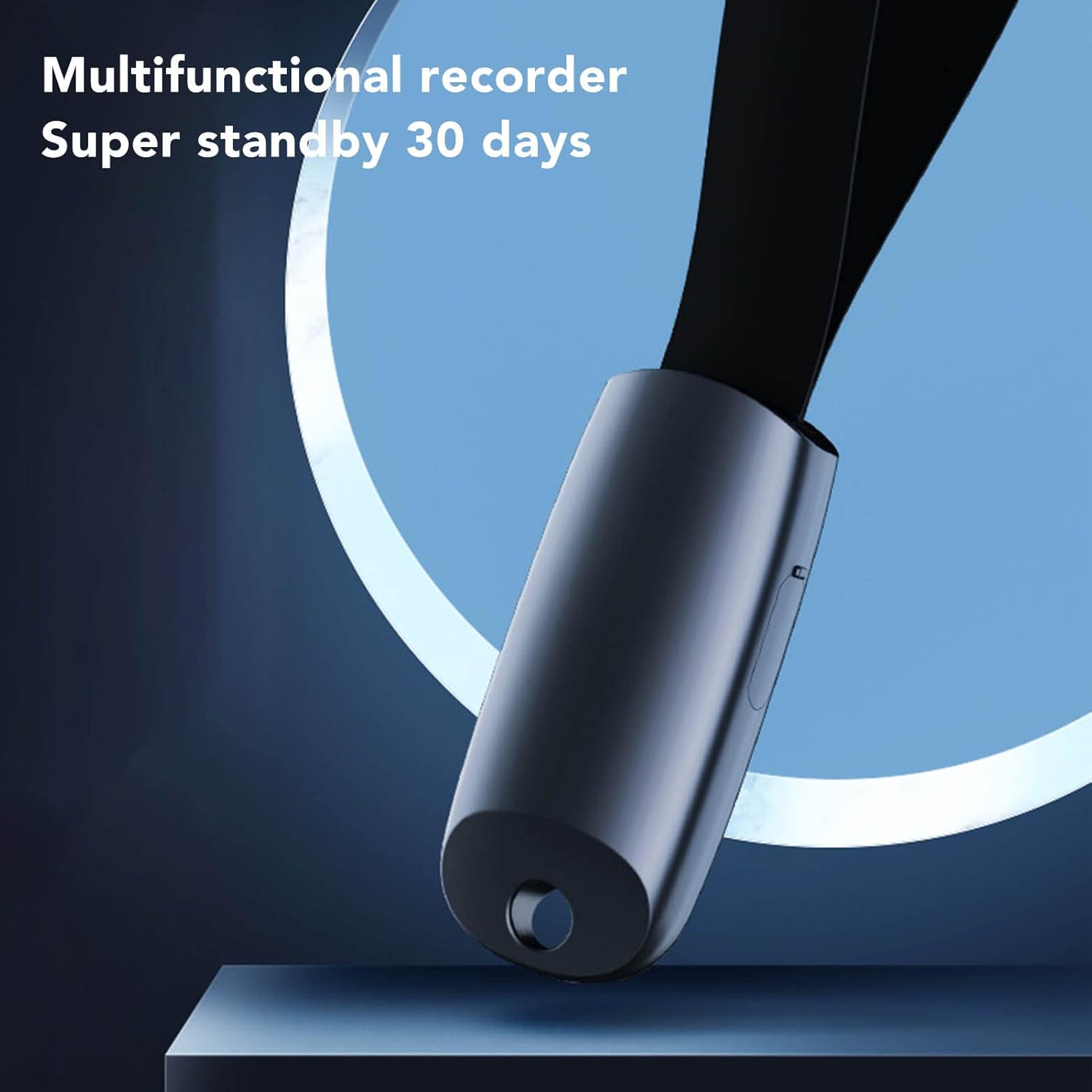
Figure 8.1: The device offers super standby time of 30 days.

Figure 8.2: Impressive battery performance with 30 days standby and 20 hours continuous recording.
9. Warranty and Support
For warranty information and customer support, please refer to the warranty card included in your package or contact ASHATA customer service through the retailer where you purchased the product. Please retain your proof of purchase for warranty claims.
Ask a question about this manual
Ask about setup, troubleshooting, compatibility, parts, safety, or missing instructions. Manuals+ will review the question and use this page’s manual context to help answer it.