
yotutun ET-103
YOTUTUN LED Desk Lamp User Manual
Model: ET-103
Brand: yotutun
1. Introduction
This manual provides comprehensive instructions for the YOTUTUN LED Desk Lamp (Model ET-103), designed to offer versatile and eye-caring illumination for various environments including home offices, workbenches, and multi-monitor setups. Please read this manual thoroughly before use to ensure proper operation and maintenance.
Package Contents:
- YOTUTUN LED Desk Lamp
- Remote Control
- Quality Power Adapter
- English User Manual
2. Safety Information
Always adhere to the following safety guidelines to prevent injury or damage to the product:
- Ensure the power adapter is compatible with your local power supply.
- Do not expose the lamp to water or excessive humidity.
- Avoid disassembling the lamp; refer to qualified personnel for repairs.
- Keep the lamp away from heat sources and direct sunlight.
- Ensure the clamp is securely fastened to a stable surface before use.
3. Product Features
The YOTUTUN LED Desk Lamp offers a range of features designed for optimal lighting and user convenience:
- Stepless Dimming & Multiple Color Modes: Features 3 color modes (3000K warm light, 4000K warm white light, 6000K white light) and 6 brightness levels, providing 18 distinct lighting modes.
- Eye Protection Function: Equipped with 96 LED beads, providing uniform, glare-free, and flicker-free soft light to reduce eye strain, suitable for extended use.
- Flexible & Sturdy Gooseneck: A flexible silicone neck allows for 360° adjustable angles, ensuring light can be directed precisely where needed. The robust metal clamp with a silicone pad securely attaches to desks up to 2.6 inches thick, preventing scratches.
- High Brightness & Wide Coverage: With an 18.2-inch, 18W LED light bar and a 25.2-inch flexible gooseneck, the lamp delivers 1511 lumens, illuminating entire desk surfaces, ideal for multi-monitor workstations.
- Dual Control Options: Control the lamp via the touch-sensing switch on the lamp pole or the included wireless remote control.
- Memory Function: The lamp automatically remembers your last used brightness and mode settings.
- High Color Rendering Index (CRI): Achieves a CRI of 95 or higher, ensuring colors appear true and vibrant under the lamp's illumination.

Figure 3.1: Overview of light settings and flexible design.

Figure 3.2: Eye-caring technology for reduced eye strain.
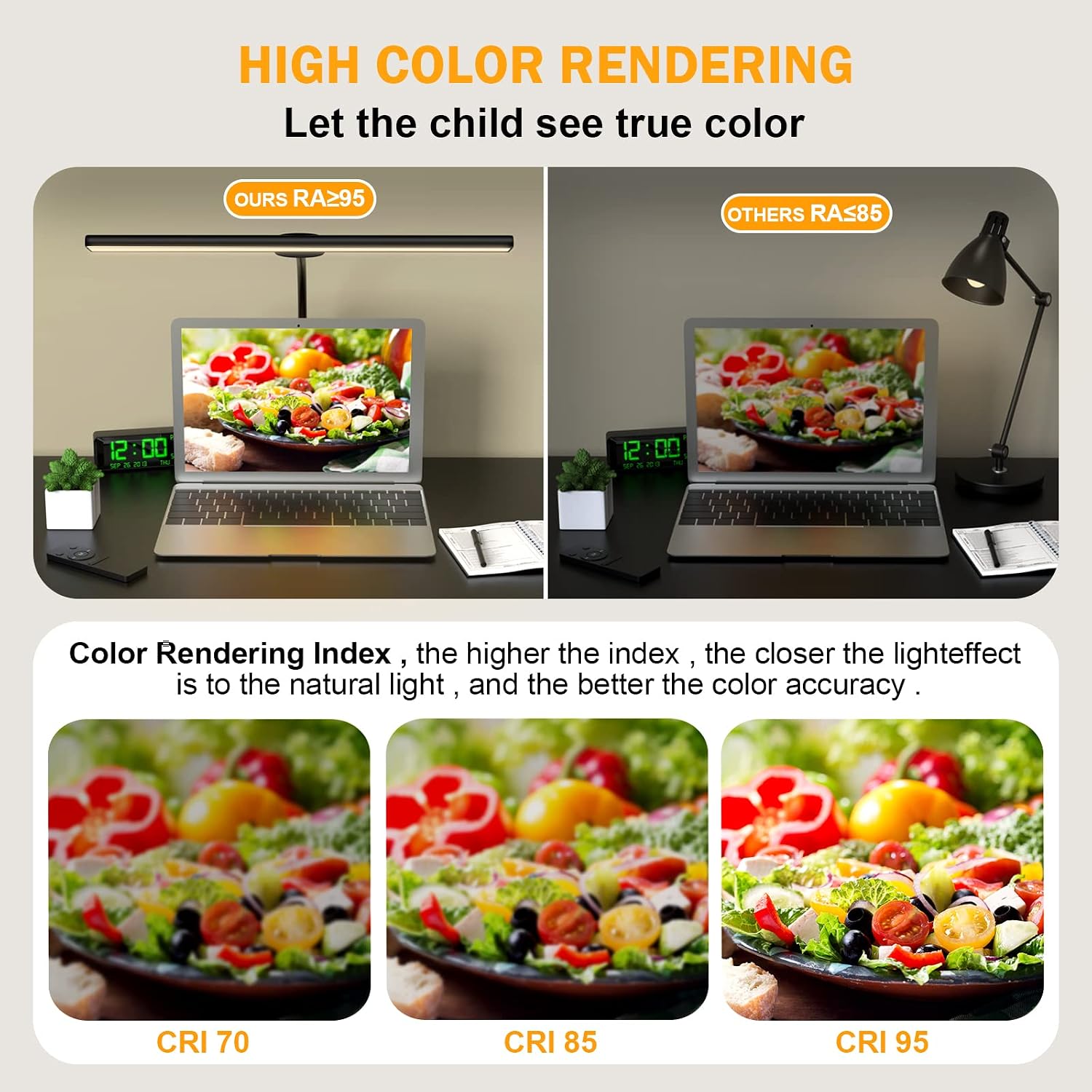
Figure 3.3: High Color Rendering Index (CRI) comparison.
4. Setup Instructions
Follow these steps to set up your YOTUTUN LED Desk Lamp:
- Attach the Gooseneck: Screw the flexible gooseneck firmly onto the adjustable clamp base.
- Secure the Clamp: Position the clamp against the side or back edge of your desk or table. Ensure the desk thickness does not exceed 2.6 inches for a secure fit. Tighten the clamp screw until the lamp is stable.
- Connect Power: Plug the power adapter into the lamp's power input, then plug the adapter into a standard electrical outlet. The power cable is designed to be long enough for most setups.
- Adjust Position: Utilize the 360° adjustable flexible gooseneck to position the light bar over your desired area.

Figure 4.1: Lamp installation steps.

Figure 4.2: Lamp in a typical desk setup.
5. Operating Instructions
Your YOTUTUN LED Desk Lamp can be operated using either the touch control on the lamp or the included remote control.
5.1. Touch Control
The touch-sensing switch is located on the lamp pole:
- Power On/Off: Tap the touch button once to turn the lamp on or off.
- Change Color Mode: While the lamp is on, tap the touch button repeatedly to cycle through the 3 color modes: Warm Light (3000K), Warm White Light (4000K), and White Light (6000K).
- Adjust Brightness: While the lamp is on, press and hold the touch button to smoothly adjust the brightness level. Release when the desired brightness is reached. There are 6 distinct brightness levels.

Figure 5.1: Touch control operation.
5.2. Remote Control
The wireless remote control provides convenient access to all lamp functions:
- Power Button (⑁): Turns the lamp on or off.
- Brightness Adjustment (☀ / ☽): Use the sun icon buttons to increase or decrease brightness.
- Color Mode Selection (WA / M / WH):
- WA (Warm Light): Activates 3000K warm light.
- M (Mixed/Warm White): Activates 4000K warm white light.
- WH (White Light): Activates 6000K white light.
- Timing Function (⏱): Set a timer for automatic shut-off (3, 30, or 60 minutes).
- Sleep Mode (🌛): Activates a low-brightness, warm light setting suitable for sleep.
- Reading Mode (📖): Activates an optimized brightness and color temperature for reading.

Figure 5.2: Remote control functions.
Video 5.1: Demonstration of YOTUTUN desk lamp features and controls.
6. Maintenance
To ensure the longevity and optimal performance of your lamp, follow these maintenance guidelines:
- Cleaning: Disconnect the power before cleaning. Use a soft, dry cloth to wipe the lamp surface. Do not use abrasive cleaners or solvents.
- Storage: If storing the lamp for an extended period, disconnect it from power and store it in a cool, dry place.
- Cable Care: Avoid bending or crimping the power cable excessively. Do not place heavy objects on the cable.
7. Troubleshooting
If you encounter issues with your YOTUTUN LED Desk Lamp, refer to the following common problems and solutions:
| Problem | Possible Cause | Solution |
|---|---|---|
| Lamp does not turn on. | No power, loose connection, faulty adapter. | Check if the power adapter is securely plugged into both the lamp and the outlet. Try a different outlet. Ensure the power button is pressed. |
| Brightness or color mode cannot be adjusted. | Incorrect operation, remote control battery low. | Refer to operating instructions for correct touch/remote control usage. Replace remote control battery if applicable. |
| Lamp flickers or dims unexpectedly. | Unstable power supply, internal component issue. | Ensure the power source is stable. If the issue persists, contact customer support. |
| Remote control not responding. | Battery depleted, obstruction, remote out of range. | Replace the remote control battery. Ensure no obstructions between the remote and the lamp. Operate within reasonable range. |
If the problem persists after attempting these solutions, please contact YOTUTUN customer support for assistance.
8. Specifications
| Feature | Detail |
|---|---|
| Brand | yotutun |
| Model Number | ET-103 |
| Product Dimensions | 17.12"D x 11.22"W x 1.17"H |
| Item Weight | 1.11 Kilograms (2.44 pounds) |
| Lamp Type | Desk Lamp |
| Light Source Type | LED (96 LEDs) |
| Wattage | 18 watts |
| Brightness | 1511 Lumen |
| Color Temperature | 3000K, 4000K, 6000K |
| Control Method | Remote Control, Touch Control |
| Base Material | Metal |
| Shade Material | Metal, Silicone |
| Max Clamp Thickness | 2.6 inches |
| Gooseneck Length | 25.2 inches |
| Light Bar Length | 18.2 inches |
| Power Source | Corded Electric |
| Indoor/Outdoor Usage | Indoor |
| UPC | 768459945951 |
9. Warranty and Support
YOTUTUN is committed to providing high-quality products and excellent customer service. Your LED Desk Lamp comes with a warranty service. For any inquiries, technical support, or warranty claims, please contact our 24-hour friendly customer support team.
For the most up-to-date contact information, please refer to the product packaging or the official YOTUTUN website.
Ask a question about this manual
Ask about setup, troubleshooting, compatibility, parts, safety, or missing instructions. Manuals+ will review the question and use this page’s manual context to help answer it.