
Wooask G5 PRO ON W
Wooask G5 Pro Language Translator Device User Manual
Model: G5 PRO ON W
Introduction
The Wooask G5 Pro is a portable AI voice translator designed for seamless communication across language barriers. It integrates advanced self-learning neural machine translation engines to provide quick and accurate real-time bi-directional translation.
Key features include:
- Accurate AI Translation: Supports up to 138 languages with approximately 97% accuracy, utilizing engines from Microsoft, Baidu, Google, and iFLYTEK.
- Easy Operation: Features two noise-canceling microphones, two single buttons, and a loudspeaker for intuitive use.
- Supreme Long Battery Life: Offers up to 24 hours of continuous use or 180 days of standby time on a single charge.
- Smart Noise Reduction: Built-in independent noise reduction speaker system and high-fidelity MIC chip ensure clear audio even in noisy environments.
Product Overview

Figure 1: Wooask G5 Pro Language Translator Device
This image displays two white Wooask G5 Pro translator devices. Each device is sleek and elongated, featuring two prominent circular buttons on its front surface. The devices are positioned diagonally, crossing each other, highlighting their compact and portable design.

Figure 2: Wooask G5 Pro Component Diagram
This diagram illustrates the various components of the Wooask G5 Pro translator. It labels the LED light, Key A, and Key B on the front. On the side, it shows the power button (Turn on/Turn off) and volume controls (Volume+, Volume-). The top features the MIC and Speaker, while the bottom includes the USB port and a strap port. This visual guide helps users identify and understand the function of each part of the device.
Setup
1. Unboxing and Initial Charge
Upon unboxing your Wooask G5 Pro, it is recommended to fully charge the device before first use. The device comes with a built-in Lithium Ion battery.
- Connect the provided Micro USB cable to the USB port on the device (refer to Figure 2).
- Connect the other end of the USB cable to a compatible USB power adapter or computer USB port.
- A full charge typically takes approximately 1 hour. The LED indicator light will change to indicate charging status.
2. App Installation and Pairing
The Wooask G5 Pro requires the Wooask APP for full functionality. The app is available for both iOS and Android devices.
- Download the "Wooask" app from your device's app store (e.g., Apple App Store or Google Play Store).
- Install and open the Wooask app.
- Ensure Bluetooth is enabled on your smartphone.
- Turn on the Wooask G5 Pro device by pressing and holding the power button (refer to Figure 2).
- Follow the on-screen instructions within the Wooask app to pair your device via Bluetooth.
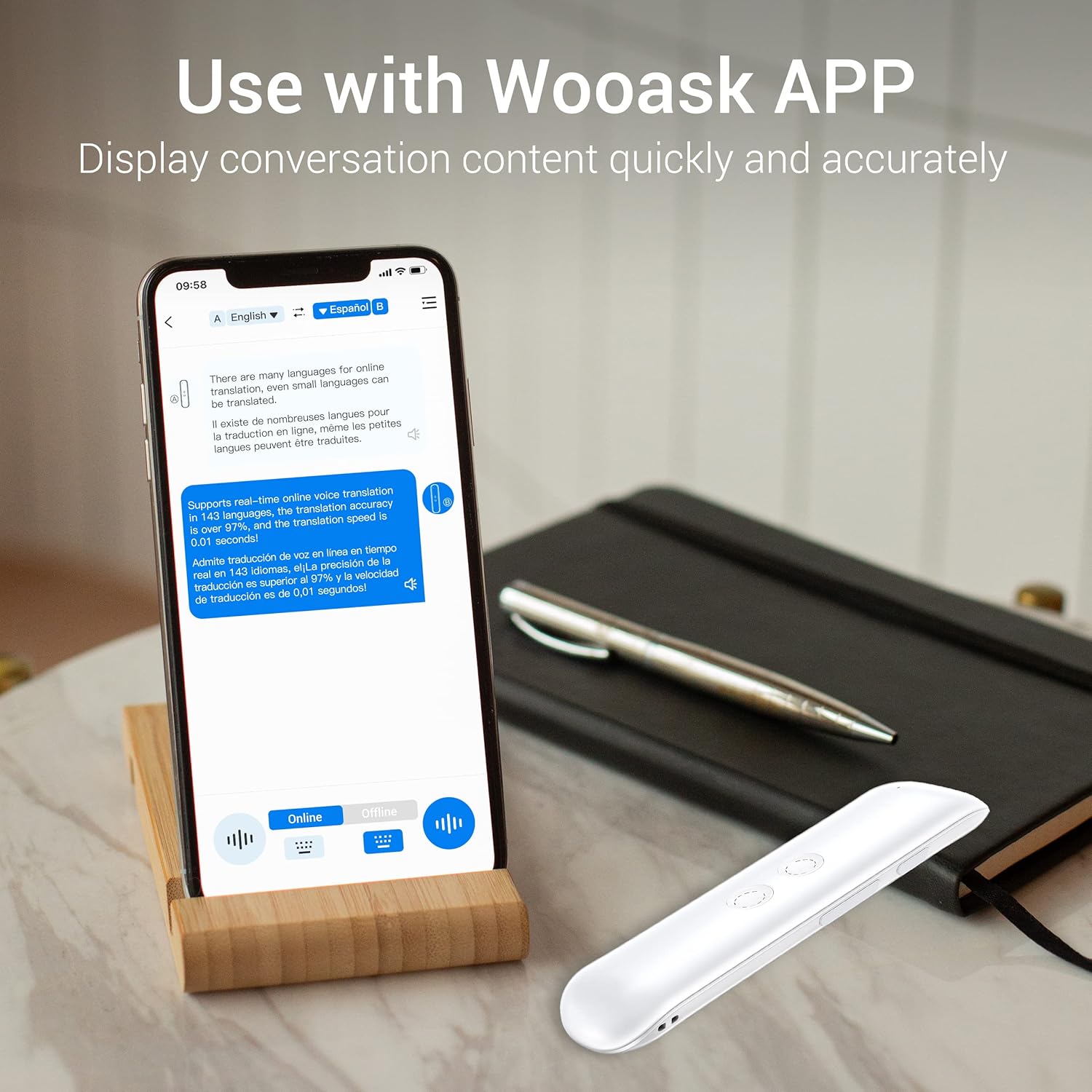
Figure 3: Using the Wooask App with the Device
This image shows a smartphone displaying the Wooask application, which is central to the device's operation. The app interface is visible, showing conversation content and translation options. The Wooask G5 Pro device is positioned beside the phone, illustrating how the two work in conjunction for real-time translation.
Operating Instructions
1. Language Selection
The Wooask G5 Pro supports translation for up to 138 languages. Within the Wooask app, you can select the two languages for bi-directional translation. For example, set Language A to English and Language B to Spanish.
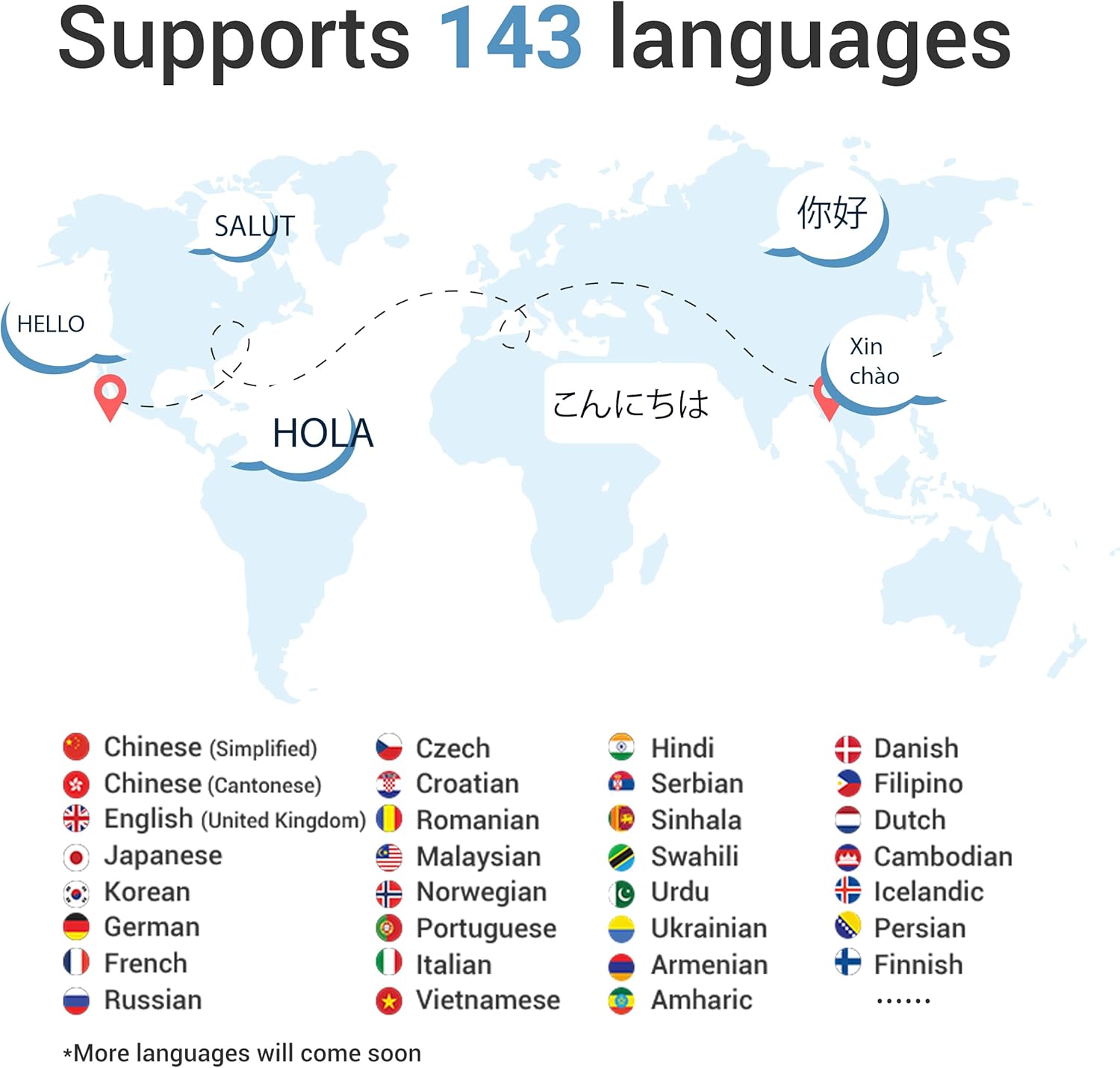
Figure 4: Language Support Overview
This graphic highlights the extensive language support of the Wooask G5 Pro, indicating it supports 143 languages. It features a world map with common greetings in different languages and a comprehensive list of flags representing various supported languages, demonstrating its global applicability.
2. Real-time Translation
Once paired and languages are selected in the app, you can begin real-time translation.
- To speak in Language A (e.g., your language), press and hold Key A (the upper button) on the device. Speak clearly into the microphone.
- Release Key A when you finish speaking. The device will translate and output the speech in Language B through its speaker and display the text in the app.
- To have the other person speak in Language B (e.g., their language), press and hold Key B (the lower button) on the device. They should speak clearly.
- Release Key B when they finish speaking. The device will translate and output the speech in Language A.
The device is designed for rapid response, with translations occurring in as little as 0.01 seconds.

Figure 5: Real-time Translation in Action
This image depicts a group of four individuals engaged in a conversation, demonstrating the real-time translation capability of the Wooask G5 Pro. Speech bubbles illustrate the translation process between German and English, emphasizing the device's 97% accuracy and rapid response time of 0.01 seconds, facilitating smooth cross-language communication.
3. Volume Control
Use the Volume+ and Volume- buttons on the side of the device (refer to Figure 2) to adjust the playback volume of the translated speech.
4. Online vs. Offline Translation
The Wooask G5 Pro primarily operates with an internet connection for real-time online translation. The Wooask app may offer an offline translation feature, which typically requires downloading language packs and may involve additional fees or a subscription. Refer to the Wooask app for details on offline functionality.
Maintenance
Proper maintenance ensures the longevity and optimal performance of your Wooask G5 Pro device.
- Cleaning: Use a soft, dry, lint-free cloth to clean the device. Do not use abrasive cleaners, solvents, or spray directly onto the device.
- Storage: Store the device in a cool, dry place away from direct sunlight and extreme temperatures.
- Battery Care: To preserve battery health, avoid fully discharging the battery frequently. If storing for an extended period, charge the device to about 50% before storage.
- Water Resistance: The device is not waterproof. Avoid exposure to water or excessive moisture.
Troubleshooting
If you encounter issues with your Wooask G5 Pro, refer to the following common troubleshooting steps:
| Problem | Possible Cause | Solution |
|---|---|---|
| Device does not turn on. | Low or no battery charge. | Charge the device for at least 1 hour. Ensure the charging cable and adapter are working. |
| Cannot pair with the app. | Bluetooth is off; device not in pairing mode; app issue. | Ensure Bluetooth is enabled on your phone. Restart both the device and the app. Follow app instructions for pairing. |
| Translation is inaccurate or delayed. | Poor internet connection; unclear speech; background noise. | Ensure a stable internet connection. Speak clearly and at a moderate pace. Reduce background noise. Update the app to the latest version. |
| No sound from the speaker. | Volume is too low; speaker obstruction. | Increase the volume using the Volume+ button. Check if the speaker is obstructed. |
| Loud beep sound. | This is a design feature to indicate activation. | This sound cannot be turned off. It signals when to speak. |
For further assistance, refer to the help section within the Wooask app or contact customer support.
Specifications
| Feature | Detail |
|---|---|
| Model Number | G5 PRO ON W |
| ASIN | B0BMPPQXWB |
| Product Weight | 30g |
| Battery Capacity | 800mAh Lithium Ion (included) |
| Charging Time | Approx. 1 hour |
| Continuous Usage Time | Up to 24 hours |
| Standby Time | Up to 180 days |
| Product Interface | Micro USB |
| Dimensions (L x W x H) | 130 x 38 x 14mm |
| Supported Languages | Up to 138 languages (online) |
| Manufacturer | Wooask Tech. |

Figure 6: Battery Endurance Details
This image illustrates the impressive battery endurance of the Wooask G5 Pro. It highlights a charging time of 1 hour, continuous usage time of 10 hours (note: product description states 24 hours, this image might be for a different model or a conservative estimate), and a standby time of 30 days. The graphic also features an 800mAh battery icon, indicating the device's power capacity.
Note: The image "Figure 6: Battery Endurance Details" indicates "10 Hours Continuous Using Time" and "30 Days Standby Time". However, the product description states "up to 24 hours of constant use or up to 180 days of standby". Please refer to the latest product specifications for the most accurate battery life information.
Warranty and Support
Warranty Information
The Wooask G5 Pro Language Translator Device comes with a Lifetime Warranty, as stated by the manufacturer. Please retain your proof of purchase for warranty claims.
Customer Support
For technical support, warranty claims, or any other inquiries, please contact Wooask customer service. You can typically find contact information within the Wooask app or on the official Wooask website.
Visit the Wooask Store on Amazon for more product information and support resources.
Usage Scenarios
The Wooask G5 Pro is versatile and can be used in various situations:
- Business: Facilitate international business meetings and negotiations.
- Lectures: Understand foreign language lectures or presentations.
- Study: Aid in language learning and practice.
- Travel: Navigate foreign countries and communicate with locals effortlessly.

Figure 7: Diverse Usage Scenarios
This image presents a collage of four different scenarios where the Wooask G5 Pro can be effectively utilized: in a business meeting, during a lecture, for personal study, and while traveling. Each panel visually demonstrates the device's adaptability to various communication needs.
Related documentsG5 PRO ON W


Ask a question about this manual
Ask about setup, troubleshooting, compatibility, parts, safety, or missing instructions. Manuals+ will review the question and use this page’s manual context to help answer it.