1. Introduction
This manual provides detailed instructions for the safe and effective use of your QZT Voice Recorder IC Recorder 32GB Model V90. Please read this manual thoroughly before using the device and retain it for future reference.
2. Product Overview
The QZT V90 is a compact and lightweight digital voice recorder designed for various recording needs. It features a large LCD screen for easy operation and a simple button layout.

Image 2.1: Front and side view of the QZT V90 Voice Recorder, showing the display, control buttons, and side ports.
3. Setup
3.1 Initial Charging
Before first use, fully charge the device. Connect the recorder to a computer's USB port or a USB power adapter using the provided cable. The battery indicator on the LCD will show charging status.
3.2 Power On/Off
- To power on: Slide the POWER switch to the ON position.
- To power off: Slide the POWER switch to the OFF position.
4. Operating Instructions
4.1 One-Touch Direct Recording
The device supports one-touch recording, allowing you to start recording quickly even when the power is off. Simply long-press the 'REC' button on the front of the device to begin recording. The large LCD displays recording time, file name, and battery level.
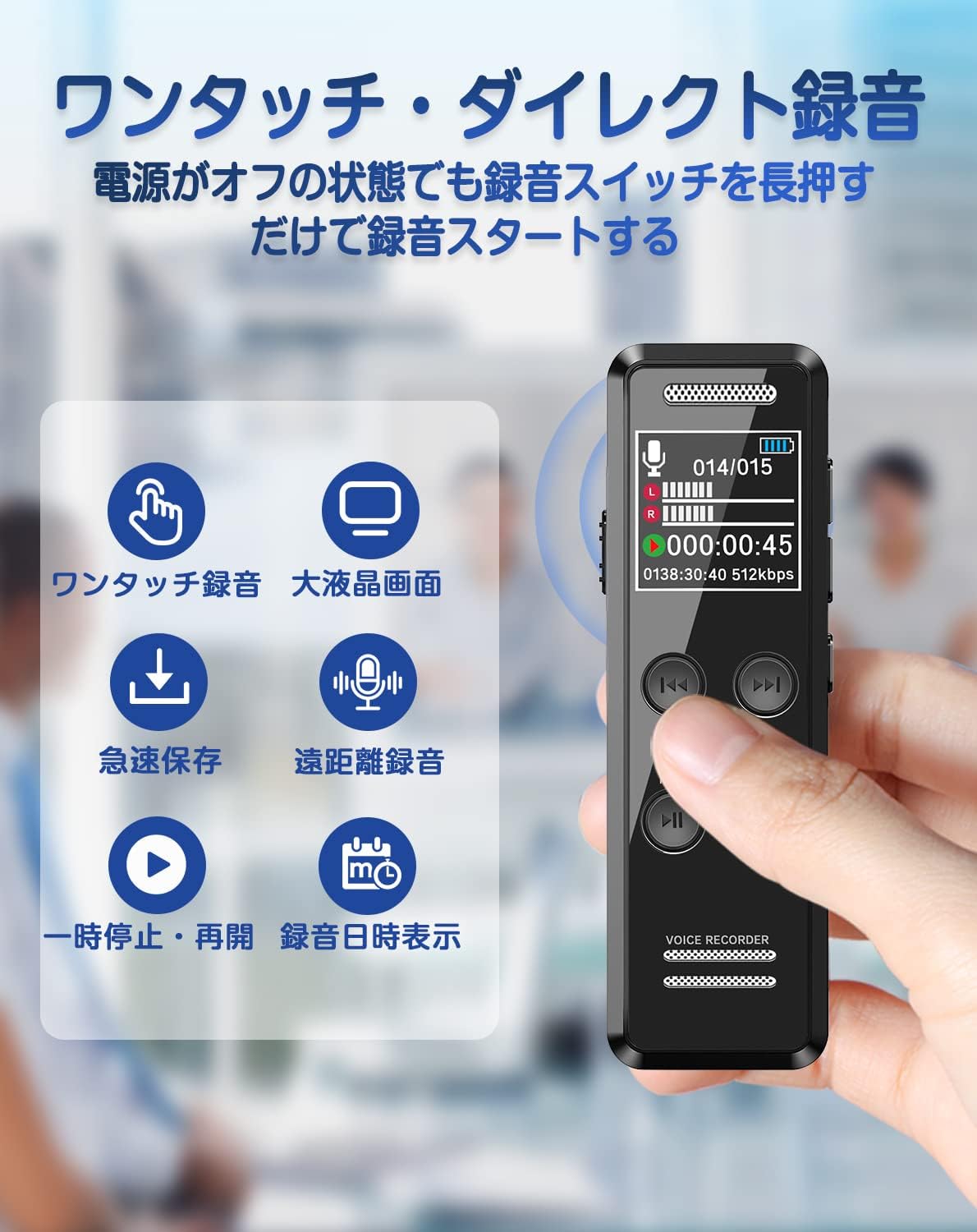
Image 4.1: Illustration of the QZT V90's one-touch recording, large LCD screen, quick save, remote recording, pause/resume, and date/time display features.
4.2 High-Quality Recording and Noise Cancellation
Equipped with high-sensitivity omnidirectional microphones, the QZT V90 can record at up to 3072kbps. It features a 2-mic noise cancellation function to suppress ambient noise, ensuring clear audio capture in various environments. The device includes a headphone jack for monitoring and a built-in speaker for immediate playback.
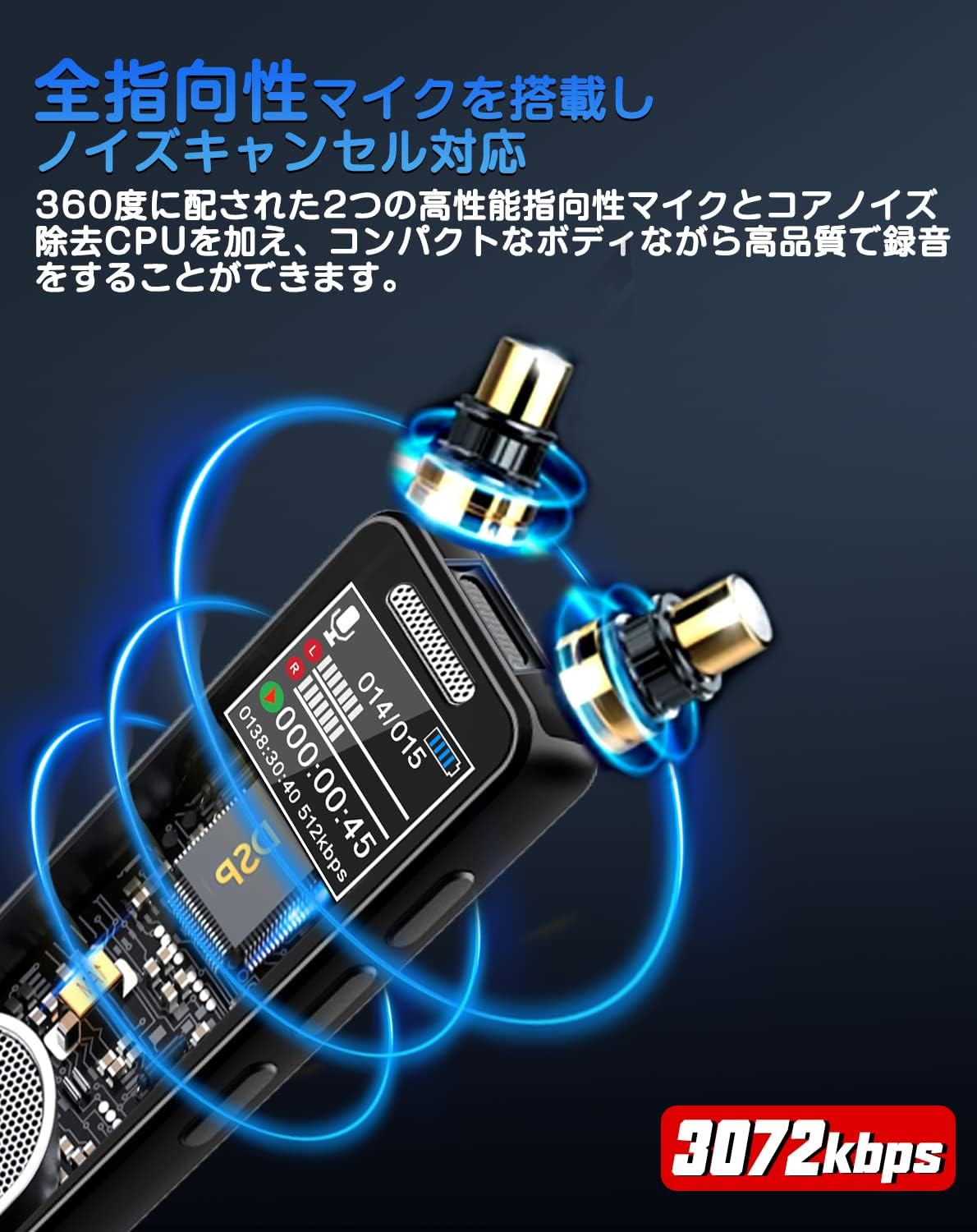
Image 4.2: Close-up view highlighting the omnidirectional microphone and noise cancellation technology, indicating 3072kbps recording capability.
4.3 VOR (Voice Operated Recording)
The VOR function automatically starts recording when sound is detected and pauses when silence occurs, optimizing storage space. This feature is useful for capturing conversations without recording long periods of inactivity.

Image 4.3: Diagram explaining the VOR (Voice Operated Recording) function, showing automatic start and stop based on sound levels, and automatic data splitting.
4.4 Timer Recording
Set specific start and end times for recording, as well as recording frequency (e.g., daily, once). This allows for automatic recording of lectures, broadcasts, or meetings.
4.5 Playback Functions
- Variable Speed Playback: Adjust playback speed across 16 levels to suit your listening preference, useful for transcribing or language learning.
- A-B Repeat Playback: Repeat a specific section of an audio file, ideal for studying or reviewing particular segments.
4.6 Password Protection
To protect sensitive information, the device supports password setting. This prevents unauthorized access to your recorded files.

Image 4.4: Visual representation of timer recording, 16-level variable speed playback, A-B repeat function, and password protection for enhanced security.
5. Memory and Battery
The QZT V90 features 32GB of internal memory, capable of storing approximately 2276 hours of audio at 32KBPS. The built-in 410mAh battery provides up to 35 hours of continuous recording. The device also includes an automatic save function that activates when the battery level is low, preventing data loss.

Image 5.1: Details on the 32GB memory capacity and battery life, including a table showing recording durations at different bitrates and 35 hours of continuous recording.
6. File Management and Connectivity
You can manage your recorded files by connecting the device to a computer via USB. Additionally, the QZT V90 supports OTG functionality, allowing direct connection to Android smartphones (with an OTG adapter) and iPhones (iOS 12 or later, with a separate OTG adapter) for file transfer and playback.

Image 6.1: Illustration of charging and file management options, demonstrating connection to a laptop and an Android smartphone via an OTG adapter.
7. Maintenance
To ensure the longevity and optimal performance of your QZT V90 Voice Recorder, follow these maintenance guidelines:
- Keep the device clean by wiping it with a soft, dry cloth. Avoid using liquid cleaners or solvents.
- Store the device in a cool, dry place away from direct sunlight and extreme temperatures.
- Avoid dropping the device or subjecting it to strong impacts.
- Do not attempt to disassemble or repair the device yourself, as this will void the warranty.
8. Troubleshooting
If you encounter issues with your QZT V90, please refer to the following common solutions:
| Problem | Possible Cause | Solution |
|---|---|---|
| Device does not power on | Low battery; Power switch in OFF position | Charge the device; Ensure power switch is ON |
| Cannot record | Memory full; Device is in playback mode | Delete unnecessary files; Switch to recording mode |
| Poor audio quality | Microphone obstructed; Recording environment too noisy | Ensure microphone is clear; Use noise cancellation feature; Record in a quieter environment |
| Cannot connect to computer/smartphone | Faulty cable; Incorrect OTG adapter; Driver issue | Try a different USB cable; Ensure correct OTG adapter is used; Check computer drivers |
9. Specifications
| Feature | Detail |
|---|---|
| Model Number | V90 |
| Brand | QZT |
| Memory Storage Capacity | 32 GB |
| Digital Recording Time | Approx. 2276 Hours (at 32KBPS) |
| Continuous Usage Time (Battery Life) | 35 Hours |
| Number of Batteries | 1 Lithium Ion battery (included) |
| Compatible Devices | Smartphones, PCs |
| Hardware Interface | USB |
| Microphone Feature | Built-in |
| Format | WAV |
| Headphone Jack | 3.5 mm |
| Package Dimensions | 13.3 x 10.5 x 2.4 cm; 150 g |
10. Warranty and Support
This product comes with a one-year warranty. In the event of a malfunction, please contact customer support for free repair, exchange, or refund services.
For further assistance or inquiries, please refer to the contact information provided with your purchase or visit the official QZT website.


