
LEXiBOOK ROB16
Contents
LEXiBOOK Powerman First ROB16 Interactive Robot Toy User Manual
Model: ROB16 | Brand: LEXiBOOK
1. Introduction
The LEXiBOOK Powerman First is an interactive robot toy designed to engage children through remote control, programming, music, and dance. This manual provides essential information for setting up, operating, and maintaining your robot.
Included in the box:
- 1 Powerman First Robot
- 1 Infrared Remote Control
- 1 User Manual (this document)
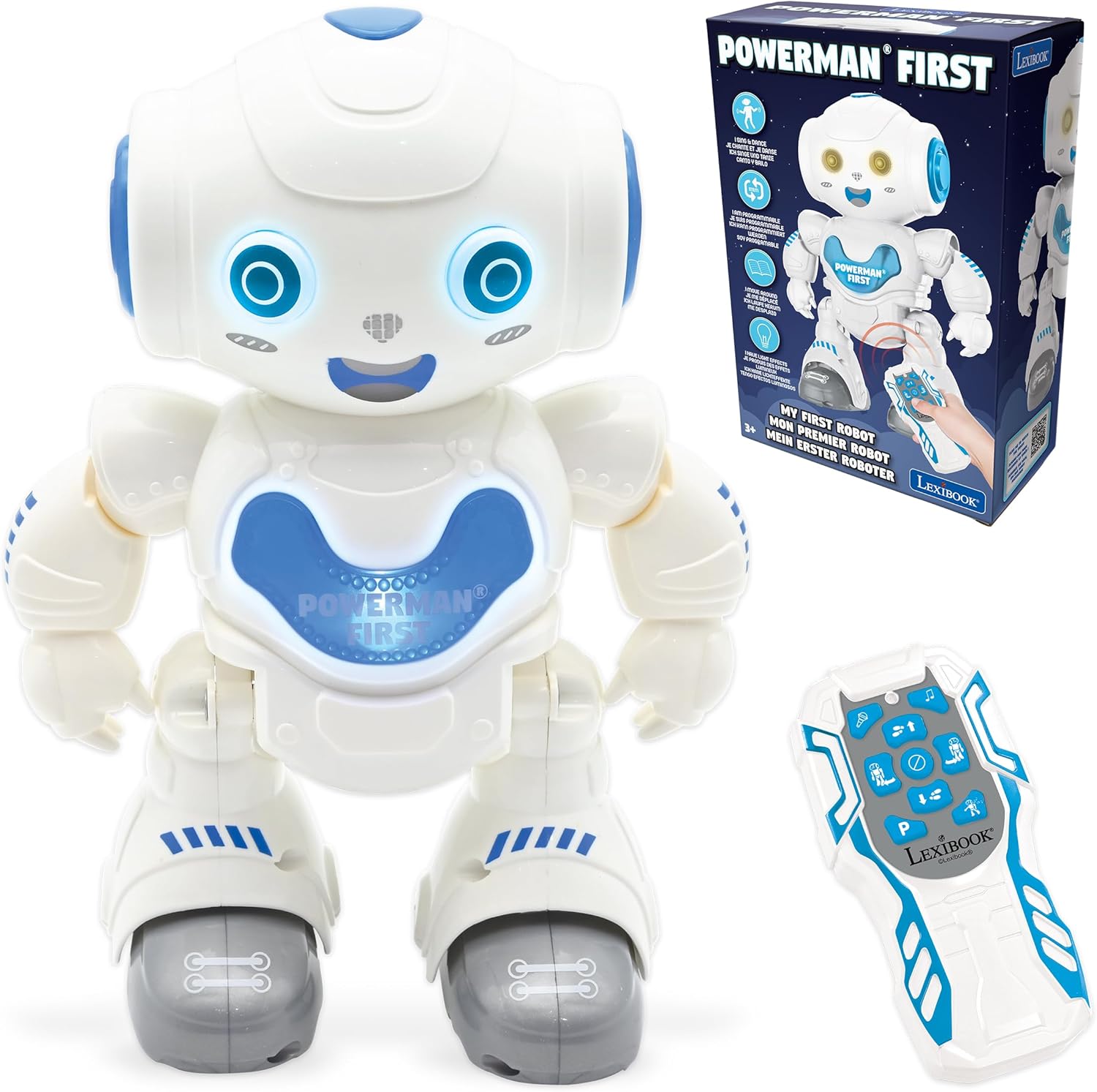
Image: The Powerman First robot, its remote control, and product packaging.
2. Safety Information
This product is recommended for ages 3 years and up. Adult supervision is advised during play. Keep small parts away from young children to prevent choking hazards. Do not expose the robot or remote control to water or extreme temperatures.
3. Setup
3.1. Battery Installation
The robot requires 3 AA batteries. The remote control also requires batteries (not specified in product details, typically AA or AAA). Ensure batteries are inserted with correct polarity. Do not mix old and new batteries, or different types of batteries.
3.2. Powering On and Pairing
- Turn on the remote control using its power switch.
- Turn on the robot by pressing the power button located on its chest.
- The robot and remote control should automatically pair. The robot's eyes will light up, indicating it is ready for use.

Image: The Powerman First robot standing next to its remote control.
4. Operating Instructions
4.1. Basic Movement
Use the directional buttons on the infrared remote control to move Powerman First:
- Forward: Moves the robot straight ahead.
- Backward: Moves the robot straight back.
- Left: Turns the robot to the left.
- Right: Turns the robot to the right.
4.2. Hand Gesture Control
The robot can also be controlled using hand gestures. Position your hand in front of the robot's sensors to initiate movement or turns. Refer to the remote control for specific hand gesture commands, often indicated by a hand icon.
4.3. Programming Mode
Engage the programming mode to create custom sequences of up to 15 actions. Press the 'Program' button on the remote, input your desired sequence of movements or actions, and then press 'Play' to execute the programmed routine. This feature helps children understand basic programming logic.
4.4. Music and Dance Functions
Press the 'Music' button on the remote control to play various music tracks. The robot will dance along to the music, utilizing its flexing joints and wide movement range. Its eyes will also display amazing sound and light effects.

Image: The Powerman First robot with glowing eyes, moving its arms and legs as if dancing, with music notes floating around it.
4.5. Educational Features
The Powerman First robot offers various educational interactions, including storytelling and quizzes, designed to promote learning and engagement. Explore the remote control buttons for these specific functions.

Image: The Powerman First robot surrounded by icons representing its features: a lightbulb for light effects, a STEM gear for programming, a dancing figure for dance, and an open book for educational content.
4.6. Official Product Video
Video: An official product video from Lexibook Limited showcasing the features and interactions of the Powerman First robot.
5. Maintenance
5.1. Cleaning
Wipe the robot and remote control with a soft, dry cloth. Do not use harsh chemicals or abrasive cleaners. Avoid getting moisture into battery compartments or electronic components.
5.2. Storage
When not in use for extended periods, remove batteries from both the robot and the remote control to prevent leakage. Store the toy in a cool, dry place away from direct sunlight.
6. Troubleshooting
- Robot not responding: Ensure both the robot and remote control are powered on and have fresh batteries. Check that they are within operating range.
- Intermittent function: Replace batteries in both devices. Ensure no obstructions are blocking the infrared signal between the remote and the robot.
- Sound issues: Check battery levels. If sound is still not working, contact customer support.
7. Specifications
| Feature | Detail |
|---|---|
| Product Dimensions | 8.27 x 6.3 x 3.35 inches |
| Item Weight | 10.4 ounces |
| Item Model Number | ROB16 |
| Manufacturer Recommended Age | 3 years and up |
| Batteries | 3 AA batteries required (for robot) |
| Release Date | September 19, 2022 |
| Manufacturer | Lexibook |
8. Warranty and Support
For warranty information, technical support, or replacement parts, please refer to the contact details provided on the product packaging or visit the official LEXiBOOK website. Keep your purchase receipt as proof of purchase.
Documents and downloads
Ask a question about this manual
Ask about setup, troubleshooting, compatibility, parts, safety, or missing instructions. Manuals+ will review the question and use this page’s manual context to help answer it.