
1. Introduction
The Polaroid P3 Portable Bluetooth Speaker is designed to deliver powerful sound with a retro-futuristic aesthetic. This manual provides essential information for setting up, operating, and maintaining your P3 speaker, ensuring optimal performance and longevity. Featuring Internet Radio access via the Polaroid Music App and dual stereo pairing capabilities, the P3 offers a versatile audio experience.

2. What's in the Box
Please check the package contents to ensure all items are present:
- Polaroid P3 Player
- USB-C Charging Cable (1m)
- Quick Start Guide
- Safety & Compliance Leaflet
3. Setup
3.1 Initial Charging
Before first use, fully charge your Polaroid P3 speaker. Connect the supplied USB-C charging cable to the speaker's USB-C port and the other end to a compatible USB power adapter (not included). The charging time is approximately 6 hours for a full charge, providing up to 15 hours of playback.
3.2 Powering On/Off
To power on the speaker, press and hold the power button located on the top panel until the display illuminates. To power off, press and hold the power button again until the display turns off.
3.3 Polaroid Music App Installation
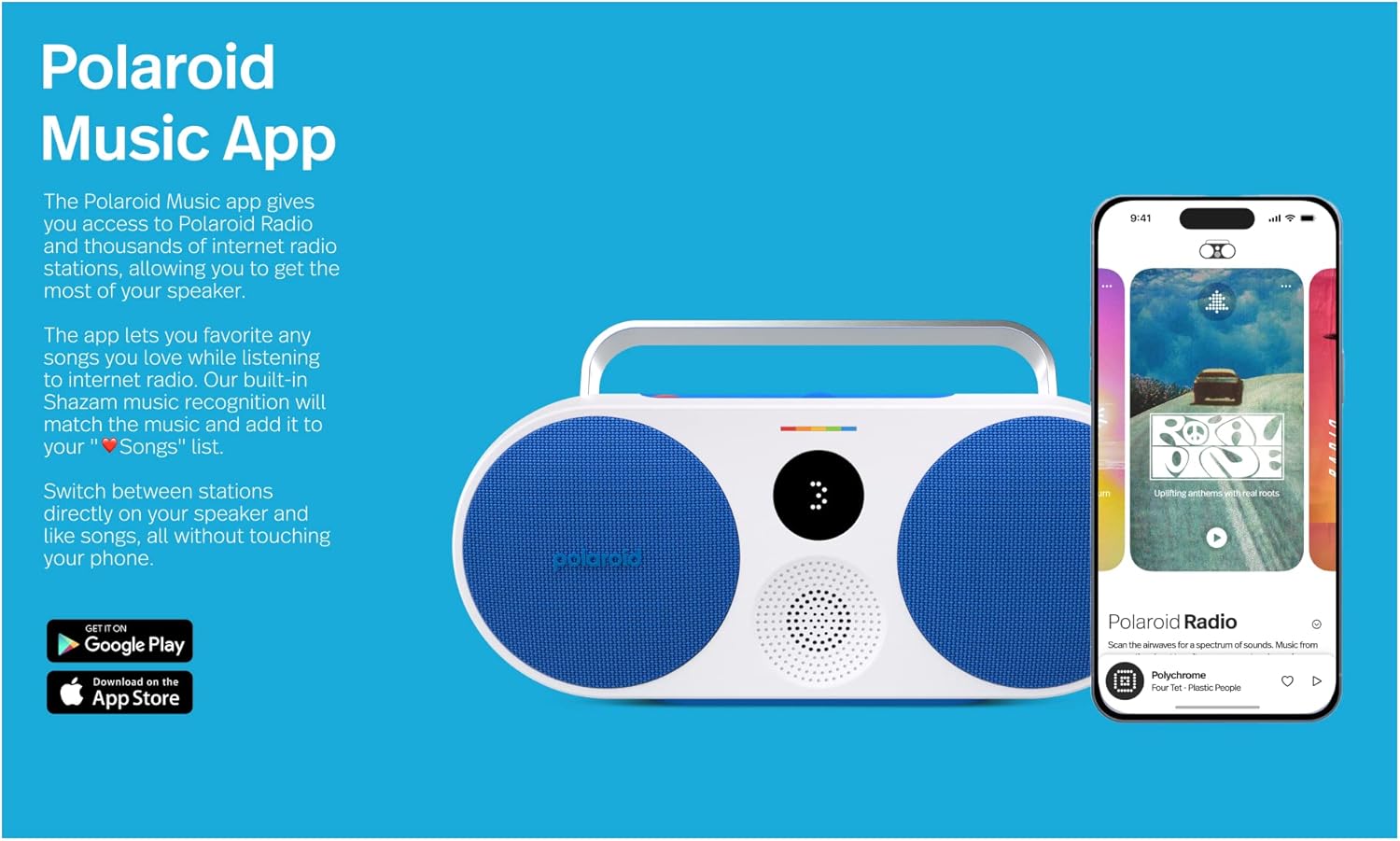
For full functionality, including access to Polaroid Radio and advanced controls, download the Polaroid Music App. It is available for both iOS and Android devices.
4. Operating Instructions
4.1 Bluetooth Pairing
- Ensure the P3 speaker is powered on.
- The speaker will automatically enter Bluetooth pairing mode if no device is connected. The display will show a pairing indicator.
- On your device (smartphone, tablet), go to Bluetooth settings and select 'Polaroid P3' from the list of available devices.
- Once connected, the speaker will confirm the connection, and the display indicator will change.
The P3 uses Bluetooth 5.1 for a stable connection up to 30 feet.
4.2 Using the Polaroid Music App and Internet Radio
The Polaroid Music App allows you to access Polaroid Radio, a curated internet radio service, and thousands of other internet radio stations. Use the analog dial on the speaker or the app to scroll through channels. The app also features Shazam music recognition to identify and save songs.
4.3 Stereo Pairing
Two Polaroid P3 speakers can be paired together to create an immersive stereo sound experience. Refer to the Quick Start Guide or the Polaroid Music App for detailed instructions on initiating stereo pairing.
4.4 Controls
The P3 speaker features intuitive physical controls on its top panel:
- Power Button: Press and hold to turn on/off.
- Analog Dial: Rotate to navigate through radio stations or tracks.
- Play/Pause Button: Controls media playback.
- Skip Buttons: For skipping tracks forward or backward.
- Heart Button: Save your favorite songs (requires Polaroid Music App).

5. Maintenance
5.1 Cleaning
Wipe the speaker with a soft, dry, lint-free cloth. Do not use abrasive cleaners, waxes, or solvents. Avoid getting moisture into any openings.
5.2 Battery Care
To prolong battery life, avoid fully discharging the speaker frequently. If storing for an extended period, charge the battery to approximately 50% and recharge every few months.
5.3 Storage
Store the speaker in a cool, dry place away from direct sunlight and extreme temperatures.
6. Troubleshooting
6.1 No Power
- Ensure the speaker is fully charged. Connect it to a power source using the USB-C cable.
- Verify the power adapter is working correctly.
6.2 No Sound
- Check the volume level on both the speaker and your connected device.
- Ensure the speaker is properly paired via Bluetooth or connected via AUX.
- Try restarting both the speaker and the connected device.
6.3 Bluetooth Pairing Issues
- Make sure the speaker is in pairing mode.
- Move the speaker closer to your device.
- Forget the device from your phone's Bluetooth settings and try pairing again.
- Ensure no other devices are actively connected to the speaker.
7. Specifications
| Feature | Detail |
|---|---|
| Model Name | Polaroid Music Player |
| Model Number | 9088 |
| Dimensions (D x W x H) | 2.75"D x 11.8"W x 5.5"H |
| Item Weight | 3.28 pounds (52.4 Ounces) |
| Battery Life | Up to 15 Hours |
| Charging Time | 6 Hours |
| Connectivity Technology | Bluetooth 5.1, Auxiliary (3.5mm), USB-C |
| Bluetooth Range | 30 Feet |
| Speaker Type | Coaxial |
| Special Features | Stereo Pairing, Portable, Internet Radio via App |
| Power Source | Battery Powered (1 Lithium Ion battery included) |
| Water Resistance Level | Not Water Resistant |

8. Warranty and Support
The Polaroid P3 Portable Bluetooth Speaker comes with a 1-year warranty. For detailed warranty information, technical support, or service inquiries, please refer to the Safety & Compliance Leaflet included in your package or visit the official Polaroid website.