
Introduction
Welcome to the world of interactive fun with your new Minecraft Kids Smart Watch. This manual provides essential information for setting up, operating, and maintaining your watch to ensure a great experience. Designed for young fans, this smartwatch combines engaging features with the beloved Minecraft universe.
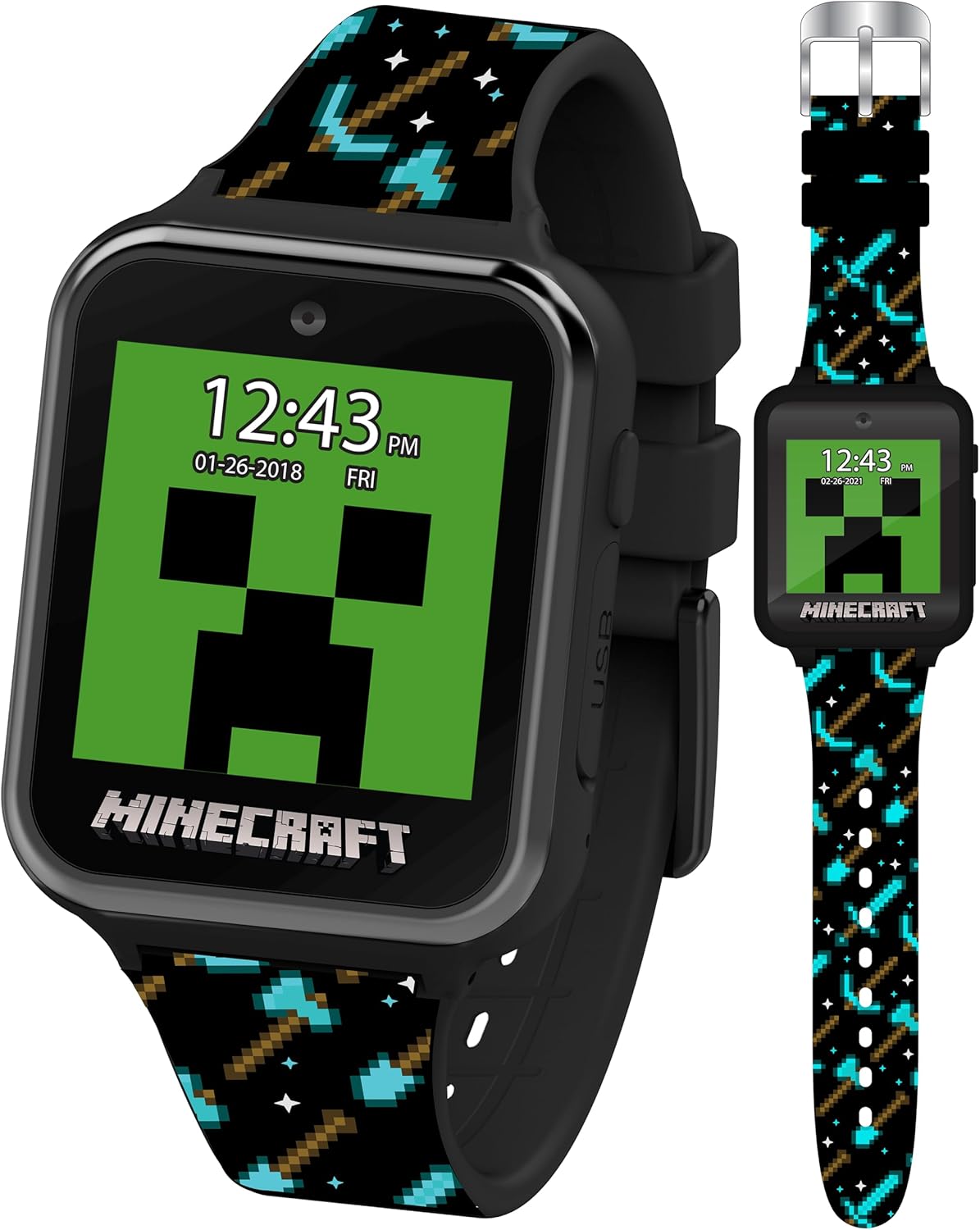
The Minecraft Kids Smart Watch, featuring a Creeper watch face and its sleek design.
Product Features
The Minecraft Kids Smart Watch is packed with features designed to entertain and educate:
- Interactive Touchscreen: Navigate through menus and games with ease.
- 10 Minecraft-themed Watch Faces: Customize your watch with iconic characters and designs, including Creepers, pigs, and more.
- 6 Engaging Games: Enjoy pre-loaded games inspired by the Minecraft universe.
- Selfie and Video Camera: Capture photos and short videos of your adventures.
- Step Counter & Calorie Tracker: Monitor physical activity and encourage active play.
- Alarm, Timer, and Voice Recorder: Practical tools for daily organization and creative expression.
- Durable Silicone Strap: Comfortable and adjustable, featuring cool Minecraft graphics.

Key features of the Minecraft Smart Watch, including camera, customizable watch faces, and games.

A selection of the 10 available Minecraft-themed watch faces.
Setup
Charging the Watch
Before first use, fully charge your Minecraft Kids Smart Watch. The watch comes with a built-in Lithium Polymer battery.
- Locate the USB charging port on the side of the watch.
- Connect the provided USB charging cable to the watch.
- Plug the other end of the USB cable into a compatible USB power source (e.g., computer USB port, USB wall adapter).
- The watch screen will indicate charging status. Allow approximately 2-3 hours for a full charge.
Adjusting the Strap
The durable silicone strap is adjustable to fit wrist sizes from 5.5" to 8.0".
- Place the watch on the wrist.
- Thread the strap through the buckle and adjust to a comfortable, secure fit.
- Secure the strap using the pin.

Front and back view of the watch and its adjustable silicone strap.
Operating the Watch
Power On/Off
- To power on: Press and hold the power button (usually on the side) until the screen lights up.
- To power off: Press and hold the power button until a power-off option appears on the screen, then confirm.
Navigating the Touchscreen
The watch features an intuitive touchscreen interface.
- Tap: Select an icon or option.
- Swipe: Move between different screens or menus.
Key Functions
Explore the various applications on your smartwatch:
- Watch Faces: Tap the screen on the home display to cycle through the 10 Minecraft-themed watch faces.
- Games: Select the "Games" icon to access the 6 pre-loaded interactive games.
- Camera: Tap the "Camera" icon to take photos or record short videos. Images and videos are stored on the watch.
- Step Counter: Access the "Step Counter" or "Activity" app to view daily steps and estimated calories burned.
- Alarm: Set alarms for reminders or wake-up calls.
- Timer: Use the timer for various activities.
- Voice Recorder: Record short audio clips.

The watch is designed for comfortable wear during active play.
Maintenance
Cleaning
- Wipe the watch screen and strap with a soft, dry, lint-free cloth.
- For stubborn marks, slightly dampen the cloth with water. Avoid harsh chemicals or abrasive cleaners.
Storage
When not in use, store the watch in a cool, dry place away from direct sunlight and extreme temperatures.
Battery Care
- To prolong battery life, avoid fully discharging the battery frequently.
- Charge the watch regularly, even if not in daily use.
Troubleshooting
| Problem | Possible Cause | Solution |
|---|---|---|
| Watch does not turn on. | Low or no battery charge. | Charge the watch for at least 30 minutes, then try turning it on again. |
| Screen is unresponsive. | Temporary software glitch. | Perform a soft reset by holding the power button for 10-15 seconds until the watch restarts. |
| Cannot take photos/videos. | Insufficient storage space. | Delete some existing photos or videos from the watch's gallery to free up space. |
| Battery drains quickly. | Frequent use of games/camera; background apps. | Reduce usage of power-intensive features. Ensure no apps are running unnecessarily in the background. |
Specifications
| Feature | Detail |
|---|---|
| Model Number | MIN4081AZ |
| Product Dimensions | 22 x 2 x 1 inches |
| Item Weight | 1.4 ounces |
| Battery Type | 1 Lithium Polymer battery (included) |
| Wrist Size Compatibility | 5.5" to 8.0" |
| Manufacturer | Accutime Watch Corp. |
| First Available Date | November 15, 2022 |
Warranty and Support
Warranty Information
For information regarding the product warranty, please refer to the warranty card included in the product packaging or visit the official Accutime website. Standard warranty terms typically cover manufacturing defects for a specified period from the date of purchase.
Customer Support
If you encounter any issues or have questions not covered in this manual, please contact Accutime customer support. You can find contact details on the Accutime website or through the retailer where the product was purchased.
Visit the Accutime Store on Amazon for more information.


