
Introduction
Thank you for choosing the Xoopar Xboy-R Portable Bluetooth Speaker. This speaker combines innovative design with eco-friendly materials, offering powerful 360° sound, an integrated selfie remote, and NFC functionality. This manual will guide you through the setup, operation, and maintenance of your device to ensure optimal performance.
The Xboy-R is designed with sustainability in mind: 20% of its total volume is made from recycled plastic, and its packaging is FSC-certified paper from sustainably managed forests. The materials consist of 94% recycled ABS and 6% recycled PET.
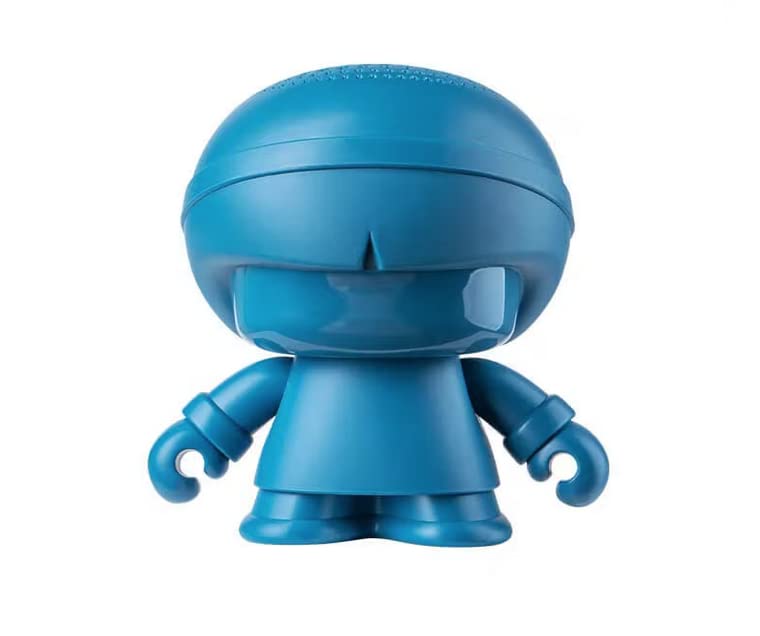
Image: The Xoopar Xboy-R speaker, showcasing its unique design.
Package Contents
Please check the package for the following items:
- Xoopar Xboy-R Portable Bluetooth Speaker
- USB-C Charging Cable
- Emoji Stickers (for customization)
- User Manual (this document)
Product Overview
Familiarize yourself with the various parts of your Xboy-R speaker:
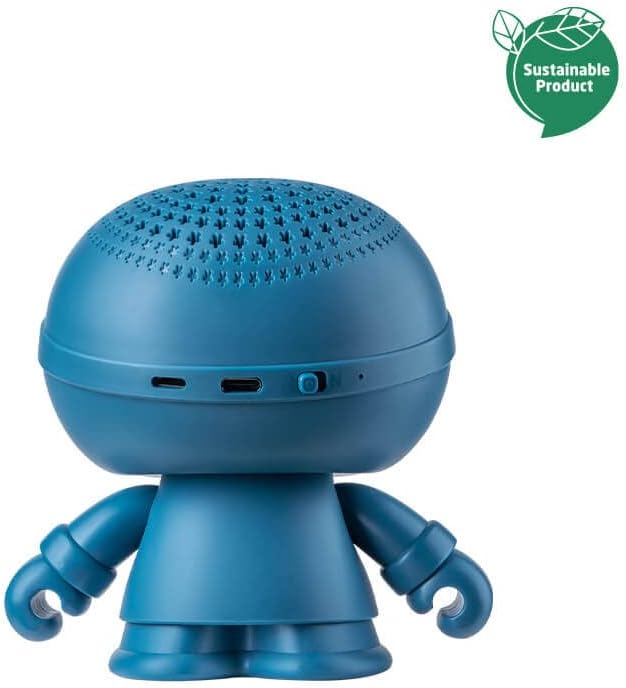
Image: Rear view of the Xboy-R speaker, highlighting the charging port and controls.
- Power Button: Located on the back/bottom for turning the speaker on/off.
- USB-C Port: For wired charging.
- LED Indicator: Shows power status, charging status, and Bluetooth pairing status.
- Microphone: Integrated for hands-free calls.
- Selfie Remote Button: Integrated into the speaker's design for remote camera control.
- NFC Tag: For quick information sharing.
Charging the Speaker
The Xboy-R speaker has an 8-hour battery life and supports two charging methods:
1. Wired Charging (USB-C)
- Connect the provided USB-C cable to the charging port on the speaker.
- Connect the other end of the USB-C cable to a compatible USB power adapter (not included) or a computer's USB port.
- The LED indicator will show the charging status. It will typically turn off or change color once fully charged.
2. Wireless Charging (QI Compatible)
The Xboy-R can also be charged wirelessly using a QI-compatible wireless charging pad.
- Place the Xboy-R speaker on a QI-compatible wireless charging pad.
- Ensure the speaker is correctly positioned on the charging pad for optimal contact.
- The LED indicator will show the charging status.

Image: The Xboy-R speaker being charged wirelessly on a charging pad.
Setup and Pairing
1. Powering On/Off
- To power on, press and hold the Power button until the LED indicator lights up.
- To power off, press and hold the Power button until the LED indicator turns off.
2. Bluetooth Pairing (Single Speaker)
The Xboy-R uses Bluetooth 5.0 for a stable connection up to 10 meters.
- Ensure the speaker is powered on and in pairing mode (LED indicator will typically flash).
- On your smartphone, tablet, or computer, enable Bluetooth.
- Search for available Bluetooth devices.
- Select "Xoopar Xboy-R" from the list of devices.
- Once paired, the LED indicator will stop flashing and remain solid. You will hear a confirmation sound.
3. Stereo Pairing (Two Xboy-R Speakers)
You can pair two Xboy-R speakers together for an immersive 360° stereo sound experience.
- Ensure both Xboy-R speakers are powered on and not connected to any other Bluetooth device.
- On one of the speakers (this will be the primary speaker), press and hold the Bluetooth pairing button (or a designated button for stereo pairing, refer to specific product markings if available).
- The speakers will search for each other and automatically pair. You will hear a confirmation sound when stereo pairing is successful.
- Now, connect your device to the primary Xboy-R speaker via Bluetooth as described in step 2. Both speakers will play audio in stereo.
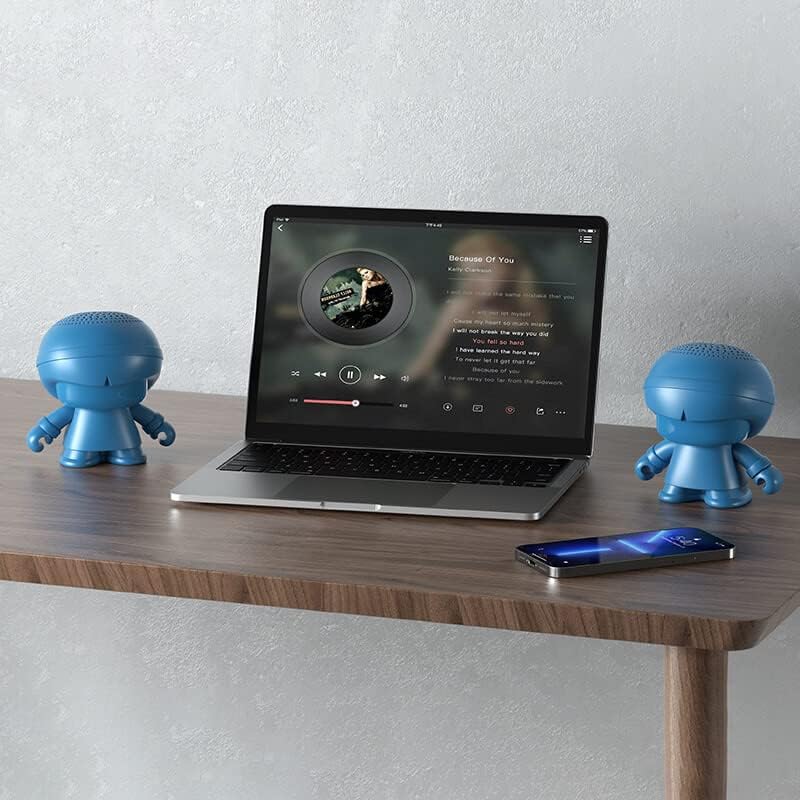
Image: Two Xboy-R speakers set up for stereo sound with a laptop.
Operating Instructions
1. Music Playback
- Once paired, play music from your connected device. The audio will stream through the Xboy-R speaker(s).
- Volume control is typically managed through your connected device.
2. Selfie Remote Function
The Xboy-R features an integrated selfie remote. When connected to your smartphone via Bluetooth:
- Open your smartphone's camera application.
- Press the designated selfie remote button on the Xboy-R speaker to trigger your phone's camera shutter.
3. NFC Function (Near Field Communication)
The NFC function allows for quick sharing of information without an app.
- Ensure NFC is enabled on your smartphone.
- Tap your NFC-enabled smartphone near the NFC tag on the Xboy-R speaker.
- Your phone will automatically display the shared information (e.g., a website link, contact info) without needing to open a specific app.

Image: A smartphone demonstrating the NFC function with the Xboy-R speaker.
Maintenance
- Cleaning: Use a soft, dry cloth to clean the speaker. Do not use abrasive cleaners or solvents.
- Storage: Store the speaker in a cool, dry place away from direct sunlight and extreme temperatures.
- Battery Care: To prolong battery life, avoid fully discharging the speaker frequently. Charge it regularly, even if not in use for extended periods.
- Water Resistance: The speaker is not waterproof. Avoid exposure to water or excessive moisture.
Troubleshooting
| Problem | Possible Cause | Solution |
|---|---|---|
| Speaker does not turn on. | Low battery. | Charge the speaker using the USB-C cable or a wireless charging pad. |
| Cannot pair via Bluetooth. | Speaker not in pairing mode; Bluetooth disabled on device; device too far. | Ensure speaker is on and LED is flashing; enable Bluetooth on your device; move device closer to speaker (within 10m). |
| No sound after pairing. | Volume too low on speaker or connected device; incorrect audio output selected. | Increase volume on both speaker and connected device; ensure Xboy-R is selected as the audio output on your device. |
| Stereo pairing fails. | One or both speakers already connected to another device. | Disconnect both speakers from any other Bluetooth devices before attempting stereo pairing. |
| NFC not working. | NFC disabled on smartphone; incorrect tapping position. | Ensure NFC is enabled on your smartphone; try tapping different areas of the speaker where the NFC tag is located. |
Specifications

Image: The Xboy-R speaker with its dimensions (119mm height, 94mm width) clearly marked.
| Feature | Detail |
|---|---|
| Model Name | Xboy-R |
| Model Number | XBOY81005.16RP |
| Brand | Xoopar |
| Connectivity Technology | Bluetooth 5.0, NFC, USB |
| Max Output Power | 10 Watts |
| Frequency Response | 20 Hz |
| Audio Output Mode | Stereo (2.0 channels) |
| Battery Life | Up to 8 hours |
| Charging Methods | USB-C (wired), QI (wireless) |
| Bluetooth Range | Up to 10 meters (33 feet) |
| Dimensions (L x W x H) | 11.8 x 9.4 x 11.9 cm (4.65 x 3.7 x 4.69 inches) |
| Weight | 296 grams (0.65 lbs) |
| Material | Plastic (94% recycled ABS, 6% recycled PET) |
| Special Features | Integrated Microphone, USB Port, Selfie Remote, NFC Function |
| Control Method | Remote Control (via connected device and selfie remote button) |
| Water Resistance | Not waterproof |
| Compatible Devices | Smartphones, Personal Computers |
Warranty and Support
Warranty: The Xoopar Xboy-R Portable Bluetooth Speaker comes with a 2-year warranty from the date of purchase. This warranty covers manufacturing defects under normal use. Please retain your proof of purchase for warranty claims.
Exclusions: The warranty does not cover damage caused by misuse, accidents, unauthorized modifications, or exposure to water (as the device is not waterproof).
Customer Support: For technical assistance, warranty claims, or further inquiries, please contact Xoopar customer support through their official website or the retailer where you purchased the product. You can find contact information on the Xoopar Europe website.
For more information, visit: www.xoopar.com