
Roland VAD307
Contents
Roland VAD307 V-Drums Acoustic Design Electronic Drum Set User Manual
Model: VAD307
Brand: Roland
1. Introduction
Welcome to the comprehensive user manual for your Roland VAD307 V-Drums Acoustic Design Electronic Drum Set. This manual provides essential information for setting up, operating, maintaining, and troubleshooting your new drum kit. The VAD307 is designed to offer the authentic look and feel of acoustic drums with the advanced technology and versatility of V-Drums.
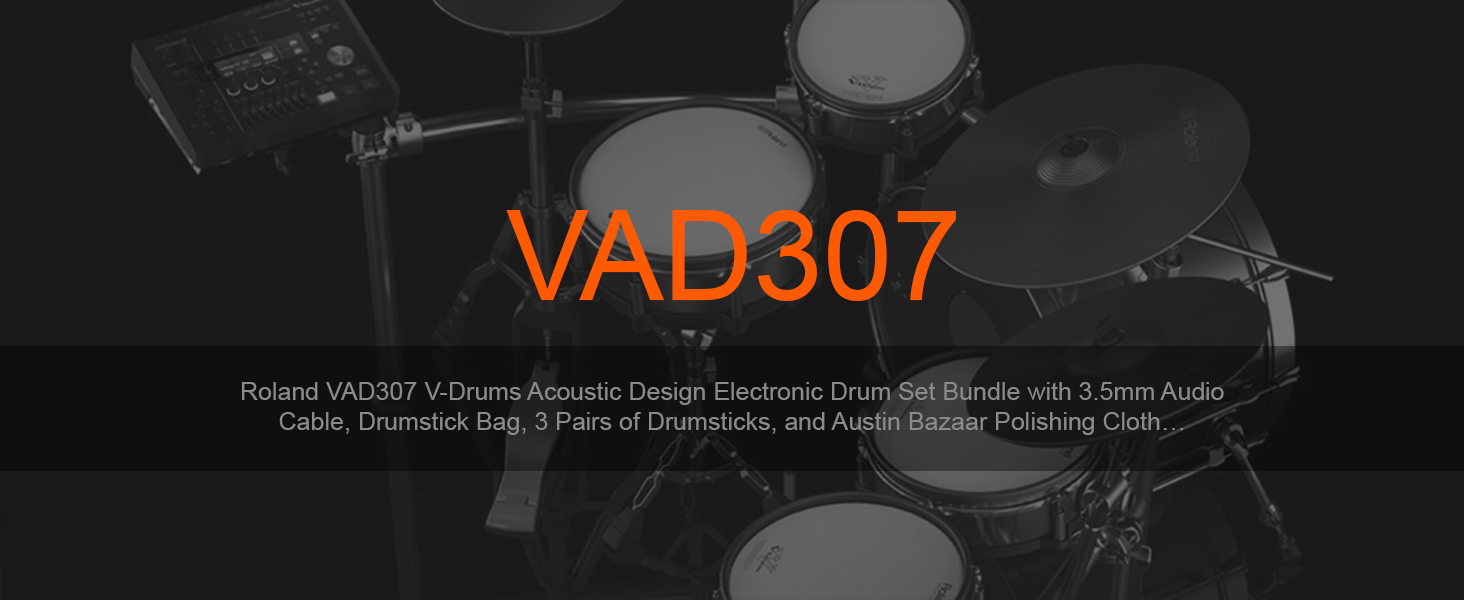
Figure 1.1: Roland VAD307 V-Drums Acoustic Design Electronic Drum Set overview.
2. Product Features
The Roland VAD307 V-Drums Acoustic Design Electronic Drum Set offers a range of advanced features for an authentic drumming experience:
- Complete V-Drums Acoustic Design Kit: Includes a 12-inch PDA120LS-BK snare, two 10-inch PDA100L-BK rack toms, a 12-inch PDA120L-BK rack tom, and an 18-inch KD-180L-BK kick drum, all featuring custom chrome hardware and black wraps for an authentic acoustic appearance.
- Custom Chrome Hardware: Features a 12-inch VH-10 V-Hi-Hat with natural motion and precise open/closed detection. Two 12-inch CY-12C-T crash cymbals and one 14-inch CY-14R-T ride cymbal are included, designed with thin profiles for a natural feel and realistic movement.
- Prismatic Sound Modeling: Equipped with an updated TD-17 sound module that provides new kits, expanded effects, and enhanced compression/reverb sections, delivering rich, dynamic, and natural drum sounds.
- Easy Interface for Sound Editing: The TD-17 module features a hands-on interface for selecting and personalizing drum sounds. It also includes onboard Bluetooth connectivity for drumming along with music from a smartphone or laptop.
- Bundle Inclusions: This specific bundle includes a rugged bag for drumsticks and accessories, a stereo plug cable for connecting external audio devices, and three pairs of 5A drumsticks. An Austin Bazaar polishing cloth is also provided for maintenance.
Note: This bundle does NOT include a kick pedal, a snare stand, a hi-hat stand, a drum throne, or an SD card. Any depiction of these items in images is for customer reference only.
3. Package Contents
Please verify that all components listed below are included in your package:
- Drum sound module: TD-17 x 1
- Snare: PDA120LS-BK x 1
- Tom1: PDA100L-BK x 1
- Tom2: PDA100L-BK x 1
- Tom3: PDA120L-BK x 1
- Hi-hat: VH-10 x 1
- Crash1: CY-12C-T x 1
- Crash2: CY-12C-T x 1
- Ride: CY-14R-T x 1
- Kick: KD-180L-BK x 1
- Drum combination stand: DCS-30 x 3
- All purpose clamp: APC-30 x 1
- Drumstick Bag
- 3.5mm Audio Cable
- 3 Pairs of Drumsticks
- Austin Bazaar Polishing Cloth
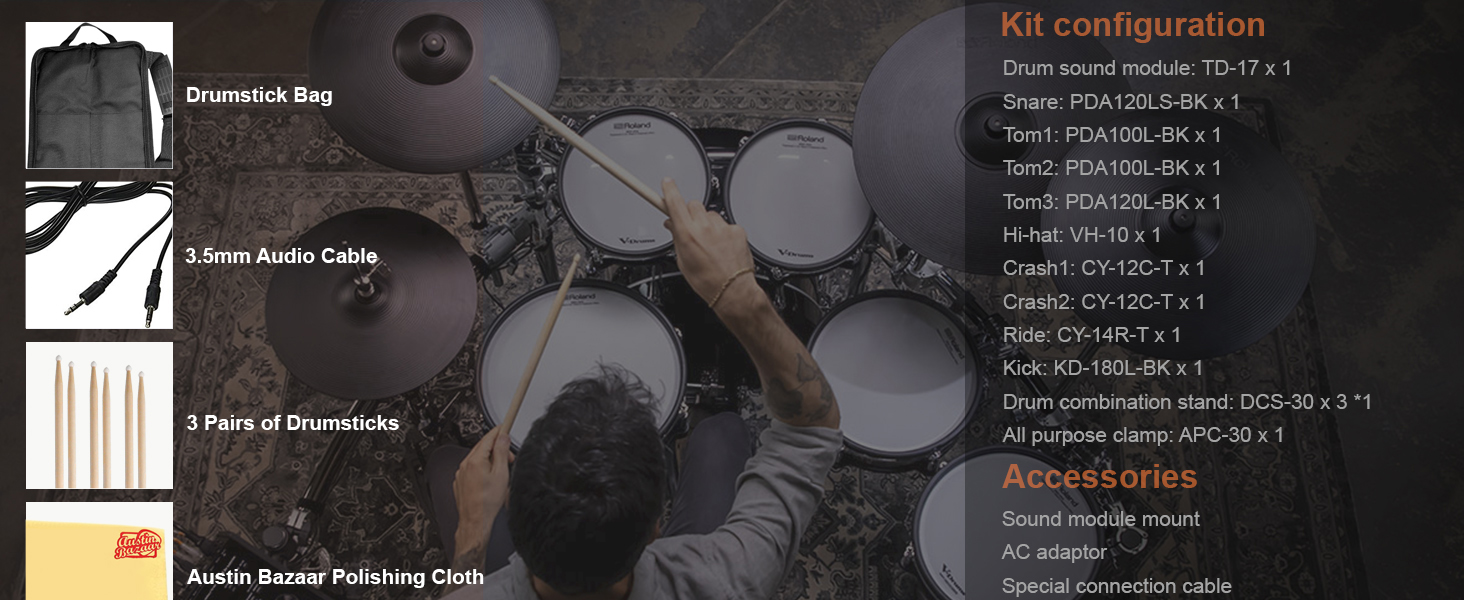
Figure 3.1: Visual representation of included kit components and accessories.
4. Setup Guide
Follow these steps to assemble your Roland VAD307 drum set:
- Unpack Components: Carefully remove all components from the packaging and lay them out. Identify each drum pad, cymbal pad, the TD-17 module, and all stands and clamps.
- Assemble Stands: Begin by assembling the three DCS-30 drum combination stands. Ensure all locking mechanisms are secure.
- Mount Kick Drum: Place the KD-180L-BK kick drum in your desired playing position. Attach your kick pedal (not included) to the kick drum.
- Mount Snare and Toms: Attach the PDA120LS-BK snare, PDA100L-BK rack toms, and PDA120L-BK rack tom to the combination stands using the provided clamps. Adjust their height and angle for comfortable playing.
- Mount Cymbals: Secure the VH-10 hi-hat, CY-12C-T crash cymbals, and CY-14R-T ride cymbal to the cymbal arms on the stands. Adjust their positions and angles.
- Install TD-17 Module: Mount the TD-17 sound module to one of the stands using the APC-30 all-purpose clamp. Position it within easy reach.
- Connect Cables: Connect each drum and cymbal pad to the corresponding input on the TD-17 module using the included connection cables. Refer to the module's port labels for correct connections. Ensure all connections are firm.
- Power Connection: Connect the AC adaptor to the TD-17 module and then to a power outlet.
- Audio Output: Connect your headphones or an audio system to the TD-17 module's output jacks.

Figure 4.1: Fully assembled Roland VAD307 drum set (stands ghosted for clarity).
5. Operation Guide
This section covers basic operation of your VAD307 drum set, focusing on the TD-17 sound module.
5.1 Powering On and Kit Selection
- Press the [POWER] button on the TD-17 module to turn it on.
- Use the [KIT] knob to browse through the various preset drum kits. The display will show the name of the selected kit.
- Strike the pads and cymbals to hear the sounds of the selected kit.
5.2 Sound Editing and Customization
- To edit a sound, strike the pad whose sound you wish to change.
- Press the [INSTRUMENT] button to access instrument selection and editing parameters.
- Use the various knobs and buttons on the module (e.g., [TUNE], [MUFFLING], [EFFECTS]) to adjust the sound characteristics.
- To save your customized kit, press the [SAVE] button and follow the on-screen prompts.
5.3 Bluetooth Connectivity
- Press the [BLUETOOTH] button on the TD-17 module.
- On your smartphone or audio device, enable Bluetooth and search for available devices. Select "TD-17" from the list.
- Once paired, you can play audio from your device through the TD-17 module and drum along. Adjust the audio level using the [MIX IN] knob.

Figure 5.1: The TD-17 sound module, central to the VAD307's operation.
6. Maintenance
Proper care will ensure the longevity and optimal performance of your VAD307 drum set:
- Cleaning: Regularly wipe down the drum pads, cymbals, and module with a soft, dry cloth. For stubborn dirt, use a slightly damp cloth and then dry thoroughly. Avoid abrasive cleaners or solvents. The included Austin Bazaar polishing cloth is ideal for this.
- Pad Care: Avoid striking the pads with excessive force, which can reduce their lifespan. Ensure drumsticks are in good condition, free from splinters that could damage the mesh heads.
- Cable Management: Keep cables neatly organized and avoid sharp bends or kinks. This prevents damage and ensures reliable connections.
- Storage: When not in use for extended periods, store the drum set in a cool, dry place away from direct sunlight and extreme temperatures.
- Hardware Inspection: Periodically check all screws, clamps, and bolts on the stands and mounts to ensure they are tight and secure.
7. Troubleshooting
If you encounter issues with your VAD307, refer to the following common problems and solutions:
| Problem | Possible Cause | Solution |
|---|---|---|
| No sound from headphones/speakers. | Volume too low; cables disconnected; incorrect output selected. | Increase volume on TD-17 module and connected device. Check all audio cable connections. Ensure headphones/speakers are connected to the correct output jack. |
| A specific pad/cymbal is not responding. | Cable loose or damaged; pad sensitivity setting too low; pad malfunction. | Check the cable connection for that specific pad to the TD-17 module. Try swapping the cable with a known working one. Adjust the pad's sensitivity setting in the TD-17 module. |
| Bluetooth device won't pair. | Bluetooth not enabled on module/device; device too far; interference. | Ensure Bluetooth is active on both the TD-17 module and your device. Move the device closer to the module. Try restarting both devices. |
| Module not powering on. | Power cable loose; power outlet not working; AC adaptor faulty. | Check power cable connection to module and outlet. Try a different power outlet. Ensure the AC adaptor is the correct one for the module. |
8. Specifications
| Feature | Detail |
|---|---|
| Model Name | Roland VAD307 V-Drums Acoustic Design Electronic Drum Set |
| Item Model Number | AUS-VAD307-COMBO-DLX |
| Brand | Roland |
| Item Weight | 83.6 pounds (37.9 kg) |
| Product Dimensions (L x W x H) | 47.24 x 51.77 x 47.24 inches (120 x 131.5 x 120 cm) |
| Body Material | Wood |
| Finish Type | Wrapped |
| Material Type | Chrome, Wood |
| Connector Type | 1/4" jack |
| UPC | 840262225595 |
| First Available Date | November 1, 2022 |
9. Warranty and Support
For detailed warranty information and customer support, please refer to the official Roland website or contact their customer service directly. Roland is committed to providing high-quality products and support to its users.
You can visit the official Roland store for more information and resources:
Documents and downloads
Ask a question about this manual
Ask about setup, troubleshooting, compatibility, parts, safety, or missing instructions. Manuals+ will review the question and use this page’s manual context to help answer it.