
Bitvae R2
Bitvae R2 Rotating Electric Toothbrush User Manual
Model: R2
Introduction
Thank you for choosing the Bitvae R2 Rotating Electric Toothbrush. This manual provides essential information for the safe and effective use of your new toothbrush. Please read it thoroughly before first use and keep it for future reference. The Bitvae R2 is designed to provide a superior clean, reaching areas manual brushing might miss, and promoting a healthier oral hygiene routine.
Package Contents
Ensure all items are present in your package:
- 1 x Bitvae R2 Toothbrush Handle
- 8 x Toothbrush Heads
- 1 x Travel Case
- 1 x USB Cable (Adaptor not Included — please charge the toothbrush using a 5V-1A adapter)
- 1 x Instruction Manual (this document)

Image: The complete Bitvae R2 Electric Toothbrush package, showing the black toothbrush handle, eight replacement brush heads, a black travel case, and the product box.
Setup
1. Charging the Toothbrush
Before first use, fully charge the toothbrush. A full charge takes approximately 3 hours and provides up to 30 days of use (based on brushing twice a day for 2 minutes).
- Connect the USB cable to the charging port at the bottom of the toothbrush handle.
- Plug the USB cable into a 5V-1A USB power adapter (not included).
- The indicator light will show charging status. Once fully charged, the light will indicate completion.

Image: An X-ray style view of the toothbrush handle, highlighting the internal battery and electronics, with text indicating "Up to 30 Days of Use On a Single Charge."
2. Attaching the Brush Head
- Align the brush head with the metal shaft on the toothbrush handle.
- Push the brush head down firmly until it clicks into place.

Image: A display of eight individual Bitvae R2 toothbrush heads, emphasizing that they provide 2 years of use.
The package includes 8 replacement heads, providing approximately 2 years of use. Two colored rings are provided to help distinguish brush heads if the handle is shared among family members.
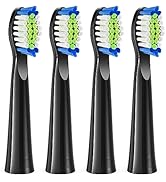
Image: The Bitvae R2 toothbrush handle alongside several brush heads, illustrating the use of two colored rings to differentiate between users.
Operating Instructions
1. Power On/Off and Mode Selection
- Press the power button to turn the toothbrush on.
- Press the mode button to cycle through the 5 available brushing modes:
- Clean: Standard mode for daily cleaning.
- Sensitive: Gentle mode for sensitive teeth and gums.
- White: For removing surface stains and whitening teeth.
- Gum Care: Gently massages gums for improved gum health.
- Tongue: For cleaning the tongue to reduce bad breath.
- Press and hold the power button to turn the toothbrush off.

Image: A close-up of the Bitvae R2 toothbrush handle, clearly showing the five distinct brushing modes and their corresponding indicator lights.
2. Brushing Technique
- Wet the brush head and apply a small amount of toothpaste.
- Place the brush head against your teeth at a slight angle towards the gumline.
- Move the brush head slowly from tooth to tooth, allowing it to clean each surface. Do not scrub.
- The toothbrush features a 2-minute smart timer and a 30-second reminder. It will pulse every 30 seconds to indicate when to move to the next quadrant of your mouth, ensuring a thorough clean.

Image: The Bitvae R2 toothbrush with an overlay graphic demonstrating its 2-minute smart timer and 30-second reminder feature for optimal brushing.

Image: A visual representation of the Bitvae R2 toothbrush head effectively removing plaque from the surface of a tooth, with text indicating "Removes Up to 400% More Plaque."

Image: A side-by-side comparison illustrating the superior plaque removal capabilities of an electric toothbrush compared to a manual toothbrush, stating "Removes 700% more plaque."
3. Pressure Sensor
The Bitvae R2 is equipped with a visible pressure sensor. If you apply too much pressure while brushing, the pressure indicator light will turn RED to remind you to reduce force. This helps protect your gums and enamel from damage due to overbrushing.

Image: A section of the product packaging detailing the "Pressure Indicator" feature, which lights up red when too much pressure is applied.
Maintenance
1. Cleaning the Toothbrush
- After each use, rinse the brush head thoroughly under running water.
- Wipe the toothbrush handle with a damp cloth.
- The Bitvae R2 is IPX7 waterproof, meaning it can be used in the shower and thoroughly rinsed without worry.

Image: The Bitvae R2 toothbrush partially submerged in water, illustrating its IPX7 waterproof capability, suitable for use in the shower.
2. Replacing the Brush Head
Dentists recommend changing the brush head every 3 months, or sooner if the bristles become frayed. The color of the Premium Reminder bristles on your brush head will fade over time, indicating when it's time for a replacement.
- Grip the brush head firmly and pull it straight off the handle.
- Align a new brush head and push it down until it clicks into place.

Image: A visual guide demonstrating the recommendation to replace the toothbrush head every 3 months, showing how the bristles fade to indicate wear.
Troubleshooting
| Problem | Possible Cause | Solution |
|---|---|---|
| Toothbrush does not turn on. | Low battery or not charged. | Charge the toothbrush for at least 3 hours. Ensure the USB cable and adapter are working correctly. |
| Brush head does not rotate or vibrates weakly. | Low battery; brush head not attached correctly; debris in the shaft. | Charge the toothbrush. Re-attach the brush head firmly. Clean any debris from the metal shaft. |
| Pressure sensor light turns red frequently. | Applying too much pressure while brushing. | Reduce the pressure applied to your teeth. The toothbrush is designed to clean effectively with light pressure. |
| Battery life is shorter than expected. | Not fully charged; frequent use of high-power modes. | Ensure the toothbrush is fully charged. Battery life can vary slightly based on usage patterns and selected modes. |
Specifications
| Feature | Detail |
|---|---|
| Model Number | R2 |
| Power Source | Battery Powered (1 A battery included) |
| Battery Life | Up to 30 days on a single 3-hour charge |
| Brushing Modes | 5 (Clean, Sensitive, White, Gum Care, Tongue) |
| Smart Timer | 2-minute auto-timer with 30-second quadrant reminders |
| Pressure Sensor | Visible red light indicator for excessive pressure |
| Waterproof Rating | IPX7 (can be submerged in up to 1 meter of water for 30 minutes) |
| Product Dimensions | 9.76 x 1.18 x 1.45 inches |
| Item Weight | 4.94 ounces |
| Brush Head Type | Rotating (compatible with Oral-B electric toothbrush handles and heads, except iO and Sonic) |
Warranty and Support
Bitvae products come with a 2-year warranty and lifetime service. For any questions, concerns, or technical support, please contact Bitvae customer service.
Contact Information:
- Email: support@bitvae.com
- Phone: +1 (877) 678-9088
- Website: www.bitvae.com
Please have your model number (R2) and purchase date ready when contacting support.
Related documentsR2


Ask a question about this manual
Ask about setup, troubleshooting, compatibility, parts, safety, or missing instructions. Manuals+ will review the question and use this page’s manual context to help answer it.