
Introduction
This manual provides detailed instructions for the setup, operation, and maintenance of your Karlsson KA5899DW Dark Wood LED Table Clock. Please read this manual thoroughly before using the product to ensure proper function and longevity.

Figure 1: Front view of the Karlsson KA5899DW LED Table Clock, showing the digital time display set to 12:00.
Package Contents
Verify that all items are present in the package:
- Karlsson KA5899DW Dark Wood LED Table Clock
- USB Power Cable
- User Manual (this document)
Note: 3x AAA batteries are not included and must be purchased separately if battery power is desired.
Setup
Powering the Clock
The clock can be powered by either a USB cable or 3x AAA batteries.
- USB Power: Connect the provided USB cable to the USB port on the back of the clock. Plug the other end into a standard USB power adapter (not included) or a powered USB port.
- Battery Power: Open the battery compartment on the back of the clock. Insert 3x AAA batteries, ensuring correct polarity (+/-). Close the battery compartment securely.
Note: Using both power sources simultaneously is not recommended. USB power is generally preferred for continuous operation. Batteries provide backup power or portability.
Initial Placement
Place the clock on a stable, flat surface such as a bedside table, desk, or shelf. Ensure it is away from direct sunlight or extreme temperatures.
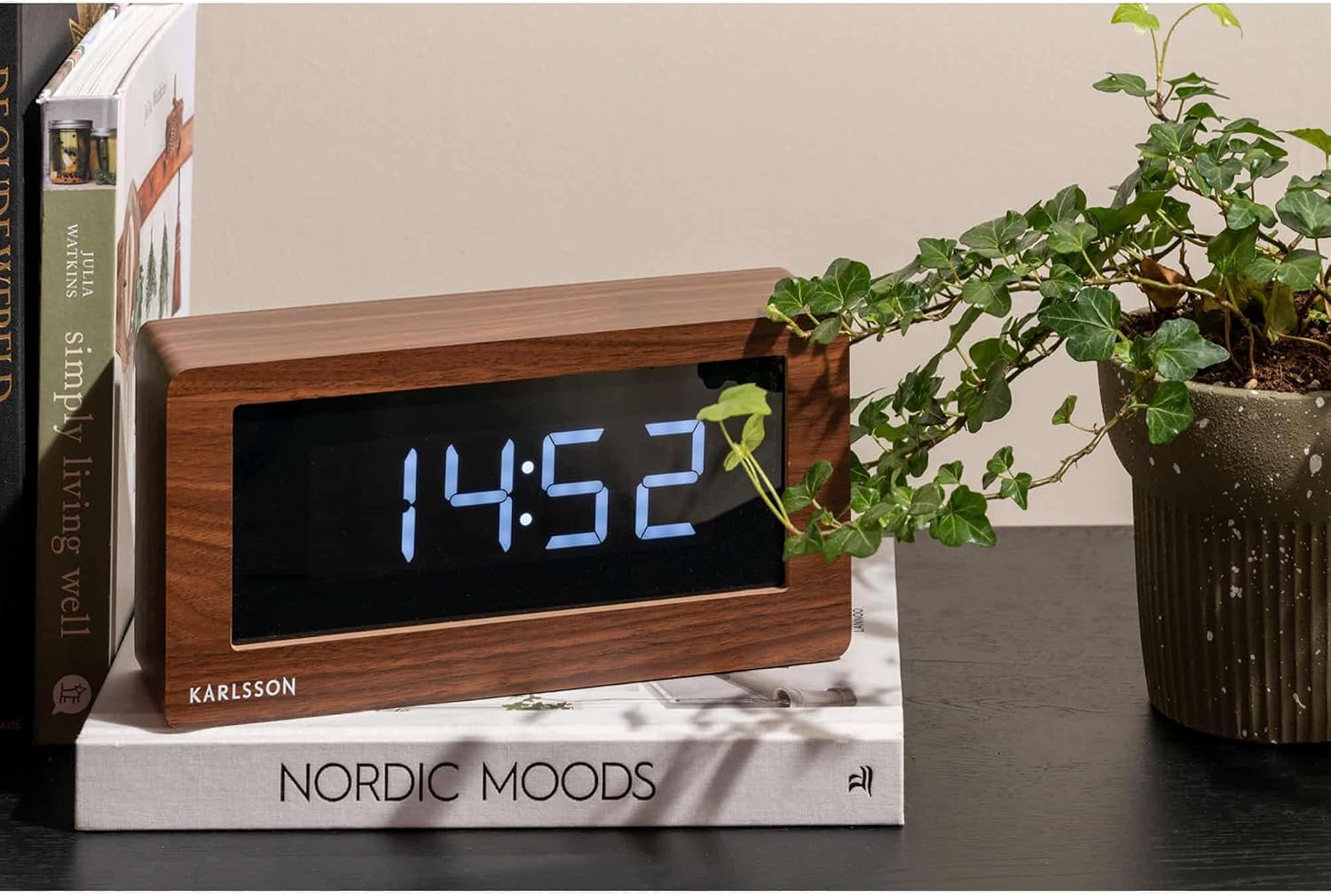
Figure 2: The Karlsson KA5899DW LED Table Clock displayed in a home environment, showing the time 14:52, positioned on a stack of books next to a potted plant.
Operating Instructions
The clock features several buttons on the back for setting time, alarm, and other functions. (Specific button labels are assumed for general instruction; refer to your clock's actual button labels if they differ).
Setting the Time
- Press and hold the SET button for a few seconds until the hour display starts flashing.
- Use the UP or DOWN buttons to adjust the hour.
- Press the SET button again to move to the minute setting.
- Use the UP or DOWN buttons to adjust the minutes.
- Press SET to confirm and exit time setting mode.
- To switch between 12-hour and 24-hour format, press the UP button while in normal time display mode.
Setting the Alarm
- Press the ALARM button once. The alarm time will be displayed.
- Press and hold the ALARM button until the alarm hour starts flashing.
- Use the UP or DOWN buttons to set the desired alarm hour.
- Press the ALARM button again to move to the alarm minute setting.
- Use the UP or DOWN buttons to set the desired alarm minutes.
- Press ALARM to confirm and exit alarm setting mode.
- To activate or deactivate the alarm, press the ALARM ON/OFF button (or a similar dedicated button). An indicator light or icon will show if the alarm is active.
Snooze Function
When the alarm sounds, press the SNOOZE button (often a large button on top or front) to temporarily silence the alarm. The alarm will sound again after a few minutes (typically 5-9 minutes, depending on the model). To turn off the alarm completely, press any other button.
Adjusting Display Brightness
The clock may have multiple brightness levels. Press the DIMMER or LIGHT button (or repeatedly press the UP/ DOWN button in normal display mode) to cycle through the available brightness settings.
Maintenance
- Cleaning: Wipe the clock with a soft, dry cloth. Do not use abrasive cleaners or solvents, as these can damage the wood finish or LED display.
- Battery Replacement: If using battery power, replace all three AAA batteries simultaneously when the display dims or the clock stops functioning. Do not mix old and new batteries.
- Storage: If storing the clock for an extended period, remove the batteries to prevent leakage.
Troubleshooting
| Problem | Possible Cause | Solution |
|---|---|---|
| Clock display is blank or dim. | No power, low batteries, or incorrect brightness setting. | Check USB connection or replace batteries. Adjust brightness setting. |
| Alarm does not sound. | Alarm not activated, incorrect alarm time, or volume too low (if applicable). | Ensure alarm is ON. Verify alarm time. (This model likely has fixed alarm volume). |
| Time is incorrect. | Time not set correctly or power interruption. | Reset the time according to the "Setting the Time" instructions. |
Specifications
- Model: KA5899DW (PTG-KA5899DW)
- Material: Wood veneer
- Dimensions (L x H x D): 25 cm x 12.5 cm x 7 cm (approximately 9.84 in x 4.92 in x 2.76 in)
- Weight: 200 grams (approximately 0.44 lbs)
- Power Source: 3x AAA batteries (not included) or USB cable (included)
- Display Type: LED Digital
- Special Feature: Alarm

Figure 3: Rear view of the Karlsson KA5899DW LED Table Clock with key dimensions indicated: 12.5cm height, 7cm depth, and 25cm width.
Warranty and Support
For warranty information or technical support, please refer to the documentation provided at the time of purchase or contact Karlsson customer service directly. Contact details can typically be found on the official Karlsson website or product packaging.