
1. Product Overview
The ENDORFY Fortis 5 ARGB is a high-performance CPU air cooler designed to provide efficient cooling for your desktop processor while offering customizable ARGB lighting. It features a large fan, densely finned heatsink, and direct-touch heatpipes for optimal thermal dissipation. This manual provides essential information for the setup, operation, and maintenance of your Fortis 5 ARGB cooler.
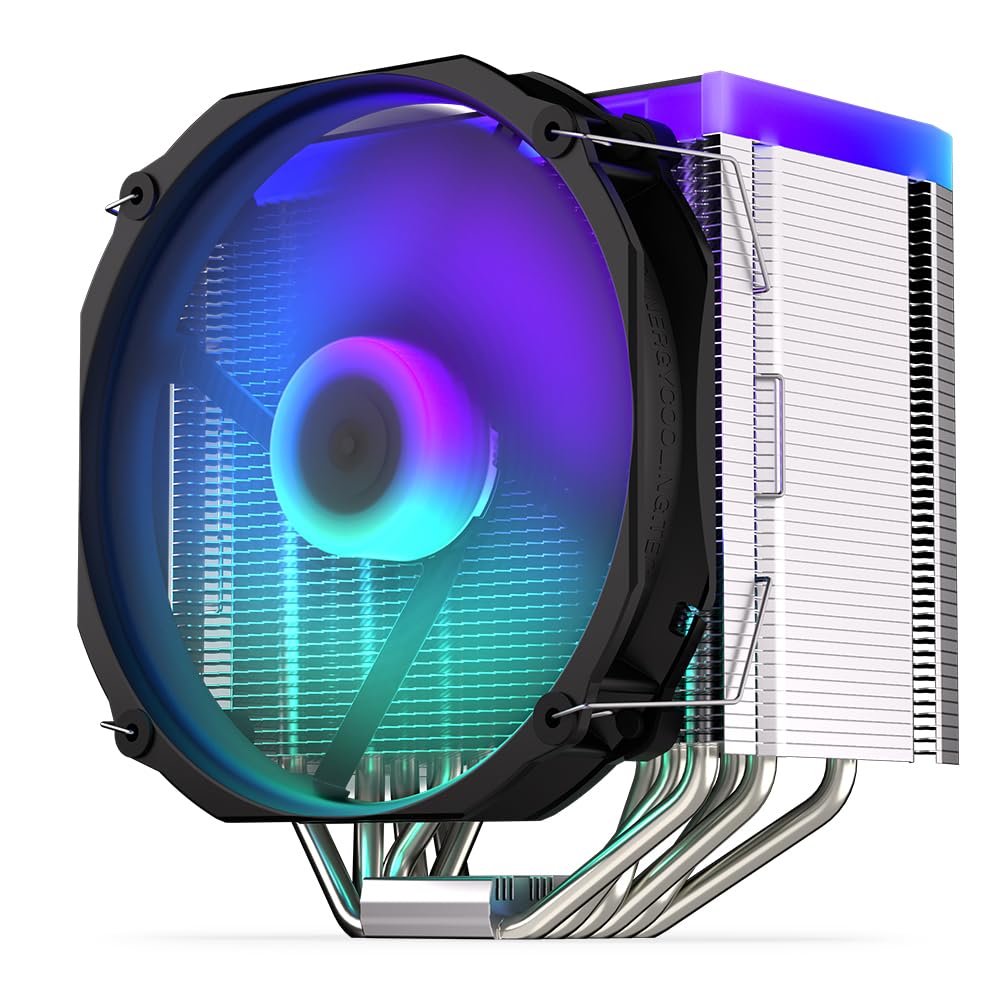
Image: The Fortis 5 ARGB CPU Air Cooler, showcasing its vibrant ARGB fan illumination and heatsink design.
2. Key Features
Silent Performance: Equipped with an award-winning Fluctus 140 PWM ARGB fan, the cooler operates with exceptionally low noise levels, ensuring a quiet computing experience. The fan features serrated edges for optimized airflow and reduced acoustic output.

Image: A diagram highlighting the Fluctus fan's serrated edges, contributing to its silent operation.
Superb Cooling Performance: The combination of a large fan, densely finned heatsink, and direct-touch heatpipes ensures excellent heat dissipation, keeping your CPU temperatures in check even under heavy loads.

Image: An illustration detailing the Fluctus fan and direct-touch heatpipe technology for superior cooling.
ARGB Lighting: Customize your PC's aesthetics with vibrant Addressable RGB (ARGB) lighting. The built-in lighting can be set to various effects and colors, creating a radiant visual experience within your system.

Image: The Fortis 5 ARGB cooler illuminating a PC interior with its customizable ARGB lighting.
Easy Setup and Multi-Socket Compatibility: The redesigned mounting system facilitates quick and intuitive installation. The cooler is compatible with a wide range of modern AMD and Intel desktop sockets, ensuring broad compatibility.

Image: The cooler shown installed in a PC, emphasizing its straightforward installation process and broad compatibility.
Thermal Compound Included: The package includes a tube of Pactum PT-3 thermal compound, known for its very low thermal resistance. This ensures efficient heat transfer from your CPU to the cooler and provides enough material for multiple applications.

Image: The included Pactum PT-3 thermal compound and spatula, ready for application.
3. Setup and Installation
The Fortis 5 ARGB CPU cooler is designed for straightforward installation on both AMD and Intel platforms. The mounting system is optimized for ease of use. Please refer to the detailed installation guide provided in your product packaging for step-by-step instructions specific to your CPU socket type.
For additional support and detailed visual guides, please visit the official ENDORFY knowledge base:
ENDORFY Fortis 5 ARGB Knowledge Base
Ensure your system is powered off and unplugged before beginning installation. Apply the included Pactum PT-3 thermal compound to the CPU's integrated heat spreader (IHS) before mounting the cooler.
4. Operating Instructions
Once installed, the Fortis 5 ARGB operates automatically, with its PWM fan adjusting speed based on CPU temperature to maintain optimal cooling performance. The ARGB lighting can typically be controlled via your motherboard's ARGB software or a dedicated ARGB controller (if included or purchased separately).
- Fan Operation: The fan speed is regulated by the CPU's temperature, ensuring efficient cooling while minimizing noise. The maximum rotational speed is 1800 RPM, with a low noise level of 14 dB.
- ARGB Control: Connect the ARGB cable to a compatible 3-pin 5V ARGB header on your motherboard. Use your motherboard's RGB software (e.g., ASUS Aura Sync, MSI Mystic Light Sync, Gigabyte RGB Fusion, ASRock Polychrome Sync) to customize lighting effects and colors.
5. Maintenance
Regular maintenance helps ensure the longevity and optimal performance of your Fortis 5 ARGB CPU cooler.
- Dust Removal: Periodically clean the heatsink fins and fan blades to prevent dust buildup, which can impede airflow and reduce cooling efficiency. Use compressed air or a soft brush. Ensure the fan is not spinning during cleaning.
- Thermal Paste: While the included thermal paste is durable, consider reapplying new thermal paste if you remove the cooler from the CPU for any reason, or every few years for optimal performance.
- Cable Management: Ensure all cables (fan power, ARGB) are securely connected and routed away from moving parts of the fan.
6. Troubleshooting
If you encounter issues with your Fortis 5 ARGB cooler, consider the following common troubleshooting steps:
- High CPU Temperatures:
- Check if the cooler is securely mounted to the CPU and motherboard.
- Verify that the fan is spinning correctly.
- Ensure adequate thermal paste application.
- Check for proper airflow within your PC case.
- Fan Not Spinning/No ARGB Lighting:
- Confirm that the fan's 4-pin PWM connector is securely plugged into the CPU_FAN header on your motherboard.
- Ensure the ARGB cable is correctly connected to a 3-pin 5V ARGB header.
- Check your motherboard's BIOS/UEFI settings for fan control and RGB settings.
- Verify that your motherboard's ARGB software is installed and configured correctly.
If problems persist, consult the ENDORFY knowledge base or contact customer support.
7. Specifications
| Feature | Specification |
|---|---|
| Brand | ENDORFY |
| Model Number | EY3A010 |
| Product Dimensions | 1.1 x 9.7 x 6.5 inches; 1.84 Pounds |
| Power Connector Type | 4-Pin (PWM) |
| Voltage | 12 Volts |
| Wattage | 12 watts |
| Cooling Method | Forced Air |
| Compatible Devices | Desktop CPUs (Multi-socket compatibility) |
| Noise Level | 14 dB |
| Maximum Rotational Speed | 1800 RPM |
| Number of Items | 1 (Cooler with fan) |
| First Available Date | November 23, 2022 |
Dimensions

Image: Front view dimensions (approx. 139mm width, 159mm height).

Image: Side view dimensions (approx. 107mm depth, 125mm fan height, 34mm base height).

Image: Top view dimensions (approx. 144mm total height, 139mm fan height, 80mm width).
8. Warranty and Support
The ENDORFY Fortis 5 ARGB CPU Air Cooler comes with a 6-year manufacturer's warranty, ensuring long-term reliability and peace of mind. For warranty claims or technical assistance, please contact ENDORFY customer support.

Image: Product packaging highlighting the 6-year warranty.
You can find more information and support resources on the official ENDORFY website or through their dedicated knowledge base for this product: