Introduction
The Gracioso Portable Cassette Player Recorder (Model 317) is a versatile audio device designed for playing and recording cassette tapes, listening to AM/FM radio, and transmitting audio via Bluetooth 5.0. Its compact and lightweight design makes it highly portable, while its robust features ensure a comprehensive audio experience. This manual provides detailed instructions for setup, operation, maintenance, and troubleshooting to help you get the most out of your device.
Setup
Powering the Device
The Gracioso Portable Cassette Player Recorder can be powered by two AA batteries or via a Type-C USB cable.
- Battery Installation: Open the battery compartment on the back of the device. Insert two AA batteries, ensuring correct polarity (+/-). Close the compartment securely.
- USB-C Power: Connect a standard USB-A to USB-C cable to the device's Type-C port and plug the USB-A end into a compatible power adapter or computer. This method allows for continuous operation without batteries.

Figure 1: Inserting AA batteries for power.

Figure 2: Connecting the device via USB-C for power.
Operating Instructions
Cassette Playback
- Ensure the device is powered on.
- Slide the function switch to the 'TAPE' position.
- Open the cassette compartment by sliding the front panel.
- Insert a cassette tape into the compartment, ensuring the open side faces outwards.
- Close the cassette compartment.
- Press the 'PLAY' button to begin playback.
- Use 'F.FWD' (Fast Forward) and 'F.REW' (Fast Rewind) buttons to navigate the tape.
- Press the 'STOP' button to halt playback. The play button will automatically pop up when the tape reaches its end.

Figure 3: Main view of the cassette player with included headphones.
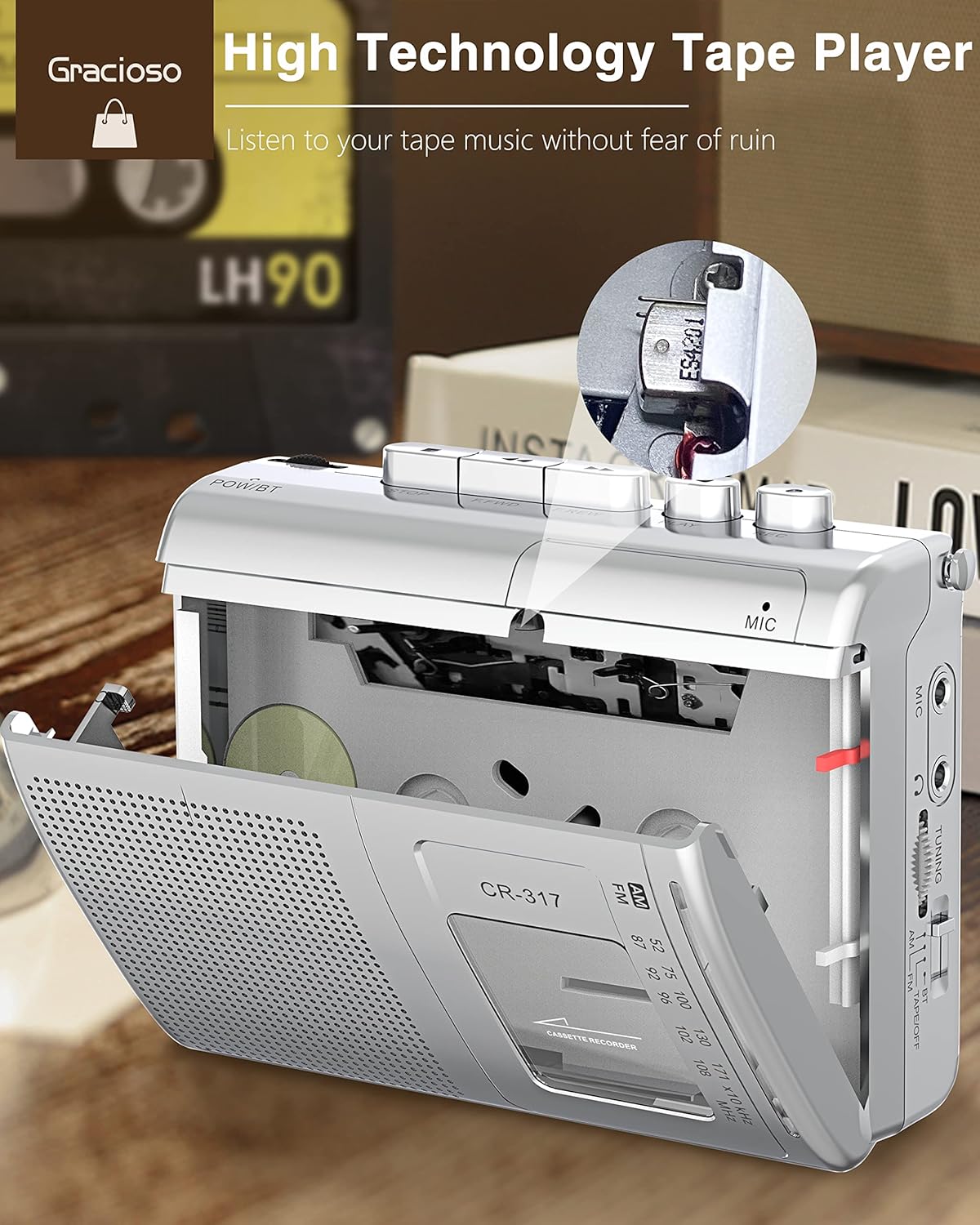
Figure 4: Open cassette compartment for tape insertion.
Recording
The device supports recording from the built-in microphone or external sources onto a blank cassette tape.
- Insert a blank cassette tape into the compartment.
- Slide the function switch to the 'TAPE' position.
- To record using the built-in microphone, simply press the 'REC' button. The device will start recording audio picked up by its internal microphone.
- For improved audio quality, an external microphone can be connected to the 'MIC' jack. Once connected, press the 'REC' button.
- Press the 'STOP' button to end the recording.
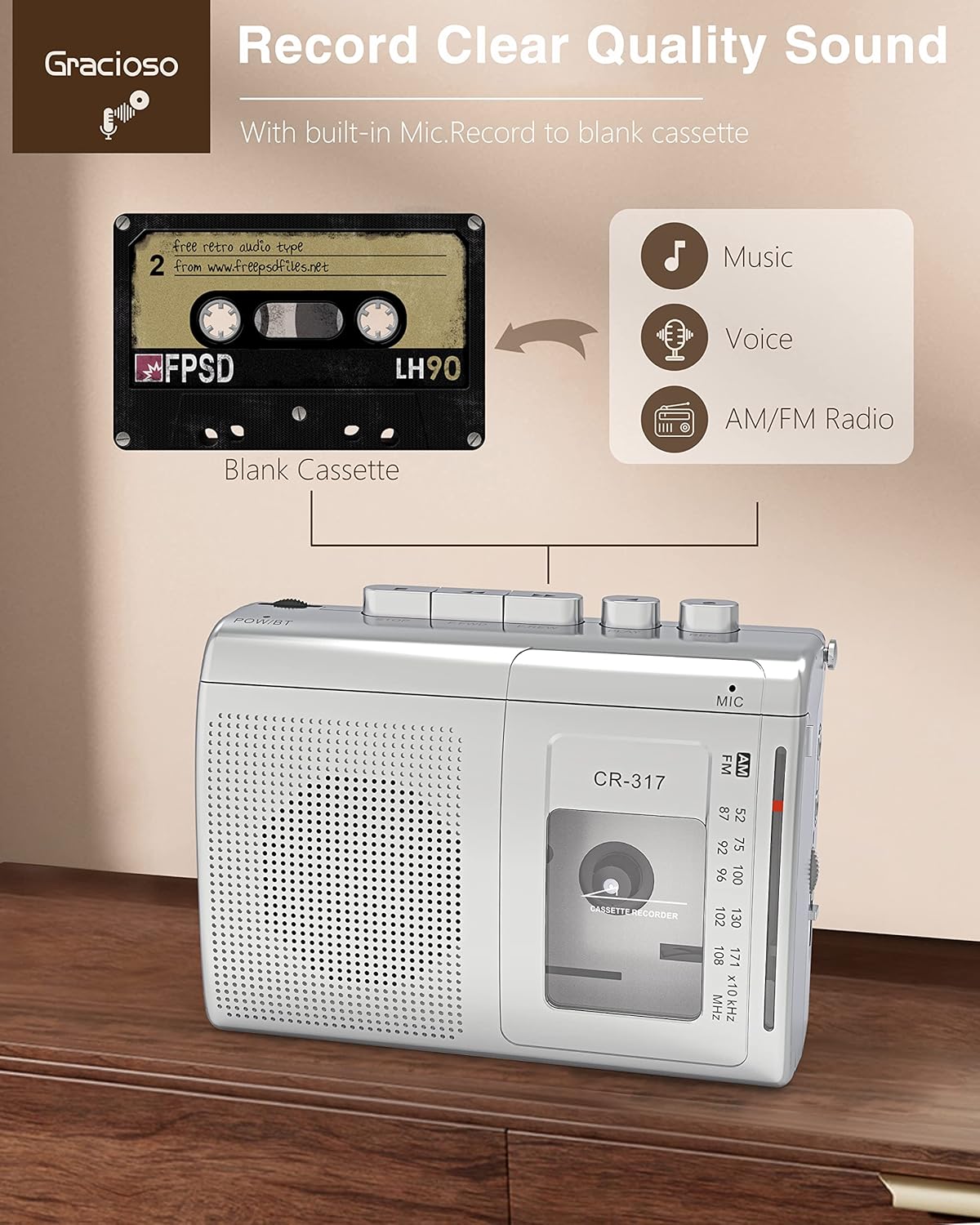
Figure 5: Recording to a blank cassette tape.
AM/FM Radio Operation
The device features a powerful AM/FM radio with an extendable antenna for optimal reception.
- Slide the function switch to 'AM' or 'FM' as desired.
- Extend the telescopic antenna for better signal reception.
- Rotate the 'TUNING' dial to scan for radio stations.
- Adjust the 'VOL' (Volume) slider to your preferred listening level.

Figure 6: Using the extended antenna for FM radio reception.
Bluetooth Transmitter Function
The Gracioso 317 can transmit audio from cassette tapes to Bluetooth-enabled headphones or speakers.
- Ensure the device is powered on and a cassette tape is loaded.
- Slide the function switch to the 'BT' (Bluetooth) position. The 'POW/BT' indicator light will flash blue, indicating pairing mode.
- Place your Bluetooth headphones or speaker in pairing mode and close to the cassette player.
- Once successfully paired, the 'POW/BT' indicator light will turn solid blue.
- Press the 'PLAY' button on the cassette player to transmit audio to your connected Bluetooth device.

Figure 7: Bluetooth transmission to external audio devices.
Maintenance
Regular maintenance ensures optimal performance and longevity of your cassette player.
- Cleaning the Magnetic Head: Periodically clean the magnetic head with a cotton swab lightly dipped in isopropyl alcohol. This removes dust and debris that can affect sound quality.
- Tape Care: Store cassette tapes in their cases to prevent dust accumulation and physical damage. Avoid exposing tapes to extreme temperatures or direct sunlight.
- General Cleaning: Wipe the exterior of the device with a soft, dry cloth. Avoid using abrasive cleaners or solvents.
Troubleshooting
Radio Reception Issues
If the radio cannot pick up a clear signal, consider the following:
- Distance and Interference: The distance to the radio station may be too far, or there might be signal interference. Move away from electronic equipment and large metal objects to reduce interference.
- Antenna Condition: Ensure the antenna is fully extended and firmly connected. If damaged or aged, it may need replacement.
- Internal Malfunction: The tuner, circuit, or other internal components may be malfunctioning.
- Signal Coverage: In remote areas, signal coverage might be insufficient. Try moving to a different location.
Video 1: Troubleshooting radio reception issues.
Nuisance Noise from Tape Player
If you experience noise from the tape player, check the following:
- Switch Position: Verify that the function switch is correctly set in place.
- Battery/Power: Check if the batteries are dead or if there is poor contact.
- Magnetic Head Cleanliness: The magnetic head may be dirty. Clean it with a cotton swab dipped in alcohol.
- Tape Condition: The tape itself might be aging. Try taking the tape out and shaking it gently.
- Magnetic Head Wear/Magnetization: The magnetic head may be badly worn and require replacement, or it might be magnetized from prolonged use and need demagnetization.
- External Interference: External magnetic interference can cause noise. Try the device in a different location.
- Moisture: The device may be damp inside. Do not place the device in areas with high humidity.
Video 2: Troubleshooting noise from the tape player.
Tape Playback Issues
If the device cannot play tapes, consider the following solutions:
- Tape Surface Condition: The tape surface may be contaminated with dust, oil, or other substances. It might also be slack, twisted, or damaged. Clean the tape surface using a special tape cleaner.
- Tape Reset: If the tape is slack or twisted, use a special tape reset machine to repair it, returning it to its original flat state.
- Magnetic Head Condition: The magnetic head may be worn or contaminated, leading to unstable reading and writing. Repair or replace the heads if necessary.
- Mechanical Parts: Check mechanical parts like tape rollers and guides for wear or damage. Repair or replace them if needed.
- Power Supply: Ensure the power supply is stable and the power cord has good contact.
Video 3: Troubleshooting tape playback issues.
Specifications
| Feature | Detail |
|---|---|
| Product Dimensions | 4.89 x 3.64 x 1.59 inches |
| Item Weight | 10.2 ounces |
| Item Model Number | 317 |
| Power Source | 2*AA Batteries, DC 5V Type-C Plug |
| Radio Frequencies | AM 520-1710Khz; FM 87-108MHz |
| Bluetooth Version | 5.0 (Transmitter) |
Warranty & Support
Gracioso offers a lifetime warranty and 100% customer service for this product. If you encounter any problems during use, please feel free to contact our professional customer service staff for assistance.
For further support, please visit the Gracioso Store on Amazon.


