
DMXking 0126-1.1
eDMX4 MAX DIN 4-Port User Manual
ArtNet/sACN via Ethernet to DMX 512 Converter with Screw Connectors
Introduction
This manual provides comprehensive instructions for the DMXking eDMX4 MAX DIN, a compact OEM board designed for sACN/E1.31 and Art-Net to DMX512 conversion. It supports both DMX512 output and input, individually configurable on each channel, and is suitable for distributed permanent installations.
The eDMX4 MAX DIN is engineered and manufactured in New Zealand to high standards, ensuring reliable performance in professional lighting and control environments.
Product Overview

Figure 1: Top view of the eDMX4 MAX DIN converter, showing the four DMX ports (A, B, C, D) with screw terminals for DATA+, DATA-, and COM connections. Also visible are the power input (7-28V, GND), USB-C port, and network (10/100BaseT) port. The device is housed in a grey DIN rail mountable enclosure.
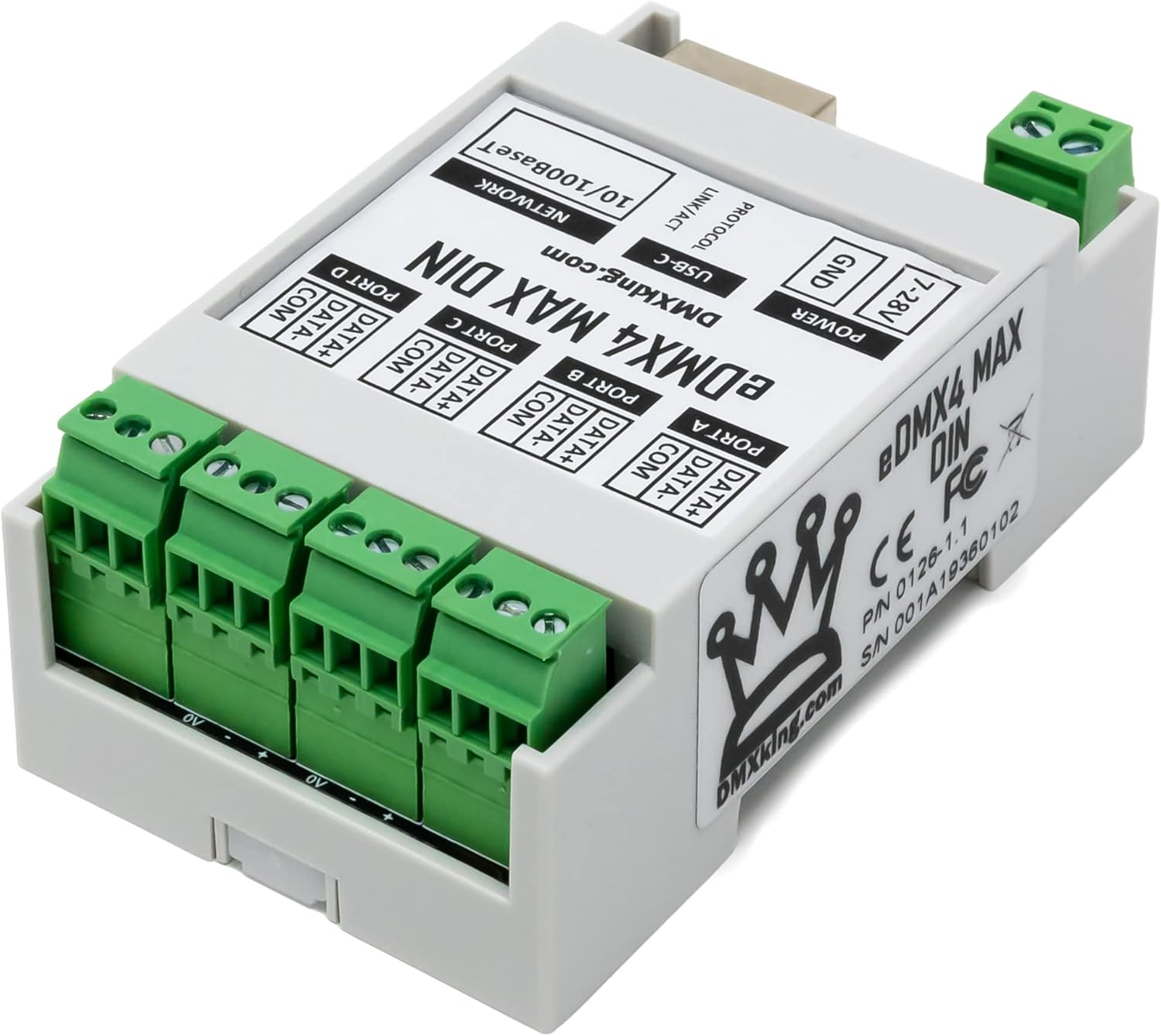
Figure 2: Bottom view of the eDMX4 MAX DIN, displaying product labels including "eDMX4 MAX DIN", "DMXking.com", CE and FC marks, PIN (0126-1.1), and S/N (001A19360102). The DIN rail clip is visible, along with the screw terminals for DMX ports and power.

Figure 3: Front view of the eDMX4 MAX DIN, clearly showing the labels for POWER, USB-C, PROTOCOL, LINK/ACT, and NETWORK (10/100BaseT). The four DMX ports (A, B, C, D) with their respective screw terminals are prominently displayed at the top.
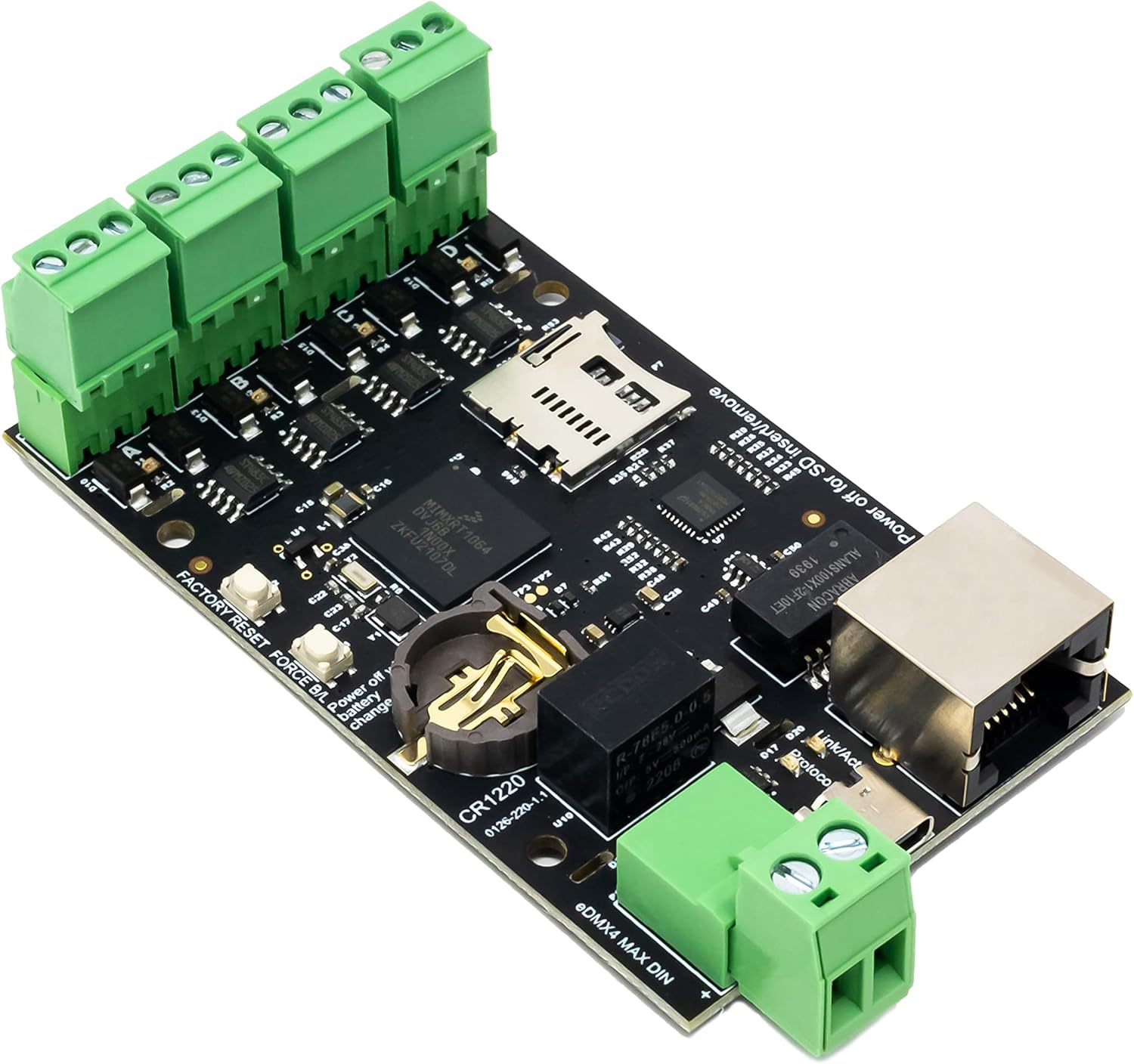
Figure 4: Internal view of the eDMX4 MAX DIN circuit board, revealing the electronic components, including the Ethernet port, USB-C connector, and the screw terminal blocks. A microSD card slot is visible, along with a CR1220 battery for real-time clock functionality. Labels for "FACTORY RESET" and "Power off for SD insert/remove" are also present.

Figure 5: Technical diagram illustrating the dimensions of the eDMX4 MAX DIN unit in millimeters. Key measurements include a length of 86.40mm, a width of 50.00mm, and various other internal and external spacing details for mounting and integration.
Setup and Installation
Power Connection
The eDMX4 MAX DIN requires a DC power supply between 7V and 28V. Connect the positive (+) lead to the "7-28V" terminal and the negative (-) lead to the "GND" terminal. Ensure the power supply is stable and within the specified voltage range to prevent damage to the device.
Network Connection
Connect a standard Ethernet cable (RJ45) from your network switch or router to the "NETWORK 10/100BaseT" port on the eDMX4 MAX DIN. The device supports 10/100BaseT Ethernet for communication with Art-Net and sACN controllers.
DMX Connections
The eDMX4 MAX DIN features four DMX ports (A, B, C, D), each with screw terminals for DATA+, DATA-, and COM. These ports can be individually configured for DMX512 output or input.
- DATA+: Connect to the positive data line of your DMX device.
- DATA-: Connect to the negative data line of your DMX device.
- COM: Connect to the common (ground) line of your DMX device.
Ensure correct polarity when making DMX connections to avoid signal issues or damage to connected equipment.
USB-C Connection
The USB-C port is primarily used for initial configuration, firmware updates, and direct connection to a computer for diagnostic purposes. Use a standard USB-C cable to connect the device to your computer.
DIN Rail Mounting
The eDMX4 MAX DIN is designed for DIN rail mounting. Simply clip the device onto a standard 35mm DIN rail in your electrical enclosure or rack. Ensure it is securely fastened to prevent accidental dislodgement.
Operating Instructions
Initial Configuration
Upon first power-up, the eDMX4 MAX DIN will attempt to obtain an IP address via DHCP. If no DHCP server is available, it will revert to a default static IP address (refer to the DMXking website for specific default IP details).
Access the device's web interface by entering its IP address into a web browser. From the web interface, you can configure network settings, DMX port modes (input/output), Art-Net/sACN universe assignments, and other operational parameters.
DMX Port Configuration
Each of the four DMX ports can be independently configured as either a DMX output or a DMX input. This flexibility allows the device to act as a versatile bridge between Ethernet-based control systems and DMX512 devices.
- DMX Output: Converts incoming Art-Net or sACN data from the network into DMX512 signals for controlling lighting fixtures and other DMX-compatible equipment.
- DMX Input: Converts incoming DMX512 signals from a DMX console or device into Art-Net or sACN data, which can then be transmitted over the network.
Protocol Support
The eDMX4 MAX DIN supports both Art-Net and sACN (E1.31) protocols. These protocols are widely used for transmitting DMX over Ethernet networks. The device automatically detects and processes incoming data based on the configured protocol for each universe.
Recording and Playback (SD Card)
The device supports recording and playback of DMX data to/from an SD card. For this functionality, an approved and tested SD card model is required. Refer to the dedicated DMXking recording manual for detailed instructions on SD card compatibility, formatting, and operation.
Note: Power off the device before inserting or removing the SD card to prevent data corruption or damage.
Maintenance
The eDMX4 MAX DIN is designed for reliable, long-term operation with minimal maintenance. However, periodic checks can help ensure optimal performance.
- Cleaning: Keep the device free from dust and debris. Use a soft, dry cloth for cleaning. Do not use liquid cleaners or solvents.
- Firmware Updates: Periodically check the DMXking website for firmware updates. Keeping the firmware up-to-date ensures access to the latest features, performance improvements, and bug fixes. Firmware updates are typically performed via the device's web interface or USB-C connection.
- Connections: Periodically inspect all power, network, and DMX connections to ensure they are secure and free from corrosion or damage.
- Battery (CR1220): The device contains a CR1220 battery, primarily for the real-time clock. If the device consistently loses time or configuration settings after power cycles, the battery may need replacement. This should be performed by qualified personnel.
Troubleshooting
No Power
- Verify the power supply is connected correctly to the "7-28V" and "GND" terminals.
- Ensure the power supply voltage is within the 7V-28V DC range.
- Check the power supply itself for proper operation.
No Network Connectivity
- Check the Ethernet cable connection to the "NETWORK" port and to your network switch/router.
- Verify that the network switch/router is powered on and functioning correctly.
- If using a static IP, ensure the device's IP address is within the same subnet as your control computer and there are no IP conflicts.
- Try resetting the device to factory defaults (refer to the DMXking website for the factory reset procedure).
No DMX Output/Input
- Confirm that the DMX port is configured correctly as either "Output" or "Input" in the device's web interface.
- Check DMX cable connections for correct polarity (DATA+, DATA-, COM).
- Ensure the DMX universe assigned to the port in the web interface matches the universe being sent/received by your control software/device.
- Verify that Art-Net or sACN data is being sent/received on the correct network interface and port.
- For DMX output, ensure the DMX fixtures are properly terminated.
SD Card Issues
- Ensure you are using an approved and tested SD card model. Refer to the DMXking recording manual.
- Verify the SD card is properly inserted.
- Always power off the device before inserting or removing the SD card.
- Try reformatting the SD card (this will erase all data on the card).
Specifications
| Feature | Detail |
|---|---|
| Model Number | 0126-1.1 |
| Product Dimensions | 4.5 x 3.5 x 1.5 inches (114.3 x 88.9 x 38.1 mm) |
| Item Weight | 3.52 ounces (100 grams) |
| Power Input | 7-28V DC |
| Network Interface | 10/100BaseT Ethernet |
| DMX Ports | 4 (individually configurable as DMX512 In/Out) |
| Protocols Supported | Art-Net, sACN (E1.31) |
| Connectors | Screw terminals for DMX and Power, RJ45 for Network, USB-C |
| Mounting | DIN Rail |
| Origin | Designed and manufactured in New Zealand |
Warranty Information
DMXking products are designed for reliability and are backed by a manufacturer's warranty. Specific warranty terms and conditions may vary by region and product. Please refer to the official DMXking website or your point of purchase for detailed warranty information.
This warranty typically covers defects in materials and workmanship under normal use. It does not cover damage caused by misuse, accident, unauthorized modification, or improper installation.
Support and Contact
For technical support, additional documentation, or frequently asked questions, please visit the official DMXking website:
You may also contact DMXking support directly through the contact information provided on their website for assistance with your eDMX4 MAX DIN device.
Related documents0126-1.1


Ask a question about this manual
Ask about setup, troubleshooting, compatibility, parts, safety, or missing instructions. Manuals+ will review the question and use this page’s manual context to help answer it.