
1. Introduction
The AUTOOL ATF705 Automatic Transmission Fluid Exchanger is designed for efficient and thorough replacement of automatic transmission fluid. This device utilizes a synchronous circulating oil change method, ensuring that new oil is injected as old oil is extracted, which maintains transmission pressure and facilitates a complete fluid exchange. Its automated features simplify the process, making transmission maintenance more accessible and effective.
This manual provides essential information for the safe and correct operation, maintenance, and troubleshooting of your ATF705 unit. Please read it carefully before use to ensure optimal performance and longevity of the equipment.
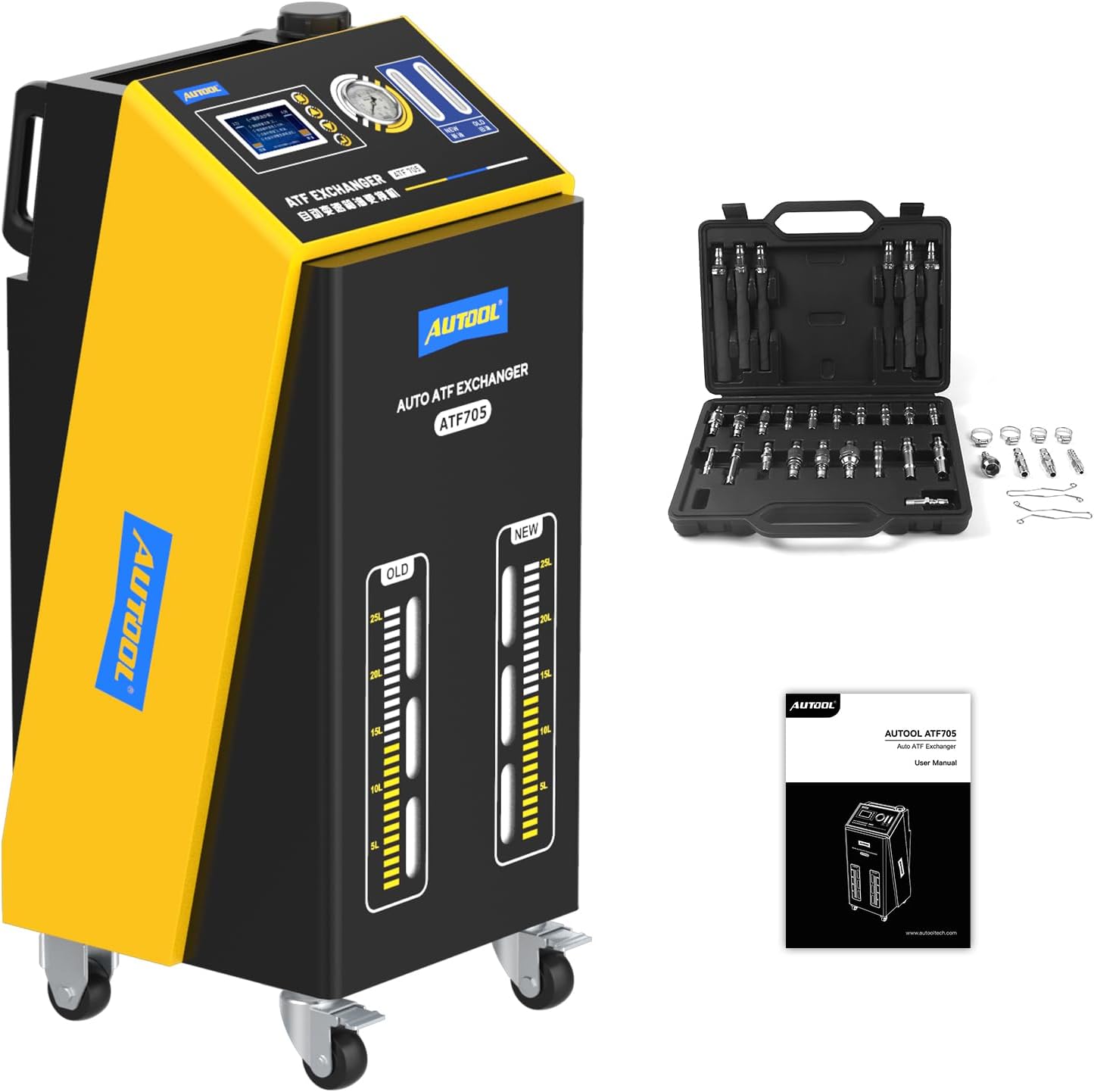
Figure 1: AUTOOL ATF705 Automatic Transmission Fluid Exchanger, including the main unit, adapter kit, and user manual.
2. Safety Information
Always observe the following safety precautions to prevent injury and damage to the equipment or vehicle:
- Ensure the work area is well-ventilated and free from ignition sources, as transmission fluid can be flammable.
- Wear appropriate personal protective equipment (PPE), including safety glasses and gloves, when handling transmission fluids.
- Verify that the vehicle is securely parked on a level surface with the parking brake engaged.
- Connect the power supply correctly. The ATF705 features automatic power polarity identification to prevent damage from reverse connection.
- Do not operate the machine if any components are damaged or if fluid leaks are present.
- Dispose of used transmission fluid according to local environmental regulations.
3. Product Overview
3.1 Components
The AUTOOL ATF705 package typically includes:
- ATF705 Main Unit
- Power Cables (12V DC)
- Fluid Hoses (Inlet and Outlet)
- Multiple Adapters for various vehicle models
- User Manual

Figure 2: A variety of specialized connectors included with the ATF705 for broad vehicle compatibility.
3.2 Key Features
- Fully Automatic Operation: The unit automatically identifies oil inlet/outlet pipes and power polarity, simplifying setup and enhancing safety.
- High-Precision Equal Exchange: A built-in electronic scale ensures precise measurement and equal exchange of new and old fluid, with an error margin of approximately ±100ml.
- Efficient Fluid Exchange: Capable of completing a thorough transmission fluid change in approximately 20 minutes.
- Cycle Cleaning Function: Allows for a pre-flush or cleaning cycle to remove impurities before the main fluid exchange.
- Real-time Monitoring: Features a high-definition LCD display, pressure gauge, and oil temperature monitoring for real-time status updates.
- Mobile Design: Equipped with wheels for easy maneuverability in a workshop environment.

Figure 3: The ATF705's control panel with LCD display, pressure gauge, and indicators for new and old fluid levels.
4. Setup
- Unpacking: Carefully remove the ATF705 unit and all accessories from its packaging. Inspect for any shipping damage.
- Positioning: Place the unit on a stable, level surface near the vehicle. Ensure adequate space for operation and access to the vehicle's transmission.
- Power Connection: Connect the 12V DC power cables to a suitable power source (e.g., vehicle battery). The unit will automatically identify and correct for reverse polarity.
- Fluid Hoses Connection: Identify the transmission's oil cooler lines (inlet and outlet). Select the appropriate adapters from the kit and connect the ATF705's fluid hoses to the transmission lines. The unit will automatically detect the oil flow direction.
- New Fluid Reservoir: Ensure the new fluid reservoir on the ATF705 is filled with the correct type and amount of new transmission fluid for the vehicle.
- Waste Fluid Reservoir: Verify the waste fluid reservoir is empty before starting the operation.

Figure 4: The ATF705 automatically identifies correct power polarity, preventing damage from incorrect connections.

Figure 5: The ATF705 automatically identifies the oil flow direction, eliminating the need for manual distinction of inlet and outlet pipes.
5. Operating Instructions
- Power On: Turn on the main power switch of the ATF705 unit. The LCD display will illuminate.
- Initial Checks: The system will perform self-diagnostics. Confirm all connections are secure and fluid levels are correct.
- Select Operation Mode: Use the control panel to navigate to the desired operation mode. Common modes include:
- Equal Exchange: For standard fluid replacement, ensuring the same volume of new fluid is added as old fluid is removed.
- Cycle Cleaning: For pre-cleaning the transmission system.
- Add New Oil / Reduce Old Oil: For manual adjustment of fluid levels.
- Set Parameters: Depending on the selected mode, set the required parameters (e.g., fluid volume for exchange, duration for cycle cleaning).
- Start Operation: Confirm the settings and press the 'Start' button. The unit will begin the automatic fluid exchange or cleaning process.
- Monitor Progress: Observe the LCD display for real-time information on fluid levels, pressure, and temperature. The unit will provide prompts or warnings if necessary.
- Completion: Once the process is complete, the unit will typically alert the user. Turn off the power, disconnect the fluid hoses, and remove the adapters.
- Final Check: After disconnecting, check the vehicle's transmission fluid level using the dipstick according to the vehicle manufacturer's instructions. Adjust if necessary using the 'Add New Oil' or 'Reduce Old Oil' functions.

Figure 6: The 'Equal Exchange' function ensures precise fluid replacement based on a set volume.

Figure 7: The 'Cycle Cleaning' function allows for a timed cleaning process of the transmission system.
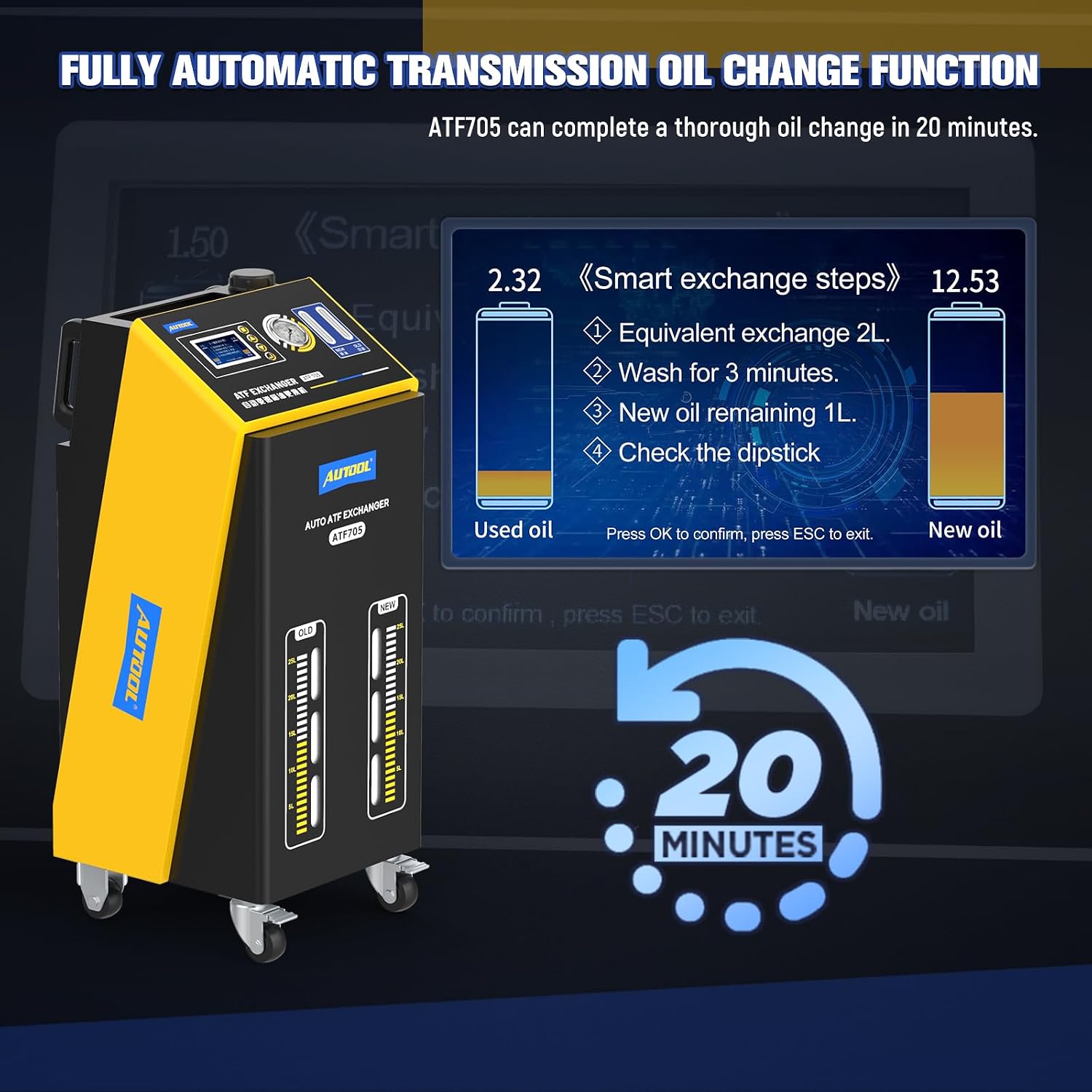
Figure 8: The ATF705 can complete a thorough oil change in approximately 20 minutes, guided by smart exchange steps.
6. Maintenance
- Cleaning: Regularly wipe down the exterior of the unit with a clean, damp cloth. Avoid using harsh chemicals that could damage the display or casing.
- Hose and Adapter Inspection: Periodically inspect all fluid hoses and adapters for signs of wear, cracks, or damage. Replace any compromised components immediately to prevent leaks.
- Fluid Reservoir Cleaning: Clean the new and waste fluid reservoirs as needed to prevent contamination.
- Waste Oil Disposal: The unit features a built-in 20L waste oil tank. Ensure proper and environmentally compliant disposal of used transmission fluid.
- Storage: Store the ATF705 in a clean, dry environment when not in use.
7. Troubleshooting
If you encounter issues with your ATF705, refer to the following common problems and solutions:
| Problem | Possible Cause | Solution |
|---|---|---|
| Unit does not power on | No power supply; Blown fuse; Loose connection | Check 12V power source; Inspect and replace fuse if necessary; Ensure power cables are securely connected. |
| Fluid exchange not starting or slow | Incorrect hose connection; Low fluid level in new oil tank; Clogged filter/hose | Verify hose connections to transmission; Ensure sufficient new fluid; Check for obstructions in hoses or filters. |
| Error message on display | System malfunction; Sensor error | Refer to the specific error code in the detailed manual (if available); Power cycle the unit; Contact customer support if persistent. |
| Inaccurate fluid exchange volume | Sensor calibration issue; Air in system | Ensure system is properly primed; Contact customer support for calibration assistance. |
For issues not listed here, or if troubleshooting steps do not resolve the problem, please contact AUTOOL customer support.
8. Specifications
| Feature | Specification |
|---|---|
| Model | ATF705 |
| Power Supply | DC 12V |
| Maximum Power | <150W |
| Pressure Gauge | 10kg/cm² |
| Oil Return Pipe Length | 2.5m |
| Oil Outlet Pipe Length | 2.5m |
| Working Temperature | -10°C ~ +40°C |
| Fuel Tank Volume | 20L (for both new and old oil) |
| Noise Level | <70db |
| Relative Humidity | <85% |
| Product Dimensions (L x W x H) | 470 x 440 x 1060mm (18.5 x 17.3 x 41.7 inches) |
| Item Weight | 130 pounds |

Figure 9: Detailed product specifications and physical dimensions of the ATF705 unit.
9. Warranty and Support
For warranty information, technical support, or service inquiries, please contact AUTOOL-DIRECT, the authorized seller. Keep your purchase receipt as proof of purchase for any warranty claims.
AUTOOL is committed to providing reliable products and customer satisfaction. For the most current support information, please visit the official AUTOOL website or contact their customer service department directly.


