
AC-DK A-ATV Winch
AC-DK 5500 lb ATV/UTV Winch Instruction Manual
Model: A-ATV Winch | Brand: AC-DK
Introduction
This manual provides essential information for the safe and effective operation, installation, and maintenance of your AC-DK 5500 lb ATV/UTV Winch. Please read this manual thoroughly before use to ensure proper function and to prevent damage or injury. The AC-DK 5500 lb winch is designed for ATV/UTV applications, featuring a synthetic rope, 12V motor, and dual remote control options for reliable towing and recovery.
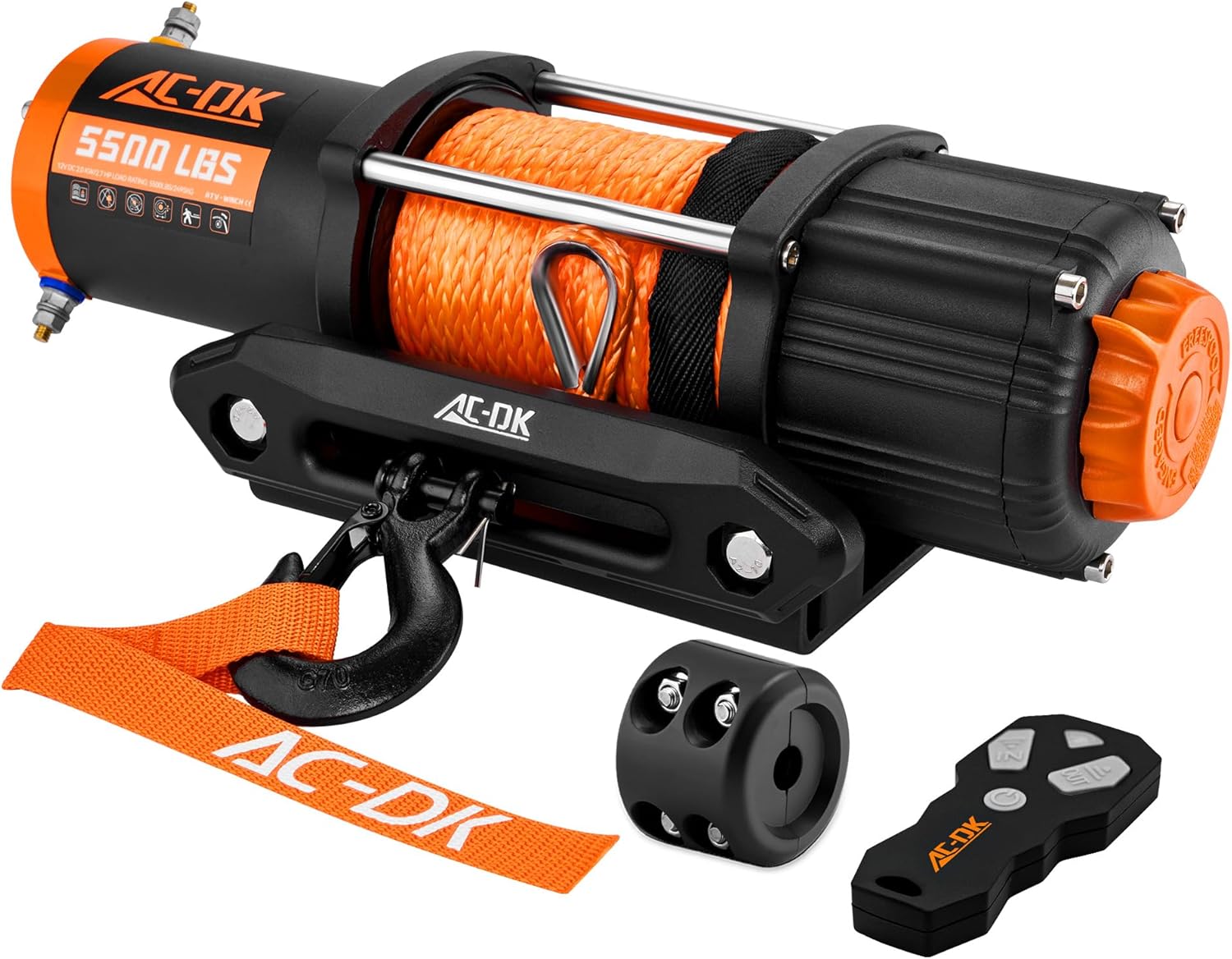
Image: The AC-DK 5500 lb ATV/UTV Winch, showcasing its main components including the synthetic rope, aluminum fairlead, clevis hook, wired remote, and wireless remote.
Safety Information
Always prioritize safety when operating the winch. Failure to follow these safety guidelines can result in serious injury or property damage.
- Read the Manual: Understand all instructions and warnings before operating the winch.
- Wear Protective Gear: Always wear gloves and eye protection when handling the winch rope and hook.
- Inspect Before Use: Before each use, inspect the winch, rope, hook, and all connections for damage or wear. Do not use if damaged.
- Secure Vehicle: Ensure the vehicle is properly secured and the parking brake is engaged before winching.
- Clear Area: Keep bystanders and pets away from the winching area. Maintain a safe distance from the rope under tension.
- Avoid Overloading: Do not exceed the rated capacity of the winch.
- Layer Rope Evenly: Ensure the rope spools evenly onto the drum. Uneven spooling can damage the rope and winch.
- Do Not Use for Lifting: This winch is designed for pulling, not for overhead lifting.
- Battery Connection: Ensure proper battery connections to avoid electrical hazards.
- Avoid Submersion: While waterproof, prolonged submersion is not recommended.
Package Contents
The AC-DK 5500 lb ATV/UTV Winch kit includes the following components:
- 5500 lb Winch with Synthetic Rope
- Aluminum Fairlead
- Mounting Plate
- Wired Remote Control
- Wireless Remote Control
- Control Box
- Clevis Hook
- Power Connection Wires
- Installation Bolts
- Rubber Stopper
- Brand Strap
- Instruction Manual (this document)

Image: A visual representation of all items included in the AC-DK 5500 lb ATV/UTV Winch package, such as the winch unit, fairlead, mounting plate, wired and wireless remotes, and installation hardware.
Specifications
| Feature | Detail |
|---|---|
| Manufacturer | AC-DK |
| Part Number | A-ATV Winch |
| Item Weight | 26.8 pounds |
| Product Dimensions | 13.4 x 11.6 x 6.7 inches |
| Item Model Number | A-ATV Winch |
| Size | Small Winch |
| Color | Black & Orange |
| Material | 5500 lb Synthetic Rope |
| Item Package Quantity | 1 |
| Motor | 2.0kw/2.7hp permanent magnet DC 12V |
| Gear System | Advanced Combined Planetary Gear |
| Gear Ratio | 166:1 |
| Rope Diameter Length | 1/4" X 50' |
| Fairlead Mounting Pattern | 6 3/5" (168mm) |
| Mounting Plate 4-Holes | 3"x 6 5/8" (76mm x 169mm) |
| Full Load Efficiency | 2.1 feet /min |
| Empty Load Efficiency | 19.8 feet /min |

Image: Technical drawing illustrating the precise dimensions of the winch unit, fairlead, clevis hook, and mounting plate, crucial for installation planning.
Setup and Installation
Mounting the Winch
Ensure the mounting surface on your ATV/UTV is strong enough to support the winch's maximum pulling capacity. The winch provides standard mounting hole sizes. Verify compatibility with your winch bracket before proceeding.
- Fairlead Mounting Pattern: 6 3/5 inches (168mm)
- Mounting Plate 4-Holes: 3 inches x 6 5/8 inches (76mm x 169mm)
Electrical Wiring
Proper electrical connection is critical for safe and efficient operation. Connect the winch to a 12V DC power source (vehicle battery) following the wiring diagram. Ensure all connections are secure and insulated to prevent short circuits.

Image: A clear wiring diagram illustrating how to connect the winch to the battery and control box, including connections for the wired remote.
The control box provides sufficient power to control the direction and speed of rotation of the motor.
Operating Instructions
Engaging and Disengaging the Clutch
To free-spool the rope, rotate the clutch to the "Disengage" position. To engage the winch for pulling, rotate the clutch to the "Engage" position. This new clutch design makes rotation easier, especially if the rope gets stuck.
Using the Remote Controls
The winch can be operated using either the wired remote control or the wireless remote control. Both provide control over the rope's payout and retraction.
- Wired Remote Control: Connect the wired remote to the designated port on the control box. Press the appropriate button to extend or retract the rope.
- Wireless Remote Control: Ensure the wireless remote is paired with the winch's control box. Press the appropriate button to extend or retract the rope. The wireless remote offers a range of approximately 80.02 ft.

Image: An illustration detailing the internal 3-stage planetary gear system and its 166:1 gear ratio, highlighting the ease of operation for cable management.

Image: A visual representation of the winch's 2.0kw/2.7hp motor, emphasizing its high efficiency with a full load speed of 2.1 ft/min and no-load speed of 19.8 ft/min.
Maintenance
Regular maintenance ensures the longevity and reliable performance of your AC-DK winch.
- Rope Inspection: Regularly inspect the synthetic rope for fraying, cuts, or other damage. Replace the rope if any significant damage is found. The Dyneema synthetic rope is strong, light, and water-resistant, designed not to degrade or lose strength in wet conditions.
- Cleanliness: Keep the winch and rope clean from dirt, mud, and debris. Rinse with fresh water after use in harsh conditions.
- Electrical Connections: Periodically check all electrical connections for corrosion or looseness. Clean and tighten as necessary.
- Lubrication: Consult a professional for internal lubrication if needed. The winch is designed for minimal user maintenance.
- Storage: Store the winch in a dry environment when not in use.

Image: A visual comparison highlighting the benefits of Dyneema synthetic rope (1/4" x 50') over traditional steel cable, emphasizing its strength, lightness, and water-resistant properties.
Troubleshooting
If you encounter issues with your AC-DK winch, refer to the following common problems and solutions:
| Problem | Possible Cause | Solution |
|---|---|---|
| Winch does not operate (no power) | Loose or corroded battery connections; Dead battery; Blown fuse/circuit breaker; Faulty remote control. | Check and clean battery terminals; Charge or replace battery; Inspect and replace fuse/breaker; Test remote control functionality. |
| Winch operates slowly or weakly | Low battery voltage; Overload; Motor overheating. | Ensure battery is fully charged; Reduce load; Allow motor to cool down. |
| Wireless remote not working | Remote battery dead; Remote not paired; Interference. | Replace remote battery; Refer to pairing instructions (if applicable); Move away from sources of interference. |
| Battery drains quickly when winch is connected | Wireless remote receiver constantly drawing power. | Disconnect the winch from the battery when not in use, or install a master disconnect switch. If the issue persists, contact customer support. |
| Rope spools unevenly | Lack of tension during spooling; Obstruction. | Always maintain slight tension on the rope when retracting; Clear any obstructions from the drum. |
Warranty and Support
AC-DK provides a 1-year quality service and lifetime technical service for all products. If you require customer assistance or encounter any product problems, please contact the seller directly through your order platform. Ensure you have clear product pictures and videos to present the problem, as this will help the support team assist you efficiently.
For further assistance, please refer to the AC-DK store on Amazon: AC-DK Amazon Store.
Ask a question about this manual
Ask about setup, troubleshooting, compatibility, parts, safety, or missing instructions. Manuals+ will review the question and use this page’s manual context to help answer it.