
Introduction
Welcome to your PowerLocus P2 Bluetooth Over-Ear Headphones. This manual provides detailed instructions for setup, operation, maintenance, and troubleshooting to ensure optimal performance and longevity of your device.
What's in the Box
- PowerLocus P2 Bluetooth Headphones
- USB Charging Cable
- 3.5mm Audio Cable
- Hard Carrying Case
- User Manual (this document)
Product Overview
Familiarize yourself with the key features and components of your PowerLocus P2 headphones.

Image: PowerLocus P2 Rose Gold Headphones highlighting features like Deep Bass, Bluetooth 5.0, Multi-Point Connection, Extended Battery Life, Quick Charging, and Low Latency.
Controls and Ports
The headphones feature intuitive controls for easy management of audio and calls, along with versatile connectivity options.

Image: Detailed view of the headphone's side, illustrating the control buttons, Micro SD/TF card slot, 3.5mm audio jack, and indicating support for Bluetooth, Aux, Micro SD/TF, and FM Radio modes.
Setup
Charging the Headphones
Before first use, fully charge your headphones to ensure maximum battery life.
- Connect the USB charging cable to the charging port on the headphones.
- Connect the other end of the USB cable to a compatible USB power source (e.g., computer, wall adapter).
- The LED indicator will show charging status (e.g., red for charging, blue for fully charged).
- A full charge takes approximately 2.5 hours.
Bluetooth Pairing
Connect your headphones wirelessly to your preferred devices.
- Ensure the headphones are turned off.
- Press and hold the Power/Multi-function button until the LED indicator flashes red and blue, indicating pairing mode.
- On your device (smartphone, tablet, PC), enable Bluetooth and search for available devices.
- Select "PowerLocus P2" from the list of devices.
- Once connected, the LED indicator will turn solid blue or flash blue slowly.
- The headphones support simultaneous connection to two devices.
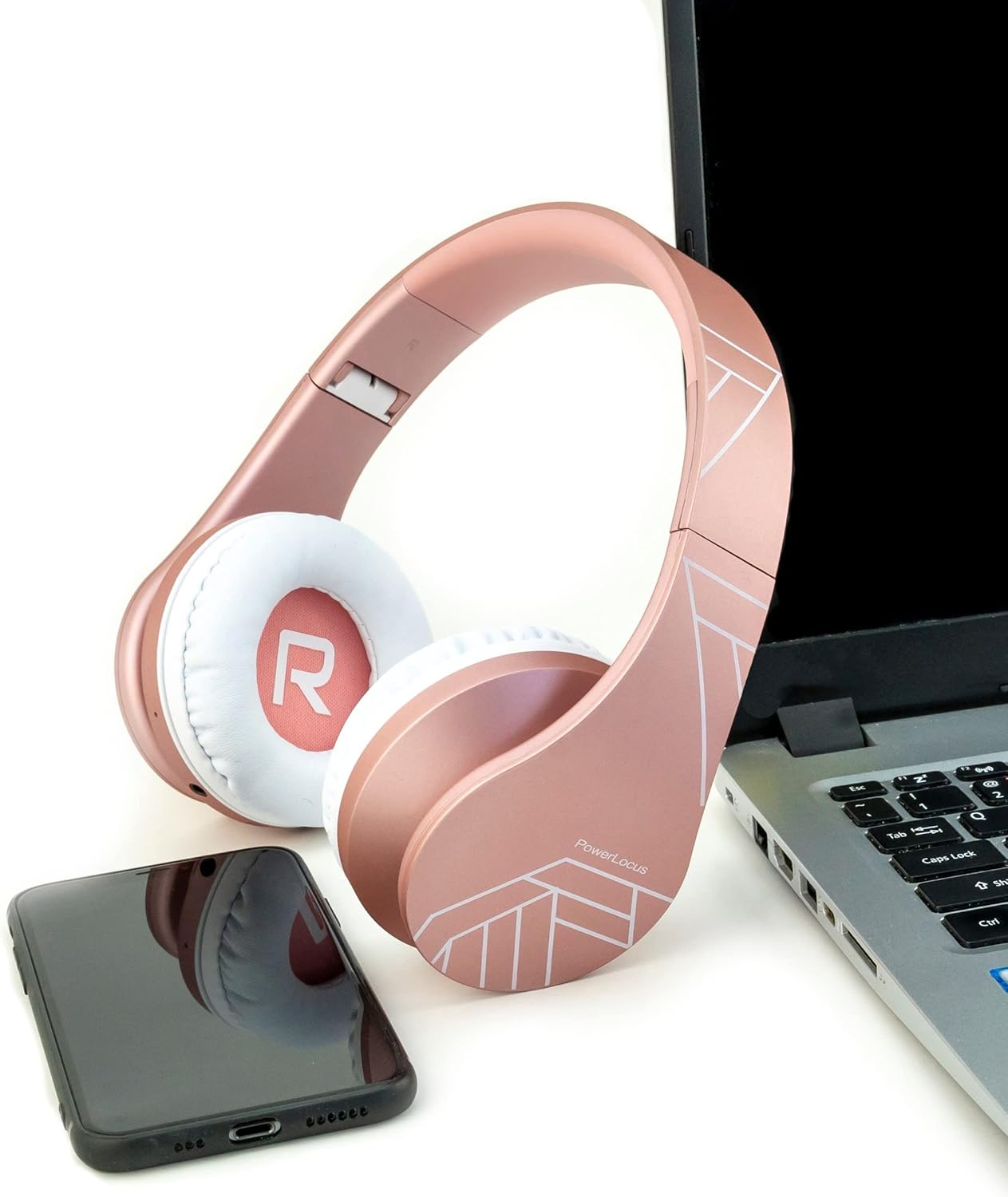
Image: PowerLocus P2 headphones positioned next to a laptop and a smartphone, illustrating their universal compatibility with various devices.
Operating Instructions
Power On/Off
- To power on: Press and hold the Power button for 3 seconds.
- To power off: Press and hold the Power button for 3 seconds.
Volume Control
- Volume Up: Press the "+" button.
- Volume Down: Press the "-" button.
Music Playback
- Play/Pause: Press the Multi-function button once.
- Next Track: Press and hold the "+" button.
- Previous Track: Press and hold the "-" button.
Answering Calls
- Answer/End Call: Press the Multi-function button once.
- Reject Call: Press and hold the Multi-function button for 2 seconds.
- Redial Last Number: Double-press the Multi-function button.
Micro SD/TF Card Mode
Insert a Micro SD/TF card into the designated slot. The headphones will automatically switch to Micro SD/TF card playback mode.
FM Radio Mode
Press the "M" (Mode) button to switch to FM Radio mode. Use the "+" and "-" buttons to scan for stations.
Wired Mode (AUX)
Connect the supplied 3.5mm audio cable to the headphone's AUX port and your audio device. This mode works even if the headphone battery is depleted.

Image: A person wearing PowerLocus P2 headphones, illustrating their universal compatibility with various devices including cellphones, PCs, tablets, laptops, and TVs.
Maintenance
- Clean the headphones regularly with a soft, dry cloth.
- Avoid exposing the headphones to extreme temperatures, humidity, or liquids.
- Store the headphones in the provided hard carrying case when not in use to prevent damage.
- Do not attempt to disassemble or modify the headphones.
- The ear cushions are made of soft memory foam for comfort and can be gently wiped.

Image: PowerLocus P2 headphones demonstrating their soft memory foam earmuffs, foldable design for portability, and adjustable headband for a comfortable fit.
Troubleshooting
No Power
- Ensure the headphones are fully charged.
- Check the charging cable and power source.
Cannot Pair via Bluetooth
- Ensure the headphones are in pairing mode (flashing red and blue LED).
- Make sure Bluetooth is enabled on your device.
- Move the headphones closer to your device (within 12 feet / approx. 3.6 meters).
- Clear previous Bluetooth connections on your device and try pairing again.
No Sound
- Check the volume level on both the headphones and your connected device.
- Ensure the headphones are correctly paired via Bluetooth or the 3.5mm audio cable is securely connected.
- If using Micro SD/TF card, ensure the card is inserted correctly and contains playable audio files.
Poor Sound Quality
- Move closer to your Bluetooth device to avoid interference.
- Try a different audio source or file.
- Ensure the earcups are properly seated on your ears for optimal sound isolation.

Image: A person listening to music with PowerLocus P2 headphones, illustrating the amazing sound quality, deep bass, and extended treble for an enjoyable audio experience.
Specifications
| Feature | Specification |
|---|---|
| Brand | PowerLocus |
| Model Name | P2 |
| Color | Rose Gold |
| Form Factor | Over-Ear (Circum-Aural) |
| Connectivity Technology | Wireless (Bluetooth), Wired (3.5mm Jack) |
| Bluetooth Version | 5.3 |
| Bluetooth Range | 12 feet (approx. 3.6 meters) |
| Audio Driver Size | 40 Millimeters |
| Impedance | 32 Ohms |
| Sensitivity | 105 dB |
| Frequency Range | 20 Hz - 20,000 Hz |
| Noise Control | Sound Isolation |
| Charging Time | 2.5 hours |
| Average Battery Life | 19 hours |
| Compatible Devices | Gaming Console, Computer, Laptop, Tablet, Phone |
| Special Features | Micro SD/TF Card Mode, FM Radio, Built-in Microphone |
| Material (Internal) | Faux Leather |
| Water Resistance Level | Not Waterproof |
Warranty and Support
Your PowerLocus P2 headphones come with a 2-year warranty.
For any questions or support regarding your PowerLocus P2 headphones, please contact us via Amazon. We aim to respond within one hour.
For more information, visit the official PowerLocus store on Amazon: PowerLocus Store


