
1. Introduction
This manual provides comprehensive instructions for the installation, operation, and maintenance of your Onforu 60W Dusk to Dawn Outdoor Security Flood Light (Model BDB60D-3). Please read this manual thoroughly before installation and retain it for future reference.

Image 1.1: The Onforu 60W Dusk to Dawn Outdoor Security Flood Light, featuring three adjustable light heads and a remote control for operation.
2. Safety Information
- Ensure power is disconnected at the circuit breaker before installation or servicing.
- Installation should be performed by a qualified electrician if you are unfamiliar with electrical wiring.
- Do not install on a dimmer circuit.
- This product is designed for outdoor use and is IP65 waterproof. However, avoid submerging it in water.
- Do not look directly into the light source when illuminated, as it can cause eye strain or damage.
3. Package Contents
Verify that all components are present before beginning installation:
- Onforu Dusk to Dawn Security Light (1 unit)
- Remote Control (1 unit)
- Mounting Hardware (screws, wire nuts, gasket)
- Instruction Manual (this document)
4. Product Features
- High Brightness: 60W, 6000 Lumens, 6500K Daylight White.
- Dusk to Dawn Sensor: Automatically turns on at dusk and off at dawn.
- Remote Control: Offers timing functions (2H/4H/6H/8H/12H) and mode switching.
- Two Working Modes: Dusk to Dawn mode and Always-On mode.
- Adjustable Heads: Three lamp heads can be adjusted up to 270° for wide illumination.
- Durable Construction: IP65 waterproof rating and die-cast aluminum body for outdoor resilience.
- Energy Efficient: Advanced LEDs designed for energy savings.
5. Setup and Installation
5.1 Pre-Installation
- Turn off power at the main circuit breaker.
- Ensure the mounting surface is stable and can support the fixture's weight.
- Gather necessary tools: screwdriver, wire strippers, pliers, electrical tape, ladder.
5.2 Mounting Options
The fixture supports both wall mount and soffit mount installations.

Image 5.1: Illustration of the flood light installed in both wall mount and soffit mount configurations.
5.3 Wiring Instructions
- Attach the mounting bracket to the junction box using the provided screws.
- Connect the wires:
- Black wire (L): Connect to the Live/Hot wire from your electrical supply.
- White wire (N): Connect to the Neutral wire from your electrical supply.
- Green/Yellow wire: Connect to the Ground wire from your electrical supply.
- Secure connections with wire nuts and electrical tape.
- Carefully tuck wires into the junction box and attach the fixture to the mounting bracket, ensuring a tight seal with the gasket.
- Adjust the three lamp heads to your desired illumination angles.

Image 5.2: Detailed wiring diagram showing Live, Ground, and Neutral connections, along with product dimensions.
6. Operating Instructions
The Onforu flood light offers two primary operating modes and remote control functionality.
6.1 Working Modes

Image 6.1: Visual representation of the two operating modes: Dusk to Dawn and Always-On.
- Dusk to Dawn (D2D) Mode: The built-in photocell sensor automatically turns the light ON when ambient light levels drop (dusk) and OFF when light levels rise (dawn). This mode is ideal for continuous nighttime security lighting.
- Always-On Mode: The light remains ON continuously until manually turned OFF via the remote control or a wall switch. This mode is suitable for situations requiring constant illumination regardless of ambient light.
6.2 Remote Control Functions
The included remote control allows for convenient adjustment of light settings.

Image 6.2: An illustration detailing the buttons and functions of the remote control for both D2D and Always-On modes.
- Mode Selection: Switch between Dusk to Dawn (D2D) and Always-On modes.
- Timing Function (D2D Mode Only): Set the light to turn off after 2H, 4H, 6H, 8H, or 12H. Press 'ESC' to cancel the timer.
- Brightness Adjustment (Always-On Mode Only): Adjust the light intensity from 1% to 100%.
- Slight Bright ON/OFF (D2D Mode Only): Activates or deactivates a 15% brightness saving mode after the timing function concludes.

Image 6.3: The remote control displaying options for setting the timing function (2H, 4H, 6H, 8H, 12H) in Dusk to Dawn mode.
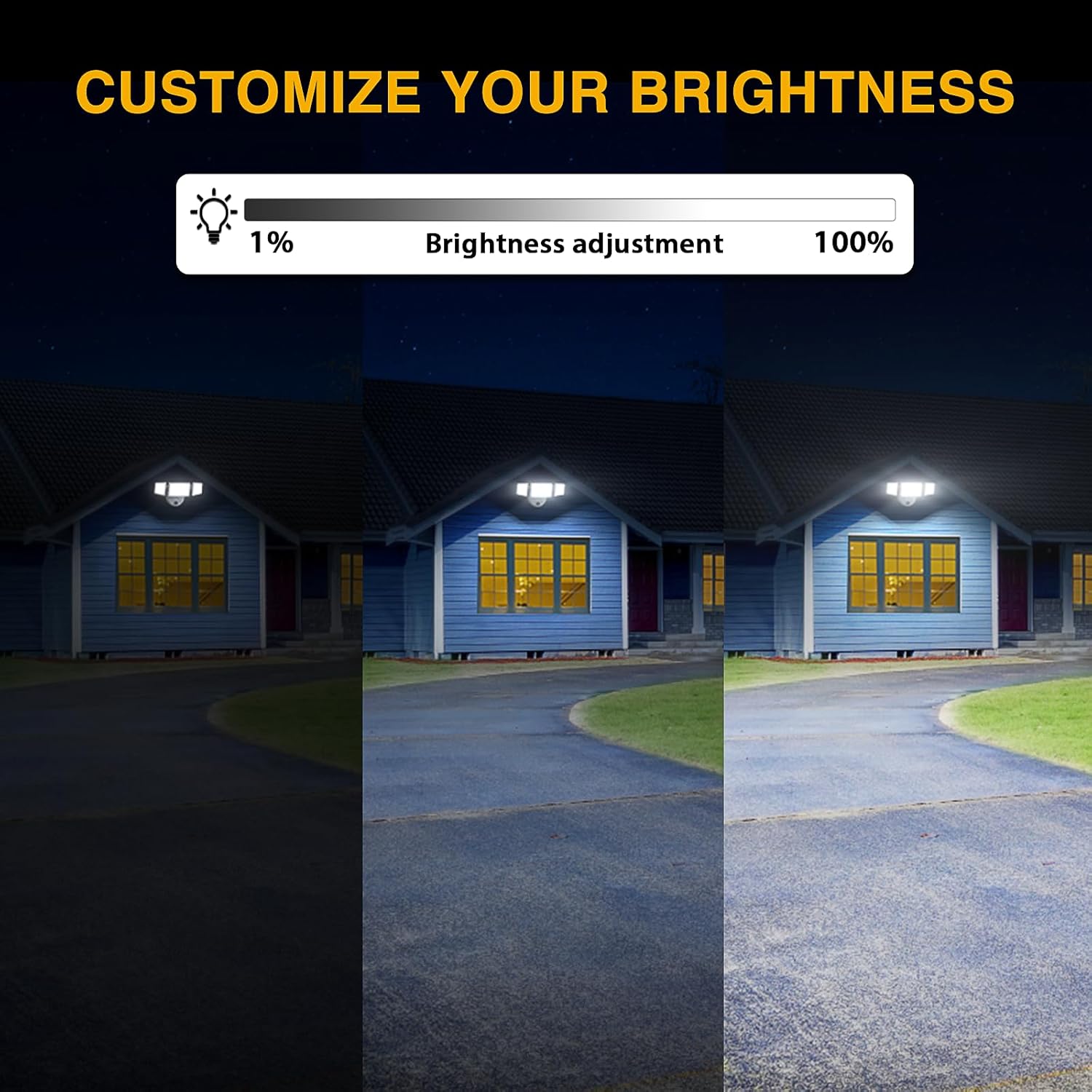
Image 6.4: A visual representation of the brightness adjustment range from 1% to 100% for the flood light.
7. Maintenance
- Cleaning: Periodically clean the light fixture with a soft, damp cloth to remove dirt and debris. Do not use abrasive cleaners or solvents.
- Inspection: Regularly check for any loose wiring, damage to the housing, or obstructions to the photocell sensor.
- Heat Dissipation: The fixture is designed with cooling fins for efficient heat dissipation. Ensure these fins are not blocked to maintain optimal performance and lifespan.
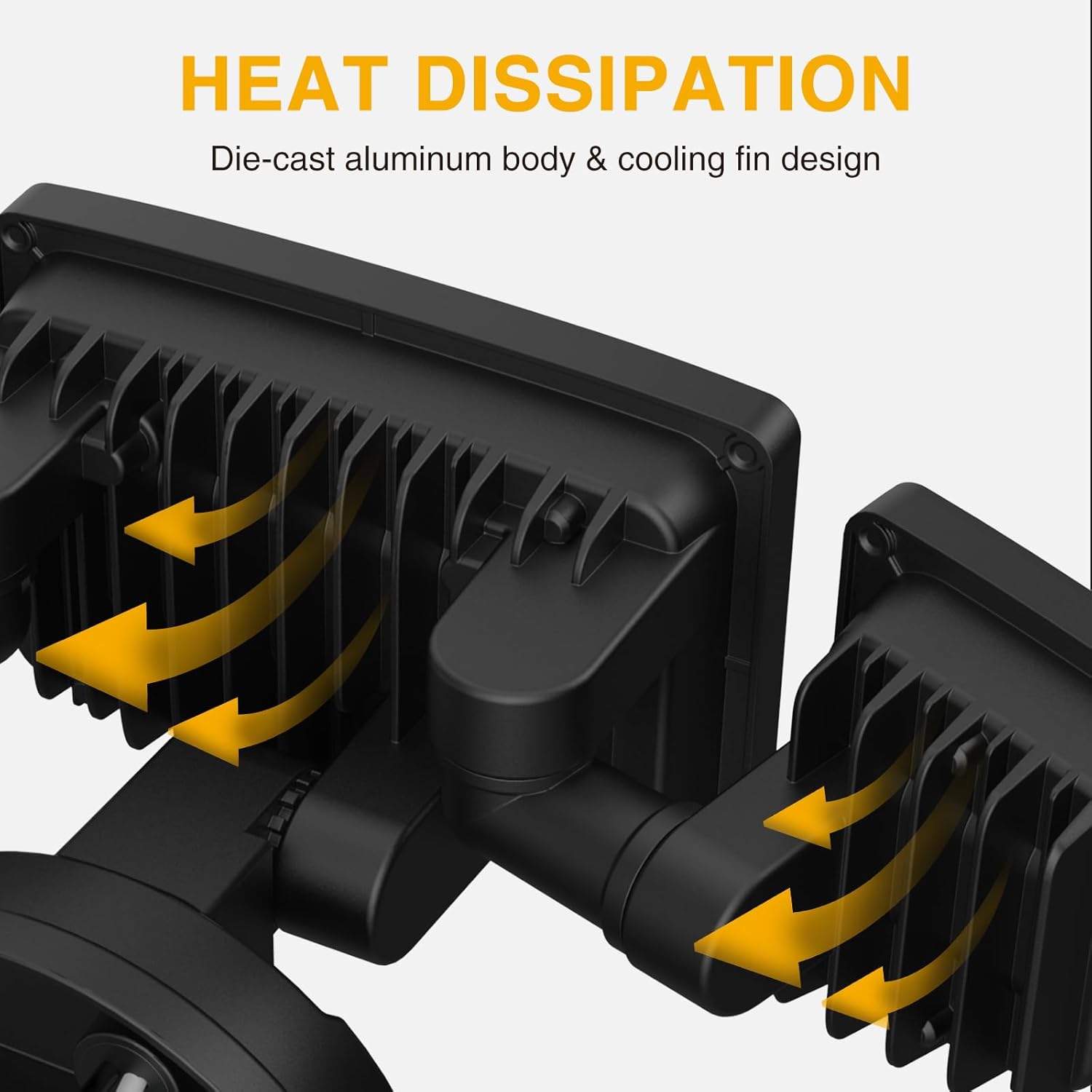
Image 7.1: An illustration highlighting the die-cast aluminum body and cooling fin design for effective heat dissipation.
8. Troubleshooting
| Problem | Possible Cause | Solution |
|---|---|---|
| Light does not turn on. | No power supply; faulty wiring; photocell obstructed (in D2D mode). | Check circuit breaker; verify wiring connections; ensure photocell is clear. |
| Light stays on during the day (D2D mode). | Photocell obstructed or receiving insufficient light. | Clear any obstructions from the photocell; ensure it is not in a shaded area. |
| Remote control not working. | Remote battery low or depleted; remote out of range; signal obstruction. | Replace remote battery; operate within 6-8 meters; ensure direct line of sight. |
| Light flickers or dims unexpectedly. | Unstable power supply; loose wiring connection. | Consult an electrician to check power supply; verify all wiring connections are secure. |
9. Specifications
| Feature | Specification |
|---|---|
| Model | BDB60D-3 |
| Wattage | 60W |
| Brightness | 6000 Lumens |
| Color Temperature | 6500K Daylight White |
| Voltage | 110 Volts (AC) |
| Material | Aluminum |
| Water Resistance Level | IP65 Waterproof |
| Control Method | Remote Control |
| Product Dimensions | 10"L x 5.8"W x 4.7"H |
| Item Weight | 1.85 pounds |
| Average Life | 30000 Hours |
10. Warranty Information
Based on the provided product information, this product does not include a manufacturer's warranty. Please refer to your retailer's return policy for details on returns or exchanges.
11. Customer Support
For further assistance or inquiries regarding your Onforu 60W Dusk to Dawn Outdoor Security Flood Light, please visit the official Onforu store or contact their customer service through the retailer where the product was purchased.


