
radtel RT 830
Radtel RT-830 Dual Band Ham Radio
User Instruction Manual
1. Introduction
This manual provides detailed instructions for the operation and maintenance of your Radtel RT-830 Dual Band Ham Radio. Please read this manual thoroughly before using the device to ensure proper function and safety. The RT-830 is a versatile multi-band ham radio designed for reliable communication.
2. Product Overview
2.1 Key Features
- Dual-band Radio with Air band Receive, NOAA Weather Channel, and FM broadcast receive.
- 2M/70CM radio band available.
- TX priority channel.
- Keypad lock and Backlight select.
- 8 US NOAA weather channels.
- Voice prompt in English/Chinese.
- CH/VFO Mode.
- Beep tone/Roger.
- Dual standby.
- Repeater offset.
- Bandwidth: wide and narrow.
- VOX/squelch.
- Power level: HI/LOW.
- TOT/Busy channel lockout.
- Scrambler/Encrypt.
- Frequency scan.
- CTCSS/DCS.
- USB-C charging port.
- 3500mAh battery for extended standby time.
2.2 Package Contents
The Radtel RT-830 package includes the following items:
- 1x RT-830 radio
- 1x 3500mAh Rechargeable battery
- 1x Desktop charger
- 1x Dual Band antenna
- 1x Belt Clip
- 1x User Manual
2.3 Product Diagram

Figure 1: Front view of the Radtel RT-830 radio, showing the display, keypad, and top knobs.
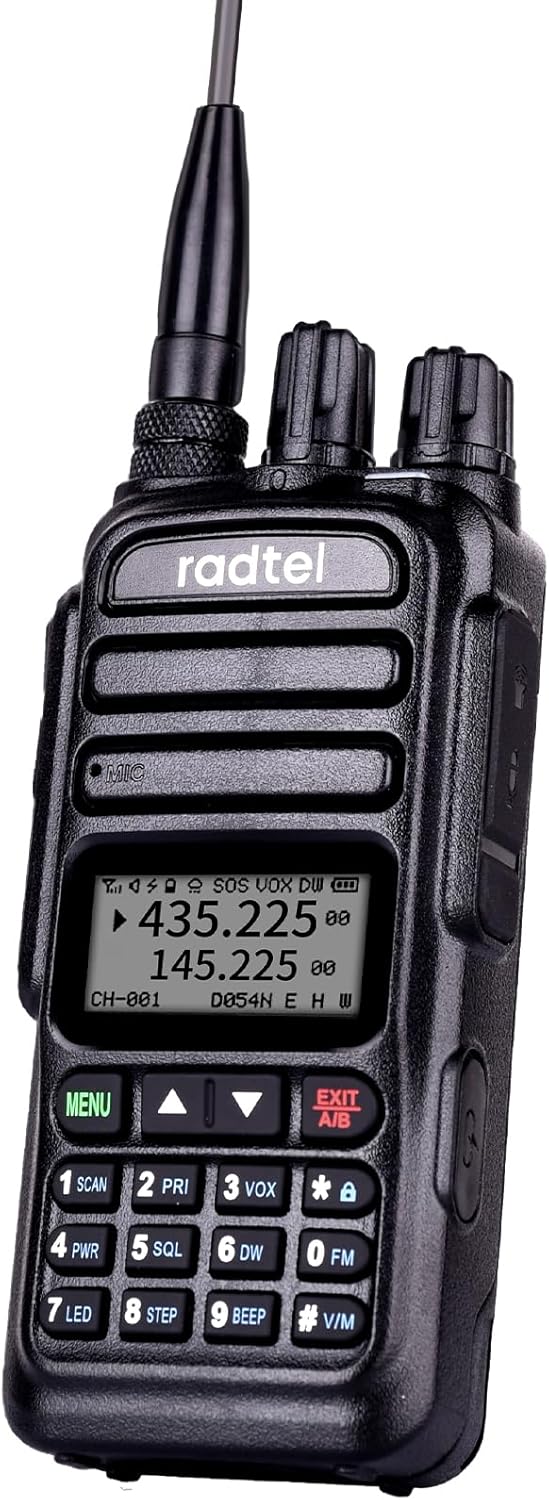
Figure 2: Side view of the Radtel RT-830 radio, highlighting the Push-to-Talk (PTT) button and accessory ports.

Figure 3: Close-up of the USB-C charging port located on the side of the radio.

Figure 4: Close-up of the accessory jack for external audio devices.
3. Setup
3.1 Battery Installation and Charging
The RT-830 comes with a 3500mAh Lithium Ion battery. Ensure the battery is fully charged before first use.
- Align the battery pack with the grooves on the back of the radio and slide it into place until it clicks securely.
- To charge, connect the desktop charger to a power outlet. Place the radio with the battery installed into the charging cradle. The charging indicator light will show the charging status.
- Alternatively, you can charge the radio directly using a USB-C cable connected to the USB-C port on the side of the radio.

Figure 5: The Radtel RT-830 radio placed in its desktop charging cradle.
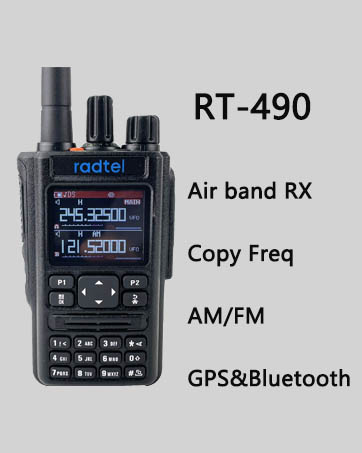
Figure 6: Illustration of the three charging modes: direct USB-C to radio, radio in desktop charger, and battery only in desktop charger.
3.2 Antenna Attachment
Screw the provided dual-band antenna clockwise onto the antenna connector on top of the radio until it is finger-tight. Do not overtighten.

Figure 7: The Radtel RT-830 radio with its antenna detached, showing the antenna port.
4. Operating Instructions
4.1 Power On/Off and Volume
To power on the radio, rotate the top-left knob clockwise. Continue rotating to adjust the volume. To power off, rotate the knob counter-clockwise until it clicks.
4.2 Channel/Frequency Selection
The RT-830 supports both Channel (CH) mode and VFO (Frequency) mode. You can switch between modes via the menu.
- Channel Mode: Use the UP/DOWN arrow keys on the keypad to navigate through the 128 pre-programmed channels.
- VFO Mode: Directly input frequencies using the numeric keypad. Use the UP/DOWN arrow keys to fine-tune the frequency.
Video 1: Demonstration of the Radtel RT-830's interface and basic operation, including channel selection and menu navigation.
4.3 Transmitting and Receiving
- Receiving: The radio will automatically receive signals on the selected channel or frequency.
- Transmitting: Press and hold the Push-to-Talk (PTT) button on the side of the radio to transmit. Speak clearly into the microphone. Release the PTT button to stop transmitting and return to receive mode.
4.4 NOAA Weather Channel
The RT-830 can receive 8 US NOAA weather channels. This feature is crucial for outdoor activities to stay informed about weather conditions.

Figure 8: The Radtel RT-830 displaying a weather channel, emphasizing its NOAA weather alert capability.
4.5 Air Band Reception
The radio supports Air Band reception (108-136Mhz AM RX), allowing you to listen to air traffic control communications.
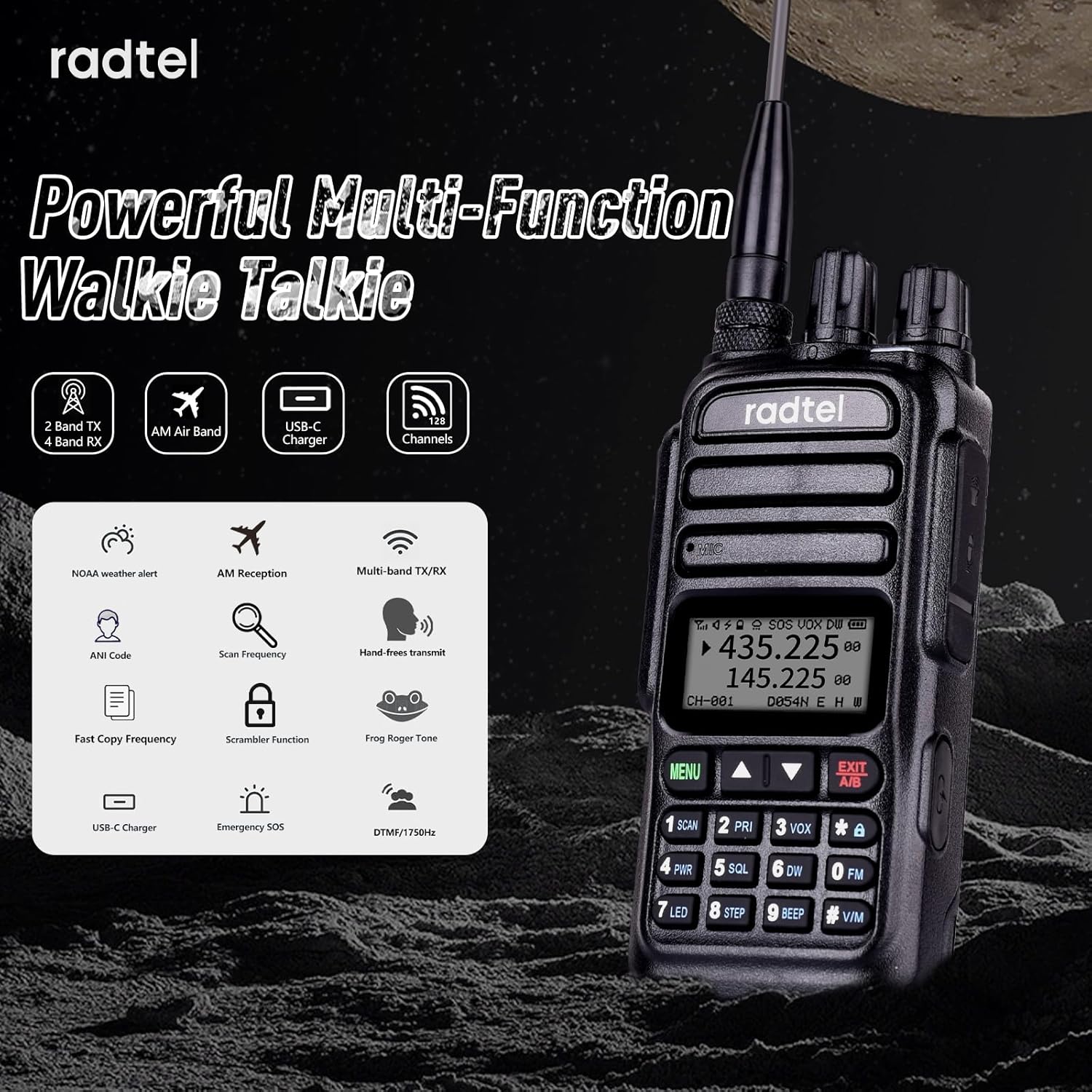
Figure 9: Graphic illustrating the multi-band transmit and receive capabilities of the RT-830, including 144-148Mhz TX/RX, 420-450Mhz TX/RX, and 108-136Mhz AM RX.
4.6 Scrambler/Encrypt Function
The RT-830 includes a scrambler/encrypt function for enhanced privacy during communications. Refer to the menu settings to activate and configure this feature.

Figure 10: Visual representation of the scrambler/encrypt function, showing two radios with a digital background.
5. Maintenance
5.1 Cleaning
Wipe the radio with a soft, damp cloth. Do not use harsh chemicals or abrasive cleaners. Ensure the USB-C port cover is closed when not charging to prevent dust and moisture ingress.
5.2 Battery Care
- Avoid fully discharging the battery frequently.
- Store the radio and battery in a cool, dry place when not in use for extended periods.
- If the radio will not be used for a long time, charge the battery to about 50% before storing.
5.3 Antenna Care
Handle the antenna with care. Do not bend or twist it excessively, as this can damage the antenna or the radio's connector.
6. Troubleshooting
| Problem | Possible Cause | Solution |
|---|---|---|
| Radio does not power on. | Battery is low or not installed correctly. | Charge the battery or re-install it securely. |
| Cannot transmit. | Incorrect frequency/channel, low battery, or PTT button issue. | Verify frequency/channel, charge battery, check PTT button for obstruction. |
| Poor reception/transmission range. | Antenna not properly attached, environmental interference, or low power setting. | Ensure antenna is secure, move to an open area, set power level to HI. |
| Keypad is unresponsive. | Keypad lock is active. | Deactivate keypad lock (refer to operating instructions for specific key combination). |
If the problem persists after attempting these solutions, please contact customer support.
7. Specifications
| Feature | Detail |
|---|---|
| Model Number | RT 830 |
| Item Weight | 1.04 pounds |
| Product Dimensions | 5 x 2.17 x 5 inches |
| Battery Type | 1 Lithium Ion battery (included) |
| Battery Capacity | 3500mAh |
| Number of Channels | 128 |
| Frequency Range | 144-148/420-450 RX/TX, 136-520Mhz Receiver, 108-136Mhz AM RX |
| Talking Range Maximum | 5 Kilometer |
| Tuner Technology | AM/FM/UHF/VHF |
| Voltage | 3.7 Volts |
| Water Resistance Level | Not Water Resistant |
| Manufacturer | Xiamen Radtel Electronics Co.Ltd |
| First Available Date | November 9, 2022 |
8. Warranty and Support
8.1 Warranty Information
The Radtel RT-830 comes with a 1-year warranty from the date of purchase. This warranty covers manufacturing defects and malfunctions under normal use. It does not cover damage caused by misuse, accidents, unauthorized modifications, or natural disasters.
For warranty claims, please retain your proof of purchase.
8.2 Customer Support
For technical assistance, troubleshooting, or general inquiries, please contact Radtel Direct customer support. Refer to the contact information provided with your product packaging or visit the official Radtel website for the most up-to-date support details.
You can also visit the Radtel Store on Amazon for more information and product updates.
Related documentsRT 830


Ask a question about this manual
Ask about setup, troubleshooting, compatibility, parts, safety, or missing instructions. Manuals+ will review the question and use this page’s manual context to help answer it.