
TORRAS iPhone 12/12 Pro
TORRAS Magnetic Case for iPhone 12/12 Pro User Manual
Model: iPhone 12/12 Pro
Introduction
Thank you for choosing the TORRAS Magnetic Case for your iPhone 12 or iPhone 12 Pro. This case is designed to provide superior protection and enhance your device's functionality with MagSafe compatibility. Please read this manual carefully to ensure proper installation and care of your new case.

Figure 1: TORRAS Magnetic Case for iPhone 12/12 Pro. This image displays the blue case from an angled perspective, highlighting its translucent back and the integrated magnetic ring for MagSafe accessories.
Setup and Installation
Installing your TORRAS Magnetic Case is a straightforward process. Follow these steps to ensure a secure fit and optimal protection for your iPhone.
- Clean Your Device: Before installing the case, ensure your iPhone 12 or 12 Pro is clean and free of dust or debris. Use a soft, lint-free cloth to wipe down the front and back surfaces.
- Align the Case: Hold your iPhone with the screen facing up. Take the TORRAS case and align the camera cutout with your phone's camera module.
- Insert Top Edge: Gently insert the top edge of your iPhone into the top edge of the case, ensuring the corners are properly seated.
- Press Down Sides: Once the top is in place, gently press down on the sides of your iPhone, working your way down to the bottom. Ensure all edges of the phone are securely snapped into the case.
- Check Fit: Verify that all buttons (power, volume) are accessible and functional, and that the charging port and speakers are unobstructed. The case should fit snugly without any loose areas.
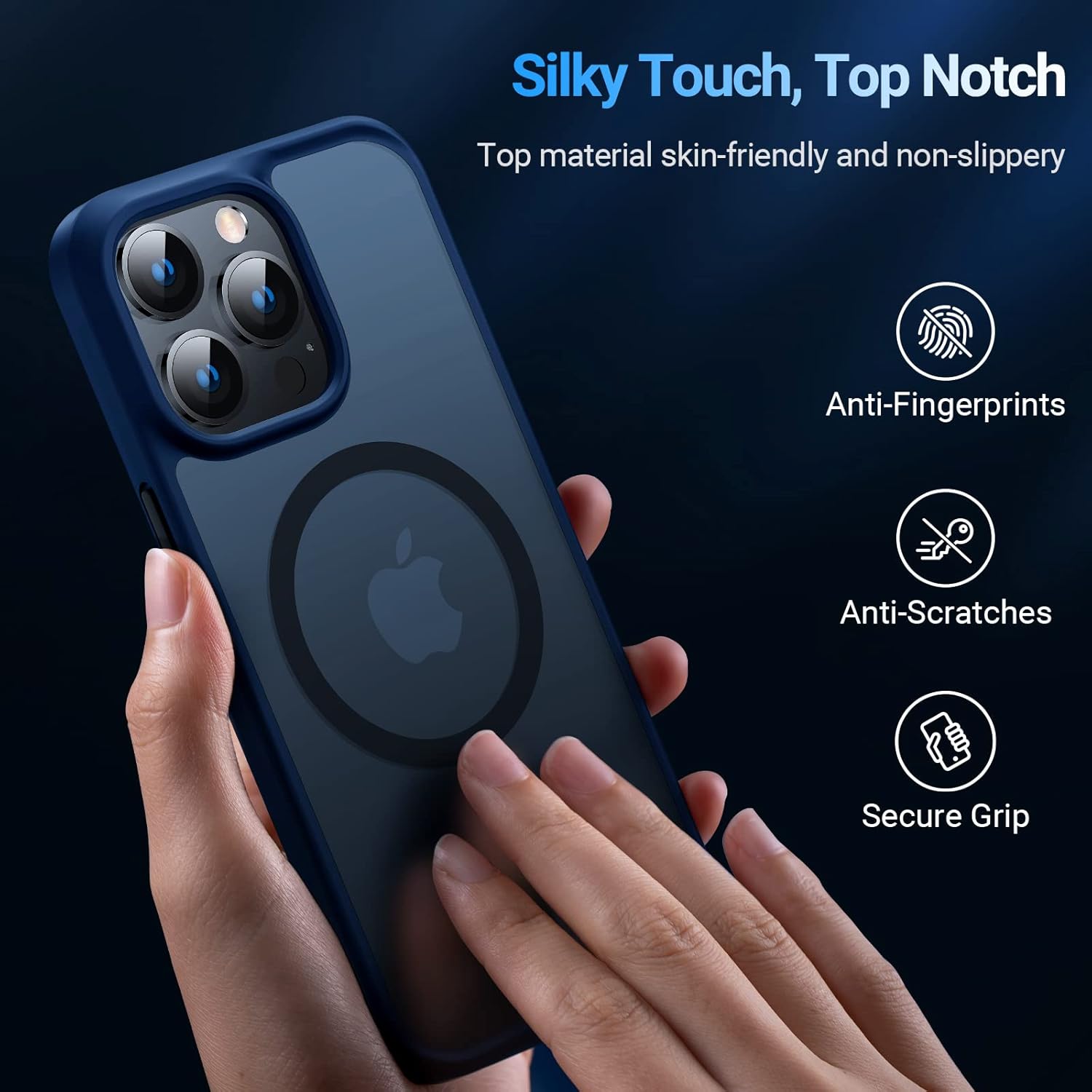
Figure 2: Demonstrating the secure grip of the TORRAS case. The image shows a hand holding the phone, emphasizing the case's ergonomic design and comfortable feel.
Operating and Key Features
The TORRAS Magnetic Case is engineered with several features to enhance your iPhone experience and provide robust protection.
MagSafe Compatibility
The case features a built-in second-generation magnetic ring that perfectly aligns with MagSafe chargers and accessories. This ensures a strong, secure connection for faster and more efficient wireless charging, as well as compatibility with MagSafe wallets, car mounts, and other magnetic accessories.

Figure 3: MagSafe charger securely attached to the TORRAS case. This image highlights the strong magnetic array, ensuring the charger stays firmly in place even with movement.
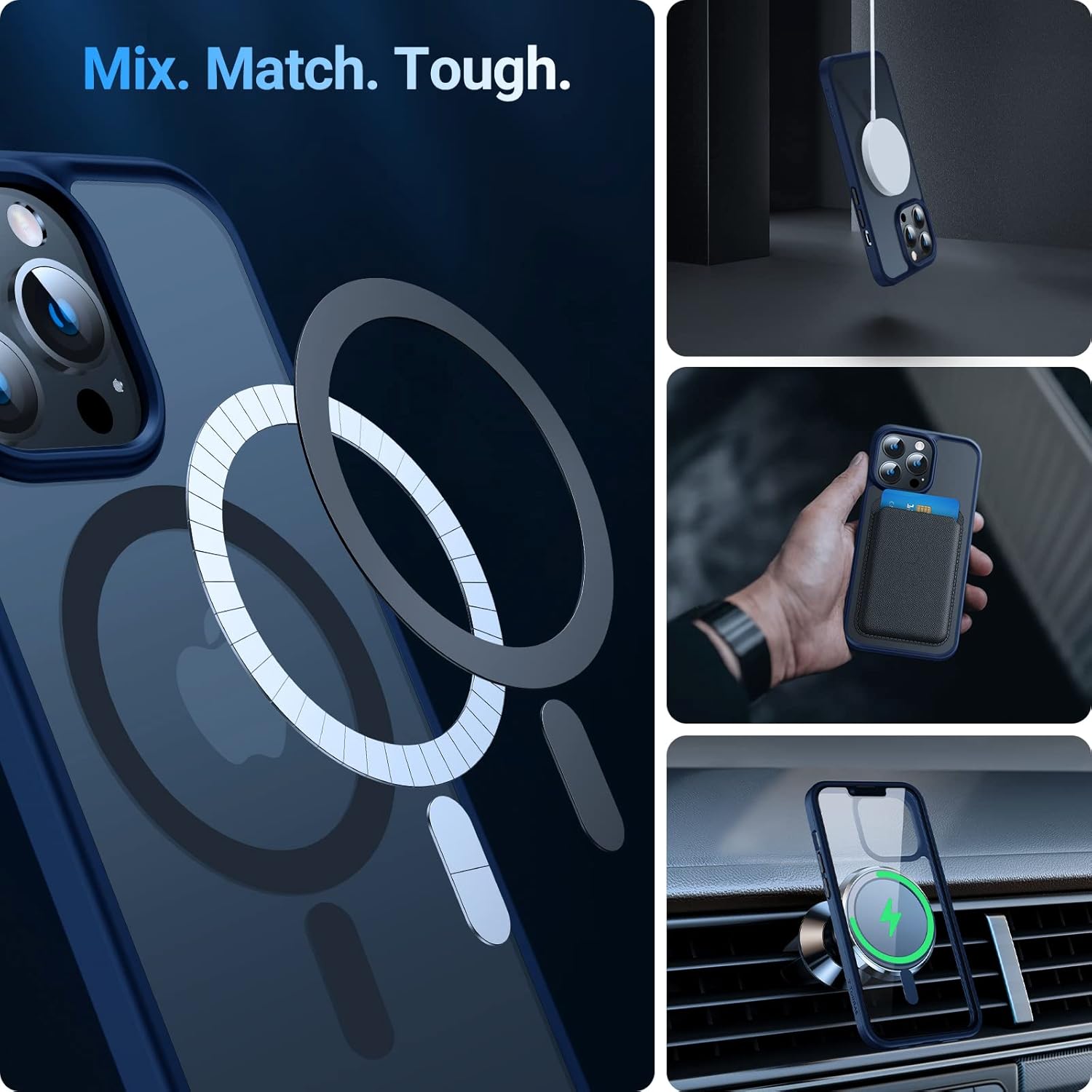
Figure 4: Versatility with MagSafe accessories. This composite image demonstrates how the case integrates seamlessly with MagSafe chargers, cardholders, and car mounts, offering enhanced functionality.
Military-Grade Drop Protection
This case is rigorously tested to meet military drop-test standards. It features 360° all-around airbags and new X-SHOCK technology at all four corners. These elements work together to effectively absorb and disperse impact, providing maximum protection against drops, bumps, and scratches. The 1.2mm raised edge around the screen and 0.8mm raised camera lips offer additional protection for vulnerable areas.

Figure 5: Visual representation of military-grade drop protection. The image depicts the case's ability to withstand significant drops, highlighting its robust construction and impact absorption features.

Figure 6: Detailed view of screen and camera protection. This image illustrates the precise engineering of the case with raised bezels (1.2mm for screen, 0.8mm for camera) to prevent direct contact with surfaces.
Responsive Clicky Buttons
The case features independent buttons designed for a sensitive and tactile response, making them easy to press. It also includes three sets of interchangeable buttons in different colors, allowing for personalization.

Figure 7: Detachable 3-color buttons for customization. This image shows the case with different colored buttons and a cross-section view highlighting the screen and camera protection layers.
Maintenance and Care
To ensure the longevity and appearance of your TORRAS Magnetic Case, follow these simple maintenance guidelines:
- Regular Cleaning: Wipe the case regularly with a soft, damp cloth to remove dust, fingerprints, and smudges. For tougher stains, a mild soap solution can be used.
- Avoid Harsh Chemicals: Do not use abrasive cleaners, solvents, or strong chemicals, as these can damage the case material or finish.
- Prevent Discoloration: While the case is designed to resist yellowing, prolonged exposure to direct sunlight or extreme temperatures may affect its appearance over time.
- Inspect Periodically: Occasionally remove the case and inspect both the case and your iPhone for any trapped debris that could cause scratches. Clean as necessary.
Troubleshooting
If you encounter any issues with your TORRAS Magnetic Case, please refer to the following common solutions:
| Problem | Possible Cause / Solution |
|---|---|
| MagSafe accessory not attaching firmly. | Ensure the MagSafe accessory is genuinely compatible. Check for any debris between the case and the accessory. Realign the accessory carefully. |
| Case feels loose or doesn't fit properly. | Verify that you have the correct case model for your iPhone 12 or 12 Pro. Ensure the phone is fully seated in all corners of the case. |
| Buttons are stiff or unresponsive. | Ensure the case is properly aligned with the phone's buttons. If using interchangeable buttons, ensure they are correctly installed. |
| Case appears discolored or dirty. | Clean the case using a soft, damp cloth and mild soap. Avoid prolonged exposure to direct sunlight or harsh chemicals. |
If the issue persists, please contact TORRAS customer support for further assistance.
Specifications
| Feature | Detail |
|---|---|
| Compatible Phone Models | iPhone 12, iPhone 12 Pro (6.1 inch) |
| Material | Plastic, Rubber, Silicone, Thermoplastic Polyurethane |
| Color | Blue (for this specific model) |
| Form Factor | Bumper |
| Item Weight | 2.39 ounces |
| Package Dimensions | 12.52 x 6.93 x 0.71 inches |
| Special Features | MagSafe Compatible, Military Grade Drop Protection, Shock-Absorbent, Wireless Charging Compatible, Camera Protector, Detachable Buttons |
| Certifications | SGS & RoHS Authorized (Report: GZIN2005022739PS) |
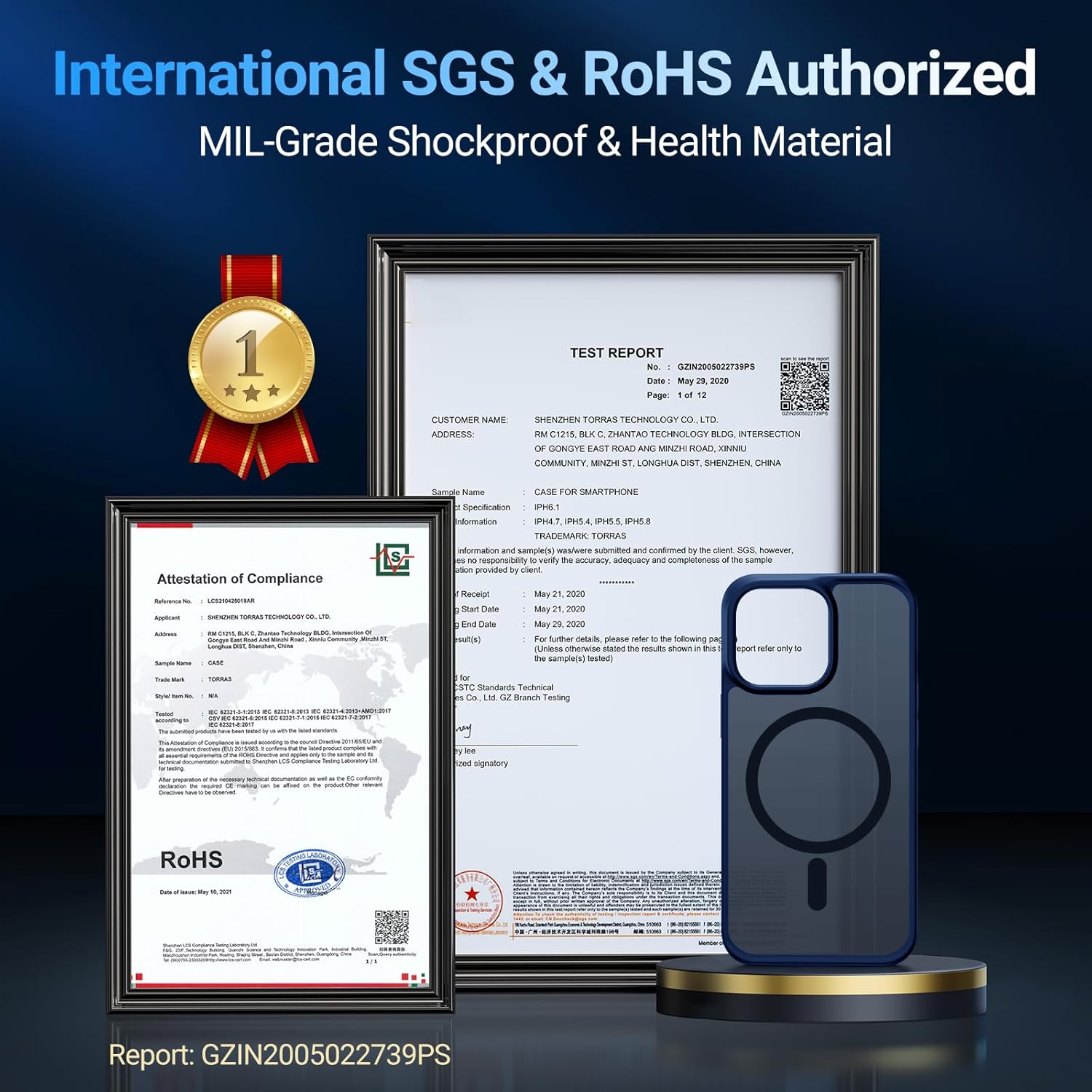
Figure 8: SGS & RoHS Authorization documents. This image displays the official certifications, confirming the case meets international quality and safety standards.
Warranty and Support
TORRAS provides comprehensive support for its products. For any inquiries or assistance, please refer to the following:
- Warranty: The product comes with an 80-day warranty for replacement and lifetime customer service.
- Customer Support: For any issues or questions, please contact TORRAS customer support. A satisfied solution is promised.
- Online Resources: Visit the official TORRAS store on Amazon for more product information and support: TORRAS Amazon Store.
Ask a question about this manual
Ask about setup, troubleshooting, compatibility, parts, safety, or missing instructions. Manuals+ will review the question and use this page’s manual context to help answer it.