
Introduction
The Cloud b Sweet Dreamz On The Go™ Sound Machine is designed to provide a comforting and soothing environment for infants and toddlers. This portable device features a selection of calming sounds and lullabies, a gentle night light, and a smart sensor to help your little one relax and sleep. Its compact design and versatile attachment options make it ideal for use at home or while traveling.

Image: The Sweet Dreamz On The Go Dog Sound Machine attached to a stroller, providing comfort to a baby.
Setup
Battery Installation
- Locate the battery compartment on the back of the unit.
- Using a small screwdriver, open the battery compartment cover.
- Insert 3 AAA batteries, ensuring correct polarity (+/-).
- Replace the battery compartment cover and secure it with the screw.
Attaching the Device
The Sweet Dreamz On The Go features a heart-shaped clip for easy attachment. Securely fasten the clip to strollers, car seats, cribs, or diaper bags to keep the device within reach.
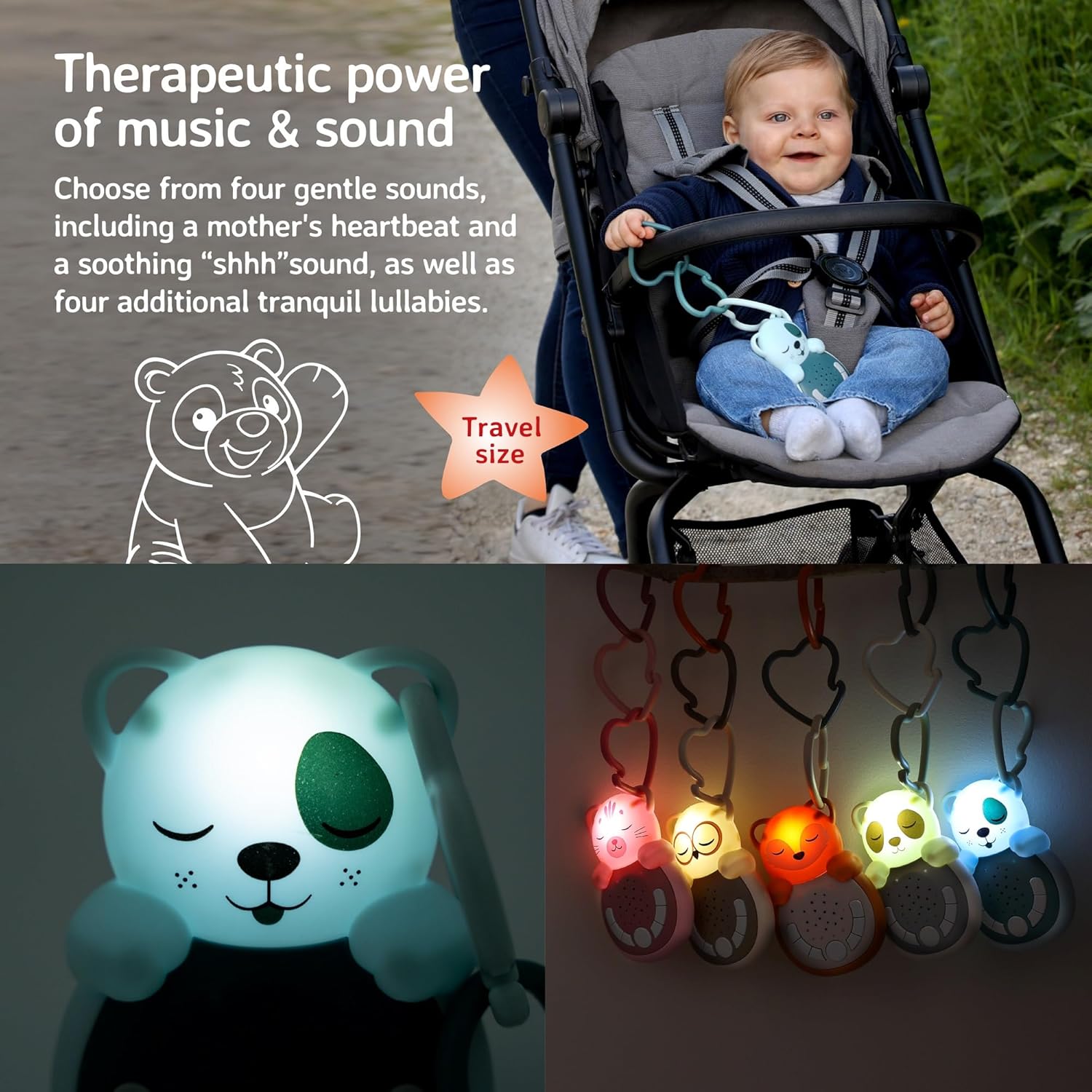
Image: The portable sound machine securely attached to a car seat, demonstrating its travel-friendly size and attachment method.
Operating Instructions
Familiarize yourself with the control buttons located on the front of the device:

Image: A detailed view of the control panel, showing buttons for sound selection, volume, and the power/timer button.
Power On/Off
- Press the central power button to turn the device on or off.
Sound Selection
The device offers 8 soothing options: 4 white noises and 4 lullabies. Use the dedicated sound selection buttons (left and right arrows) to cycle through the available sounds:
- White Noises: Heartbeat, Waves, Rain, Shushing
- Lullabies: Claire de Lune, Le La Lu, Satie, Lullaby Waltz
Volume Control
Adjust the sound volume using the volume up (+) and volume down (-) buttons.
Calming Light
The character's face illuminates with a soft, calming glow. The light automatically turns off after 15 minutes.

Image: The sound machine's face glowing, illustrating the calming light feature.
Smart Sensor (Re-activating)
The smart sensor feature automatically reactivates the last played sound when it detects a loud noise, such as a baby waking up or crying. This helps to soothe your child back to sleep without manual intervention.

Image: An illustration highlighting the sound sensor feature, which reactivates sounds upon detecting noise.
Auto Shut-off Timer
The sound function automatically turns off after 45 minutes to conserve battery life and ensure a peaceful sleep environment.

Image: The sound machine with an icon indicating the auto shut-off timer feature.
Product Demo Video
Video: An official demonstration of the Sweet Dreamz On The Go Sound Machine, showcasing its features and operation.
Maintenance
Cleaning
- Wipe the device with a soft, damp cloth. Do not immerse in water.
- Avoid using harsh chemicals or abrasive cleaners.
Battery Care
- Replace batteries when the sound quality diminishes or the light dims.
- Remove batteries if the device will not be used for an extended period to prevent leakage.
- Dispose of used batteries responsibly according to local regulations.
Troubleshooting
| Problem | Possible Cause | Solution |
|---|---|---|
| Device does not turn on. | Dead or incorrectly installed batteries. | Check battery polarity or replace with fresh AAA batteries. |
| No sound or low volume. | Volume set too low or sound mode not selected. | Increase volume using the '+' button or select a sound using the arrow buttons. |
| Smart Sensor not activating. | Sensor mode not enabled or ambient noise too low. | Ensure the smart sensor mode is active (refer to operating instructions). Test in a quiet environment. |
Specifications
- Product Dimensions: 3.94 x 1.97 x 1.97 inches
- Item Weight: 5.3 ounces
- Model Number: 7671-DG
- Power Source: Battery Powered
- Batteries Required: 3 AAA batteries (not included)
- Target Gender: Unisex
- Sound Options: 4 White Noises, 4 Lullabies
- Light Timer: 15 minutes
- Sound Timer: 45 minutes
- Special Features: Smart Sensor (re-activating sounds)
Warranty and Support
This product is typically covered by a 90-day refund or replacement policy from the date of purchase. For specific warranty details, product support, or to inquire about returns and replacements, please contact Cloud b customer service directly or refer to the official Cloud b website.
Cloud b Official Website: www.cloudb.com