
Introduction
Thank you for choosing the Vekkia Book Light Set with Charger. This rechargeable clip-on reading light is designed to provide comfortable, eye-friendly illumination for reading in various environments. Featuring three brightness levels and a flexible neck, it offers up to 80 hours of use on a single charge, making it ideal for reading before bed, travel, or general use. This manual provides essential information for the safe and effective operation of your book light.
What's in the Box
- 1 × LED Book Light
- 1 × USB Charging Cable
- 1 × User Manual
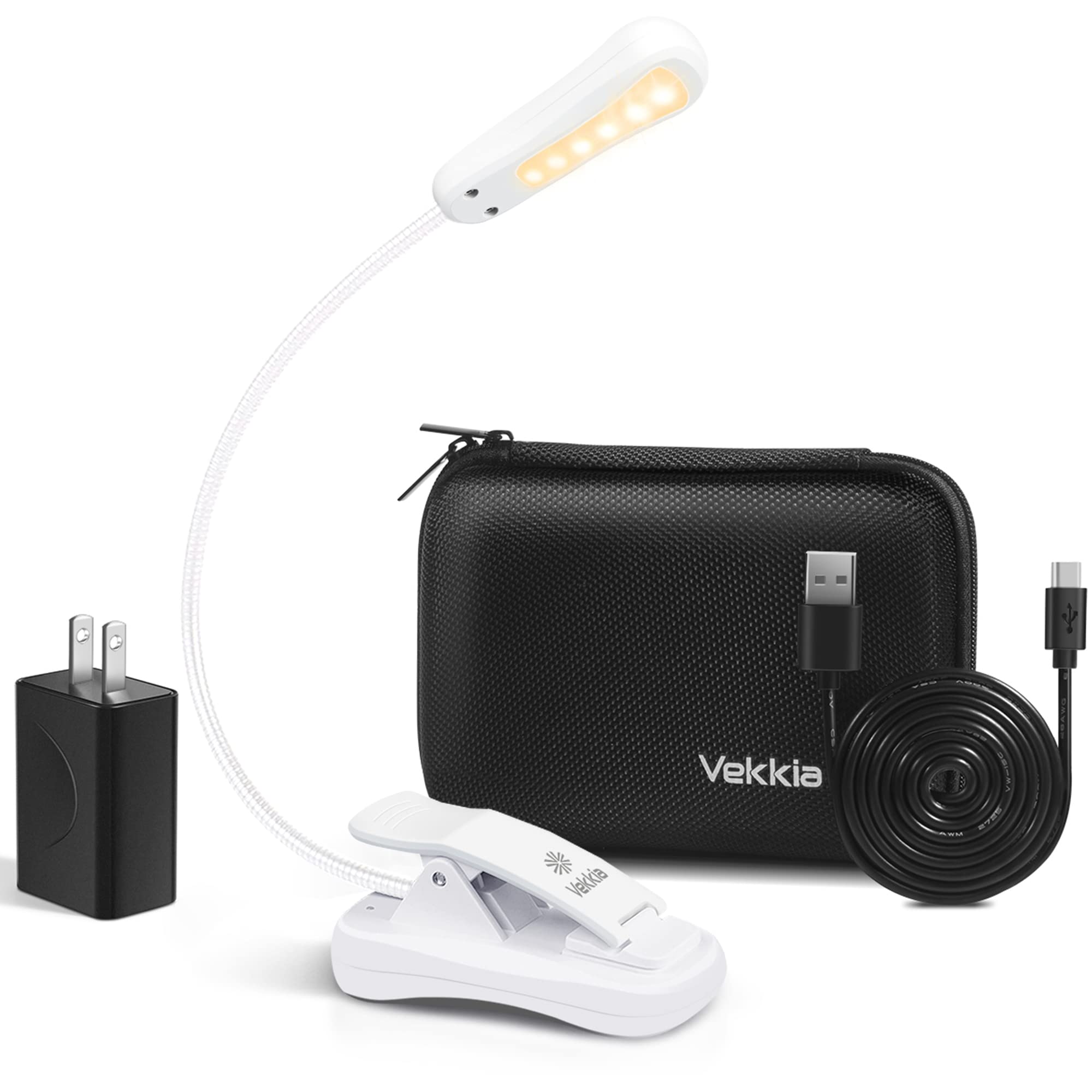
Image: The Vekkia Book Light, USB charging cable, and user manual as typically found in the product packaging.
Setup
Charging the Book Light
Before first use, fully charge the book light. Use the provided USB charging cable to connect the light to a standard USB power source (e.g., computer, wall adapter, power bank). A full charge typically takes approximately 1.5 hours. The charging indicator light will change color or turn off once charging is complete.

Image: The Vekkia Book Light's charging port with a USB cable inserted, illustrating the charging process.
Attaching the Book Light
The Vekkia Book Light features a clip-on design for easy attachment. The clamp can open up to approximately 1.8 inches, allowing it to securely fasten to books, e-readers, tables, or other surfaces. The anti-slippery pads on the clip protect surfaces from scratches.

Image: A close-up of the Vekkia Book Light's clip, demonstrating its adjustable pad for securing to thin or thick objects.
Operating Instructions
Power On/Off and Brightness Adjustment
The book light is operated via a single button located on the light head. Press the button to cycle through the brightness settings:
- First Click: Activates the soft brightness mode.
- Second Click: Switches to the bright brightness mode.
- Third Click: Switches to the brighter brightness mode.
- Fourth Click: Turns the light off.

Image: Visual representation of the book light's switch and the three distinct brightness levels it offers.
Adjusting the Light Angle
The book light features a flexible neck that allows for 360-degree adjustment. Bend the neck to direct the light precisely where needed for optimal reading comfort.
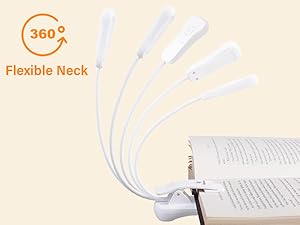
Image: The flexible neck of the Vekkia Book Light demonstrating its full range of motion for directing light.
Maintenance
Cleaning
To clean the book light, gently wipe it with a soft, dry cloth. Do not use abrasive cleaners, solvents, or immerse the device in water.
Storage
Store the book light in a cool, dry place away from direct sunlight and extreme temperatures. If storing for an extended period, ensure the battery is partially charged (around 50%) to prolong its lifespan.
Troubleshooting
| Problem | Possible Cause | Solution |
|---|---|---|
| Light does not turn on. | Battery is depleted. | Charge the book light using the provided USB cable. |
| Light is dim or flickers. | Low battery. | Recharge the book light. |
| Light does not charge. | Faulty USB cable or power source. | Try a different USB cable or power adapter. Ensure connections are secure. |
| Clip does not hold securely. | Surface is too thick or thin for the clip's range. | Ensure the surface is within the clip's maximum opening of 1.8 inches. |
Product Specifications
| Feature | Detail |
|---|---|
| Model Number | BK-07 |
| Light Source Type | LED |
| Number of Light Sources | 6 |
| Brightness Levels | 3 (Soft, Bright, Brighter) |
| Power Source | Battery Powered (Rechargeable) |
| Battery Life (Low Brightness) | Up to 80 hours |
| Charging Time | Approx. 1.5 hours |
| Connectivity Technology | USB |
| Mounting Type | Clip On |
| Control Method | Touch (Push Button) |
| Product Dimensions | 1.73"D x 4.6"W x 5.5"H |
| Item Weight | 2.15 ounces |
| Material Type | Plastic |
| Color | White |
| Water Resistance Level | Not Water Resistant |
Warranty and Support
Warranty Information
The Vekkia Book Light (Model BK-07) comes with a 3-year warranty. This warranty covers manufacturing defects and ensures reliable performance under normal use. Please retain your proof of purchase for warranty claims.
Customer Support
For any questions, concerns, or technical assistance, Vekkia offers 24/7 customer support. Please refer to the contact information provided on the product packaging or the official Vekkia website for assistance.