Introduction
This manual provides detailed instructions for the setup, operation, and maintenance of your Jeanoko Universal LCD Touch Screen Car Smart Key. Please read this manual thoroughly before using the product to ensure proper function and safety.

Image: The Jeanoko Universal LCD Touch Screen Car Smart Key, featuring a sleek design with a central LCD screen and physical buttons on the sides.
Setup
Package Contents
Verify that all items are present in the package:
- 1 x Smart LCD Key
- 1 x USB Charging Cable
- 1 x OBD Box
- 1 x Key Chip Connection Cable
- 3 x Screws (only 2 are needed for installation)
- 1 x Manual (English)

Image: All components included with the Jeanoko Smart LCD Key: the key itself, a USB charging cable, an OBD box, a key chip connection cable, and three small screws.
Installation
Installation of the Smart LCD Key requires technical expertise. It is strongly recommended to seek assistance from a professional mechanic for proper installation.
- Step 1: Remove the main board from your original car key.
- Step 2: Weld the provided connection harness to the function switch of each corresponding button on the original car key's main board. Refer to the schematic diagram in the included English manual for precise welding points.
- Step 3: After welding, connect the other end of the connecting wire to the socket on the Smart LCD Key.
- Step 4: Insert the OBD module into your vehicle's OBD interface, typically located below the dashboard.
For detailed visual guidance, please refer to the official product video below.
Video: An official product video demonstrating the features and settings of the Jeanoko Remote Control Key, including navigation through its LCD interface.
Operation
Key Features Overview
- LCD Touch Screen: The key features an LCD touch screen with a durable alloy frame. It displays car information and allows for personalized 3D model display.
- Physical Buttons: In addition to the touch screen, physical buttons are available for locking, unlocking, and opening/closing the trunk.
- Keyless Entry: Configure automatic unlocking when approaching the vehicle and automatic locking when leaving. Sensing distance is adjustable.
- Door Lock and Window Lift: This function allows setting a time delay for window closure after locking. Requires the original car to support window lift on locking or long-press.
- Anti-Lost Function: Set your phone number on the key's display to aid in its return if lost.
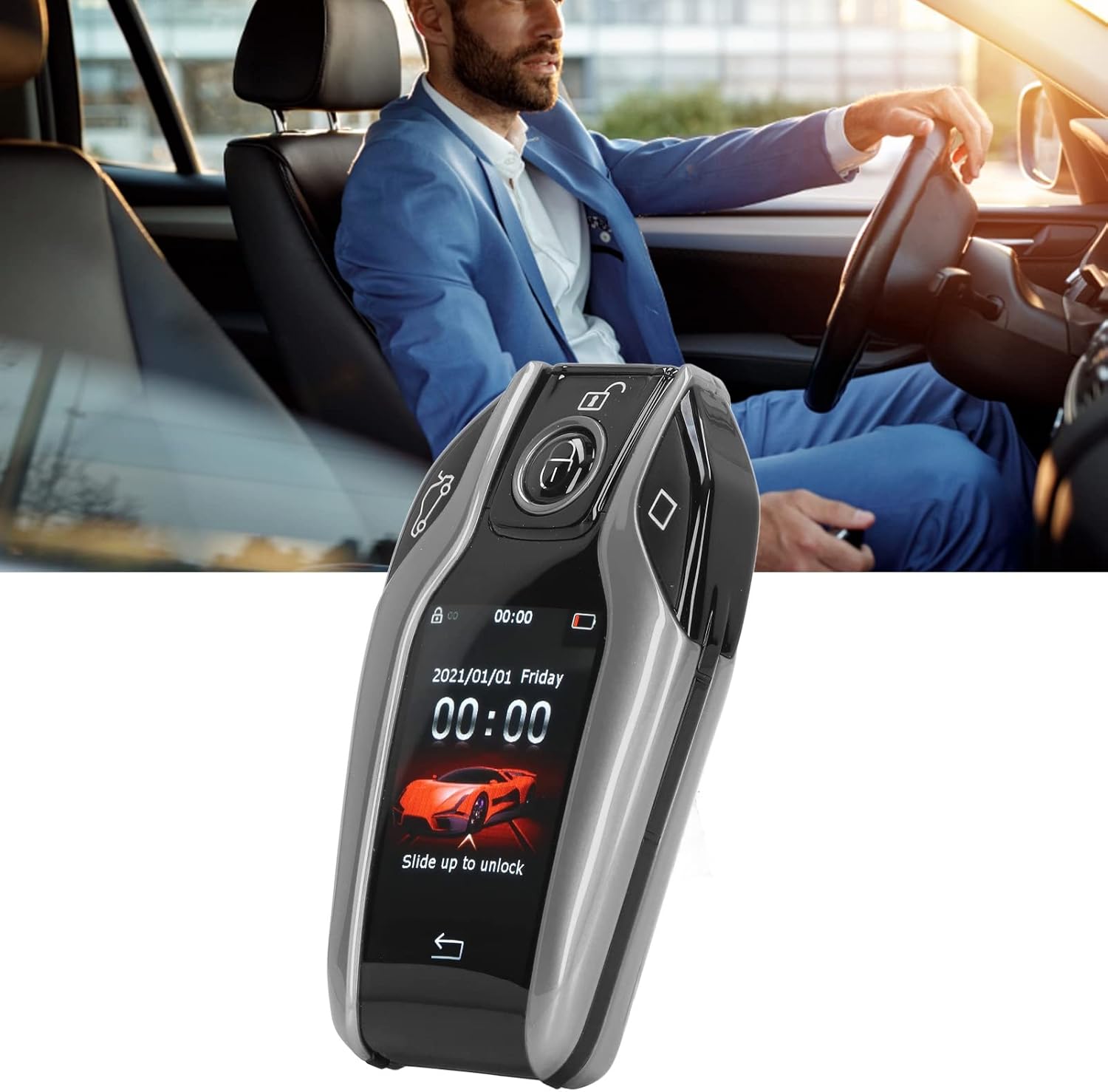
Image: A hand holding the Jeanoko Smart LCD Key, showcasing its compact size and ergonomic design.
Basic Operations
The Smart LCD Key combines touch screen functionality with traditional physical buttons. The screen displays time, date, and battery status. Swipe up to unlock the screen.
- Lock/Unlock: Use the dedicated physical buttons or the touch screen interface to lock or unlock your vehicle.
- Trunk Release: A dedicated button or touch screen option is available for opening the trunk.

Image: A direct front view of the Jeanoko Smart LCD Key, clearly showing the LCD screen with a car graphic and the surrounding physical buttons for various functions.
Keyless Entry Configuration
To enable or adjust keyless entry:
- Navigate to the settings menu on the LCD touch screen.
- Locate the 'Keyless Entry' option.
- Toggle the feature on or off. You can also choose to only lock or only unlock automatically.
- Adjust the sensing distance as desired.

Image: The Jeanoko Smart LCD Key held in the foreground, with a person reaching for a car door handle in the background, illustrating the keyless entry feature.
Door Lock and Window Lift
This feature allows for automatic window closure upon locking the vehicle. Ensure your original car system supports this functionality (e.g., windows close when the lock button is held down).
- Access the settings menu on the Smart LCD Key.
- Find the 'Window Lift' or similar setting.
- Set the appropriate time delay for window closure after the car is locked.
Anti-Lost Function
To utilize the anti-lost feature:
- Go to the anti-lost settings within the key's menu.
- Enter your contact phone number. This number will be displayed on the key's screen if it is found by another person.
Maintenance
Charging
The Smart LCD Key has an internal rechargeable battery. Connect the provided USB charging cable to charge the device. A full charge provides approximately 15 days of normal standby time, or up to 200 days if primarily using physical buttons without frequent screen interaction.
Care Instructions
The key's frame is constructed from an alloy material, providing enhanced durability. To maintain its appearance and functionality:
- Avoid exposing the key to extreme temperatures or direct sunlight for prolonged periods.
- Clean the screen and body with a soft, dry cloth. Do not use abrasive cleaners or solvents.
- Protect the key from drops and impacts to prevent damage to the screen or internal components.
Troubleshooting
Common Issues
- Key not responding: Ensure the key is charged. If the issue persists, try restarting the key (if applicable) or re-pairing it with your vehicle according to the installation instructions.
- Keyless entry not working: Check the keyless entry settings on the device to ensure it is enabled and the sensing distance is configured correctly. Verify that the OBD module is properly installed and connected.
- Window lift not functioning: Confirm that your original car system supports the window lift feature upon locking. Review the time delay setting on the Smart LCD Key.
If you encounter any problems during installation or use that are not resolved by the above steps, please contact Jeanoko customer support for assistance.
Specifications
| Feature | Detail |
|---|---|
| Item Weight | 7.4 ounces |
| Package Dimensions | 9.29 x 8.46 x 3.15 inches |
| Wireless Remote | Yes |
| Brand | Jeanoko |
| Compatible Devices | Cars with OBD interface and start stop engine button |
| Remote Control Included? | Yes |
| Manufacturer | Jeanoko |
Warranty and Support
For any questions, technical support, or warranty inquiries, please contact Jeanoko customer service. You can find more information and contact details by visiting the official Jeanoko Store: Jeanoko Store on Amazon.


