
Playtive B0BLK3QH63
Playtive Space Station Railway Kit Instruction Manual
Model: B0BLK3QH63
Introduction
This manual provides detailed instructions for the assembly, operation, and maintenance of your Playtive Space Station Railway Kit. Please read this manual thoroughly before use to ensure safe and optimal performance. This kit is designed to foster creativity, imagination, and fine motor skills in children aged 3 years and above.
The Playtive Space Station Railway Kit features European beech wood rails, a battery-powered self-propelled train with forward and reverse functions, and SMART technology. It includes two meticulously designed stations: a space station and a spaceship launch ramp, along with a spaceship with sound function and magnetic crane, and a research vehicle with a separate drone and lighting function.
Package Contents
Verify that all components listed below are present in your package. If any parts are missing or damaged, please contact customer support.

Image: Overview of all 75 components included in the Playtive Space Station Railway Kit. This includes various wooden track pieces, train cars, figures, buildings, and accessories.
- 1 x Self-propelled, battery-powered train
- 1 x Spaceship
- 1 x Research vehicle
- 1 x Space station building
- 1 x Magnetic crane
- 1 x Separate drone
- Various wooden track pieces (total length approx. 4.2 m)
- Figures and accessories (total 75 pieces)
- Batteries (included, type and quantity not specified in product details, but typically AA or AAA for toys)
All vehicles and trains are equipped with magnetic couplings for easy connection.
Setup and Assembly
Follow these steps to assemble your Playtive Space Station Railway Kit. Assembly is required for this product.
1. Track Layout
Arrange the wooden track pieces to form your desired railway layout. The kit allows for various creative construction variants. Ensure all track pieces are securely connected to form a continuous path.
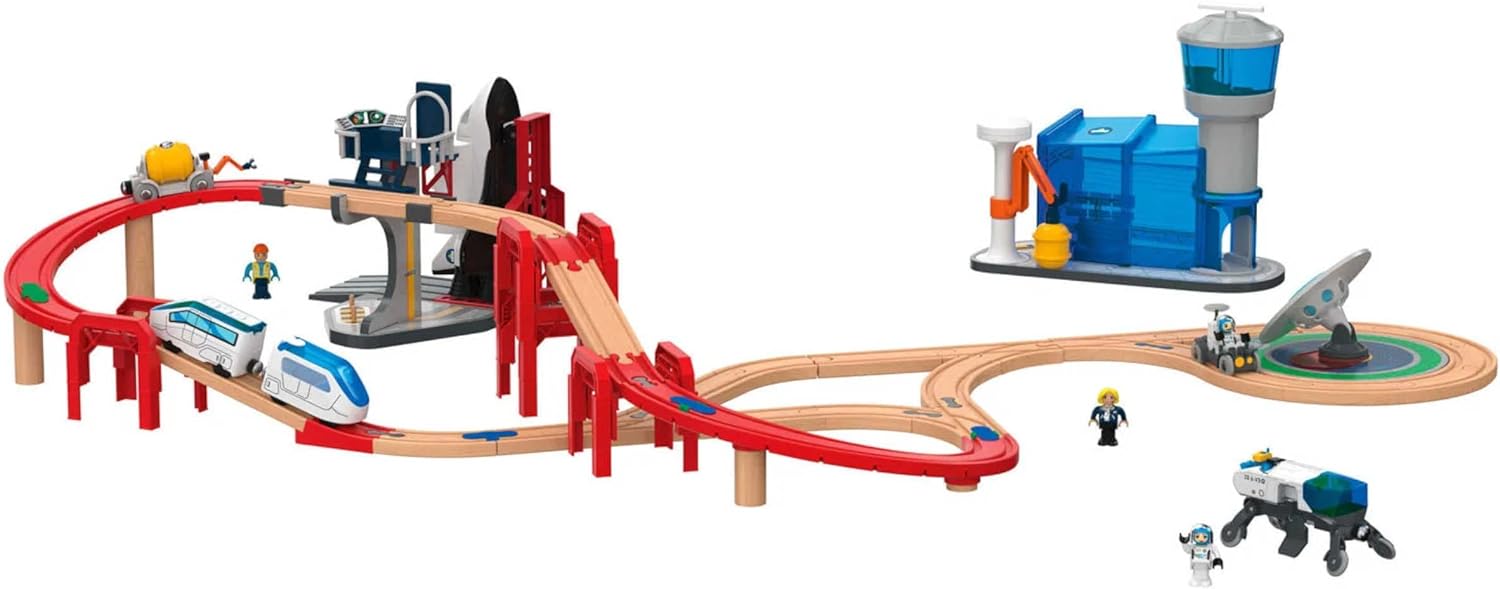
Image: An example of the fully assembled Playtive Space Station Railway Kit, showing the elevated tracks, space station, and train.
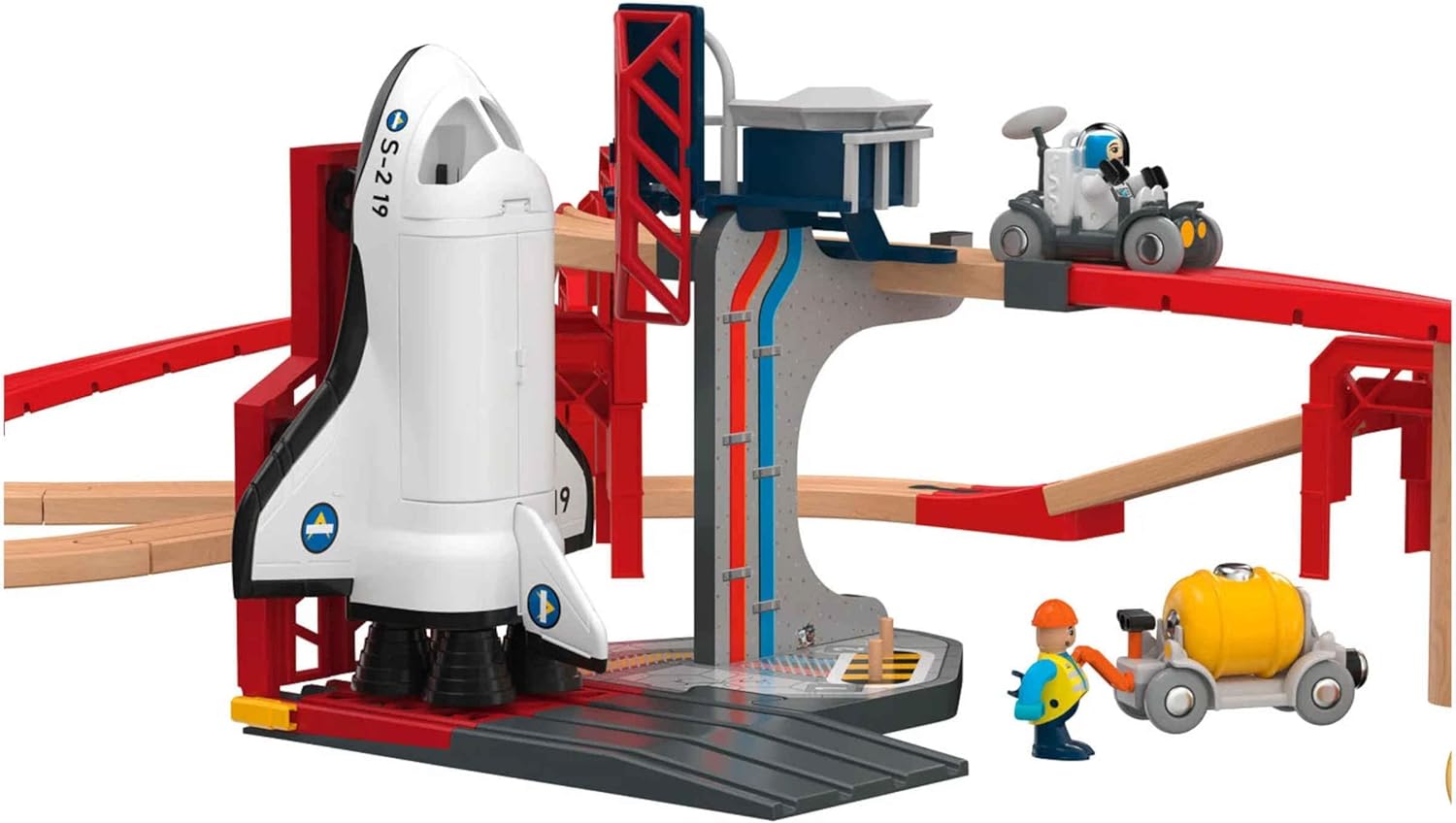
Image: An overhead view illustrating a possible track configuration for the Playtive Space Station Railway Kit, including the space station and control tower.
2. Station and Ramp Assembly
Assemble the space station and spaceship launch ramp components according to the visual guides. These structures integrate with the track system.

Image: A detailed view of the space station and spaceship launch ramp, showing how the train interacts with the station area.

Image: A close-up of the spaceship launch ramp, featuring the spaceship and small figures, demonstrating the interactive elements.
3. Battery Installation (Train)
Locate the battery compartment on the self-propelled train. Insert the included batteries, ensuring correct polarity. Close the compartment securely.
Note: The product description states batteries are included, but does not specify type or quantity. Typically, these trains use AA or AAA batteries.
Operating Instructions
1. Train Operation
Once batteries are installed, the train can be operated using its forward and reverse functions. Place the train on the tracks.

Image: The Playtive train on a wooden track, highlighting the SMART technology color pads that trigger specific functions.
2. SMART Technology
The train features SMART technology, which triggers predefined functions when passing over freely placeable color pads on the rails. These functions are:
- Purple Pad: Triggers STOP function.
- Blue Pad: Triggers SOUND function.
- Red Pad: Triggers LIGHT function.
- Green Pad: Triggers FORWARD/REVERSE function.
Place these color pads strategically on the tracks to create interactive sequences for the train.
3. Spaceship and Research Vehicle
The spaceship includes a sound function and a magnetic crane. The research vehicle comes with a separate drone and a lighting function. These vehicles can be used independently or integrated into the railway play.

Image: The Playtive research vehicle, featuring its separate drone and an astronaut figure, ready for exploration.
Maintenance
Proper maintenance ensures the longevity of your Playtive Space Station Railway Kit.
- Cleaning: Wipe all wooden and plastic components with a dry or slightly damp cloth. Do not immerse electronic components (train, spaceship, research vehicle) in water.
- Storage: Store the kit in a dry place away from direct sunlight and extreme temperatures to prevent warping of wooden parts.
- Battery Replacement: Replace batteries in the train and other electronic components when functions become weak or stop working. Always use new batteries of the correct type. Dispose of used batteries responsibly.
- Inspection: Periodically inspect all parts for wear and tear, especially track connections and magnetic couplings. Replace any damaged parts to ensure safe operation.
Troubleshooting
| Problem | Possible Cause | Solution |
|---|---|---|
| Train does not move or moves slowly. | Low or dead batteries. Incorrect battery polarity. Obstruction on tracks. | Replace batteries. Ensure batteries are inserted correctly. Clear any debris from tracks. |
| SMART functions not activating. | Color pads not correctly placed. Train sensor dirty or obstructed. | Ensure color pads are flat and directly under the train's sensor. Clean the train's sensor area. |
| Track pieces do not connect securely. | Damaged track connectors. Incorrect alignment. | Inspect connectors for damage. Ensure pieces are aligned properly before pushing together. |
Specifications
- Model: B0BLK3QH63
- Brand: Playtive
- Material: European Beech Wood (rails), Plastic components
- Total Track Length: Approximately 4.2 meters (13.8 feet)
- Number of Pieces: 75
- Power Source: Battery-powered (train)
- Recommended Age: 3 years and above
- Weight: Approximately 3050 g (6.7 lbs)
- Compatibility: Compatible with standard wooden railway and wooden road kits.
Warranty and Support
Information regarding specific warranty terms for the Playtive Space Station Railway Kit is not provided in the product details. Please refer to the retailer's return policy or contact Playtive customer support for warranty inquiries.
For technical support or inquiries about missing/damaged parts, please contact the seller or manufacturer directly. Keep your proof of purchase for any warranty claims.
Return Policy: The buybox winner indicates a 30-day return policy (refund/replacement).
Ask a question about this manual
Ask about setup, troubleshooting, compatibility, parts, safety, or missing instructions. Manuals+ will review the question and use this page’s manual context to help answer it.