
Introduction
This manual provides detailed instructions for the assembly, operation, maintenance, and troubleshooting of your CubiCubi Electric Standing Desk, Model CB-DJ. Please read this manual thoroughly before use to ensure proper function and safety.
Safety Information
For your safety, please observe the following:
- Do not exceed the maximum weight capacity of 176 lbs (80 kg). Overloading may cause instability and damage.
- Ensure all components are securely fastened during assembly.
- Keep hands and objects clear of moving parts during height adjustment.
- The desk features anti-collision technology. If an obstacle is detected during movement, the desk will stop and reverse slightly. Do not attempt to force movement against an obstacle.
- Only use the desk on a level surface.
Setup and Assembly
The CubiCubi Electric Standing Desk is designed for straightforward assembly. All necessary tools and detailed instructions are included. For a visual guide, please refer to the assembly video below.

Figure 1: Desk Dimensions. The desktop measures 48 inches in width and 24 inches in depth. The height is adjustable from 28.3 inches to 45 inches.
Assembly Video Guide
Video 1: Standing Desk Assembly Instructions. This video provides a step-by-step guide for assembling your CubiCubi electric standing desk.
Initial Setup and Reset
After assembly, it is recommended to perform an initial reset of the control system. This ensures proper calibration of the height mechanism.
Video 2: FAQ - Reset, Memory Height Settings, Adjust Desk Legs. This video demonstrates how to reset the desk, set memory heights, and adjust desk legs.
Operating the Desk
Your CubiCubi Electric Standing Desk features an intuitive control panel for height adjustment and memory presets.

Figure 2: Control Panel. The control panel allows for momentary height adjustments and saving two preferred height settings.
Height Adjustment
- Use the Up (^) and Down (v) buttons for momentary height adjustments. The desk can be adjusted from 27.4 inches to 45.5 inches.
- The electric lift system operates smoothly and quietly, allowing for seamless transitions between sitting and standing positions.
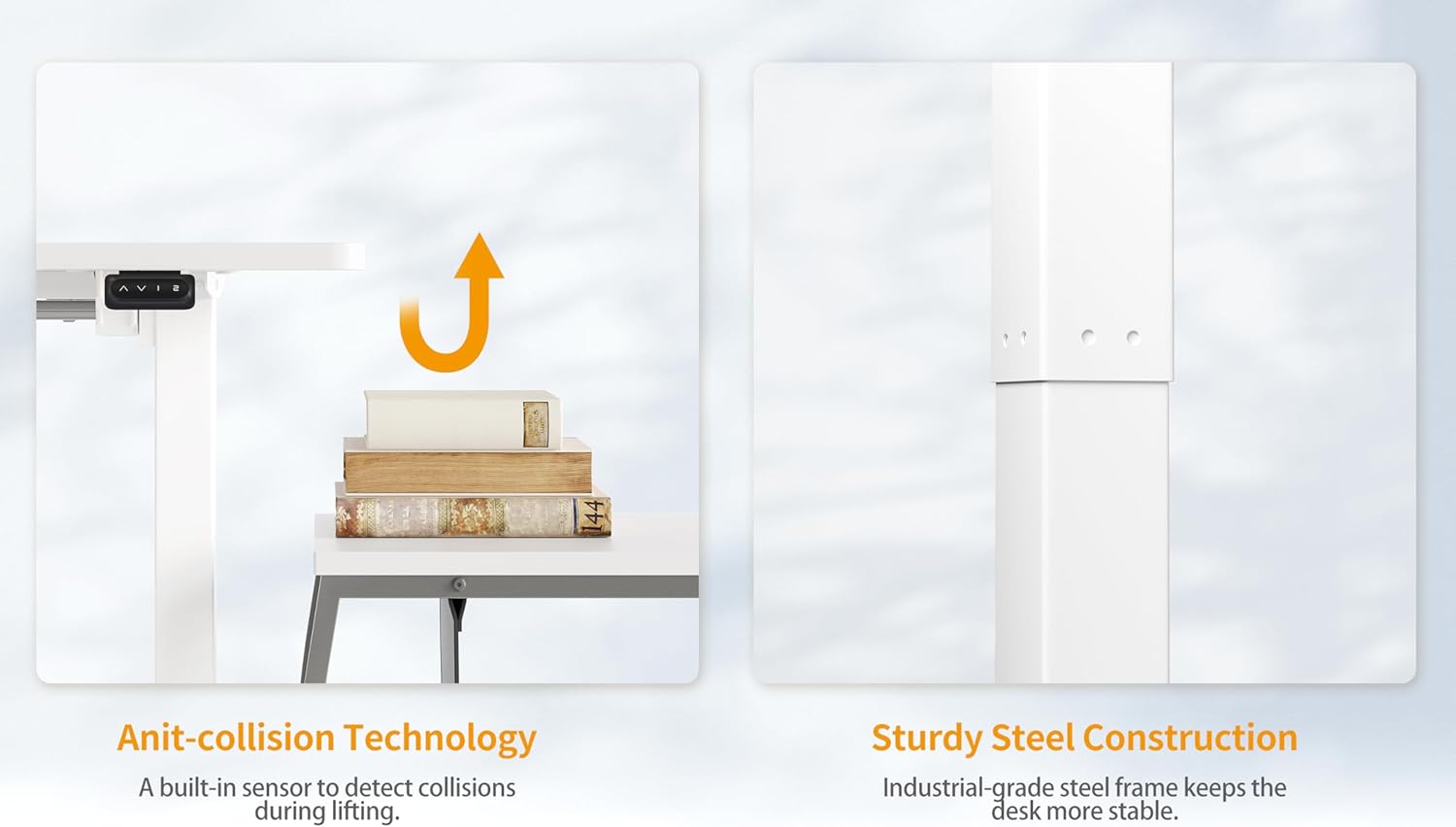
Figure 3: Wide Height Adjustment. The desk offers a broad range of height adjustments to accommodate various user preferences and postures.
Memory Presets
- To save a preferred height: Adjust the desk to your desired height using the up/down buttons. Press and hold one of the preset buttons (1 or 2) until the display flashes or a beep is heard, indicating the height is saved.
- To recall a saved height: Press the corresponding preset button (1 or 2). The desk will automatically move to the saved position.
Anti-Collision Feature
The desk is equipped with an anti-collision system. If the desk encounters an obstacle during upward or downward movement, it will automatically stop and reverse slightly to prevent damage or injury.

Figure 4: Anti-Collision Technology and Sturdy Construction. The desk's safety features include collision detection, complemented by a robust steel frame for stability.
Maintenance
To ensure the longevity and optimal performance of your CubiCubi Electric Standing Desk, follow these maintenance guidelines:
- Cleaning: Wipe the desktop and frame with a soft, damp cloth. Avoid abrasive cleaners or harsh chemicals that could damage the finish.
- Inspection: Periodically check all screws and bolts to ensure they are tight. Retighten if necessary.
- Cable Management: Ensure power cables and other cords are not tangled or obstructing the desk's movement.
- Weight Distribution: Distribute weight evenly across the desktop to prevent strain on the lift mechanism.
Troubleshooting
If you encounter issues with your electric standing desk, refer to the following common problems and solutions:
Desk Not Adjusting / E02 Error
- Problem: The desk does not move, or the control panel displays an 'E02' error code.
- Solution: This often indicates a need for a system reset or a motor connection issue.
- Perform a Reset: Press and hold the DOWN (v) button on the control panel for 5 seconds. The desk should move to its lowest position and then slightly back up, indicating a successful reset.
- Check Motor Connections: Ensure all cables connecting the motor to the control box and power supply are securely plugged in.
- Motor Wing Adjustment (Advanced): If the reset does not work, try loosening the screws of the motor wing slightly, move it around gently, then repeat the reset procedure (press and hold the UP and DOWN buttons simultaneously for 5 seconds).
Desk is Wobbly at Max Height
- Problem: The desk feels unstable or wobbly when raised to its maximum height.
- Solution:
- Ensure all assembly screws are tightened.
- Verify the desk is on a level surface. Adjust the leveling feet if necessary.
- Avoid placing excessively heavy items on one side of the desk.
If these steps do not resolve the issue, please contact customer support.
Specifications
| Feature | Detail |
|---|---|
| Brand | CubiCubi |
| Model Number | CB-DJ |
| Product Dimensions | 24"D x 48"W x 27.16"H |
| Adjustable Height Range | 27.4 Inches (Minimum) to 45.5 Inches (Maximum) |
| Weight Capacity | 176 Pounds (80 kg) |
| Material Type | Wood (Top), Alloy Steel (Base/Frame) |
| Color | White |
| Special Features | Ergonomic, Sturdy, Height adjustable electric standing desk, Anti-collision technology, 3 preset height positions |
| Assembly Required | Yes (Recommended 1 person) |
| Included Components | Assembly Instructions with Diagram, Standing Desk, Storage Hooks, Basic Assembly Tools |
Warranty
The CubiCubi Electric Standing Desk comes with a Limited Warranty. For specific details regarding coverage and duration, please refer to the warranty documentation included with your product or contact customer support.
Customer Support
Should you have any questions, concerns, or require assistance with your CubiCubi Electric Standing Desk, our professional after-sales service team is available to help. We are committed to providing support for product quality issues or any problems encountered during use.
Please refer to your purchase documentation for contact information or visit the official CubiCubi website for support resources.
