Introduction
This manual provides detailed instructions for the safe and effective use of your Godox V860III-N Camera Flash Speedlight and XPro-N Wireless Flash Trigger. Please read this manual thoroughly before use to ensure proper operation and to prevent damage to the product or injury to yourself or others. Keep this manual for future reference.
What's Included
The package for your Godox V860III-N and XPro-N system includes the following components:
- 1x Godox V860III-N Nikon Flash Speedlite
- 1x Godox XProN TTL Wireless Flash Transmitter
- 1x Li-ion Battery (VB26B)
- 1x Battery Charger
- 1x Charger Line (USB cable)
- 1x Mini Stand
- 1x Protection Bag
- 1x Cleaning Cloth

Image: All components included in the Godox V860III-N and XPro-N package, laid out for clear viewing.
Safety Information
To prevent damage to the product or injury to yourself or others, read the following safety precautions completely before using this product. Keep these safety instructions where all who use the product will read them.
- Do not disassemble or modify this product.
- Keep this product dry. Do not handle with wet hands or immerse in water.
- Keep out of reach of children.
- Do not use the flash unit in the presence of flammable gases, chemicals, or other materials.
- Do not touch the flash tube after use, as it may be hot.
- Use only the specified battery and charger.
- Avoid direct eye exposure to the flash, especially at close range, as it may impair vision.
Product Overview
Godox V860III-N Speedlight
The V860III-N is a powerful camera flash designed for Nikon cameras, featuring a built-in 2.4G wireless X system, a modeling light, and a quick-release lock for secure and easy attachment.

Image: The V860III-N's modeling light, which offers 10 levels of dimmable brightness for pre-visualization of lighting effects.
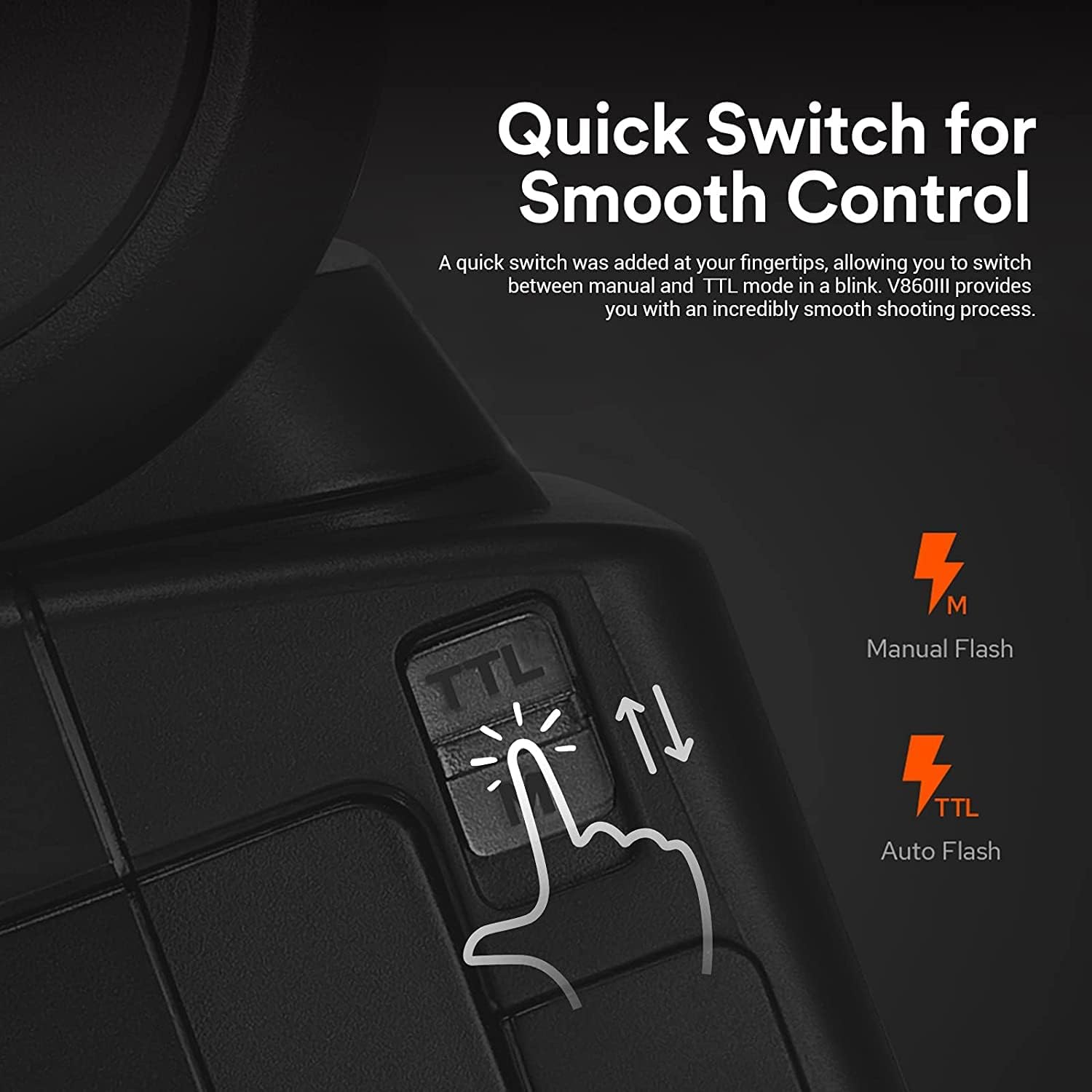
Image: The quick switch on the V860III-N, enabling fast transitions between Manual and TTL flash modes.

Image: The quick-release lock on the V860III-N, designed for secure attachment and easy detachment from the camera hot shoe.
Godox XPro-N Wireless Flash Trigger
The XPro-N is a dedicated TTL wireless flash trigger for Nikon cameras, providing comprehensive control over Godox flashes with the built-in 2.4G wireless X system.

Image: The Godox XPro-N wireless flash trigger, displaying its interface for controlling flash settings.
Setup
1. Charging the Battery
- Insert the Li-ion battery into the charger.
- Connect the charger to a power source using the provided charger line.
- The indicator light on the charger will show the charging status. Charge until the battery is full.
2. Installing the Battery in the Speedlight
- Open the battery compartment cover on the V860III-N.
- Insert the charged Li-ion battery, ensuring correct polarity.
- Close the battery compartment cover securely.
3. Mounting the Speedlight to the Camera
- Slide the V860III-N's hot shoe onto your Nikon camera's hot shoe.
- Push the quick-release lever (located on the speedlight's foot) to the locked position to secure the flash.
4. Mounting the Wireless Trigger to the Camera
- Slide the XPro-N's hot shoe onto your Nikon camera's hot shoe.
- Rotate the locking ring on the XPro-N to secure the trigger to the camera.
Operating Instructions
Power On/Off
- To power on the V860III-N or XPro-N, slide the power switch to the "ON" position.
- To power off, slide the power switch to the "OFF" position.
Flash Modes (V860III-N)
The V860III-N supports various flash modes for creative control:
- TTL Autoflash Mode: Automatically adjusts flash output for correct exposure.
- Manual Flash Mode (M): Allows manual setting of flash output from 1/1 to 1/256 power.
- Multi Flash Mode: Fires a series of rapid flashes to capture multiple movements in a single image.
Use the quick switch on the V860III-N to rapidly toggle between TTL and Manual modes.

Image: Visual examples demonstrating the creative possibilities with different flash modes, including high-speed synchronization and multi-flash.
Wireless Control with XPro-N Trigger
The XPro-N trigger allows you to wirelessly control the V860III-N and other Godox X system flashes. It supports 16 groups and 32 channels for versatile control.
- Setting Channels and Groups: Use the CH/GR buttons on the XPro-N to select the desired channel and group. Ensure the flash unit is set to the same channel and group.
- TTL Autoflash and Manual Control: The XPro-N supports full TTL autoflash, 1/8000s high-speed sync, multi-flash, and manual flash control.
- TCM Transform Function: Long press the TCM button on the XPro-N to convert a TTL flash value into a manual power output.
- Zoom Control: Adjust the flash head zoom remotely from the XPro-N.

Image: The XPro-N trigger on a camera, illustrating its use for high-speed sync, TTL autoflash, and exposure compensation.

Image: Detailed view of the XPro-N's display, highlighting advanced functions such as TCM transformation, group control, and wireless ID settings.
Advanced Functions
- High-Speed Sync (HSS): Allows flash synchronization at shutter speeds up to 1/8000s.
- Flash Exposure Compensation (FEC): Adjusts the flash output level.
- Front/Rear Curtain Sync: Controls when the flash fires relative to the shutter curtains.
- Modeling Light (V860III-N): Activate the modeling light to preview lighting effects before shooting. Adjust brightness using the controls on the flash.
Maintenance
- Clean the device regularly with a soft, dry cloth. Do not use solvents or harsh chemicals.
- Store the flash and trigger in a dry, dust-free environment when not in use.
- Remove the battery if the unit will not be used for an extended period.
- Avoid dropping or subjecting the units to strong impacts.
Troubleshooting
- Flash not firing:
- Ensure the flash and trigger are powered on.
- Check battery level.
- Verify the flash is securely mounted to the camera or that the wireless trigger is properly set up with matching channels/groups.
- Check camera flash settings.
- Inconsistent flash output:
- Ensure TTL mode is selected or manual power is set correctly.
- Check for obstructions between the trigger and flash in wireless mode.
- Ensure the flash head zoom matches the lens focal length.
- Flash not syncing with high shutter speeds:
- Ensure High-Speed Sync (HSS) mode is enabled on both the flash and the camera.
Specifications
| Feature | Specification |
|---|---|
| Brand | GODOX |
| Model | V860III-N (Speedlight), XPro-N (Trigger) |
| Compatible Mountings | Nikon |
| Wireless Communication Technology | 2.4G Wireless X System (Optical Pulse) |
| Flash Modes | TTL, Manual, Multi |
| High-Speed Sync (HSS) | Up to 1/8000s |
| Recycle Time | Approx. 1.5s |
| Battery | 7.2V/2600mAh Li-ion Battery (VB26B) |
| Zoom Range | 20-200mm (Auto/Manual) |
| Modeling Light | Yes, 10-level dimmable brightness |
| Wireless Channels | 32 |
| Wireless Groups | 16 |
Warranty and Support
For warranty information and technical support, please refer to the official Godox website or contact your authorized dealer. Keep your purchase receipt as proof of purchase for warranty claims.
Official Godox Website: www.godox.com


