
Product Overview
DJI Mini 3 must be activated in the DJI Fly App. Due to platform compatibility issue, the DJI Fly app has been removed from Google Play. To ensure a better product usage experience, please go to the DJI official website to download the DJI Fly App. ** Please check and strictly abide by local laws and regulations before flying. 1. Standard aircraft weight (including the Intelligent Flight Battery, propellers, and a microSD card). The actual product weight may vary due to differences in batch materials and external factors. Registration is not required in some countries and regions. Please check local laws and regulations before use. 2. Measured at a constant speed of 21.6 kph in windless conditions. With the Intelligent Flight Battery, the aircraft can fly for up to 38 minutes. With the Intelligent Flight Battery Plus (sold separately and only in select countries), the flight time is extended to up to 51 minutes, but the aircraft will weigh more than 249 g. Please check and strictly abide by local laws and regulations before flying. Under the preceding conditions, a maximum range of 114 minutes can be achieved by replacing the battery twice. 3. HDR video does not support video recording at over 30 fps. 4. DJI Mini 3 features the dual native ISO values of ISO 100 and ISO 800. 5. FCC compliant and tested in an outdoor open environment without interference. FCC: 10 km, CE: 6 km, SRRC: 6 km, MIC: 6 km. Measured in an unobstructed outdoor environment free of interference. The above data shows the farthest communication range for one-way, non-return flights under each standard. During your flight, please pay attention to RTH reminders in the DJI Fly app.
- No Registration Needed - Under 249 g, FAA Registration, and Remote ID are not required if you fly for recreational purposes.
- 4K UHD Stunning Imagery- Film in 4K HDR Video for crystal clear aerial shots. With Dual Native ISO Fusion, Mini 3 enables the capture of details in highlights and shadows, both day and night. [3]
- Striking Vertical Videos are Ready to Share - With True Vertical Shooting, you can easily capture tall landmarks like skyscrapers and waterfalls. And after capturing, it's in the perfect orientation to post to Instagram or TikTok.
- Extended Battery Life - Its flight time can be extended up to 51 minutes with the Intelligent Flight Battery Plus (sold separately), but the aircraft will weigh more than 249 g. Fly More combo offers up to 114 minutes of total flight time. [2]
- 38kph (Level 5) Wind Resistant and 3-Axis Gimbal for Stable - With its Level 5 wind resistant and 3-axis mechanical gimbal, Mini 3 can capture consistently smooth 4K imagery. Brushless motors enhance power and allow takeoff at altitudes up to 4,000 meters.
- 10km Max HD Video Transmission - Up to 10 km (32,800 feet) [5] of HD video transmission and has excellent anti-interference capabilities, giving you the ability to freely explore vast landscapes and see clearer.
- Creative Features for Advanced Shots - Epic shots are at your fingertips. Use QuickShots to choose dynamic flight patterns or capture a stunning view with Panorama.
- Beginner-Friendly and Safe - Designed for beginners, GPS Return to Home (RTH) , Precise Hovering, Auto Takeoff/Landing, giving you plenty of confidence in flying. Additional in-app learning resources help you master flight quickly.
- QuickTransfer via Wi-Fi - No remote control is needed; you can turn on the Wi-Fi download after pairing the drone close to your phone, and the download speed is up to 25Mb/s, which is simple and fast.
- With two additional Intelligent Flight Batteries, a Two-Way Charging Hub, and a shoulder bag, you're ready for extended adventures. This combo includes the new DJI RC, which has the DJI Fly App pre-installed and a built-in 5.5-inch HD display.
Setup Guide
This section guides you through the initial setup of your DJI Mini 3 Fly More Combo.
What's in the Box
Your DJI Mini 3 Fly More Combo includes the following components:
- DJI Mini 3 × 1
- DJI RC × 1
- Intelligent Flight Battery × 3
- Propeller
- Spare Screws × 18
- Screwdriver
- Gimbal Protector
- Type-C to Type-C PD Cable × 1
- USB Type-C Cable
- Shoulder Bag × 1
- Two-Way Charging Hub

Image: All components included in the DJI Mini 3 Fly More Combo package.
Initial Power On and Activation
Before your first flight, ensure all batteries are charged and the drone is activated via the DJI Fly App. The DJI Fly App is pre-installed on the DJI RC controller.
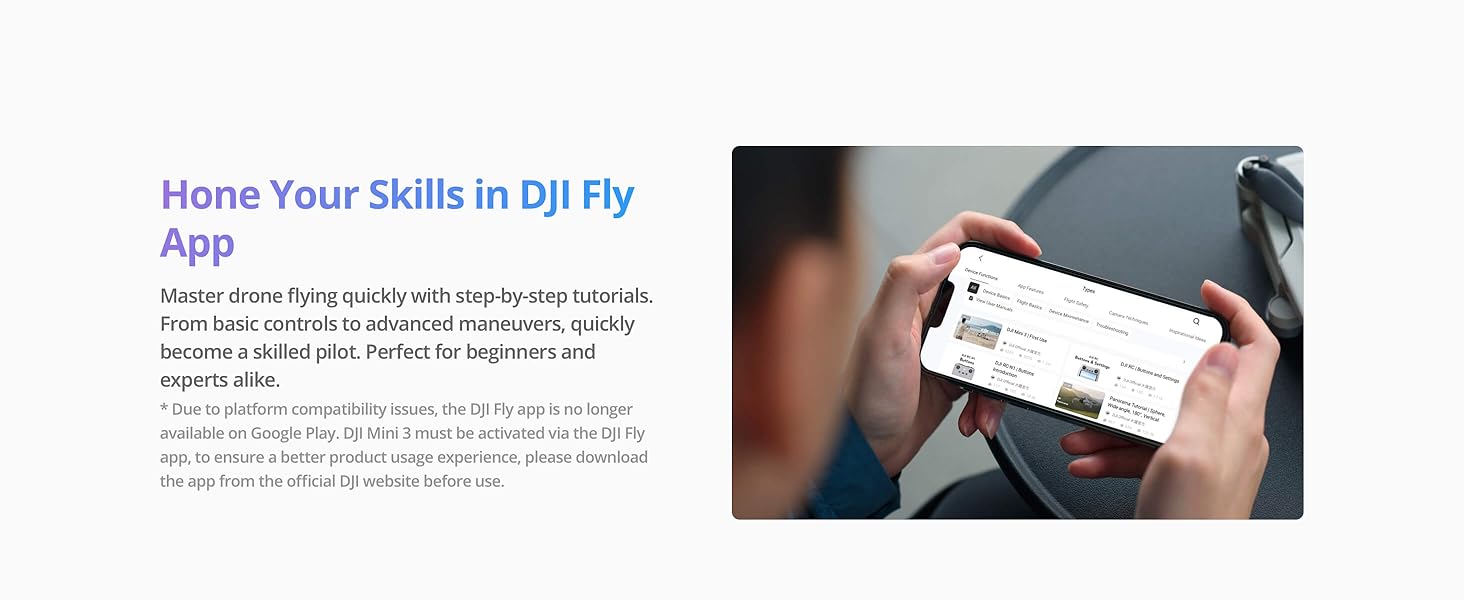
Image: Learn to fly and master skills using the DJI Fly App tutorials.
Operating Instructions
Familiarize yourself with the flight controls and intelligent features of your DJI Mini 3.
Basic Flight Controls
The DJI Mini 3 is designed for ease of use, even for beginners. Use the auto takeoff/landing feature for simple operation.

Image: Take to the skies with ease thanks to the Auto Takeoff function. Start your flight journey with a single tap.
Maintenance
Proper maintenance ensures the longevity and optimal performance of your DJI Mini 3.
Battery Care
Always ensure your Intelligent Flight Batteries are properly charged and stored. Avoid extreme temperatures.

Image: The Fly More Combo provides three Intelligent Flight Batteries for extended flight time.
Propeller Replacement
Inspect propellers before each flight for any damage. Replace them using the provided screwdriver and spare screws if necessary.

Image: The package includes spare propellers and a screwdriver for maintenance.
Gimbal Protection
Always attach the gimbal protector when transporting the drone to prevent damage to the camera and gimbal.
Image: The gimbal protector is included to safeguard the camera during transport.
Troubleshooting Guide
For detailed troubleshooting steps, please refer to the official guide:
Technical Specifications
| Specification | Value |
|---|---|
| Brand | DJI |
| Model Name | DJI Mini 3 |
| Special Feature | Extended Flight Time, 4K HDR Video, Wind Resistant, Lightweight, Foldable, Compact, Obstacle Avoidance |
| Age Range (Description) | Adult |
| Color | gray |
| Video Capture Resolution | 4K |
| Effective Still Resolution | 48 MP |
| Connectivity Technology | Bluetooth, Wi-Fi |
| Included Components | DJI RC × 1, Propeller, Screwdriver, DJI Mini 3 × 1, Gimbal Protector, Shoulder Bag × 1, Two-Way Charging Hub, Intelligent Flight Battery × 3, USB Type-C Cable, Spare Screws × 18, Type-C to Type-C PD Cable × 1 |
| Skill Level | Intermediate |
| Item Weight | 248 Grams |
| Video Capture Format | MP4 |
| Remote Control Technology | Wi-Fi |
| Control Type | Remote Control |
| Media Type | Micro SD |
| Maximum Range | 10 Kilometers |
| Material | Plastic |
| Wireless Communication Technology | Wi-Fi |
| Battery Cell Composition | Lithium Ion |
| Are Batteries Included | Yes |
| Supported Image Format | JPG, raw |
| Video Output Resolution | 4K |
| Remote Control Included? | Yes |
| Optical Sensor Technology | CMOS |
| Rechargeable Battery Included | Yes |
| Product Dimensions | 14.2"L x 9.9"W x 2.8"H |
| Manufacturer | DJI |
| Item Weight | 8.7 ounces |
| ASIN | B0BL3R3L45 |
| Item model number | CP.MA.00000613.01 |
| Batteries | 3 C batteries required. (included) |
| Customer Reviews | 4.5 out of 5 stars 4,576 ratings |
| Best Sellers Rank | #1,628 in Toys & Games #4 in Hobby RC Quadcopters & Multirotors |
| Date First Available | December 9, 2022 |
| Language | English |
Warranty Information
Your DJI Mini 3 Fly More Combo comes with a manufacturer's warranty. For full details, please download the Warranty PDF:
Customer Support
For additional support and resources, please visit the official DJI Store or refer to the provided documentation:


