
Introduction to Your DJI Mini 3 (DJI RC) Drone
The DJI Mini 3 (DJI RC) is a lightweight, high-performance drone designed for capturing stunning aerial footage. Weighing under 249 grams, it offers extended flight times, 4K HDR video capabilities, and intelligent features for both beginners and experienced pilots. This manual provides essential information for setting up, operating, maintaining, and troubleshooting your drone.

The DJI Mini 3 (DJI RC) drone, showcasing its compact design and the included remote controller.
What's in the Box
Your DJI Mini 3 (DJI RC) package includes the following components:
- DJI Mini 3 x1
- DJI RC x1
- Intelligent Flight Battery x1
- Propeller (pair)
- Screw
- Screwdriver
- Gimbal Protector x1
- Type-C to Type-C PD Cable x1

An overview of the items included in the DJI Mini 3 (DJI RC) package.
Setup
Follow these steps to prepare your DJI Mini 3 (DJI RC) for its first flight:
- Charge Batteries: Ensure both the Intelligent Flight Battery and the DJI RC controller are fully charged using the provided Type-C PD cable.
- Install Propellers: Attach the propellers to the motor shafts using the screwdriver and screws provided. Ensure they are securely fastened.
- Remove Gimbal Protector: Carefully remove the gimbal protector from the camera before powering on the drone.
- Power On: Press the power button on the drone once, then press and hold it for two seconds until the indicator lights turn on. Repeat this process for the DJI RC controller.
- Activate Drone: Download and install the DJI Fly App on your mobile device (if not using the DJI RC with built-in screen). Follow the on-screen instructions to activate the drone.

The DJI Mini 3 drone with its propellers unfolded and gimbal protector in place.
Propeller Holder Installation
To secure the propellers during transport, use the propeller holder. This prevents damage to the blades and motors.
Video demonstrating the installation of a propeller holder on the DJI Mini 3 drone for safe transport.
Operating Your Drone
The DJI Mini 3 (DJI RC) offers intuitive controls and intelligent flight modes to enhance your flying experience.
Takeoff and Landing
The drone supports automatic takeoff and landing for ease of use:
- Auto Takeoff: In the DJI Fly App, tap the takeoff icon and confirm. The drone will automatically ascend and hover at a safe height.
- Manual Takeoff: Push both control sticks down and inwards (or outwards) to start the motors, then push the left stick up to ascend.
- Auto Landing: In the DJI Fly App, tap the landing icon and confirm. The drone will automatically descend and land at its current position.
- Manual Landing: Gently pull the left control stick down to descend. Once landed, hold the left stick down for a few seconds to stop the motors.

The DJI RC controller displaying options for Auto Landing and Smart Return to Home, along with precise hovering capabilities.
Intelligent Flight Features
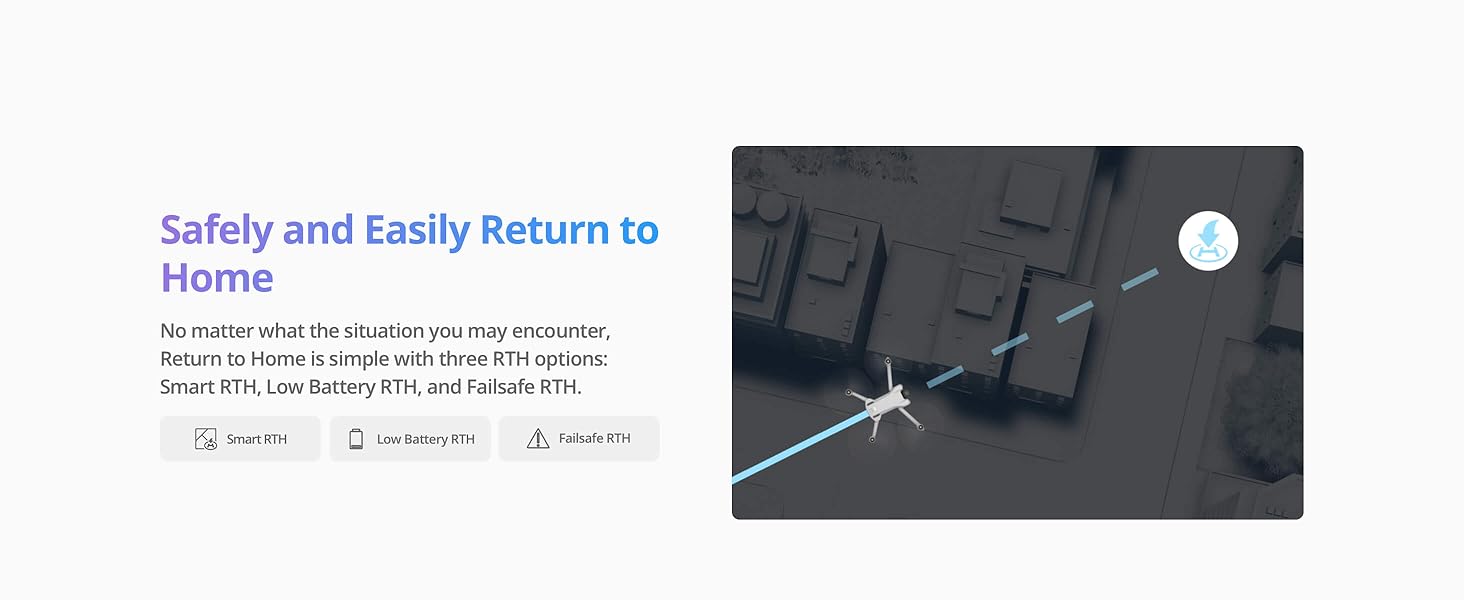
- GPS Return to Home (RTH): If the drone loses signal or battery is low, it can automatically return to its takeoff point. Ensure the home point is updated before flight.
- QuickShots: Utilize pre-programmed flight patterns like Dronie, Circle, Helix, Rocket, and Boomerang to capture dynamic video clips with ease.
- Precise Hovering: Advanced sensors allow the drone to maintain a stable position, even in light winds.
The DJI Mini 3 drone executing various QuickShot modes, including Dronie, Circle, Helix, Rocket, and Boomerang, for creative aerial footage.
Video demonstrating the flight capabilities of the DJI Mini 3, highlighting its ability to fly long distances while maintaining a visual line of sight.
Camera Features
The DJI Mini 3 (DJI RC) is equipped with a powerful camera system for capturing high-quality visuals.
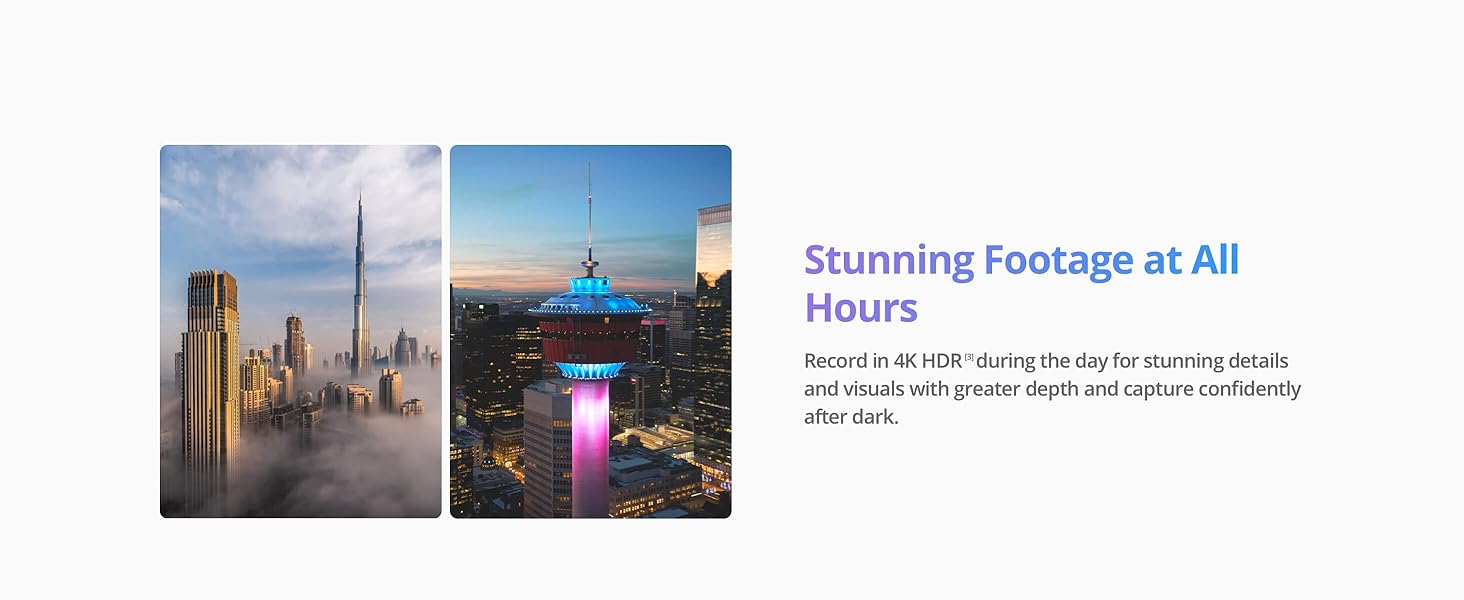
- 4K HDR Video: Record stunning 4K HDR video at up to 30fps for crystal-clear aerial shots with enhanced dynamic range.
- Dual Native ISO Fusion: Capture details in both highlights and shadows, day and night, for cinematic quality.
- True Vertical Shooting: The innovative gimbal design allows for quick switching to vertical shooting, ideal for social media content.
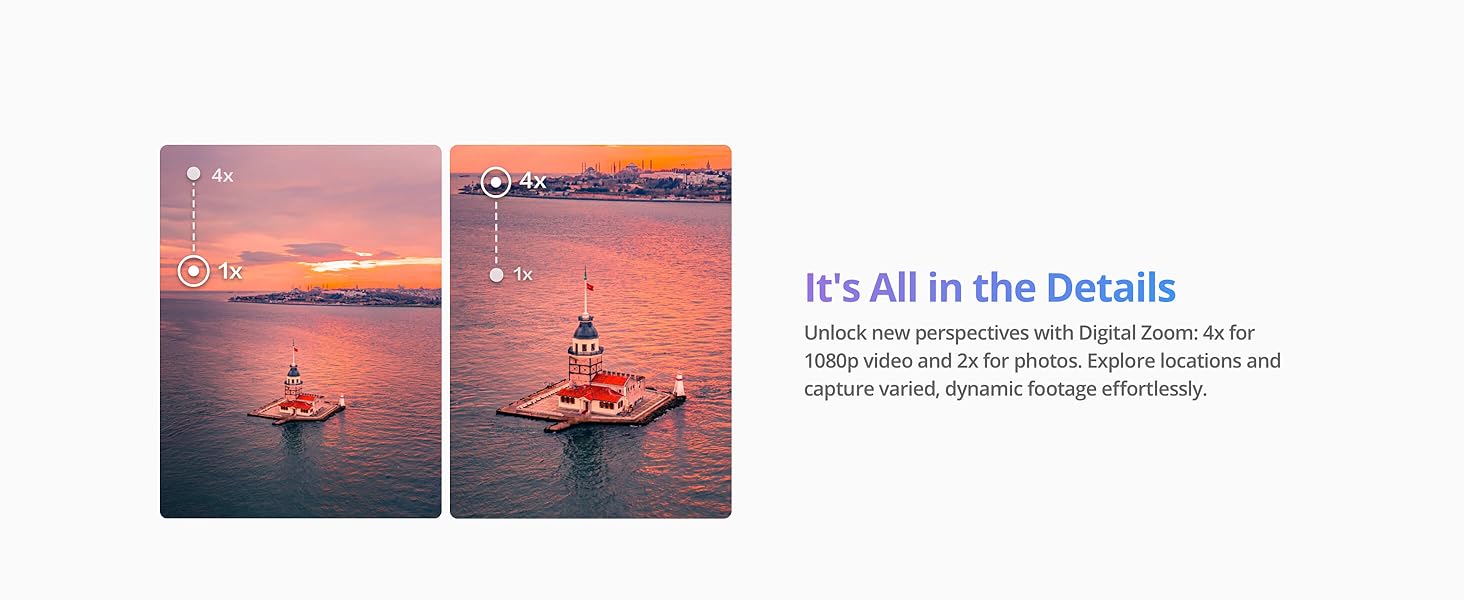
- Digital Zoom: Utilize 4x zoom for 1080p video and 2x for photos to capture varied and dynamic footage.

The DJI Mini 3 drone's camera system, featuring a 1/1.3-inch CMOS sensor and Dual Native ISO Fusion for cinematic 4K HDR video.
The DJI Mini 3 drone's innovative gimbal allows for seamless switching between horizontal and true vertical shooting modes.
Battery Life and Charging
The DJI Mini 3 offers impressive flight times to maximize your aerial adventures.
- Standard Intelligent Flight Battery: Provides up to 38 minutes of flight time.
- Intelligent Flight Battery Plus (Sold Separately): Extends flight time up to 51 minutes. Note that using this battery will increase the aircraft's weight above 249g.
- Charging: Use the provided Type-C to Type-C PD Cable to charge the Intelligent Flight Battery and the DJI RC controller.

Comparison of the standard Intelligent Flight Battery (38 minutes) and the Intelligent Flight Battery Plus (51 minutes) for the DJI Mini 3.
Wind Resistance and Stability
The DJI Mini 3 is engineered for stable flight, even in challenging conditions.
- Level 5 Wind Resistance: Capable of withstanding winds up to 38 kph (Level 5), ensuring stable flight and reliable return to home.
- 3-Axis Mechanical Gimbal: Provides superior camera stabilization, resulting in consistently smooth 4K imagery free from shakes or jitters.

The DJI Mini 3 drone maintaining stability in 38 kph (Level 5) winds, showcasing its robust design.
Video demonstrating the DJI Mini 3 camera drone's performance and stability in strong winds.
Video Transmission
Experience reliable and clear video feed with DJI's advanced transmission technology.
- 10km Max HD Video Transmission: The DJI O2 video transmission system provides a maximum transmission range of up to 10 km (32,800 feet) in unobstructed, interference-free environments.
- Anti-Interference Capabilities: Strong anti-interference ensures a stable and clear live feed, allowing you to explore vast landscapes with confidence.
The DJI Mini 3 drone and its remote controller, illustrating the 10km maximum HD video transmission capability.
DJI Fly App
The DJI Fly App is your companion for controlling the drone, accessing tutorials, and managing your media.
- Activation: The DJI Mini 3 must be activated in the DJI Fly App before use. Please download the app from the official DJI website.
- In-App Tutorials: Master drone flying quickly with step-by-step tutorials, from basic controls to advanced maneuvers.
- QuickTransfer: Easily transfer photos and videos to your mobile device via Wi-Fi at speeds up to 25Mb/s, without needing the remote control.
- LightCut App: Provides a variety of templates for creative aerial content, adapting to both horizontal and vertical orientations for epic results ready to share.
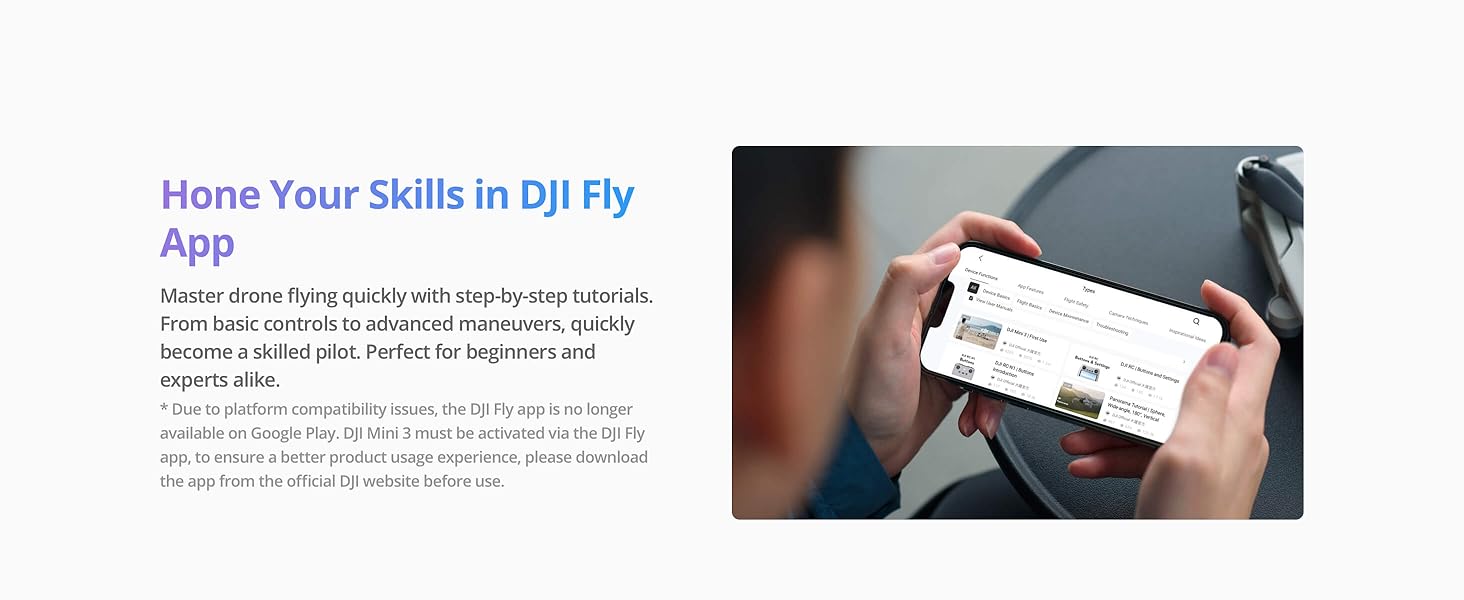
A user navigating the DJI Fly App, which offers tutorials and various flight features for the drone.
Maintenance
Proper maintenance ensures the longevity and optimal performance of your DJI Mini 3 (DJI RC) drone.
- Regular Inspection: Before each flight, inspect propellers for any damage or cracks. Check the motors for debris.
- Battery Care: Store batteries at approximately 50-60% charge if not used for extended periods. Avoid overcharging or fully discharging.
- Cleanliness: Keep the drone and remote controller clean and free from dust and moisture. Use a soft, dry cloth.
- Firmware Updates: Regularly check for and install firmware updates via the DJI Fly App to ensure optimal performance and access to new features.
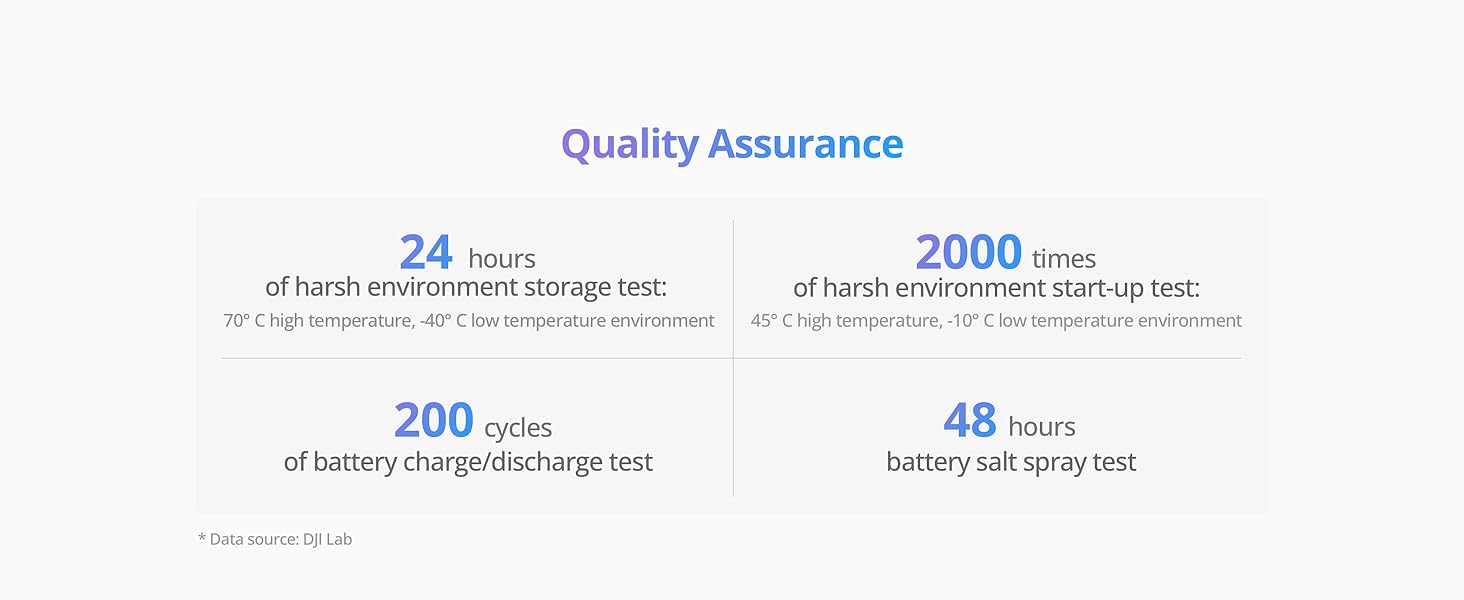
An illustration of the rigorous quality assurance tests performed on DJI products, ensuring durability and reliability.
Troubleshooting
Here are some common issues and general troubleshooting tips:
- Drone Not Powering On: Ensure batteries are fully charged and correctly inserted. Double-tap and hold the power button.
- Loss of Signal: Fly in open areas away from interference. The drone's RTH feature should activate if signal is lost.
- Unstable Flight: Calibrate the compass and IMU if prompted by the app. Check propellers for damage. Avoid flying in strong winds exceeding Level 5.
- Poor Video Quality: Ensure the camera lens is clean. Check camera settings (resolution, frame rate).
- App Issues: Restart the DJI Fly App or the remote controller. Ensure the app is updated to the latest version.
Specifications
Detailed technical specifications for the DJI Mini 3 (DJI RC) drone:
| Feature | Specification |
|---|---|
| Brand | DJI |
| Model Name | DJI Mini 3 |
| Item Model Number | MT3PD |
| Item Weight | 248 Grams (8.7 ounces) |
| Video Capture Resolution | 4K |
| Effective Still Resolution | 48 MP |
| Max Flight Time | 38 minutes (Standard Battery), 51 minutes (Intelligent Flight Battery Plus) |
| Max Video Transmission Range | 10 Kilometers (32,800 feet) |
| Wind Resistance | Level 5 (38 kph) |
| Gimbal | 3-axis Mechanical Gimbal |
| Connectivity Technology | Bluetooth, Wi-Fi |
| Control Type | Remote Control |
| Battery Capacity | 2453 Milliamp Hours |
| Material | Aluminum |
| Product Dimensions | 14.25"L x 9.88"W x 2.83"H |
| UPC | 190021074545 |
Safety and Regulations
Adhering to local regulations and safety guidelines is crucial for responsible drone operation.
- No Registration Needed (Under 249g): In some countries and regions, drones weighing under 249g (like the DJI Mini 3 with standard battery) do not require FAA registration or Remote ID for recreational purposes.
- Check Local Laws: Always check and strictly abide by local laws and regulations before flying. Regulations vary by location and may include restrictions on flight zones, altitude, and privacy.
- Maintain Visual Line of Sight: Always keep your drone within your visual line of sight during flight.
- Fly Safely: Avoid flying near airports, restricted airspace, crowds, or in adverse weather conditions.
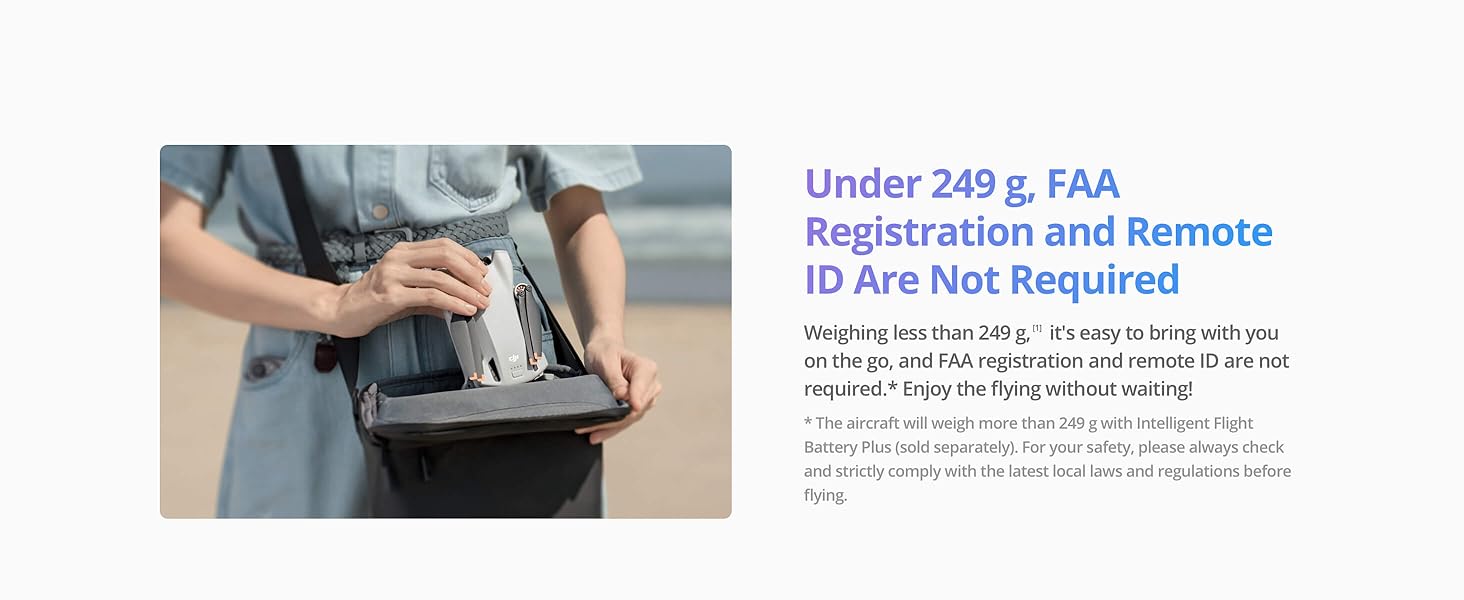
The DJI Mini 3 drone, emphasizing its lightweight design which may exempt it from registration requirements in certain regions.
Warranty and Support
DJI provides comprehensive support for its products.
- Official Warranty: Your DJI Mini 3 (DJI RC) drone comes with an official warranty. Refer to the warranty card included in your package or the DJI official website for details on coverage and terms.
- Technical Support: For any technical issues, troubleshooting assistance, or product inquiries, please visit the DJI official support website or contact their customer service.


