
1. Product Overview
The Boult Audio X30 True Wireless Earbuds offer a superior audio experience with advanced features designed for daily use and entertainment. Key features include extended playtime, environmental noise cancellation for calls, low-latency gaming mode, and customizable equalizer settings.

Image: Boult Audio X30 True Wireless Earbuds in blue, with charging case.
2. What's in the Box
- Earphone Unit
- Extra Pair of Eartips
- Charging Cable (Type-C)
- User Manual
3. Setup
3.1 Charging the Earbuds and Case
Before first use, fully charge the earbuds and the charging case. Connect the provided Type-C charging cable to the charging port on the case and a compatible USB power source. The LED indicators on the case will show the charging status. A full charge provides up to 40 hours of total playtime with the charging case. A quick 10-minute charge can provide up to 100 minutes of playtime.

Image: Boult Audio X30 earbuds and charging case illustrating 40 hours total playtime and fast charging capability.
3.2 Pairing Your Earbuds
- Ensure the charging case is charged and open the lid. The earbuds will automatically enter pairing mode.
- On your device (smartphone, tablet, laptop), enable Bluetooth.
- Search for available Bluetooth devices and select "Boult Audio X30" from the list.
- Once connected, you will hear a confirmation prompt, and the earbuds' indicator lights will change.
The earbuds utilize Bluetooth 5.1 for a stable and efficient connection.
3.3 Wearing Your Earbuds
Select the appropriate ear tips for a comfortable and secure fit. Gently insert each earbud into your ear canal and twist slightly to ensure a snug seal. A proper fit enhances sound quality and noise isolation.
4. Operating Instructions
4.1 Touch Controls
The Boult Audio X30 earbuds feature intuitive touch controls for various functions:
- Play/Pause: Single tap on either earbud.
- Next Track: Double tap on the right earbud.
- Previous Track: Double tap on the left earbud.
- Answer/End Call: Single tap on either earbud.
- Reject Call: Press and hold either earbud for 2 seconds.
- Activate Voice Assistant (Google Assistant/Apple Siri): Triple tap on either earbud.
- Switch Equalizer Modes: (Refer to section 4.2)
- Activate Gaming Mode: (Refer to section 4.3)
4.2 Equalizer Modes
Customize your audio experience with three distinct equalizer modes:
- Rock Mode: Optimized for rock music with enhanced highs and mids.
- Hi-Fi Mode: Provides a balanced and natural sound profile.
- BoomX Bass Boost Mode: Delivers powerful and deep bass.
To switch between modes, refer to the specific touch control gesture in your quick start guide or experiment with pressing and holding specific earbuds for a few seconds until the mode changes.

Image: Boult Audio X30 equalizer settings for Hi-Fi, Bass Boost (BoomX), and Rock modes, alongside Combat gaming mode.
4.3 Gaming Mode (45ms Low Latency)
Activate Gaming Mode for an immersive gaming experience with ultra-low latency of 45ms, ensuring synchronized audio and visuals during gameplay. Refer to your quick start guide for the specific touch control gesture to enable/disable this mode.

Image: Boult Audio X30 earbuds on a keyboard, illustrating the 45ms ultra-low latency gaming mode.
4.4 Quad Mic Environmental Noise Cancellation (ENC)
The Boult Audio X30 features Quad Mic ENC technology, which effectively cancels out environmental noise during calls. This ensures crystal-clear voice transmission, making your conversations clear even in noisy surroundings.
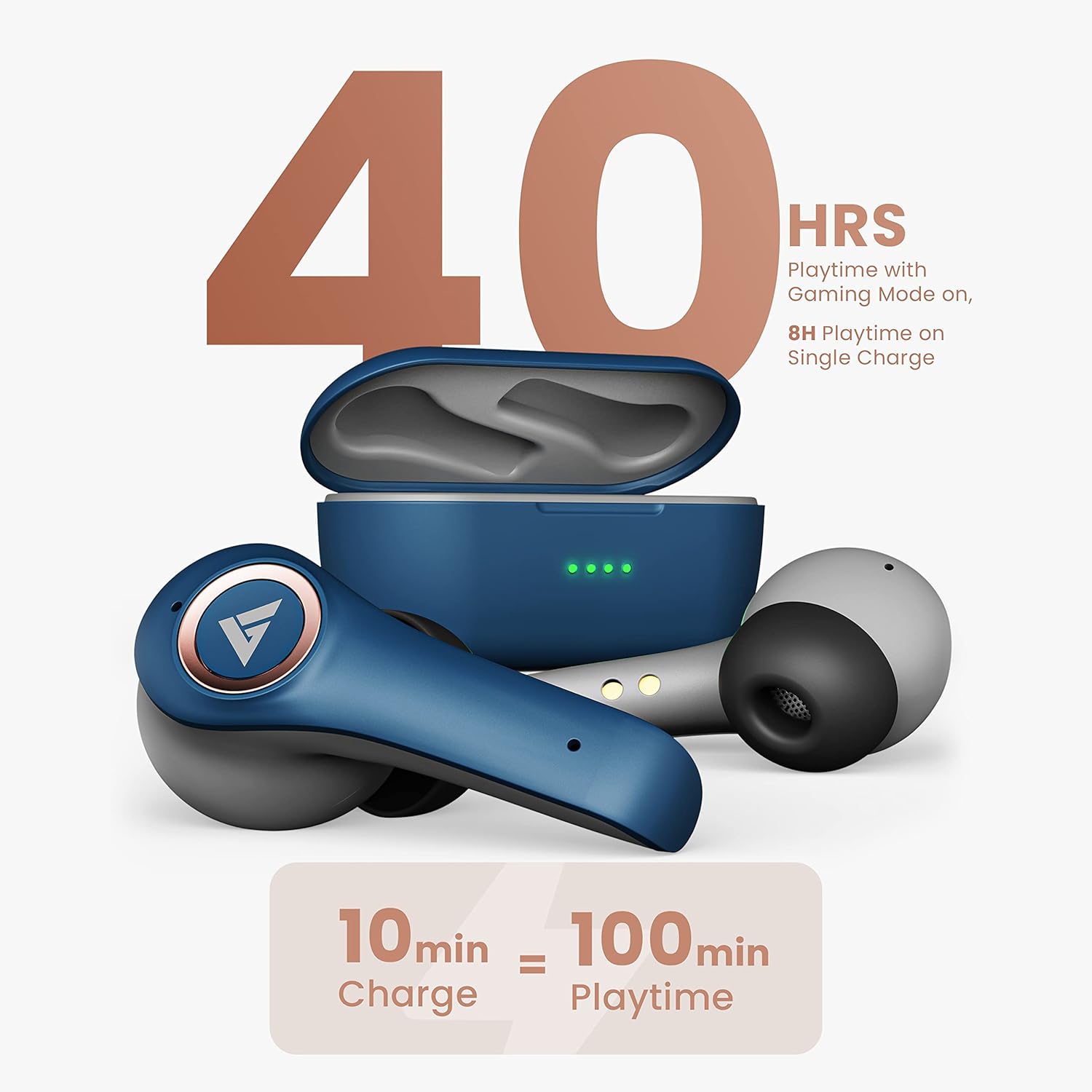
Image: Close-up of a Boult Audio X30 earbud highlighting the Quad Mic Environmental Noise Cancellation feature.
5. Maintenance and Care
5.1 Cleaning
Regularly clean your earbuds and charging case to maintain optimal performance and hygiene. Use a soft, dry, lint-free cloth to wipe the surfaces. For ear tips, remove them and clean with a mild soap solution, then rinse and dry thoroughly before reattaching.
5.2 Water Resistance
The Boult Audio X30 earbuds are IPX5 water resistant, meaning they are protected against low-pressure water jets from any direction. This makes them suitable for workouts and light rain. However, they are not designed for submersion in water. Do not expose them to swimming, showering, or heavy rain.
5.3 Storage
When not in use, store the earbuds in their charging case to protect them from dust, damage, and to keep them charged. Avoid storing them in extreme temperatures.
6. Troubleshooting
- Earbuds not pairing: Ensure both earbuds are in the charging case, then open the lid to activate pairing mode. Check your device's Bluetooth settings and try reconnecting. If issues persist, try resetting the earbuds (refer to your quick start guide for specific reset instructions).
- No sound from one earbud: Place both earbuds back into the charging case, close the lid, wait a few seconds, then open it again. This often re-syncs the earbuds.
- Charging issues: Ensure the charging cable is securely connected to both the case and the power source. Check if the charging port is clean and free of debris. Try a different charging cable or power adapter.
- Low volume: Adjust the volume on both your connected device and through the earbuds' touch controls. Ensure ear tips provide a good seal in your ear canal.
- Poor call quality: Ensure the earbuds are clean and the microphones are not obstructed. Move to an area with less background noise.
7. Product Specifications
| Brand | GOBOULT |
| Model Name | X30 |
| Ear Placement | In Ear |
| Form Factor | In Ear |
| Bluetooth Version | 5.1 |
| Bluetooth Range | 10 Metres |
| Battery Average Life | 40 Hours (with charging case) |
| Charging Port | Type-C |
| Water Resistance Level | IPX5 |
| Control Method | Touch |
| Noise Control | Passive Noise Cancellation (ENC for calls) |
| Audio Driver Size | 10 Millimetres |
| Item Weight | 70 Grams |
8. Warranty Information
The Boult Audio X30 True Wireless Earbuds come with a 1-year warranty provided by the manufacturer from the date of purchase. Please retain your proof of purchase for warranty claims. The warranty covers manufacturing defects but does not cover damage caused by misuse, accidents, unauthorized repairs, or normal wear and tear.
9. Customer Support
For any support, queries, or warranty claims, please contact:
- Manufacturer: Boult Audio, Exotic Mile Private Limited
- Address: B-67 Wazirpur Industrial Area, New Delhi 110052, India
- Importer: Exotic Mile Pvt. Ltd.
- Importer Address: B67 Wazirpur Industrial Area, New Delhi 110052, India
Please refer to the official Boult Audio website or your purchase documentation for the most up-to-date contact information and support resources.


