1. Introduction
This manual provides instructions for the safe and efficient operation of your Hama 8-inch LED Ring Light with Tripod and Mobile Phone Holder. This device is designed to provide adjustable illumination for photography, video conferencing, streaming, and other applications requiring enhanced lighting.
Please read these instructions thoroughly before first use and keep them for future reference. Always observe all safety warnings and instructions.
2. Safety Instructions
- Do not operate the device if it is visibly damaged.
- Protect the product from dirt, moisture, and overheating.
- Do not drop the product or expose it to severe shocks.
- Do not modify the product in any way. Doing so voids the warranty.
- Keep this product, as all electrical products, out of the reach of children.
- Use the product only for its intended purpose.
- Only use the product in moderate climatic conditions.
- Do not use the product in the immediate vicinity of heaters or other heat sources.
- Disconnect the product from the power supply during thunderstorms.
3. Package Contents
Verify that all items listed below are present and in good condition:
- 1x LED Ring Light "SpotLight Smart 80 II" with cable remote control
- 1x Gooseneck with smartphone holder
- 1x Cold shoe to 1/4" adapter
- 1x Table tripod with head adapter
- 1x User manual

Figure 3.1: All components included in the package.
4. Setup
- Assemble the Tripod: Extend the legs of the table tripod to a stable position. The tripod height can be adjusted from 13.5 cm to 17.5 cm.
- Attach the Ring Light: Screw the LED ring light onto the head adapter of the table tripod. Ensure it is securely fastened. The ring light can be rotated and tilted on the tripod ball head.
- Install the Gooseneck and Phone Holder: Attach the gooseneck with the smartphone holder to one of the available 1/4" connections on the ring light. The gooseneck allows for flexible positioning of your smartphone.
- Insert Smartphone: Gently open the clamp spring holder and insert your smartphone. The holder accommodates phones from 6.0 cm to 8.0 cm wide. Rubber inserts protect your phone from scratches.
- Connect Power: Plug the USB-A cable from the ring light into a compatible USB power source (e.g., laptop, power bank, USB wall adapter). The cable length is 1.9 meters.
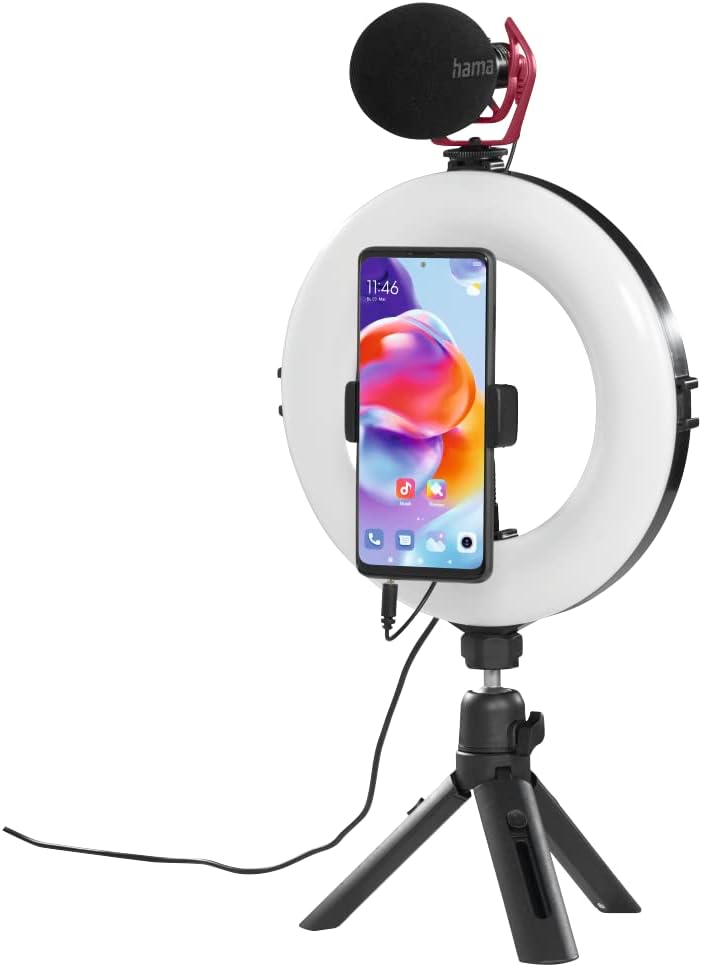
Figure 4.1: Assembled ring light with smartphone and optional microphone.
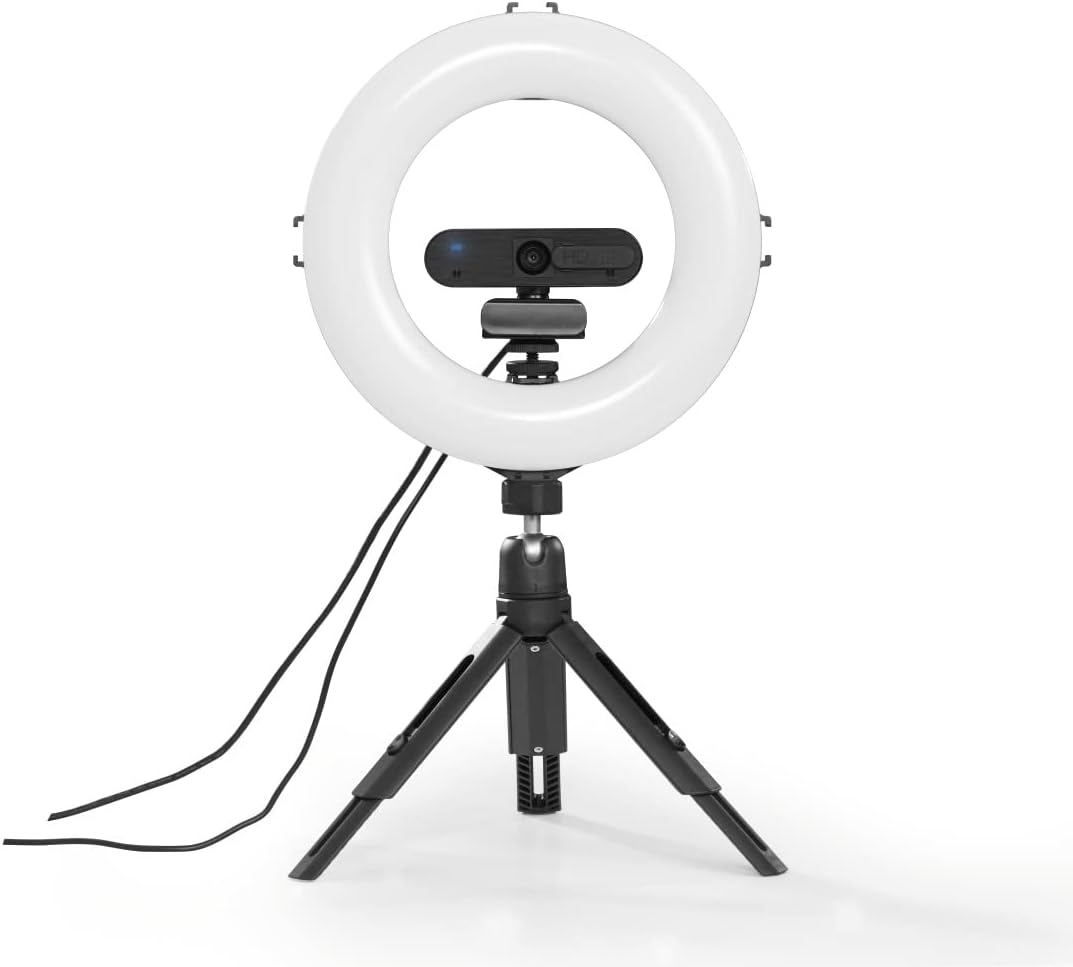
Figure 4.2: Ring light with a webcam, demonstrating accessory mounting options.
5. Operating Instructions
The ring light is controlled via the integrated cable remote control.

Figure 5.1: In-line remote control for the ring light.
- Power On/Off: Press the On/Off button to turn the ring light on or off.
- Adjust Brightness: Use the + and - buttons to increase or decrease the light intensity. There are 10 dimmable levels.
- Change Color Temperature: Press the Mode button (usually indicated by a circular arrow or color temperature icon) to cycle through the three available color temperature settings: warm white, neutral white, and daylight bright (2100K/3000K/5500K).
- Positioning: Adjust the gooseneck and ball head to achieve the desired angle and orientation for your smartphone or camera, whether portrait or landscape.

Figure 5.2: Example of the ring light in use for personal grooming or content creation.
6. Maintenance
- Only clean this product with a slightly damp, lint-free cloth and do not use aggressive cleaning agents.
- Ensure no water enters the product.
- Store the product in a clean, dry place away from direct sunlight when not in use.
7. Troubleshooting
| Problem | Possible Cause | Solution |
|---|---|---|
| Ring light does not turn on. | No power supply or loose connection. | Ensure the USB cable is securely connected to a working USB power source. Try a different USB port or power adapter. |
| Light intensity or color temperature cannot be adjusted. | Remote control malfunction or incorrect button press. | Ensure the remote control buttons are pressed firmly. If the issue persists, contact customer support. |
| Smartphone is not stable in the holder. | Smartphone width exceeds holder capacity or not properly secured. | Ensure your smartphone's width is between 6.0 cm and 8.0 cm. Re-insert the phone, ensuring it is firmly gripped by the clamp. |
8. Specifications
| Feature | Detail |
|---|---|
| Model Number | 00004657 |
| Ring Light Diameter (Outer) | 21 cm (8 inches) |
| LED Quantity | 96 |
| Dimmable Function | 10 levels |
| Color Temperature | 2100K (warm white), 3000K (neutral white), 5500K (daylight bright) |
| Max. Lumen | 950 lm |
| Tripod Height (Adjustable) | 13.5 cm to 17.5 cm |
| Gooseneck Length | 9.5 cm |
| Smartphone Holder Width | 6.0 cm - 8.0 cm |
| Connectivity Technology | USB |
| Cable Length | 190 cm (1.9 m) |
| External Power Supply | USB 5V/1.8A |
| Product Dimensions | 10.24 x 9.84 x 1.97 inches (26 x 25 x 5 cm) |
| Item Weight | 1.31 pounds (approx. 0.59 kg) |
9. Warranty and Support
Hama GmbH & Co KG assumes no liability and provides no warranty for damage resulting from improper installation/mounting, improper use of the product, or from failure to observe the operating instructions and/or safety notes.
For technical support or warranty claims, please contact your local Hama customer service or visit the official Hama website for more information.