
1. Product Overview
This Hama USB-C to Lightning charging cable is designed for efficient charging and high-speed data synchronization of Apple iPhones, iPads, and iPods. It supports fast charging when used with a compatible fast charger and offers data transfer speeds up to 480 Mbps.
Package Contents
- 1x Hama USB-C to Lightning Charging Cable (1.5m, White)
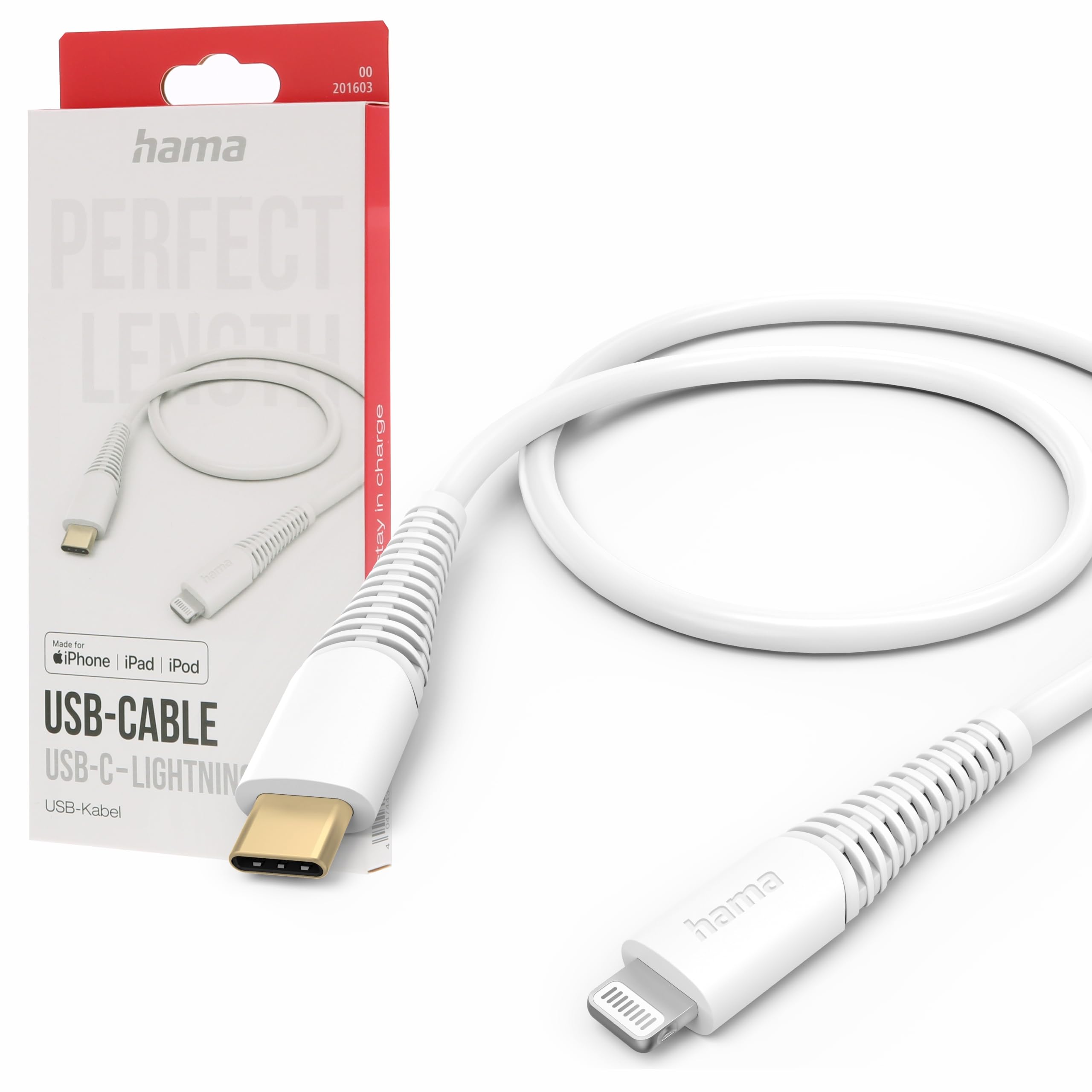
Image: The Hama USB-C to Lightning Charging Cable, white, with a USB-C connector on one end and a Lightning connector on the other.
2. Setup Instructions
To begin using your Hama USB-C to Lightning cable, follow these simple steps:
- Identify Connectors: Locate the USB-C connector (smaller, oval-shaped) and the Lightning connector (flat, reversible) on the cable.
- Connect to Power Source/Computer: Insert the USB-C connector into a compatible USB-C power adapter (for charging) or a USB-C port on your computer (for charging and data transfer).
- Connect to Apple Device: Insert the Lightning connector into the charging port of your iPhone, iPad, or iPod. Ensure a firm connection.
Your device should now begin charging or be recognized by your computer for data transfer.
3. Operating Instructions
Charging Your Device
This cable supports fast charging for compatible Apple devices. For optimal charging speed, use a USB-C power adapter that supports Power Delivery (PD) or other fast charging protocols.
- Connect the USB-C end of the cable to a wall charger or power bank.
- Connect the Lightning end to your Apple device.
- The device's screen will indicate that it is charging.
Data Transfer
The cable facilitates high-speed data transfer up to 480 Mbps, allowing you to sync photos, videos, music, and other files between your Apple device and a computer.
- Connect the USB-C end of the cable to a USB-C port on your computer.
- Connect the Lightning end to your Apple device.
- Your computer should recognize the device, allowing you to access its storage for data transfer.
4. Care and Maintenance
To ensure the longevity and optimal performance of your Hama charging cable, please follow these care guidelines:
- Avoid Extreme Bending: Do not excessively bend or crimp the cable, especially near the connectors, as this can damage the internal wires.
- Keep Dry: Protect the cable from moisture and liquids. Do not use it in wet environments.
- Clean Gently: If necessary, clean the cable and connectors with a soft, dry cloth. Avoid using harsh chemicals or abrasive materials.
- Store Properly: When not in use, store the cable in a clean, dry place, ideally coiled loosely to prevent tangling and damage.
- Material: The exterior material is Polychlorure de vinyle (PVC), which is durable but can be damaged by sharp objects or extreme heat.
5. Troubleshooting
Device Not Charging
- Check Connections: Ensure both the USB-C and Lightning connectors are fully and securely inserted into their respective ports.
- Verify Power Source: Confirm that the USB-C power adapter or computer port is functional and providing power. Try a different power source if available.
- Inspect Cable: Check the cable for any visible damage, such as cuts or frayed wires. If damaged, discontinue use.
- Test with Another Device/Cable: Try charging a different Apple device with this cable, or try charging your device with a different, known-working cable to isolate the issue.
Data Transfer Issues
- Secure Connections: Ensure the cable is firmly connected to both your computer and Apple device.
- Computer Port: Try connecting the USB-C end to a different USB-C port on your computer.
- Device Trust: On your Apple device, ensure you have tapped 'Trust This Computer' when prompted.
- Software/Drivers: Ensure your computer's operating system and iTunes (if applicable) are up to date.
6. Technical Specifications
| Model Number | 00201603 |
| ASIN | B0BL1CGYP6 |
| Length | 1.5 Meters |
| Color | White |
| Connector Type | USB Type C, Lightning |
| Connector Gender | Male-to-Male |
| Data Transfer Rate | 480 Megabits per second |
| Maximum Current | 3 Amperes |
| Maximum Voltage | 20 Volts |
| Special Feature | High Speed Charging and Data Transfer |
| Compatible Devices | Smartphones (Apple iPhones, iPads, iPods), Power Banks, Laptops, Speakers, Tablets |
| Exterior Material | Polyvinyl Chloride (PVC) |
| Product Dimensions (L x W x H) | 19.5 x 9 x 1.5 cm |
| Item Weight | 47.82 Grams |
| Compliance | CE |
7. Warranty and Support
Hama products are manufactured with high quality standards. This product includes a 1-year availability of spare parts from the date of purchase.
For technical support, warranty claims, or further assistance, please contact Hama customer service through their official website or the retailer where the product was purchased. Please retain your proof of purchase for warranty purposes.
For more information, visit the official Hama website: www.hama.com


