
1. Introduction
Thank you for purchasing the Defender V11 2.1 11W USB Computer Speakers. This manual provides essential information for the proper setup, operation, and maintenance of your new speaker system. Please read this manual thoroughly before use to ensure optimal performance and safety.
2. Safety Information
- Power Source: Only use the speaker system with a compatible USB power source (e.g., computer USB port, USB wall adapter). Ensure the power source provides sufficient current for stable operation.
- Placement: Place the speakers on a stable, flat surface. Avoid placing them near heat sources, direct sunlight, or in areas with high humidity or dust.
- Ventilation: Do not block any ventilation openings. Ensure adequate airflow around the speakers.
- Liquid Exposure: Do not expose the speakers to water or other liquids. If liquid enters the unit, disconnect power immediately and contact support.
- Cleaning: Disconnect power before cleaning. Use a soft, dry cloth. Do not use liquid cleaners or aerosol sprays.
- Servicing: Do not attempt to open or service the speaker system yourself. Refer all servicing to qualified personnel.
- Children: Keep the product out of reach of children to prevent accidental damage or injury.
3. Package Contents
Please check the package for the following items:
- 1 x Subwoofer unit
- 2 x Satellite speakers
- 1 x Integrated USB power and audio cable
- 1 x User Manual (this document)
4. Product Overview
The Defender V11 2.1 speaker system consists of a central subwoofer unit and two compact satellite speakers. The system is designed for easy connection to your computer via a single USB cable for both power and audio.
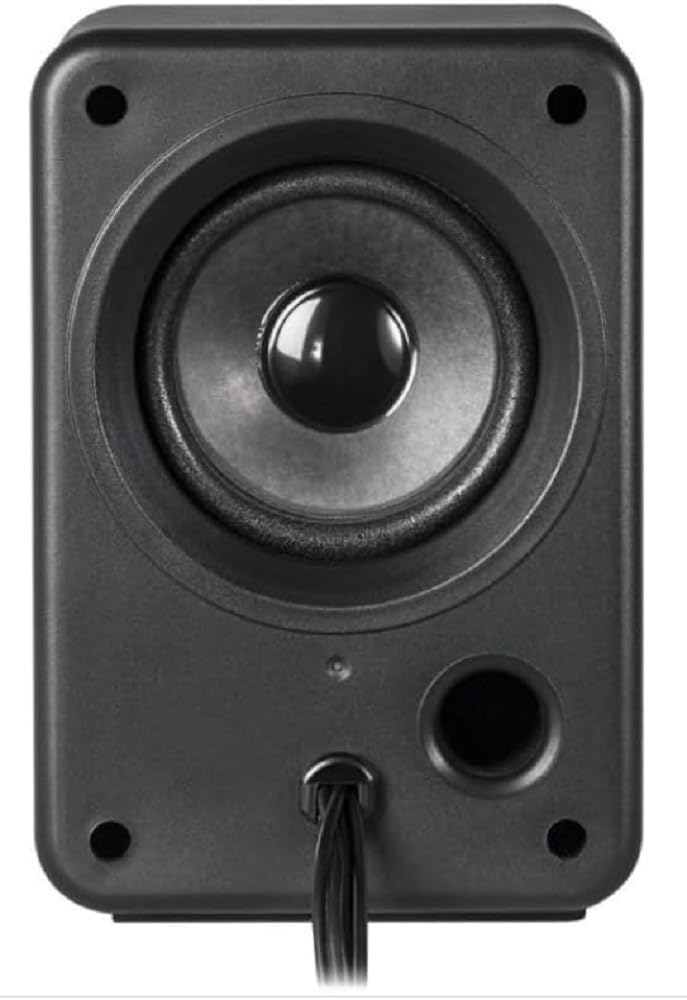
Figure 1: Defender V11 2.1 11W USB Computer Speakers. This image shows the main subwoofer unit and two satellite speakers, illustrating the compact design suitable for desktop use.
4.1 Components
- Subwoofer: The main unit housing the bass speaker and primary controls.
- Satellite Speakers: Two smaller speakers for mid-range and high-frequency audio.
- Integrated USB Cable: Connects to your computer for both power and audio signal transmission.
4.2 Controls
The Defender V11 features tactile controls, typically located on the front or side of the subwoofer unit. These controls usually include:
- Volume Control: To adjust the overall sound level.
- Power On/Off: To switch the speaker system on or off.
Refer to the specific markings on your unit for exact control locations and functions.
5. Setup
Follow these steps to set up your Defender V11 2.1 speaker system:
- Unpack: Carefully remove all components from the packaging.
- Position Speakers: Place the subwoofer on a stable surface, preferably on the floor or desk near your computer. Position the two satellite speakers on either side of your monitor for optimal stereo separation.
- Connect Satellite Speakers: Connect the cables from the satellite speakers to the corresponding ports on the back of the subwoofer unit. Ensure a secure connection.
- Connect to Computer: Plug the integrated USB cable from the subwoofer into an available USB port on your computer. This single cable provides both power and the audio signal.
- Power On: Turn on your computer. The speaker system should automatically power on or can be switched on using its tactile power control.
- Adjust Volume: Play some audio on your computer and adjust the volume using the speaker's tactile volume control and your computer's system volume.
Note: For optimal performance, especially at higher volumes, it is recommended to use a USB port that provides stable power, such as a direct port on your computer or a powered USB hub. Some users may find a dedicated USB wall adapter (not included) beneficial for consistent power delivery, as mentioned in user feedback.
6. Operating Instructions
6.1 Power On/Off
To power on the speakers, ensure the USB cable is connected to a powered USB port. Use the tactile power control on the subwoofer unit. To power off, use the same control or disconnect the USB cable.
6.2 Volume Adjustment
Adjust the overall volume using the tactile volume control on the subwoofer. You can also fine-tune the volume using your computer's operating system sound settings.
6.3 Audio Playback
Once connected and powered on, the speakers will play audio from your computer. Ensure your computer's audio output is set to the USB audio device if multiple options are available.
7. Maintenance
7.1 Cleaning
Before cleaning, ensure the speakers are powered off and disconnected from the USB port. Use a soft, dry, lint-free cloth to wipe the surfaces of the speakers. Do not use abrasive cleaners, waxes, or solvents as they may damage the finish.
7.2 Storage
If storing the speakers for an extended period, disconnect them from power and store them in a cool, dry place, away from direct sunlight and extreme temperatures.
8. Troubleshooting
- No Sound:
- Ensure the USB cable is securely connected to both the speakers and your computer.
- Check if the speakers are powered on.
- Verify that the volume on both the speakers and your computer is turned up and not muted.
- Confirm that your computer's audio output is set to the correct USB audio device.
- Try connecting the USB cable to a different USB port on your computer.
- Distorted Sound:
- Reduce the volume on both the speakers and your computer.
- Ensure the USB power source is stable and providing sufficient current. A weak USB port can sometimes cause distortion.
- Check for any interference from other electronic devices.
- Speakers Not Recognized by Computer:
- Disconnect and reconnect the USB cable.
- Restart your computer.
- Check your computer's Device Manager (Windows) or System Information (macOS) to see if the USB audio device is listed.
9. Specifications
| Brand | Defender |
| Model Name | V11 2.1 |
| Model Number | DEFEN-65111 |
| Speaker Type | 2.1 (Subwoofer) |
| Connectivity Technology | USB |
| Maximum Speaker Output Power | 11 Watts |
| Power Source | USB Cable |
| Control Method | Tactile (Touch) |
| Audio Output Mode | Stereo |
| Color | Black |
| Product Dimensions (L x W x H) | 25.4 x 5.08 x 6.86 cm |
| Item Weight | 788 grams |
| Recommended Uses for Product | For computer |
| Compatible Devices | Desktop |
10. Warranty and Support
This product is covered by a manufacturer's warranty. Please refer to the warranty card included with your purchase or visit the official Defender website for detailed warranty terms and conditions.
For technical support, troubleshooting assistance, or warranty claims, please contact Defender customer service through their official channels. Contact information can typically be found on the product packaging or the manufacturer's website.

