
Introduction
Thank you for choosing the Gembird MAXXTER ACT-BTHS-03 Bluetooth Stereo Over-Ear Headphones. This manual provides essential information for the proper setup, operation, and maintenance of your new wireless headphones. Please read these instructions carefully before use to ensure optimal performance and longevity of the product.
Product Overview
The Gembird MAXXTER ACT-BTHS-03 headphones offer a comfortable over-ear design with wireless Bluetooth connectivity, allowing you to enjoy high-quality audio without the constraints of cables. The controls are intuitively placed for easy access to playback, volume, and call management.
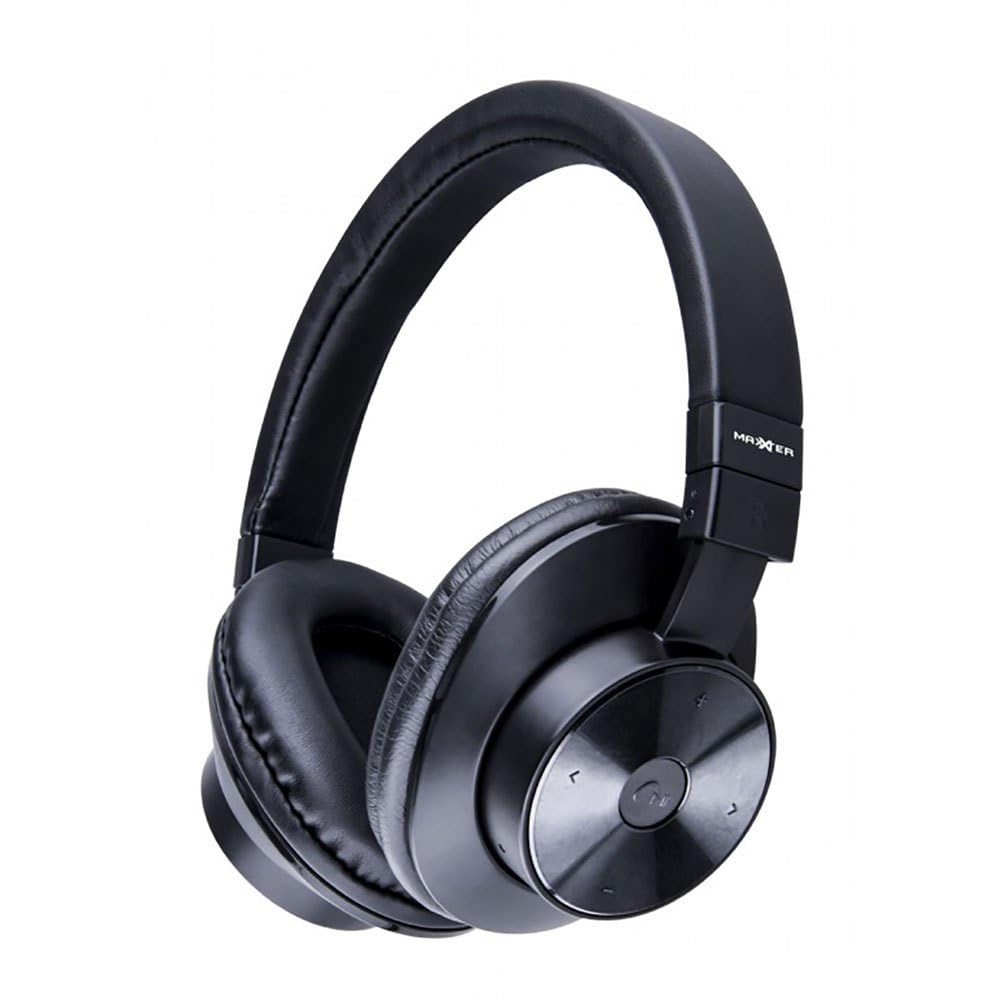
An image showing the Gembird MAXXTER ACT-BTHS-03 Bluetooth Stereo Over-Ear Headphones in black. The headphones feature large, cushioned earcups and an adjustable headband, designed for comfort during extended listening sessions.
Setup
1. Initial Charging
Before first use, fully charge your headphones. Connect the provided USB charging cable to the charging port on the headphones and the other end to a USB power source (e.g., computer USB port, wall adapter). The LED indicator will typically show red during charging and turn off or change color when fully charged. A full charge usually takes approximately 2-3 hours.
2. Bluetooth Pairing
- Ensure the headphones are turned off.
- Press and hold the Multi-function button (often marked with a power symbol or phone icon) for approximately 5-7 seconds until the LED indicator flashes red and blue alternately. This indicates the headphones are in pairing mode.
- On your device (smartphone, tablet, computer), enable Bluetooth and search for new devices.
- Select "ACT-BTHS-03" or a similar name from the list of available devices.
- Once connected, the LED indicator on the headphones will typically flash blue slowly or turn solid blue, indicating a successful pairing.
- If prompted for a password, enter "0000".
Operating Instructions
Power On/Off
- Power On: Press and hold the Multi-function button for about 3 seconds until the LED indicator flashes blue and you hear a power-on tone.
- Power Off: Press and hold the Multi-function button for about 3-4 seconds until the LED indicator flashes red and you hear a power-off tone.
Music Playback Control
- Play/Pause: Press the Multi-function button once.
- Next Track: Press and hold the Volume Up (+) button.
- Previous Track: Press and hold the Volume Down (-) button.
Volume Adjustment
- Volume Up: Press the Volume Up (+) button briefly.
- Volume Down: Press the Volume Down (-) button briefly.
Call Management
- Answer/End Call: Press the Multi-function button once.
- Reject Call: Press and hold the Multi-function button for about 2 seconds.
- Redial Last Number: Double-press the Multi-function button.
Maintenance
- Cleaning: Use a soft, dry cloth to clean the headphones. Do not use abrasive cleaners, solvents, or harsh chemicals.
- Storage: Store the headphones in a cool, dry place away from direct sunlight and extreme temperatures.
- Battery Care: To preserve battery life, avoid fully discharging the headphones frequently. Charge them regularly, even if not in use for extended periods.
- Water Exposure: These headphones are not waterproof. Avoid exposure to water, moisture, or rain.
Troubleshooting
| Issue | Possible Solution |
|---|---|
| Headphones do not power on. | Ensure the headphones are fully charged. Connect to a power source and try again after a few minutes. |
| Cannot pair with a device. | Ensure headphones are in pairing mode (flashing red/blue). Turn off and on your device's Bluetooth. Move headphones closer to the device. Clear previous Bluetooth connections on your device. |
| No sound or low volume. | Check volume levels on both headphones and the connected device. Ensure headphones are properly paired. Try re-pairing the headphones. |
| Poor sound quality or disconnections. | Move closer to the connected device to reduce interference. Avoid obstacles between headphones and device. Ensure no other strong wireless signals are interfering. |
| Headphones not charging. | Check the charging cable and USB power source. Try a different cable or power adapter. Ensure the charging port is clean and free of debris. |
Specifications
| Feature | Detail |
|---|---|
| Brand | Gembird (MAXXTER) |
| Model Name | ACT-BTHS-03 |
| Connectivity Technology | Wireless |
| Wireless Technology | Bluetooth |
| Bluetooth Version | 5.0 |
| Ear Placement | Over-Ear (Supra-auriculaire) |
| Form Factor | Circum-Auricular |
| Material | Plastic or Silicone |
| Color | Black |
| Item Weight | 168 Grams |
| Compatible Devices | Phone, Tablet, Computer, Smart Speaker |
| Specific Uses for Product | Music |
Warranty and Support
For warranty information and technical support, please refer to the documentation included with your purchase or visit the official Gembird website. Keep your proof of purchase for any warranty claims.
For further assistance, you may contact Gembird customer service through their official channels.


