
1. Introduction
Thank you for choosing the LAMAX HighComfort ANC Wireless Headphones. This manual provides essential information for the proper use, setup, and maintenance of your headphones. Please read it carefully before use.
The LAMAX HighComfort headphones offer a premium audio experience with advanced features:
- aptX HD Bluetooth Codec: Delivers high-quality wireless audio with enhanced detail.
- Active Noise Cancellation (ANC): Reduces ambient noise by up to 30 dB using hybrid technology with two microphones.
- Long Battery Life: Up to 50 hours of playback on a single charge (25 hours with ANC activated).
- Versatile Connectivity: Bluetooth 5.1 for wireless connection up to 10 meters, or wired via a standard 3.5 mm audio jack.
- Comfortable Design: Features soft ear pads and an ergonomic design for extended wear.
- Durable Construction: Luxurious finish with titanium elements and high-quality workmanship.
2. Package Contents
Please check that all items are present in your package:
- LAMAX HighComfort ANC Wireless Headphones
- USB-C Charging Cable
- 3.5mm Audio Cable
- Travel Case
- Instruction Manual
3. Product Overview
Familiarize yourself with the various parts and controls of your LAMAX HighComfort headphones.

Image: Overview of headphone controls and ports.
Headphone Components and Controls:
- Active Noise Cancellation (ANC) On/Off Switch: Activates or deactivates the ANC function.
- ANC LED Indicator: Shows the status of the ANC function.
- 3.5mm Audio Cable Port: For wired connection to audio sources.
- Headphone Power LED Indicator: Displays power and pairing status.
- Microphone: For calls and voice commands.
- USB-C Charging Port: For charging the headphones.
- Track and Call Control Buttons: Used for volume adjustment, track skipping, and managing phone calls.

Image: Exploded view highlighting key features like 40mm drivers, soft leather earpads, and titanium finish.
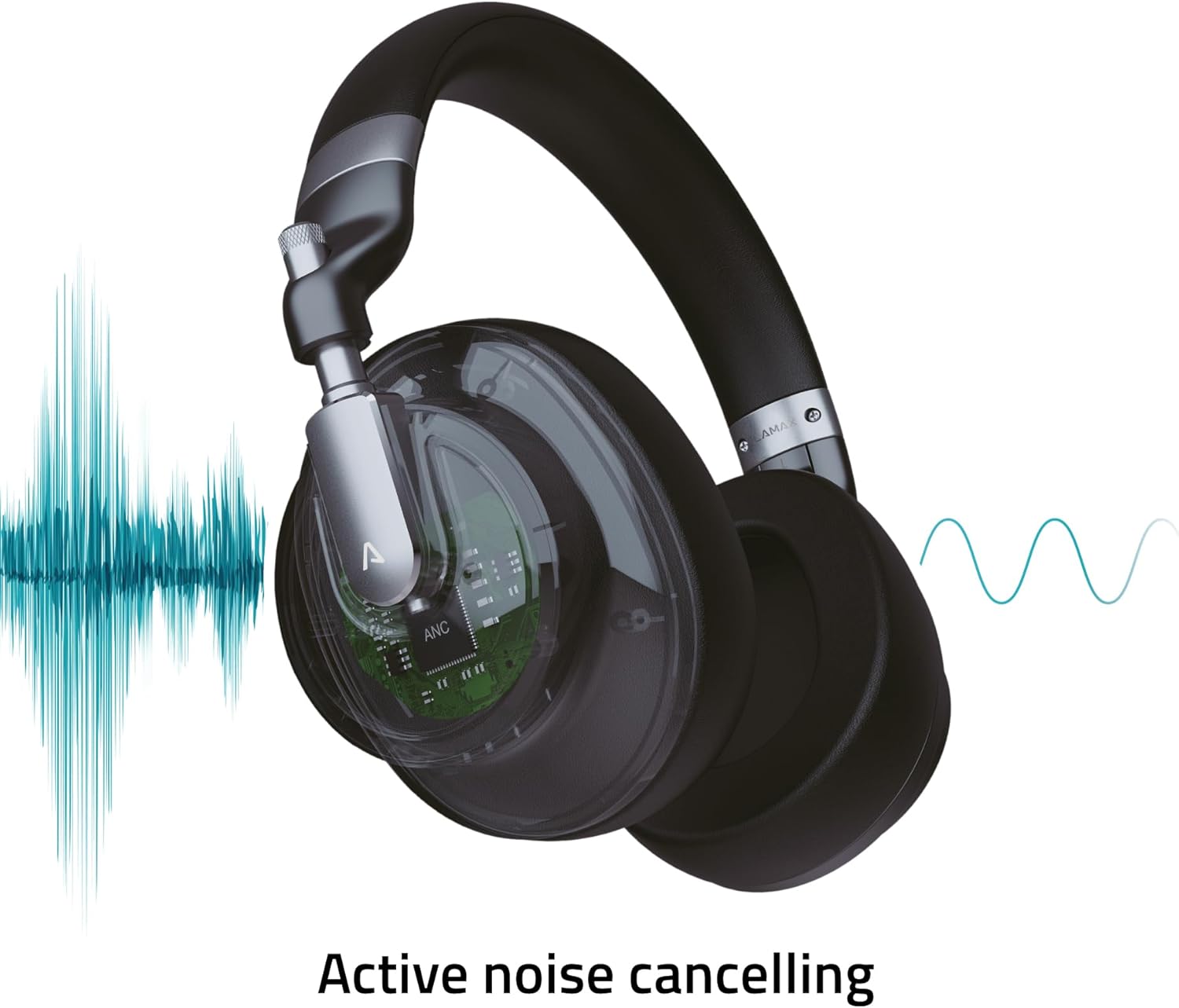
Image: Visual representation of the Active Noise Cancellation (ANC) process.
4. Setup
4.1 Charging the Headphones
Before first use, fully charge your headphones. Use the provided USB-C cable to connect the headphones to a USB power source (e.g., computer USB port, wall adapter).
- The LED indicator will show charging status (e.g., red for charging, off or blue for fully charged).
- A full charge provides up to 50 hours of playback, or 25 hours with ANC enabled.
4.2 Bluetooth Pairing
To connect your headphones wirelessly to a device:
- Ensure the headphones are charged and powered off.
- Press and hold the Power button until the LED indicator flashes blue and red, indicating pairing mode.
- On your device (smartphone, tablet, laptop), enable Bluetooth and search for available devices.
- Select "LAMAX HighComfort" from the list of devices.
- Once connected, the LED indicator will typically show a steady blue light or flash slowly.
4.3 Wired Connection
You can also use the headphones with a 3.5mm audio cable:
- Connect one end of the 3.5mm audio cable to the headphone's audio port.
- Connect the other end to the 3.5mm audio output of your device.
- The headphones will function as passive wired headphones, even if the battery is depleted.
5. Operating the Headphones
5.1 Power On/Off
- Power On: Press and hold the Power button for approximately 3 seconds. The LED indicator will light up.
- Power Off: Press and hold the Power button for approximately 3 seconds. The LED indicator will turn off.
5.2 Active Noise Cancellation (ANC)
The ANC feature helps to reduce ambient noise, providing a more immersive listening experience.
- Activate ANC: Slide the ANC switch to the 'On' position. The ANC LED indicator will illuminate.
- Deactivate ANC: Slide the ANC switch to the 'Off' position. The ANC LED indicator will turn off.
5.3 Music Playback
Use the control buttons to manage your music:
- Play/Pause: Press the Multi-function button (often the center button on the control cluster).
- Volume Up: Press the '+' button.
- Volume Down: Press the '-' button.
- Next Track: Press and hold the '+' button.
- Previous Track: Press and hold the '-' button.
5.4 Call Management
When connected via Bluetooth, you can manage phone calls:
- Answer/End Call: Press the Multi-function button.
- Reject Call: Press and hold the Multi-function button.
- Activate Voice Assistant: Double-press the Multi-function button (if supported by your device).
6. Care and Maintenance
Proper care ensures the longevity and performance of your headphones.
6.1 Cleaning
- Wipe the headphones with a soft, dry, lint-free cloth.
- Do not use abrasive cleaners, solvents, or chemical sprays.
- Keep moisture out of openings.
6.2 Storage
- When not in use, store the headphones in the provided travel case to protect them from scratches and damage.
- Store in a cool, dry place, away from extreme temperatures and direct sunlight.

Image: Headphones folded, demonstrating their portable design for storage in the travel case.
7. Troubleshooting
If you encounter issues with your headphones, refer to the following common solutions:
| Problem | Possible Cause | Solution |
|---|---|---|
| Headphones do not power on | Low battery | Charge the headphones fully using the USB-C cable. |
| Cannot pair via Bluetooth | Headphones not in pairing mode; device Bluetooth off; too far from device | Ensure headphones are in pairing mode (flashing blue/red LED). Turn Bluetooth on your device. Move headphones closer to the device (within 10 meters). |
| No sound or low volume | Volume too low; incorrect audio source; headphones not connected | Increase volume on both headphones and connected device. Check if headphones are properly paired or if the 3.5mm cable is securely connected. Ensure the correct audio output is selected on your device. |
| ANC not working effectively | ANC not activated; environmental noise too high | Ensure the ANC switch is in the 'On' position. ANC is most effective against consistent low-frequency noise. |
| Poor call quality | Weak Bluetooth connection; microphone obstructed | Move closer to your device. Ensure the microphone is not covered. |
8. Specifications
Technical details of the LAMAX HighComfort ANC Wireless Headphones:
| Feature | Detail |
|---|---|
| Model Name | HighComfort |
| Connectivity Technology | Bluetooth 5.1, 3.5 mm Jack |
| Wireless Communication | Bluetooth |
| Noise Control | Active Noise Cancellation (ANC) up to 30 dB |
| Ear Placement | Over Ear |
| Form Factor | Over Ear |
| Material | Titanium and Fabric |
| Battery Life (Average) | 50 Hours (25 Hours with ANC) |
| Charging Port | USB Type-C |
| Special Features | Microphone Included, Noise Cancellation, aptX HD |
| Product Dimensions | 25.4 x 5.08 x 6.86 cm |
| Item Weight | 750 g |
| Compatible Devices | Laptops, Telephones, Tablets, Smart Speakers, Car Audio Systems, Gaming Consoles, Televisions, Desktops, Cellphones |
9. Support and Warranty
For further assistance, troubleshooting not covered in this manual, or warranty information, please contact LAMAX customer support through their official website or your retailer.
Please retain your proof of purchase for warranty claims.

