
1. Introduction
Thank you for purchasing the GXTrust Wezz 2.0 Gaming PC Speakers. These speakers are designed to enhance your audio experience for gaming, movies, and music with 12W peak power and dynamic RGB LED lighting. This manual provides essential information for setting up, operating, maintaining, and troubleshooting your new speakers.
2. Package Contents
Please check the box for the following items:
- Set of GXTrust Wezz 2.0 Speakers (Left and Right)
- Wired Control Knob (integrated)
- User Manual
3. Setup
Follow these steps to connect your GXTrust Wezz 2.0 speakers to your computer or other audio device:
- Placement: Position the left and right speakers on either side of your monitor or listening area. Ensure they are placed on a stable, flat surface for optimal sound projection.
- Audio Connection: Plug the 3.5mm audio jack from the speakers into the audio output port (headphone jack) of your computer, laptop, or other audio source.
- Power Connection: Connect the USB-A cable from the speakers to an available USB port on your computer or a USB wall adapter (5V). The speakers will power on automatically once USB power is supplied.

Image: Connecting the 3.5mm audio jack and USB power cable to a laptop.
4. Operating Instructions
The GXTrust Wezz 2.0 speakers feature an integrated wired control knob for easy access to power, volume, and lighting functions.
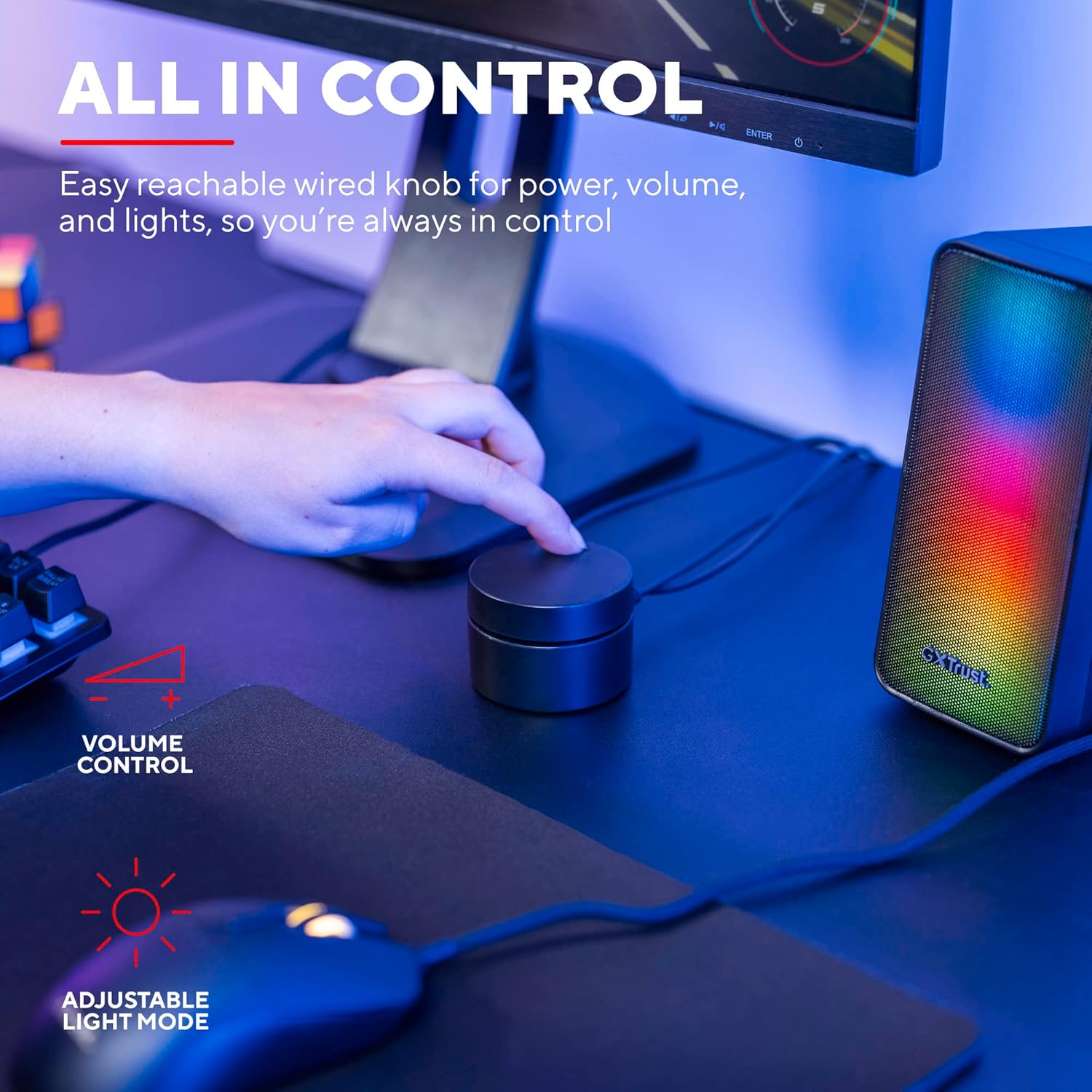
Image: User interacting with the multi-function control knob.
4.1. Power On/Off
- The speakers power on automatically when connected to a USB power source.
- To turn off the speakers, rotate the control knob counter-clockwise until it clicks and the lights turn off.
- To turn on, rotate the control knob clockwise until it clicks.
4.2. Volume Control
- Rotate the control knob clockwise to increase the volume.
- Rotate the control knob counter-clockwise to decrease the volume.
4.3. RGB LED Lighting
The speakers feature dynamic RGB LED lighting with various modes.
- Press the button on the side of the control knob to cycle through different RGB lighting modes.
- Some modes may react to the audio playback.
- To turn off the RGB lighting while keeping the speakers on, cycle through the modes until the lights are off.
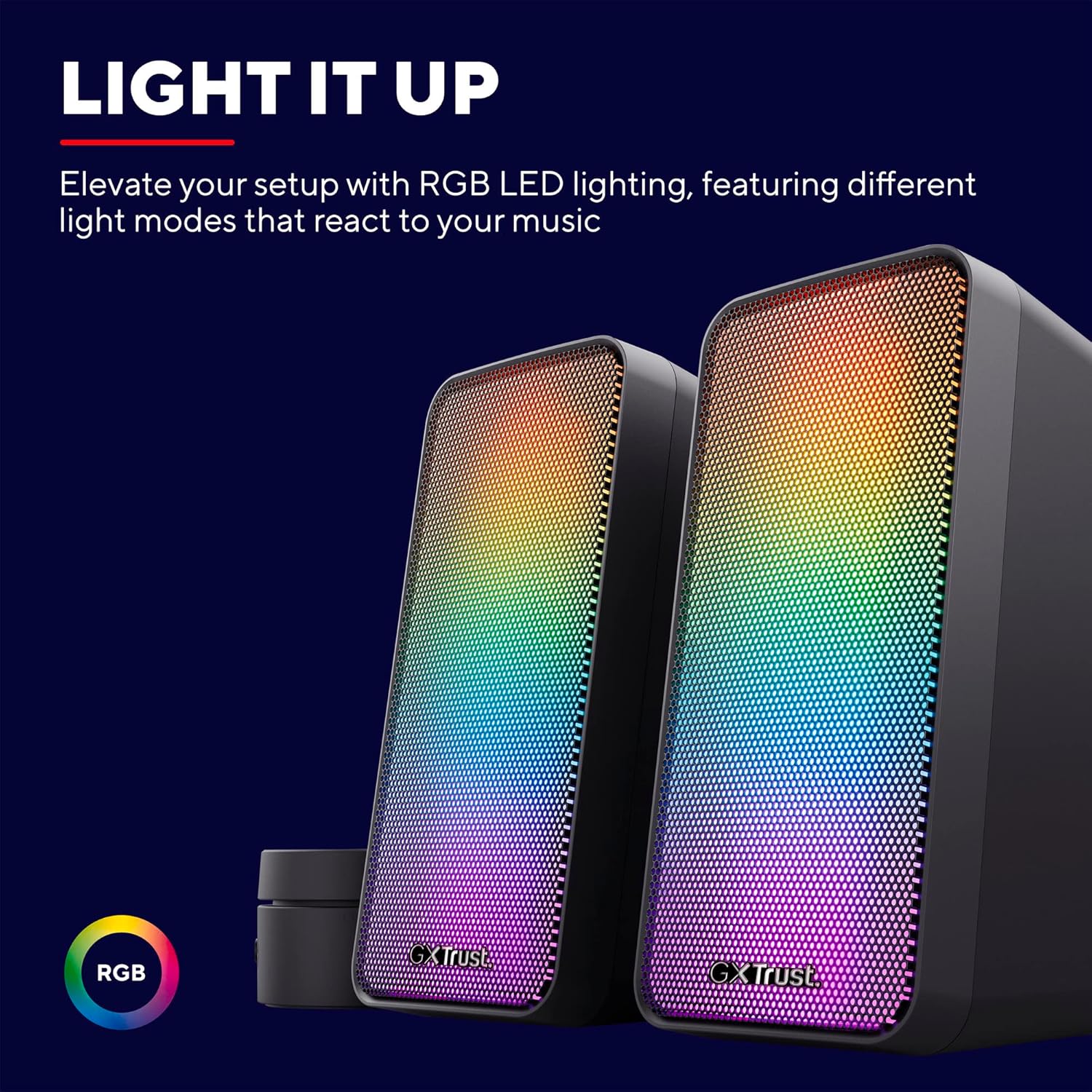
Image: Close-up view of the speakers showcasing their vibrant RGB LED illumination.
5. Maintenance
To ensure the longevity and optimal performance of your speakers, follow these maintenance guidelines:
- Cleaning: Use a soft, dry cloth to wipe the speaker surfaces. Do not use liquid cleaners or abrasive materials, as they may damage the finish or internal components.
- Storage: When not in use for extended periods, store the speakers in a cool, dry place away from direct sunlight and extreme temperatures.
- Avoid Liquids: Keep the speakers away from water and other liquids to prevent electrical damage.
6. Troubleshooting
If you encounter any issues with your GXTrust Wezz 2.0 speakers, please refer to the following common solutions:
| Problem | Possible Solution |
|---|---|
| No sound from speakers |
|
| RGB lights are not working |
|
| Distorted or poor sound quality |
|
7. Specifications
| Feature | Detail |
|---|---|
| Model Name | GXT 611 Wezz |
| Speaker Type | Stereo 2.0 |
| Peak Power | 12W |
| RMS Power | 6W |
| Connectivity | USB (Power), 3.5mm Audio Jack (Audio) |
| Frequency Response | 20 Hz - 20 kHz (typical) |
| Input Voltage | 5V (via USB) |
| Material | Metal (grilles) |
| Dimensions (each speaker) | 9.5D x 8.7W x 16.5H cm |
| Total Weight | 780 Grams |
| Control Method | Button Control (Wired Knob) |
| Features | USB Powered, RGB Pulsating Lights |
8. Warranty and Support
8.1. Warranty Information
The GXTrust Wezz 2.0 Gaming PC Speakers come with a 2-year full warranty from the date of purchase. This warranty covers manufacturing defects and ensures the product meets its specified performance. Please retain your proof of purchase for warranty claims.
8.2. Customer Support
For further assistance, technical support, or warranty inquiries, please visit the official GXTrust website or contact their customer service department. You can find more information and support resources at the GXTrust Store.