
1. Important Safety Information
Please read this manual carefully before using the BRPOM 4000A Car Battery Jump Starter. Failure to follow these instructions may result in electric shock, fire, or serious injury. Keep this manual for future reference.
Safety Features and Protections:
- Short-Circuit Protection: Prevents damage from accidental short circuits.
- Overcharge Protection: Safeguards the battery from being overcharged.
- Deep Discharge Protection: Protects the internal battery from excessive discharge.
- Reverse Connection Protection: Alerts and prevents operation if clamps are connected incorrectly.
- Reverse Polarity Protection: Ensures correct polarity connection.
- Overcurrent Protection: Prevents damage from excessive current flow.
- High-Temperature Protection: Shuts down the device if it overheats.
- Reverse Charge Protection: Prevents current from flowing back into the jump starter from the vehicle battery.
The specially designed indicator on the smart jump cable will alert you to improper use with an audible buzzer and flashing lights.
General Safety Warnings:
- Do not operate the jump starter if it is damaged.
- Keep out of reach of children.
- Do not immerse the unit in water or expose it to rain.
- Do not short-circuit the clamps.
- Use only the provided smart jump cables.
- Ensure proper ventilation during use.
2. Product Overview
Package Contents:
- 1 x BRPOM 4000A Car Battery Jump Starter Unit
- 1 x Smart Jump Cable with Clamps
- 1 x USB Type-C Charging Cable
- 1 x User Manual
- 1 x Storage Box
Key Features:
- Powerful Jump Starter: 4000A peak current, capable of starting 12V vehicles with up to 10L diesel or all gas engines.
- High-Capacity Power Bank: 26800mAh battery capacity with QC3.0 port for fast charging of phones, tablets, and other devices.
- Multi-Mode LED Light: Features 4 modes: Illumination, Strobe, SOS, and Warning, for various emergency and outdoor situations.
- Advanced Safety: Equipped with 8 intelligent protection systems for safe operation.
Product Components:
The following image illustrates the main components of your BRPOM 4000A Car Battery Jump Starter.
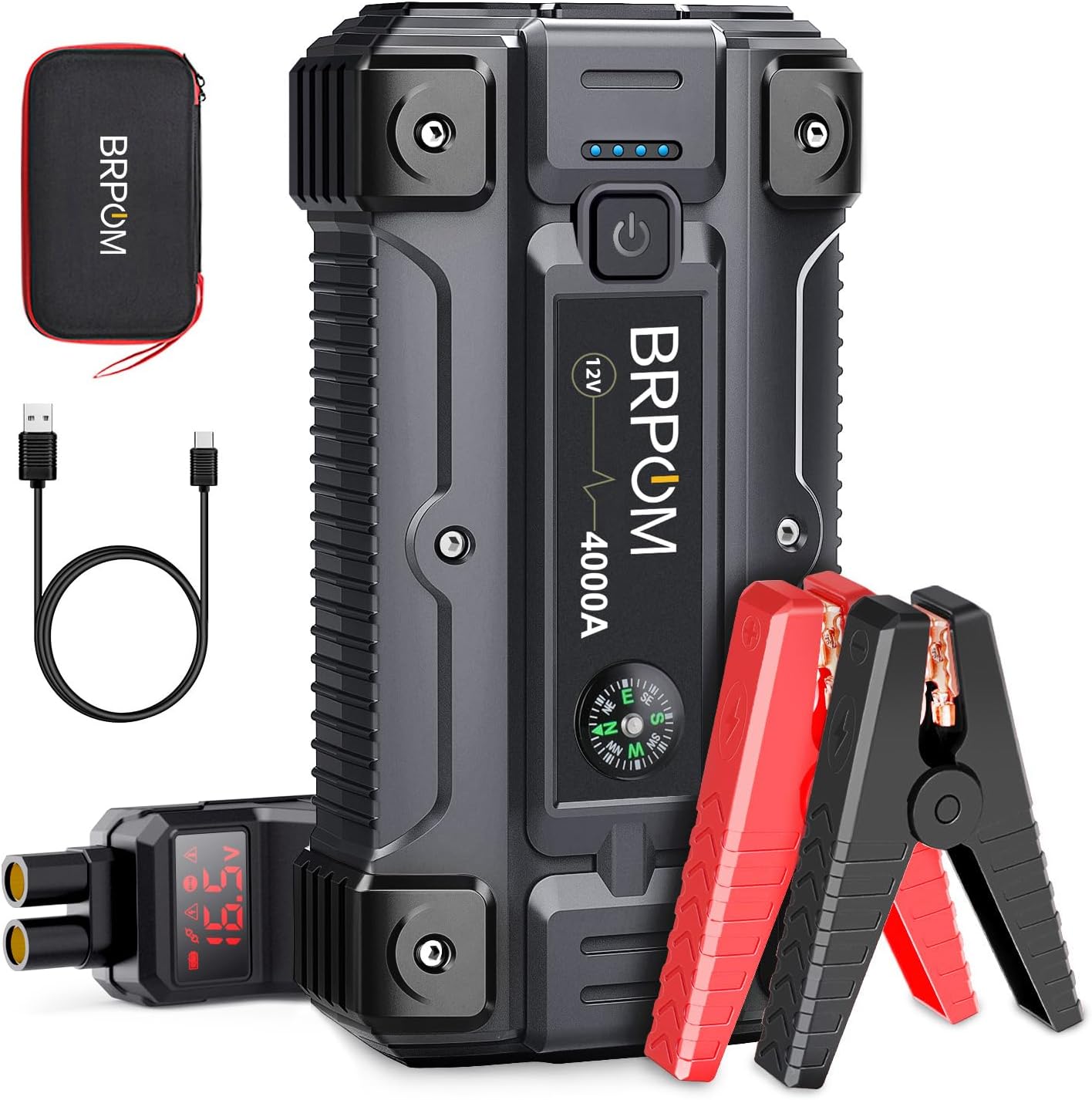
This image displays the BRPOM 4000A Car Battery Jump Starter unit, its smart jump starter clamps, a USB-C charging cable, and a compact storage case. The jump starter features a power button, indicator lights, and a compass.
The jump starter unit typically includes:
- Power Button
- Battery Level Indicator Lights
- Jump Start Port
- USB Output Ports (including QC3.0)
- USB Type-C Input Port (for charging the unit)
- LED Flashlight
- Compass (integrated)
3. Setup
Initial Charging of the Jump Starter:
Before first use, fully charge the BRPOM jump starter. It is recommended to charge the unit every 3-6 months to maintain optimal battery health, especially if not used regularly.
- Connect the provided USB Type-C charging cable to the Type-C input port on the jump starter.
- Connect the other end of the USB Type-C cable to a USB wall adapter (not included) or a car charger. For faster charging, use a QC3.0 compatible adapter.
- The battery indicator lights on the jump starter will illuminate to show the charging progress. All lights will be solid when fully charged.
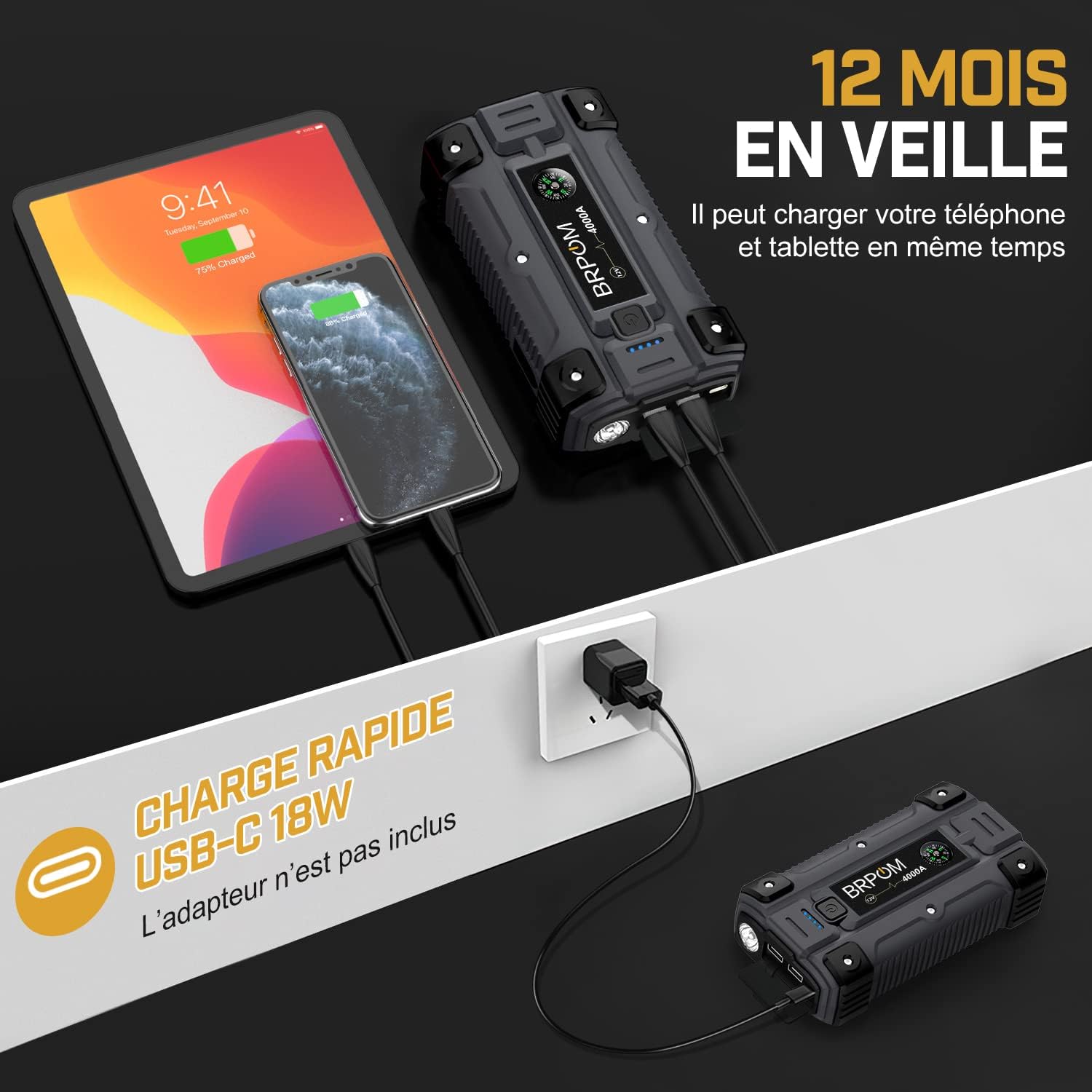
This image illustrates the jump starter's function as a power bank, showing it simultaneously charging a tablet and a smartphone via its USB ports. It also mentions 18W USB-C fast charging capability, which applies to charging the unit itself as well.
4. Operating Instructions
Jump Starting Your Vehicle:
Ensure the jump starter is at least 50% charged before attempting to jump start a vehicle. The device is designed to start 12V vehicles.
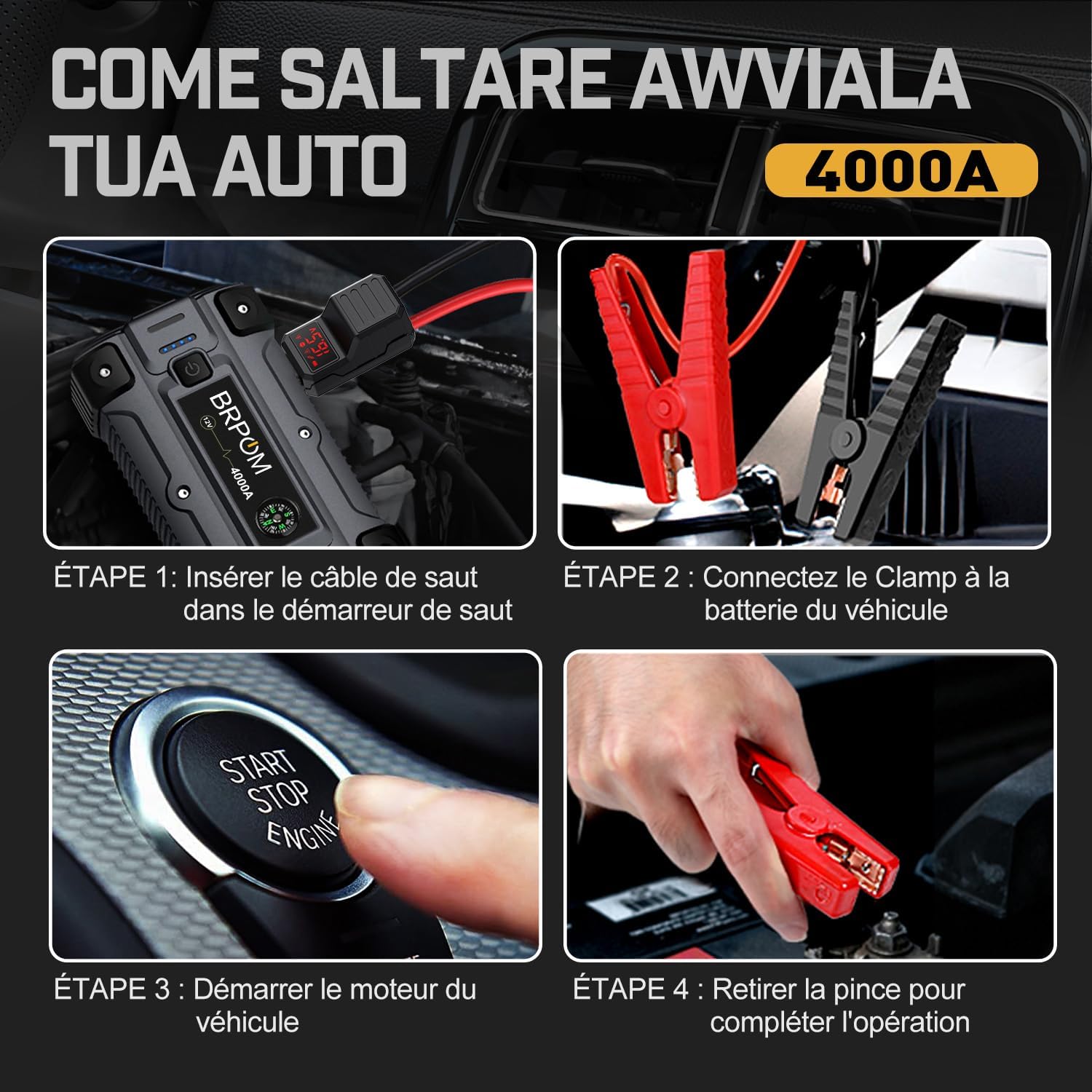
This image provides a visual step-by-step guide for jump starting a vehicle: 1. Insert the jump cable into the jump starter. 2. Connect the clamps to the vehicle battery. 3. Start the vehicle engine. 4. Remove the clamps to complete the operation.
- Connect Smart Cable: Insert the blue plug of the smart jump cable into the jump start port on the BRPOM unit. Ensure it is fully inserted.
- Connect to Vehicle Battery: Attach the red positive (+) clamp to the positive (+) terminal of the vehicle battery. Attach the black negative (-) clamp to the negative (-) terminal of the vehicle battery. The smart cable indicator will show a solid green light if the connection is correct and safe to proceed. If it shows a red light or beeps, check the connections for reverse polarity or other issues.
- Start Vehicle: Return to your vehicle and start the engine. If the vehicle does not start on the first attempt, wait 30 seconds before trying again. Do not crank the engine for more than 3 seconds per attempt.
- Remove Clamps: Once the vehicle has started, immediately remove the smart clamps from the vehicle battery terminals, then disconnect the smart cable from the jump starter unit.
The BRPOM 4000A jump starter is designed for high-performance vehicles, capable of starting engines up to 10L diesel or all gas types, even in challenging conditions like cold weather.

This infographic highlights the jump starter's capacity (26800mAh) and peak current (4000A), demonstrating its ability to start vehicles with up to 10L diesel or all gas engines, including cars, trucks, and SUVs.
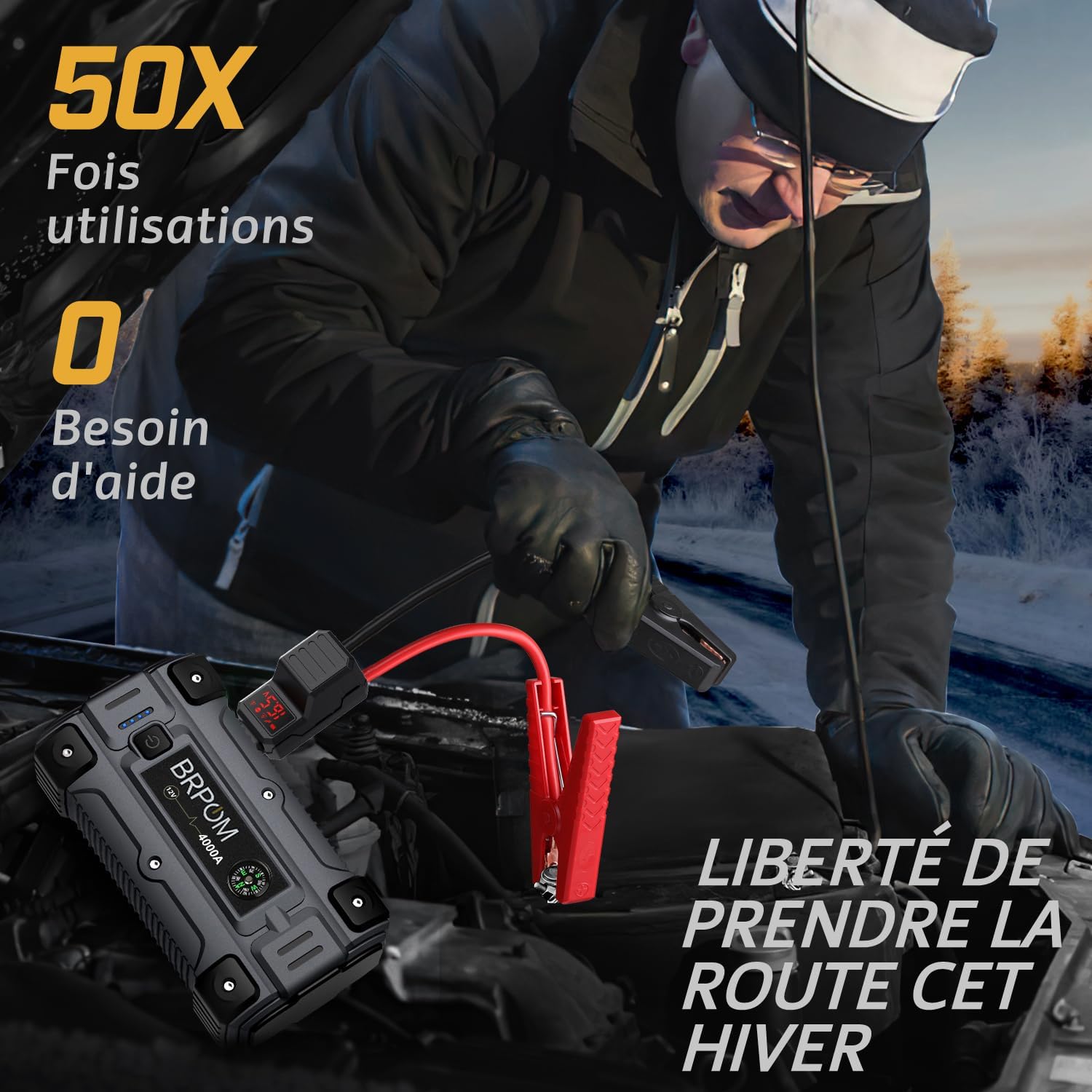
This image depicts a person jump starting a car in a cold, snowy environment, suggesting the device's reliability and multiple-use capability (up to 50 times on a single charge) for winter conditions.
Using as a Portable Power Bank:
The BRPOM jump starter can also serve as a portable power bank to charge your electronic devices.
- Connect your device's USB charging cable to one of the USB output ports on the jump starter.
- The jump starter will automatically begin charging your device. The QC3.0 port offers faster charging for compatible devices.
Using the LED Light:
The integrated LED flashlight provides illumination and emergency signaling functions.
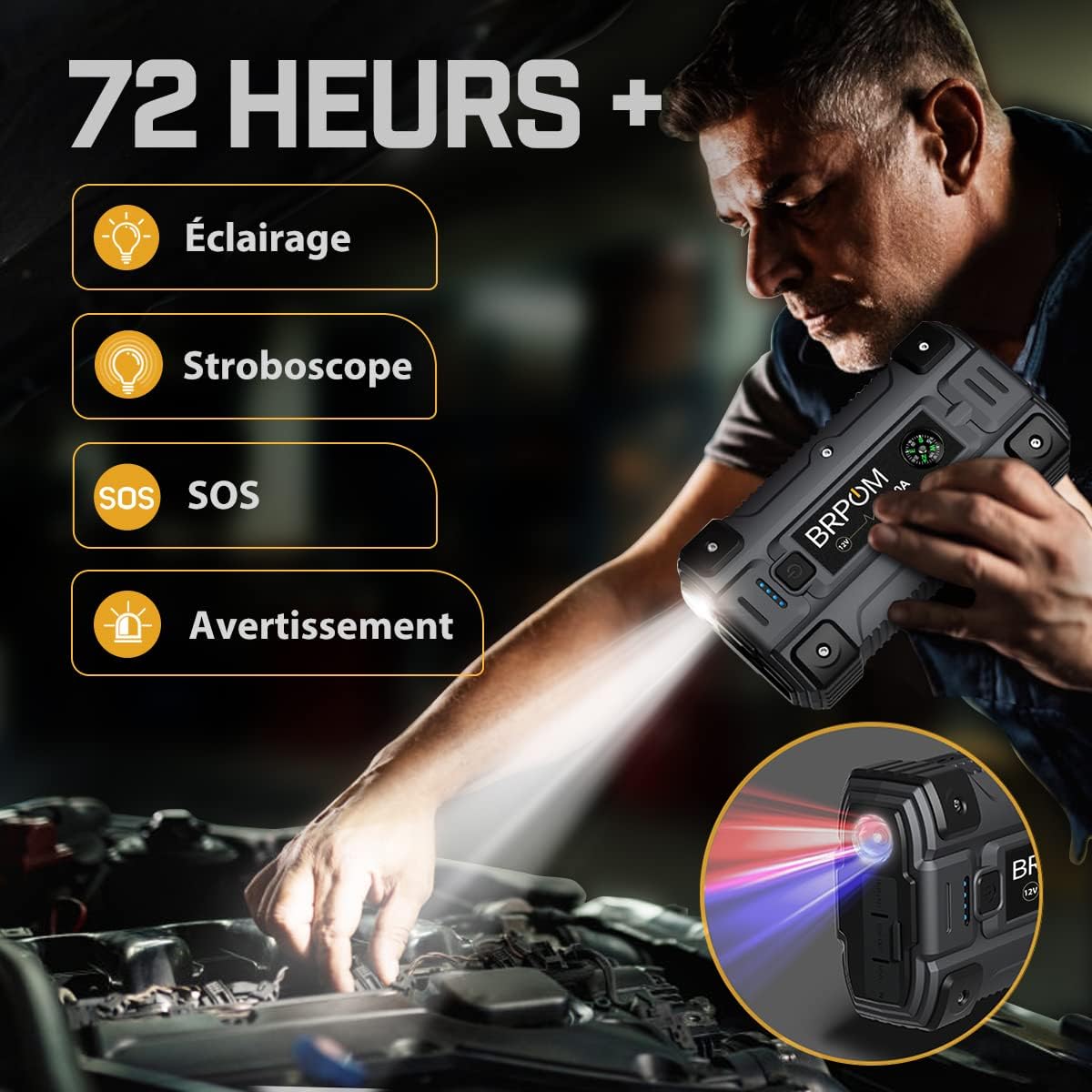
This image shows a person using the jump starter's integrated LED flashlight to illuminate an engine bay. The device features four LED modes: illumination, strobe, SOS, and warning, suitable for various emergency and outdoor scenarios.
- Illumination Mode: Press and hold the LED light button for 3 seconds to turn on the steady illumination light.
- Strobe Mode: Short press the LED light button once to switch to strobe mode.
- SOS Mode: Short press the LED light button again to switch to SOS mode.
- Warning Mode: Short press the LED light button a third time to activate the red/blue warning light.
- Turn Off: Press and hold the LED light button for 3 seconds to turn off the light.
5. Maintenance
Storage:
- Store the jump starter in its provided storage box in a cool, dry place.
- Avoid direct sunlight, high temperatures, and high humidity.
- Keep the unit away from flammable materials.
Cleaning:
- Wipe the unit with a soft, dry cloth.
- Do not use harsh chemicals or abrasive cleaners.
Battery Care:
- To prolong battery life, fully charge the unit every 3-6 months, even if not in use.
- Do not store the unit with a completely depleted battery.
6. Troubleshooting
Common Issues and Solutions:
| Problem | Possible Cause | Solution |
|---|---|---|
| Vehicle does not start. | Low charge on jump starter, incorrect clamp connection, severely dead battery, vehicle issue. | Ensure jump starter is fully charged. Check smart cable indicator for correct connection (solid green). Try again after 30 seconds. If still no start, consult a mechanic. |
| Smart cable indicator shows red light or beeps. | Reverse polarity, short circuit, over-temperature, or other safety trigger. | Immediately disconnect clamps. Recheck positive (+) and negative (-) connections. Allow unit to cool if hot. Refer to safety features section. |
| Jump starter not charging devices. | Low charge on jump starter, incorrect cable, device not compatible. | Ensure jump starter has sufficient charge. Use original or certified charging cables. Try a different USB port or device. |
| LED light not working. | Low charge on jump starter, button not pressed correctly. | Charge the jump starter. Press and hold the LED button for 3 seconds to activate. |
If you encounter issues not listed here, please refer to the Warranty and Support section for assistance.

This image presents a comparison table detailing the intelligent protection systems of the BRPOM smart jump cables, including short-circuit, overcharge, deep discharge, reverse connection, reverse polarity, overcurrent, and high-temperature protection, contrasted with ordinary cables.
7. Specifications
Technical Specifications:
| Feature | Specification |
|---|---|
| Brand | BRPOM |
| Model | BM501 |
| Peak Current | 4000A |
| Battery Capacity | 26800mAh |
| Output Voltage | 12V |
| Battery Type | Lithium-ion Polymer |
| Vehicle Service Type | Car, Truck, Motorcycle, Watercraft, Lawnmower, Yacht, Pickup, Snowmobile, etc. |
| Product Dimensions (L x W x H) | 25.4 x 14.71 x 9.91 cm (10 x 5.79 x 3.9 inches) |
| Item Weight | 1.06 Kilograms (2.34 lbs) |
| Charging Input | USB Type-C (QC3.0 compatible) |
| USB Output | Multiple ports (including QC3.0) |
| LED Light Modes | Illumination, Strobe, SOS, Warning |
| Certifications | CE |
8. Warranty and Support
Warranty Information:
BRPOM offers a two-year free exchange warranty for this product from the date of purchase. This warranty covers manufacturing defects and issues arising from normal use.
Customer Support:
For any questions, concerns, or technical assistance, please contact BRPOM customer support. We are committed to providing 24/7 five-star service to ensure your satisfaction.
Please refer to your purchase platform or the BRPOM official website for specific contact details.


