
Introduction
This manual provides essential information for the safe and effective use of your Oclean Sonic Electric Toothbrush for Kids. Please read these instructions thoroughly before first use and retain them for future reference.
The Oclean Sonic Electric Toothbrush is designed for children aged 5 and above, offering a gentle yet effective cleaning experience with its soft, child-friendly bristles, ultra-quiet operation, and integrated smart timer.
Product Overview
Key Features
- Tailor-made Design: Soft, child-friendly bristles with fluoride infusion and a silicone brush head back for gentle cleaning. FDA-approved materials ensure safety.
- High Cleaning Efficiency: Maglev motor delivers up to 80,000 movements per minute for thorough cleaning.
- Ultra-Quiet Technology: WhisperClean technology ensures operation below 37 dB for a quiet brushing experience.
- Smart Timer: Integrated 2-minute smart timer and 30-second quadrant reminders promote proper brushing habits.
- Long Battery Life: Up to 30 days of use on a single charge, with 3-hour quick charging via a magnetic charging base.
- Two Brushing Modes: Easily switch between modes by pressing the power button for 2 seconds.
- IPX7 Waterproof: The toothbrush is fully waterproof, allowing for safe rinsing and use in wet environments.
Components
- Oclean Sonic Electric Toothbrush Handle
- Brush Head
- Magnetic Charging Base
- User Manual (this document)
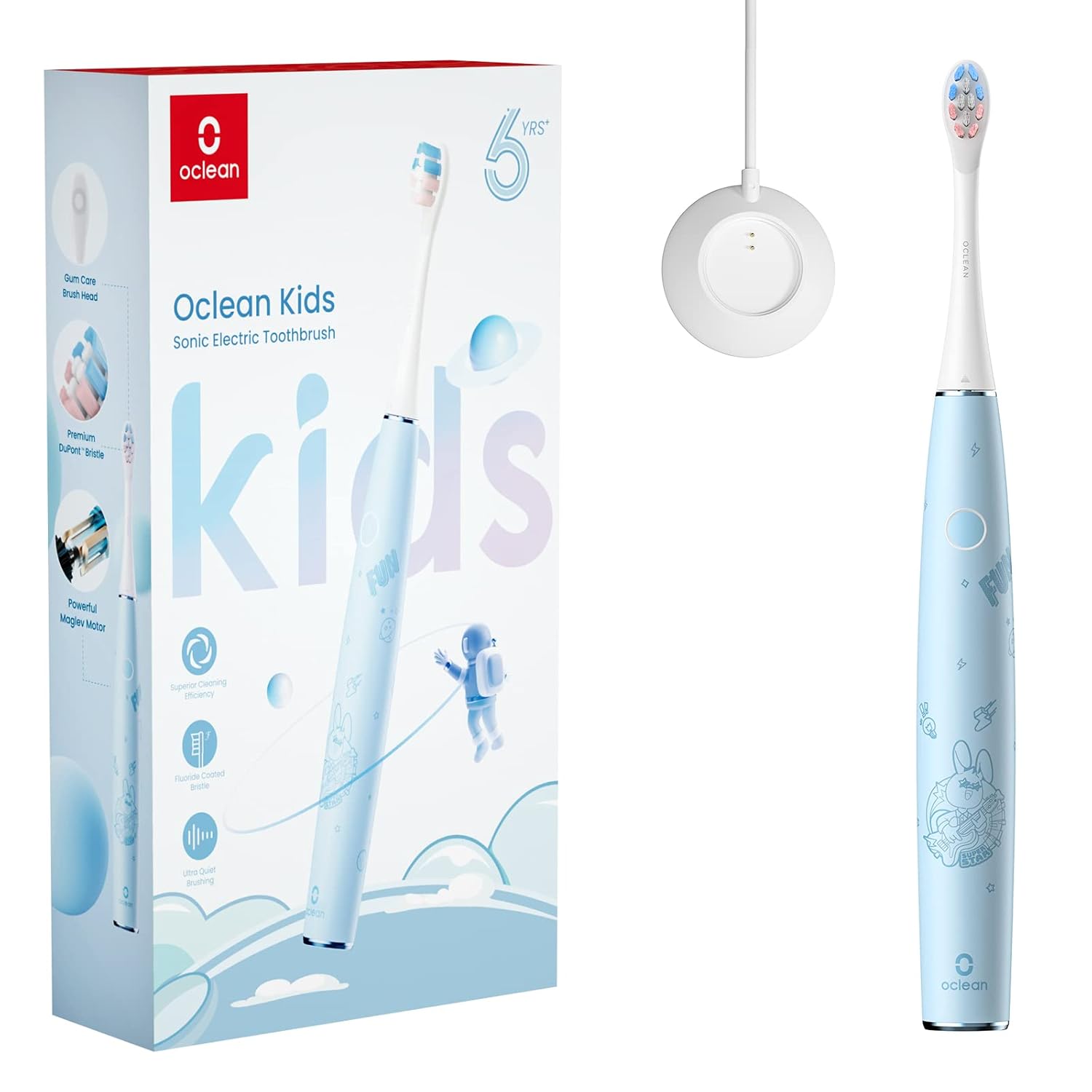
Image: Oclean Sonic Electric Toothbrush for Kids, showing the blue toothbrush handle, a brush head, the magnetic charging base, and the product packaging.
Setup
- Charge the Toothbrush: Before first use, fully charge the toothbrush. Place the toothbrush handle onto the magnetic charging base. Connect the charging base to a suitable power source. The indicator light will show charging status. A full charge takes approximately 3 hours.
- Attach the Brush Head: Align the brush head with the metal shaft on the toothbrush handle and push it down firmly until it clicks into place. Ensure it is securely attached.
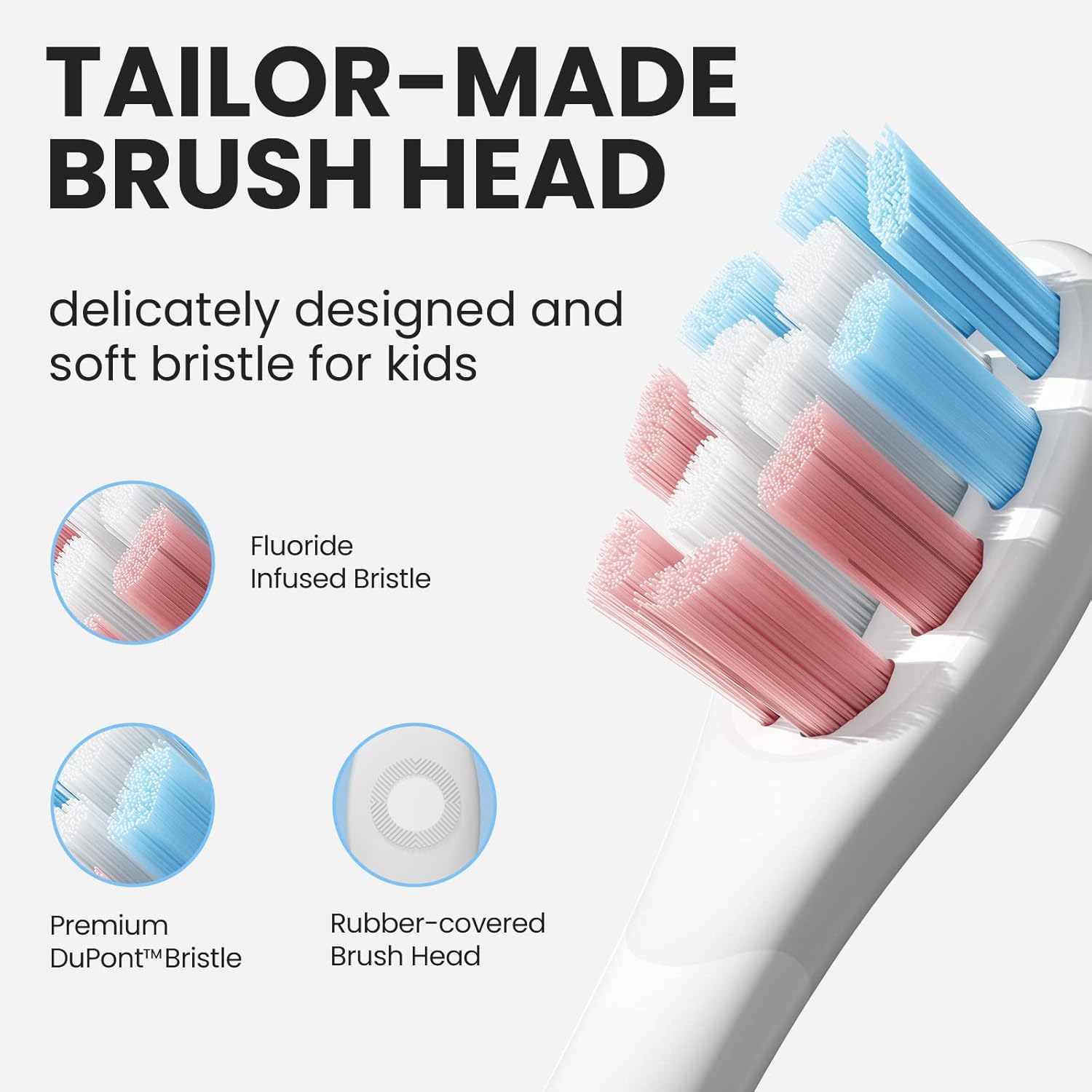
Image: A detailed view of the Oclean Kids toothbrush head, highlighting the soft, multi-colored bristles and the rubber-covered back for gum protection.
Operating Instructions
- Wet the Brush Head: Rinse the brush head under running water.
- Apply Toothpaste: Apply a pea-sized amount of toothpaste to the bristles.
- Power On: Press the power button once to turn on the toothbrush.
- Select Mode: To switch between the two brushing modes, press and hold the power button for 2 seconds while the toothbrush is on.
- Brushing Technique: Guide the brush head gently across all surfaces of the teeth, gums, and tongue. Do not scrub aggressively. The toothbrush will provide sonic vibrations for effective cleaning.
- Smart Timer Guidance: The built-in 2-minute timer ensures adequate brushing time. The toothbrush will pause briefly every 30 seconds to remind your child to move to a different quadrant of the mouth (upper right, upper left, lower right, lower left).
- Pressure Sensor: The toothbrush is equipped with an AI pressure sensor to prevent excessive force, protecting gums and teeth. If too much pressure is applied, the toothbrush may alter its vibration or provide a visual/tactile alert.
- Power Off: After 2 minutes, the toothbrush will automatically turn off. You can also press the power button once to turn it off manually at any time.

Image: A graphic representation of the AI pressure sensor function, showing how it detects and prevents excessive force on teeth and gums.
Maintenance
- Rinse Brush Head: After each use, rinse the brush head thoroughly under running water to remove any toothpaste residue and debris.
- Clean Handle: Wipe the toothbrush handle with a damp cloth as needed. Do not use abrasive cleaners or harsh chemicals.
- Replace Brush Head: For optimal hygiene and brushing performance, replace the brush head every 3 months, or sooner if the bristles become frayed.
- Storage: Store the toothbrush in a dry, upright position.

Image: The Oclean Kids toothbrush in a quiet bedroom environment, emphasizing its ultra-quiet technology with a sound wave graphic.
Troubleshooting
| Problem | Possible Cause | Solution |
|---|---|---|
| Toothbrush does not turn on. | Battery is depleted. | Charge the toothbrush fully (approx. 3 hours). |
| Brush head feels loose or vibrates excessively. | Brush head not properly attached or worn out. | Ensure the brush head is pushed down firmly until it clicks. Replace the brush head if it is old or damaged. |
| Reduced brushing power. | Low battery or worn brush head. | Recharge the toothbrush. Replace the brush head. |
| Indicator light not working. | Possible internal malfunction. | Contact Oclean customer support. |
Specifications
- Model: Kids-Blue
- Brand: Oclean
- Dimensions (L x W x H): 2.5 x 2.5 x 23.5 cm
- Weight: 87 grams
- Motor Type: Maglev Motor
- Vibrations: Up to 80,000 movements per minute
- Noise Level: < 37 dB
- Waterproof Rating: IPX7
- Battery Life: Up to 30 days
- Charging Time: Approximately 3 hours (magnetic charging)
- Recommended Age: 5 years and above
- Special Features: Customizable, Brushing Timer, Pressure Sensor
- Power Source: Battery operated (1 Lithium-Ion battery included)
- Bristle Hardness: Soft
- Brush Head Shape: Diamond shape

Image: A transparent view of the Oclean toothbrush handle, highlighting the patented Maglev motor capable of up to 82,000 movements per minute.
Safety Warnings
- This product is suitable for children aged 5 years and above.
- Always use the toothbrush under adult supervision.
- Do not immerse the charging base in water. The toothbrush handle is IPX7 waterproof, but the charging base is not.
- Do not attempt to disassemble or repair the toothbrush or charging base. Contact qualified service personnel for repairs.
- Keep the toothbrush and its components out of reach of very young children to prevent choking hazards.
- If you experience any discomfort or pain while using the toothbrush, discontinue use and consult a dentist.
- Ensure the charging cable is not damaged before use.
Warranty and Support
Oclean products are manufactured to high-quality standards. For warranty information, product support, or to purchase replacement parts (such as brush heads), please visit the official Oclean website or contact your local retailer.
Please retain your proof of purchase for warranty claims.
For further assistance, you may visit the Oclean store on Amazon: Oclean Amazon Store


