
1. Introduction
This manual provides detailed instructions for the setup, operation, and maintenance of your UCOCARE A90 Mini WiFi Camera. Please read this manual thoroughly before using the device to ensure proper functionality and safety. The UCOCARE A90 is a compact wireless camera designed for home security and surveillance, offering high-definition video, night vision, and motion detection capabilities.
2. Package Contents
Verify that all items listed below are included in your package:
- 1 x UCOCARE A90 Mini WiFi Camera
- 1 x 32GB Micro SD Card
- 1 x Mini USB Cable
- 1 x Magnetic Mount
- 1 x Metal Patch
- 1 x User Manual
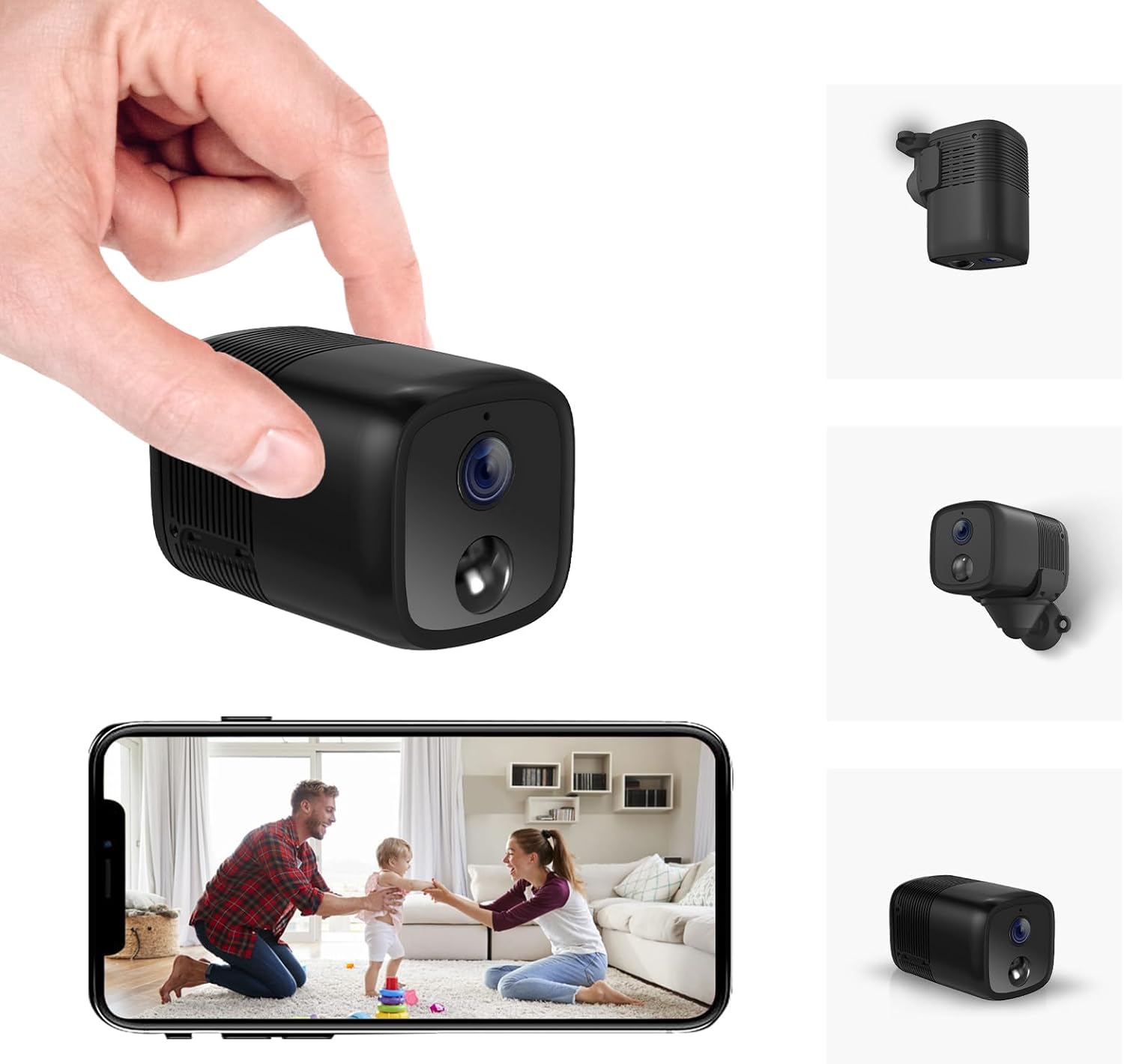
Image: The UCOCARE A90 Mini WiFi Camera shown with a hand holding it, and a smartphone displaying its live feed. Various mounting options are also depicted.
3. Product Overview
The UCOCARE A90 Mini WiFi Camera is designed for versatile placement and discreet monitoring. It features a compact design, a high-resolution lens, infrared LEDs for night vision, and a built-in microphone and speaker for two-way audio communication.
Key Features:
- 1080P HD Video Clarity
- Up to 10m Night Vision
- 5200mAh High-Capacity Battery
- Effortless Installation
- PIR Motion Detection
- Custom Settings via App
- Remote Viewing
- Built-in Siren
- Works with Alexa/Google Home
- Local (SD Card) and Cloud Storage Options

Image: An illustration highlighting the key features of the UCOCARE A90 camera, including 1080P HD, 10m night vision, 5200mAh battery, PIR motion detection, and smart home integration.
4. Setup
4.1 Charging the Camera
Before initial use, fully charge the camera using the provided Mini USB cable and a standard 5V USB power adapter (not included). The camera features a 5200mAh rechargeable battery with low-power technology, allowing for extended operation.

Image: A visual representation of the camera's 5200mAh battery and its low-power technology, indicating long usage time.
4.2 Inserting the Micro SD Card
Locate the Micro SD card slot on the camera. Gently insert the included 32GB Micro SD card until it clicks into place. The camera supports local storage up to 128GB (additional cards sold separately).
4.3 App Download and Installation
Download the companion mobile application from your device's app store (iOS or Android). Search for "UCOCARE" or refer to the QR code in the quick start guide.
4.4 Connecting to Wi-Fi
- Ensure your smartphone is connected to a 2.4GHz Wi-Fi network. The camera does not support 5GHz Wi-Fi.
- Open the UCOCARE app and follow the on-screen instructions to add a new device.
- Power on the camera. The indicator light will flash, indicating it is ready for pairing.
- Scan the QR code displayed on your phone with the camera lens, or follow alternative pairing methods provided in the app.
- Once connected, the indicator light will turn solid, and you will receive a confirmation in the app.
4.5 Mounting Options
The UCOCARE A90 camera is compact and cable-free, allowing for flexible placement. Use the included magnetic mount and metal patch to secure the camera to various surfaces. It can be placed upright, mounted on a wall, or even installed upside down, with image rotation adjustable in the app.

Image: The UCOCARE A90 camera shown with its magnetic mount, demonstrating various installation possibilities such as upright, wall-mounted, and ceiling-mounted.
5. Operating Instructions
5.1 Live View
Open the UCOCARE app and select your camera from the device list to access the live video feed. You can view the scene in 1080P HD resolution.
5.2 Recording
- Continuous Recording: If an SD card is inserted, the camera can record continuously. Older footage will be automatically overwritten when the storage is full.
- Motion-Activated Recording: The camera will automatically record when motion is detected. These recordings are saved to the SD card or cloud storage.
5.3 Night Vision
The camera is equipped with 6 x 850nm infrared LEDs. In low-light conditions, the camera automatically switches to night vision mode, providing clear black-and-white video up to 10 meters.

Image: Examples of video clarity during daytime and nighttime, demonstrating the camera's ability to capture clear images in both conditions up to 10 meters in the dark.
5.4 Two-Way Audio
Utilize the built-in microphone and speaker to communicate remotely through the camera. Tap the microphone icon in the app to speak, and listen through the speaker.

Image: A child interacting with the camera, illustrating the two-way audio feature for remote communication.
5.5 Motion Detection & Alerts
The camera features PIR motion detection with an AI algorithm to reduce false alarms. When motion is detected:
- You will receive instant real-time alerts on your smartphone.
- The camera will automatically begin video recording.
- A built-in siren can be activated via the app to deter intruders.
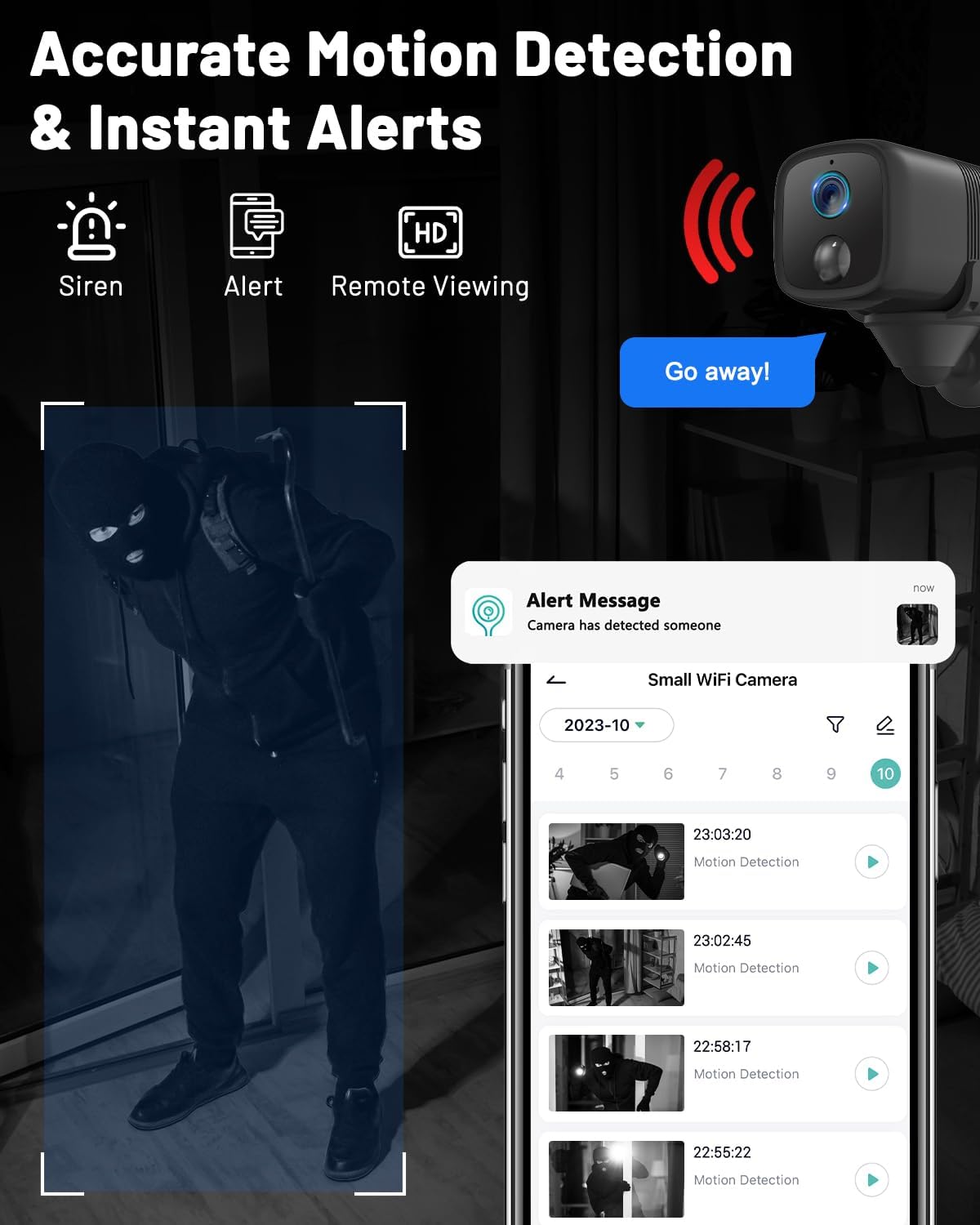
Image: A sequence showing motion detection, an alert message on a smartphone, and a timeline of recorded motion events.
5.6 Storage Options
The UCOCARE A90 offers flexible storage solutions:
- Local Storage: Records to the inserted Micro SD card (up to 128GB, 32GB included).
- Cloud Storage: Optional cloud service for secure storage and access to recordings (free 7-day trial may be available).

Image: An illustration depicting both cloud storage and local storage (Micro SD card up to 128GB) options for the camera.
5.7 Smart Home Integration
The camera is compatible with Amazon Alexa and Google Assistant, allowing for voice control and integration into your smart home ecosystem. Follow the instructions in the UCOCARE app to link your camera with these services.

Image: A tablet displaying the camera's live feed, with text indicating compatibility with Alexa and Google Assistant.
6. Maintenance
6.1 Battery Care
- Charge the camera regularly to maintain battery health.
- Avoid exposing the camera to extreme temperatures, which can affect battery life.
6.2 Cleaning
Use a soft, dry cloth to clean the camera lens and body. Avoid using harsh chemicals or abrasive materials that could damage the device.
6.3 Firmware Updates
Periodically check the UCOCARE app for available firmware updates. Keeping your camera's firmware up-to-date ensures optimal performance and access to new features.
7. Troubleshooting
| Issue | Possible Cause | Solution |
|---|---|---|
| Camera not connecting to Wi-Fi | Incorrect Wi-Fi password; 5GHz network used; camera too far from router. | Ensure correct 2.4GHz Wi-Fi password. Move camera closer to router. Restart camera and router. |
| No video feed in app | Camera offline; poor network connection; app issue. | Check camera's power and Wi-Fi connection. Restart app. Verify internet connectivity. |
| Motion detection not working | Motion detection disabled; incorrect sensitivity settings; camera placement. | Enable motion detection in app settings. Adjust sensitivity. Ensure camera has a clear view of the area. |
| SD card not recording | SD card full or corrupted; not inserted correctly; recording settings. | Format SD card via app. Reinsert SD card. Check recording settings in app. Replace SD card if corrupted. |
| Short battery life | Frequent motion detection; continuous recording; extreme temperatures. | Adjust motion detection frequency/sensitivity. Use motion-activated recording instead of continuous. Avoid extreme temperatures. |
8. Specifications
| Feature | Detail |
|---|---|
| Model Number | A90 |
| Brand | UCOCARE |
| Dimensions (L x W x H) | 6 x 3.7 x 3.7 cm |
| Weight | 140 grams |
| Video Resolution | 1080p FHD |
| Connectivity | Wi-Fi (2.4GHz only) |
| Power Source | Battery Powered (1 Lithium-ion battery included) |
| Battery Capacity | 5200mAh |
| Night Vision Range | Up to 10 meters |
| Special Features | HD Resolution, Night Vision, PIR Motion Detection, Two-Way Audio, Smart Home Integration |
| Storage | Micro SD card (up to 128GB, 32GB included), Cloud Storage |
| Material | Plastic |
9. Warranty and Support
UCOCARE provides 24/7 customer support for any product-related inquiries or issues. If you have questions or require assistance, please contact UCOCARE customer service through the contact information provided in the product packaging or on the official UCOCARE website. We are committed to resolving any concerns within 24 hours to ensure a satisfactory user experience.