
Sudio SD-1313
Sudio N2 True Wireless Earbuds
Instruction Manual
Introduction
The Sudio N2 earbuds are designed for seamless audio experience on the go. Featuring an open-ear design, multipoint Bluetooth connectivity, and a built-in microphone, they are suitable for music listening and clear calls. This manual provides essential information for setting up, operating, and maintaining your Sudio N2 earbuds.
What's in the Box
Your Sudio N2 package includes the following components:
- Sudio N2 True Wireless Earbuds (Left and Right)
- Wireless Charging Case
- USB Charging Cable

Image: Sudio N2 True Wireless Earbuds and their charging case.
Setup
1. Charging the Earbuds and Case
Before first use, fully charge your Sudio N2 earbuds and charging case. Connect the provided USB cable to the charging case and a power source. The earbuds charge within the case. A full charge for the earbuds takes approximately 120 minutes, and the charging case takes about 2 hours.
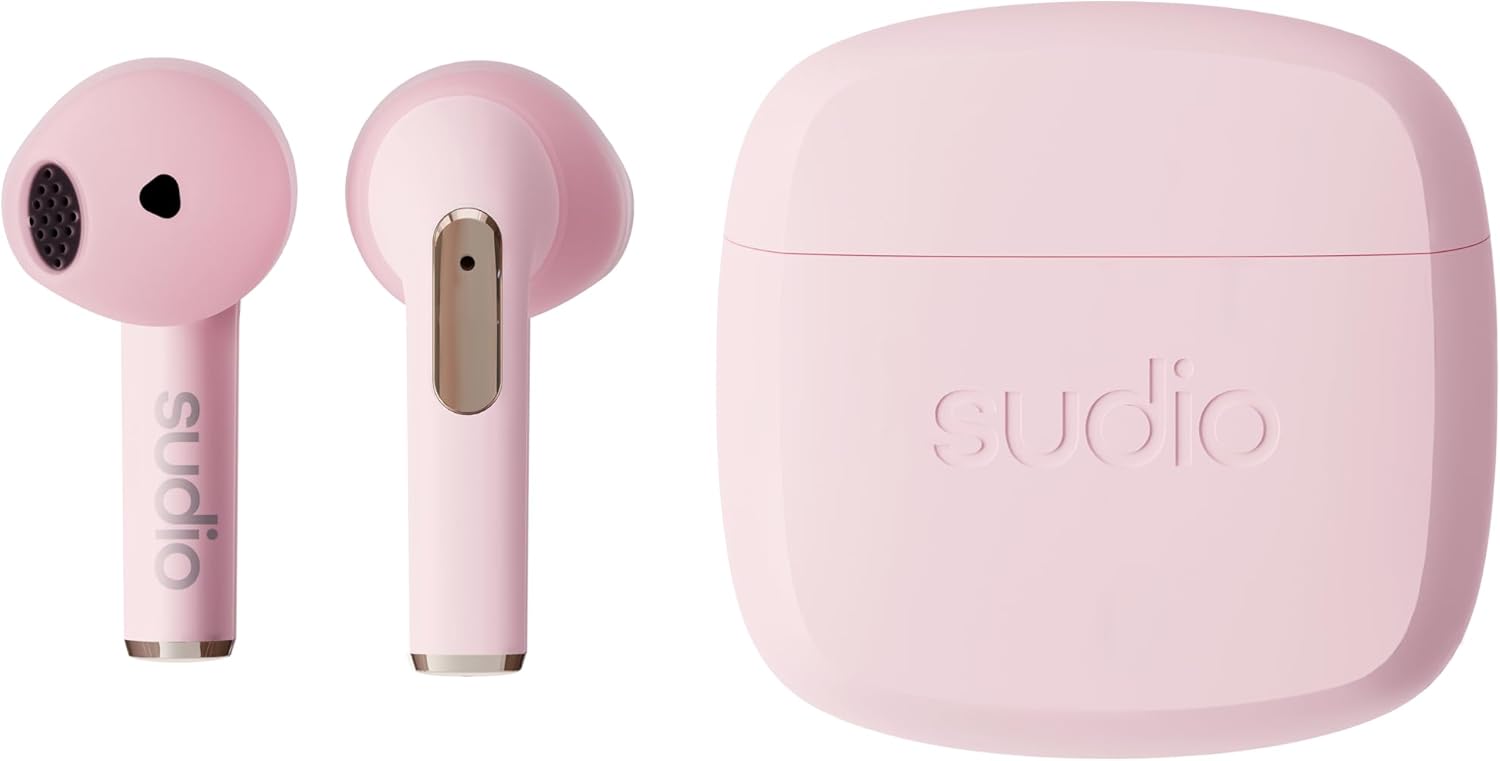
Image: The Sudio N2 charging case open, showing the earbuds inside, ready for charging.
2. Pairing with Your Device
The Sudio N2 earbuds utilize Bluetooth 5.3 for stable and efficient connection. They support multipoint connection, allowing you to connect to two devices simultaneously.
- Ensure the earbuds are in the charging case and the case has sufficient charge.
- Open the charging case. The earbuds will automatically enter pairing mode.
- On your device (smartphone, tablet, laptop), go to Bluetooth settings and select "Sudio N2 Pro" from the list of available devices.
- Once connected, a confirmation sound will play through the earbuds.
Video: A short demonstration of the Sudio N2 earbuds in use, highlighting their design and fit.
Operating Instructions
Wearing the Earbuds
The Sudio N2 features an open-ear design, which means they sit comfortably in your outer ear without sealing the ear canal. This allows for ambient sound awareness, ideal for outdoor activities or when you need to stay aware of your surroundings.

Image: A person wearing the Sudio N2 earbuds, showing the comfortable open-ear fit.
Touch Controls
Control your music and calls directly from the earbuds using the touch-sensitive areas:
- Single Tap: Play/Pause music, Answer/End call.
- Double Tap: Skip to next track (right earbud), Go to previous track (left earbud).
- Triple Tap: Volume up (right earbud), Volume down (left earbud).
- Press and Hold: Activate voice assistant, Reject call.
Calls and Microphone
The Sudio N2 earbuds feature a built-in microphone for clear hands-free calling. Ensure the earbuds are properly connected to your device for optimal call quality.
Water Resistance (IPX4)
The Sudio N2 earbuds are rated IPX4, meaning they are resistant to splashing water from any direction. This makes them suitable for workouts and light rain, but they are not designed for submersion in water.
Maintenance
To ensure the longevity and optimal performance of your Sudio N2 earbuds:
- Regularly clean the earbuds and charging case with a soft, dry, lint-free cloth.
- Avoid using abrasive materials or harsh chemicals.
- Keep the charging contacts on both the earbuds and the case clean and free of debris.
- Store the earbuds in their charging case when not in use to protect them and keep them charged.
Troubleshooting
If you encounter issues with your Sudio N2 earbuds, try the following solutions:
| Problem | Possible Solution |
|---|---|
| Earbuds not pairing/connecting | Ensure Bluetooth is enabled on your device. Place earbuds back in case, close, then open to re-enter pairing mode. Forget "Sudio N2 Pro" from your device's Bluetooth list and re-pair. Ensure earbuds and case are charged. |
| No sound or low volume | Check device volume and earbud volume. Ensure earbuds are properly seated in your ears. Reconnect the earbuds to your device. |
| One earbud not working | Place both earbuds in the charging case, close the lid, wait a few seconds, then open again. Ensure both earbuds are charged. |
| Touch controls not responding | Ensure your fingers are clean and dry. Try resetting the earbuds (refer to the full user manual for specific reset instructions if available, as it's not detailed in the provided data). |
| Poor sound quality (e.g., no bass) | Ensure earbuds are properly seated in your ears for optimal sound delivery. The open-ear design allows for ambient noise, which can affect perceived bass. |
Specifications
| Feature | Detail |
|---|---|
| Model Name | N2 (SD-1313) |
| Connectivity | Wireless (Bluetooth 5.3) |
| Earbud Battery Life | Up to 6 hours |
| Total Playtime (with case) | Up to 30 hours |
| Earbud Charging Time | Approx. 120 minutes |
| Case Charging Time | Approx. 2 hours |
| Water Resistance Rating | IPX4 (Splashproof) |
| Control Type | Touch |
| Bluetooth Range | 10 meters |
| Earbud Weight (each) | 3.5g |
| Case Weight | 32g |
| Total Product Weight | 39g |
| Material | Plastic |
Warranty and Support
For warranty information, technical support, or further assistance with your Sudio N2 earbuds, please visit the official Sudio website or contact Sudio customer service. Keep your proof of purchase for warranty claims.
Official Sudio Website: www.sudio.com
Related documentsSD-1313


Ask a question about this manual
Ask about setup, troubleshooting, compatibility, parts, safety, or missing instructions. Manuals+ will review the question and use this page’s manual context to help answer it.