
Introduction
Thank you for choosing the Funlenry Rechargeable Motion Sensor Ceiling Light. This versatile 7.5-inch light is designed to provide convenient and efficient illumination for various dark areas without requiring electrical wiring. Featuring an 8000mAh rechargeable battery, motion sensing capabilities, remote control operation, and adjustable brightness with three color temperatures, it is ideal for closets, showers, stairs, pantries, sheds, hallways, and garages.
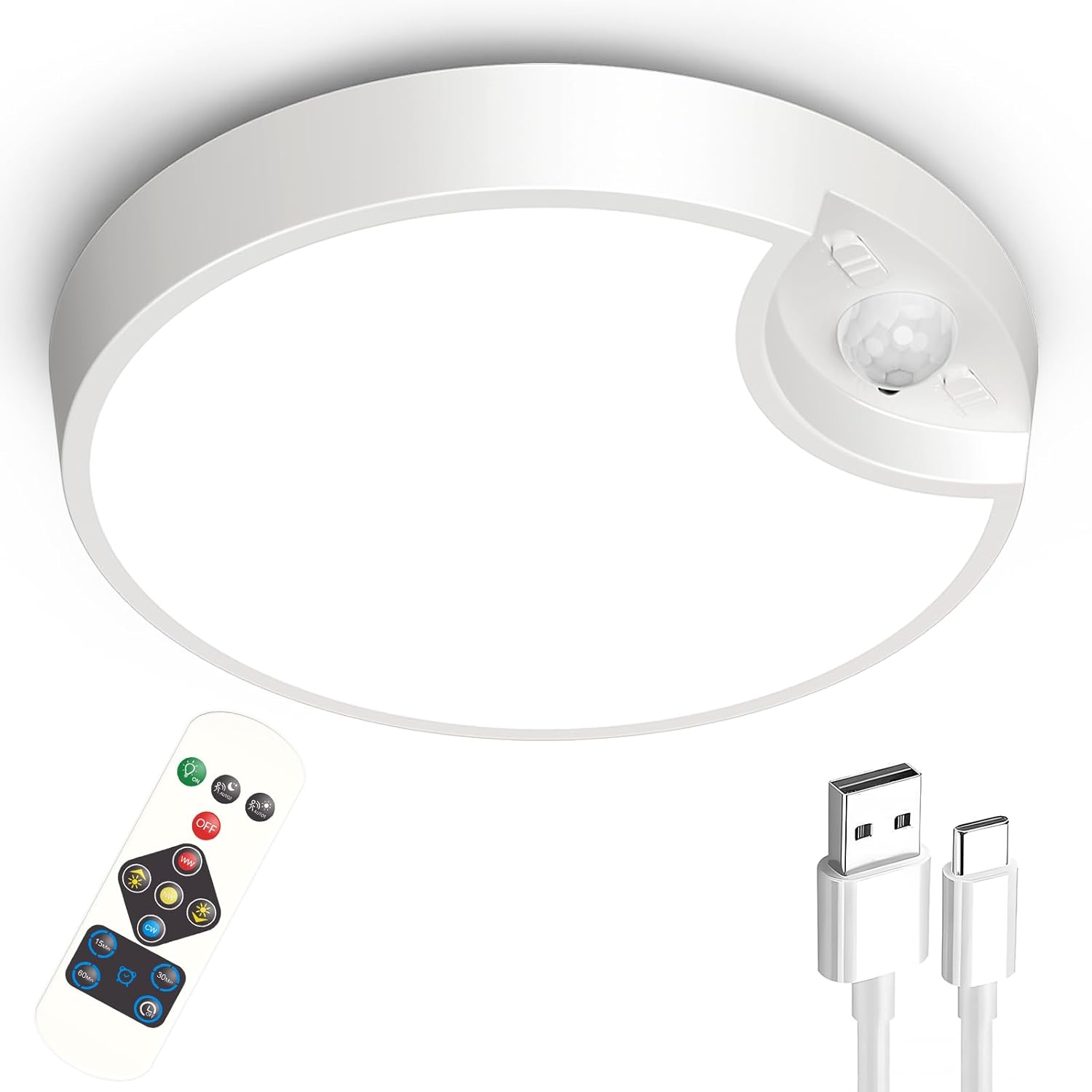
Figure 1: Funlenry Rechargeable Motion Sensor Ceiling Light with Remote, showing the light unit, remote control, and USB charging cable.
What's in the Box
Please check the package contents to ensure all items are present:
- 1 x Rechargeable Motion Sensor Light
- 1 x Remote Control
- 1 x USB Cable
- 4 x Anchors
- 4 x Screws
- 1 x User Manual
Safety Information
Please read all safety instructions before using the product. Failure to follow these instructions may result in electric shock, fire, or serious injury.
- Indoor Use Only: This product is designed for indoor use. Do not expose it to rain or moisture. The water resistance level is "Not Water Resistant".
- Charging: Use only the provided USB cable for charging. Do not attempt to charge with other cables or power adapters.
- Battery Care: Do not disassemble, puncture, or expose the built-in battery to extreme temperatures or fire.
- Installation: Ensure the mounting surface is stable and can support the weight of the light.
- Cleaning: Disconnect the light from any power source before cleaning. Use a soft, dry cloth. Do not use abrasive cleaners or immerse in water.
Setup & Installation
The Funlenry ceiling light is designed for easy DIY installation. No electrician is required.
- Step 1: Prepare the Mounting Surface.
Choose a suitable location for installation, such as a ceiling or wall. Ensure the surface is clean and flat. Mark the positions for drilling holes using the mounting bracket as a template.

Figure 2: Drilling pilot holes for the mounting screws.
- Step 2: Install the Mounting Bracket.
Drill holes at the marked positions. Insert the provided anchors into the drilled holes. Align the mounting bracket with the holes and secure it to the surface using the provided screws.

Figure 3: Securing the mounting bracket to the ceiling or wall.
- Step 3: Attach the Light Fixture.
Align the light fixture with the installed mounting bracket. Gently push the light onto the bracket and twist it clockwise until it locks securely into place.

Figure 4: Twisting the light fixture onto the mounted bracket for secure attachment.

Figure 5: Visual comparison highlighting the easy installation of the Funlenry light compared to traditional battery-operated lights requiring multiple batteries.
Charging the Device
The Funlenry ceiling light features a built-in 8000mAh rechargeable battery. To charge the device:
- Locate the USB charging port on the side of the light fixture.
- Connect the provided USB cable to the light's charging port and the other end to a standard USB power adapter (not included) or a computer USB port.
- The charging indicator light will illuminate during charging and turn off when fully charged.
- A full charge typically takes approximately 8 hours.
- In motion sensor mode, a full charge can last up to 45-90 days. In "Stay ON" mode, it can last up to 10 hours.
Operating Modes & Features
The light offers two primary working modes and several customizable features controlled via the included remote.
1. Motion Sensor Mode (AUTO ON)
In this mode, the light automatically turns on when motion is detected within a range of 9-16 feet. It will turn off automatically 20 seconds after motion ceases.

Figure 6: The light automatically activating in a closet when motion is detected, then turning off after 20 seconds of no motion.

Figure 7: Visual representation of the motion sensor detecting movement.
2. Stay ON Mode (Manual Control)
For situations requiring continuous illumination, you can set the light to "Stay ON" mode using the remote control. The light will remain on until manually turned off or a timer is set.

Figure 8: Using the remote control to keep the light continuously on in a bathroom setting.

Figure 9: Illustration of both motion sensor auto-on and remote control stay-on modes.
Adjustable Brightness & Color Temperatures
The light provides 400 lumens of brightness and offers 10 levels of dimming. You can also choose from three color temperatures to suit your preference:
- 3000K Warm White: For a cozy and inviting ambiance.
- 4000K Neutral White: A balanced light suitable for general tasks.
- 6000K Cool White: Bright and crisp light for enhanced visibility.

Figure 10: Visual representation of the light output at 3000K (Warm), 4000K (Neutral), and 6000K (Cool White).

Figure 11: Demonstrating the different color temperatures (3000K, 4000K, 6000K) in a closet environment.

Figure 12: Illustrating the adjustable brightness from 10% to 100% across 10 levels.
Timer Function
When in "Stay ON" mode, you can set a timer for the light to automatically turn off after a specified duration:
- 15 minutes
- 30 minutes
- 60 minutes
Remote Control
The compact remote control allows for convenient operation of all light functions:
- Switch between Motion Sensor (AUTO ON) and Stay ON modes.
- Adjust brightness (dimming).
- Change color temperature (3000K, 4000K, 6000K).
- Set auto-off timers (15/30/60 minutes).
- Manually turn the light ON/OFF.

Figure 13: Overview of remote control functionalities including mode switching, color changing, dimming, and timing.
Maintenance
Proper maintenance ensures the longevity and optimal performance of your Funlenry ceiling light.
- Cleaning: Wipe the light fixture with a soft, dry, or slightly damp cloth. Do not use harsh chemicals or abrasive materials.
- Battery Life: Recharge the light when the brightness noticeably diminishes or when the motion sensor becomes less responsive. Regular charging helps maintain battery health.
- Storage: If storing the light for an extended period, ensure it is fully charged and store it in a cool, dry place. Recharge every 3-6 months to prevent deep discharge.
Troubleshooting
If you encounter issues with your Funlenry ceiling light, please refer to the following common solutions:
| Problem | Possible Cause | Solution |
|---|---|---|
| Light does not turn on. | Battery is depleted. | Charge the light using the provided USB cable. A full charge takes about 8 hours. |
| Motion sensor is not working consistently. | Incorrect mode selected; sensor obstruction; low battery. | Ensure the light is set to Motion Sensor (AUTO ON) mode via the remote. Check for obstructions in front of the sensor. Recharge the battery. Perform a "Power On Reset" by turning the light off and on using the remote after charging. |
| Remote control is not responding. | Remote battery depleted; remote out of range; signal obstruction. | Ensure the remote's battery is functional (replace if necessary). Point the remote directly at the light. Reduce distance between remote and light. |
| Light is dim or flickers. | Low battery; incorrect brightness setting. | Recharge the light. Increase brightness using the remote control. |
Specifications
| Feature | Detail |
|---|---|
| Brand | Funlenry |
| Model Name | motion sensor light (T041) |
| Product Dimensions | 7.5"L x 7.5"W x 1.5"H |
| Item Weight | 1.1 Pounds |
| Power Source | Battery Powered (USB Rechargeable) |
| Battery Capacity | 8000mAh |
| Brightness | 400 Lumen |
| Color Temperatures | 3000K Warm White, 4000K Neutral White, 6000K Cool White |
| Dimmable | Yes (10 levels) |
| Motion Sensor Range | 9-16 feet |
| Auto-off Time (Motion Sensor) | 20 seconds |
| Timer Options (Stay ON) | 15min, 30min, 60min |
| Control Method | Remote Control, Motion Sensor |
| Installation Type | DIY (Ceiling Mount / Wall Mount) |
| Indoor/Outdoor Usage | Indoor |
| Water Resistance Level | Not Water Resistant |
Warranty
The Funlenry Rechargeable Motion Sensor Ceiling Light comes with a 3-Year Warranty from the date of purchase. This warranty covers manufacturing defects and material flaws under normal use. It does not cover damage caused by misuse, accidents, unauthorized modifications, or failure to follow the instructions in this manual.
Please retain your proof of purchase for warranty claims.
Support
For any questions, technical assistance, or warranty claims, please contact Funlenry customer support through the retailer's platform or the official Funlenry website. Our support team is available to assist you with any issues you may encounter.
You can visit the Funlenry Store for more information: Funlenry Store on Amazon


