
1. Product Overview
The SYLVOX Elf S2 is an outdoor waterproof soundbar designed to enhance your outdoor audio experience. Featuring IP65 water resistance, 60W powerful sound, and multiple connectivity options, it is built for durability and performance in various outdoor environments.
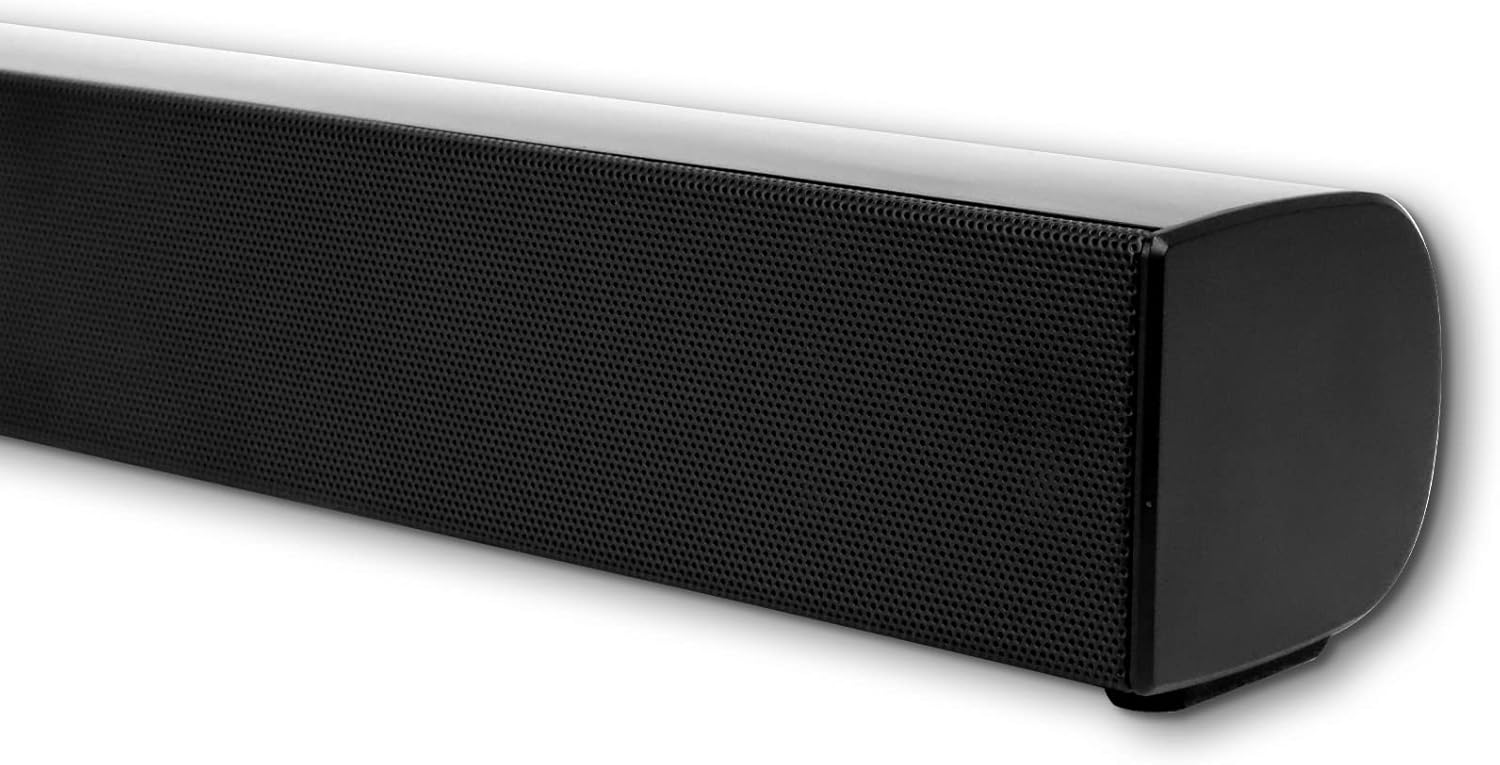
Image 1.1: Front view of the SYLVOX Elf S2 Outdoor Waterproof Soundbar.
Key Features:
- IP65 Waterproof Design: Engineered to withstand outdoor conditions, including rain and sun.
- 60W Output & 2.0 Channel: Delivers powerful and immersive sound.
- Versatile Connectivity: Supports Bluetooth, HDMI ARC, Optical, Coaxial, and RCA inputs.
- Multiple EQ Settings: Features 4 EQ modes (Movie, Music, Sports, News) for optimized audio.
- Wall Mountable: Includes a wall mount kit for flexible installation.

Image 1.2: Illustration of the soundbar's IP65 waterproof design, suitable for rain and sun.
2. Package Contents
Verify that all items listed below are included in your package. If any items are missing or damaged, please contact customer support.
- SYLVOX Elf S2 Soundbar (Main Unit)
- Remote Control (2 AAA batteries included)
- AC Power Cord
- HDMI Cable
- Wall Mount Kit (screws and template)
- User Manual (this document)
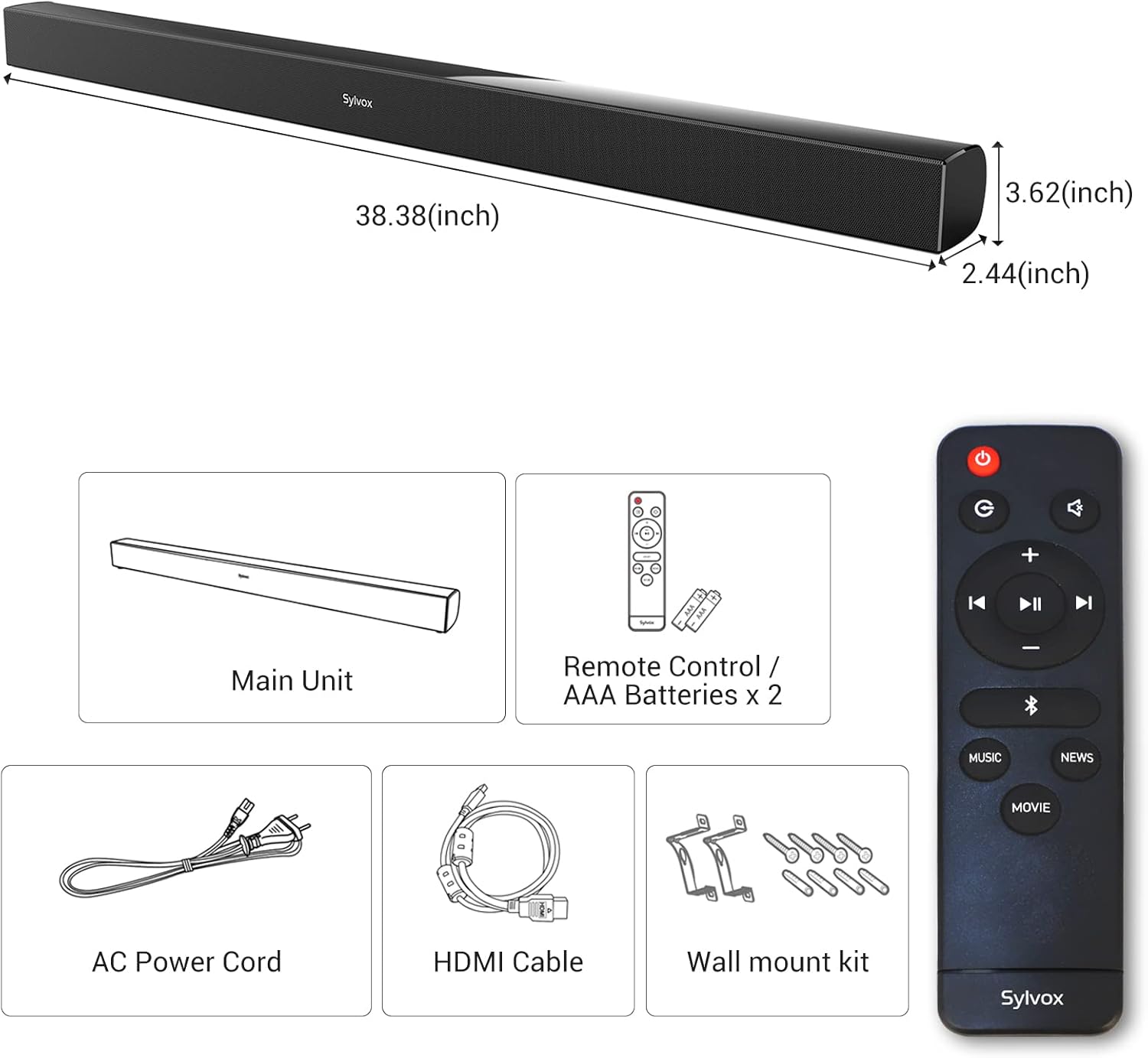
Image 2.1: Diagram showing the main unit, remote control, AC power cord, HDMI cable, and wall mount kit.
3. Setup
3.1 Physical Placement
The SYLVOX Elf S2 soundbar can be placed in front of your outdoor TV or mounted on a wall. Ensure the soundbar is positioned to provide optimal sound dispersion and is protected from direct impact.
Wall Mounting:
- Use the provided template to mark the drilling positions on the wall.
- Drill holes and insert wall anchors if necessary.
- Secure the wall mount brackets using the provided screws.
- Carefully attach the soundbar to the mounted brackets.

Image 3.1: The soundbar installed below an outdoor television.
3.2 Connecting to Power
Connect the AC power cord to the soundbar's AC input port and then plug it into a suitable outdoor power outlet. Ensure the outlet is protected from weather elements.
3.3 Audio Connections
The soundbar offers several ways to connect to your TV or other audio sources:
- HDMI ARC: Connect the provided HDMI cable from the soundbar's HDMI ARC port to your TV's HDMI ARC port. This allows for high-quality audio transmission and TV remote control of the soundbar volume.
- Optical: Use an optical cable (not included) to connect the soundbar's OPTICAL input to your TV's optical output.
- Coaxial: Use a coaxial cable (not included) to connect the soundbar's COAXIAL input to your TV's coaxial output.
- RCA: Use an RCA audio cable (not included) to connect the soundbar's RCA inputs to your audio source's RCA outputs.
- USB-A: For playing audio files directly from a USB storage device.
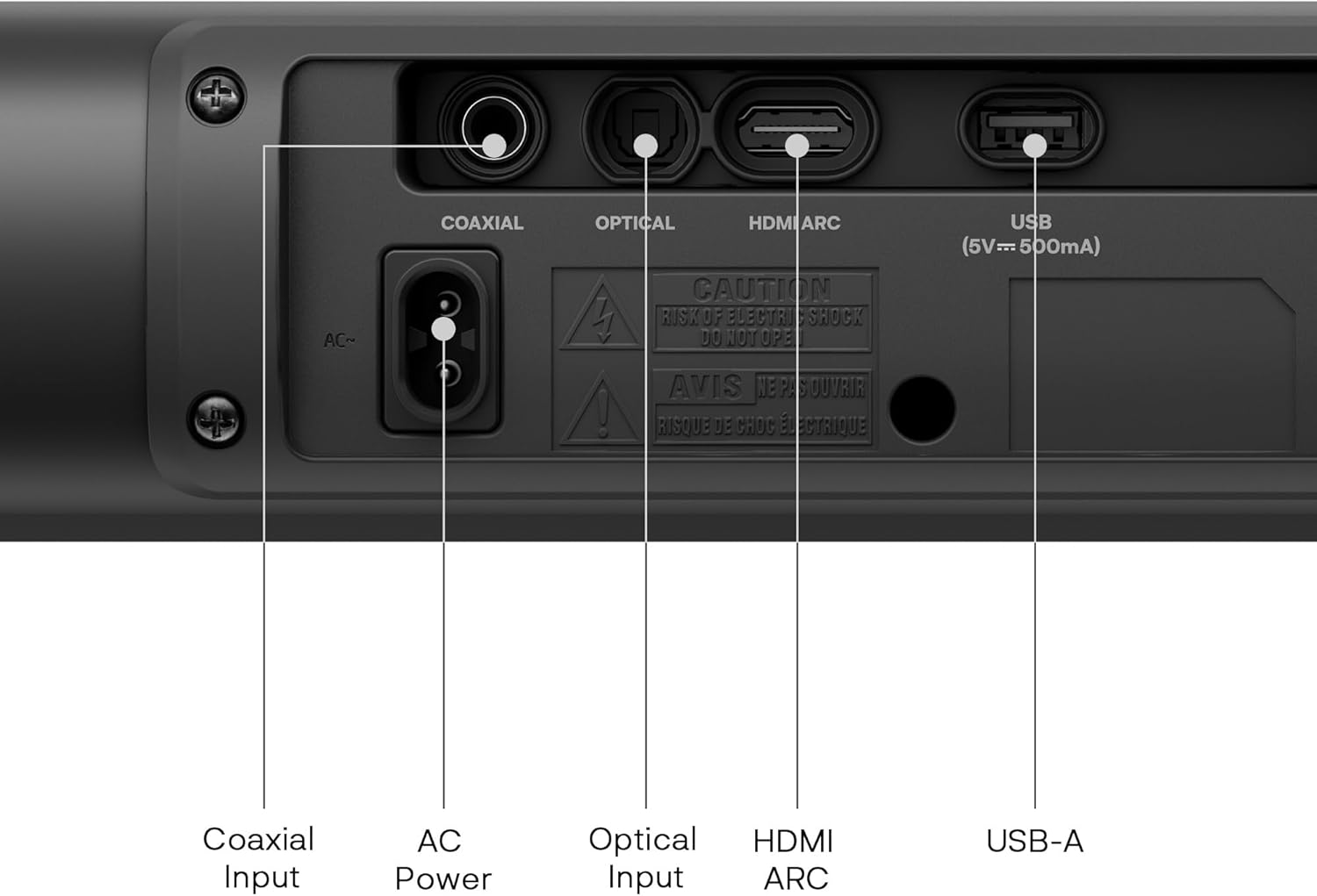
Image 3.2: Rear panel showing Coaxial Input, AC Power, Optical Input, HDMI ARC, and USB-A ports.
4. Operating Instructions
4.1 Power On/Off
Press the Power button on the remote control or on the soundbar to turn the unit on or off.
4.2 Input Selection
Press the Input button on the remote control to cycle through available input sources: HDMI ARC, Optical, Coaxial, RCA, and Bluetooth.
4.3 Volume Control
Use the Volume + and Volume - buttons on the remote control to adjust the sound level. Press the Mute button to temporarily silence the sound.
4.4 Bluetooth Pairing
- Turn on the soundbar and select Bluetooth input mode. The indicator light will flash, indicating it is in pairing mode.
- Enable Bluetooth on your mobile device or computer and search for available devices.
- Select "SYLVOX Elf S2" from the list of devices.
- Once paired, the indicator light will stop flashing and remain solid.

Image 4.1: Illustration of wireless audio streaming via Bluetooth to the soundbar.
4.5 EQ Modes
The soundbar features four preset equalizer modes to optimize audio for different content types. Press the dedicated buttons on the remote control to switch between modes:
- Movie Mode: Enhances dialogue and cinematic effects.
- Music Mode: Provides balanced audio for music playback.
- Sports Mode: Boosts crowd noise and commentary for sports events.
- News Mode: Clarifies speech for news and talk shows.

Image 4.2: Visual representation of the four available EQ modes.
5. Maintenance
To ensure the longevity and optimal performance of your SYLVOX Elf S2 soundbar, follow these maintenance guidelines:
- Cleaning: Use a soft, damp cloth to clean the exterior of the soundbar. Avoid abrasive cleaners or solvents.
- Water Exposure: While the soundbar is IP65 waterproof, avoid prolonged submersion or high-pressure water jets. Ensure all port covers are securely closed when not in use.
- Storage: If storing the soundbar for an extended period, keep it in a cool, dry place away from direct sunlight and extreme temperatures.
- Battery Replacement: Replace the remote control batteries (2 AAA) when they are depleted.
6. Troubleshooting
If you encounter issues with your soundbar, refer to the following common problems and solutions:
| Problem | Possible Cause | Solution |
|---|---|---|
| No power | Power cord not connected; Power outlet faulty | Ensure power cord is securely connected. Try a different power outlet. |
| No sound | Incorrect input selected; Volume too low; Mute activated; Cable connection loose | Select correct input source. Increase volume. Deactivate mute. Check audio cable connections. |
| Bluetooth pairing fails | Soundbar not in pairing mode; Device too far; Interference | Ensure soundbar is in Bluetooth pairing mode. Move device closer. Avoid sources of interference. |
| Remote control not working | Batteries depleted; Obstruction between remote and soundbar | Replace remote control batteries. Remove any obstructions. |
If the problem persists after trying these solutions, please contact customer support.
7. Specifications
Detailed technical specifications for the SYLVOX Elf S2 Outdoor Waterproof Soundbar:
| Feature | Specification |
|---|---|
| Brand | SYLVOX |
| Model Name | Elf S2 |
| Speaker Maximum Output Power | 60 Watts |
| Frequency Response | 60 Hz |
| Connectivity Technology | Bluetooth, HDMI, Optical, Coaxial, USB-A |
| Audio Output Mode | Stereo, Surround |
| Mounting Type | Bar Mount, Wall Mount |
| Enclosure Material | Plastic |
| Additional Features | 4 EQ Modes, Waterproof (IP65) |
| Color | Black |
| Water Resistance Level | Waterproof (IP65) |
| Bluetooth Range | 10 Meters |
| Number of Audio Channels | 2.0 |
| Compatible Devices | Television |
| Power Source | Corded Electric |
| Item Dimensions (D x W x H) | 2.44"D x 38.38"W x 3.62"H |
| Control Method | Remote, Button |
| Batteries Required | 2 AAA batteries (included for remote) |
8. Warranty and Support
8.1 Warranty Information
The SYLVOX Elf S2 Soundbar comes with a Limited Warranty. Please refer to the warranty card included in your package for specific terms and conditions. Generally, this includes a 12-month free defect protection and free returns for quality issues within 30 days, requiring original packaging.
8.2 Customer Support
For technical assistance, troubleshooting, or warranty claims, please contact SYLVOX customer support. Contact details can typically be found on the official SYLVOX website or on the product packaging.
9. Product Videos
Watch these official videos for additional information on the SYLVOX Elf S2 Soundbar and related products.
SYLVOX Outdoor TV Performance in Real Patio Setup
Video 9.1: This video demonstrates the performance of a SYLVOX Outdoor TV, which pairs well with the Elf S2 soundbar, in a typical patio environment. It showcases the visual and audio experience in an outdoor setting.
SYLVOX Outdoor TV S2 Speaker and Stand Full Unboxing
Video 9.2: This video provides a full unboxing experience for the SYLVOX Outdoor TV S2, including the speaker and stand. It offers a visual guide to what to expect when opening the product packaging and assembling the components.


