
1. Introduction
This manual provides instructions for the ECONTROLLY WC-L03SE KTDZ00 replacement remote control, designed to operate Toshiba WH-L11SE series air conditioners. This remote control requires no programming and is ready for use once batteries are installed.
2. Setup: Battery Installation
The remote control is powered by two (2) AAA batteries (not included). Follow these steps to install the batteries:
- Locate the battery compartment cover on the back of the remote control.
- Slide the cover downwards to open the compartment.
- Insert two new AAA batteries, ensuring the positive (+) and negative (-) terminals align correctly with the markings inside the compartment.
- Slide the battery compartment cover back into place until it clicks securely.
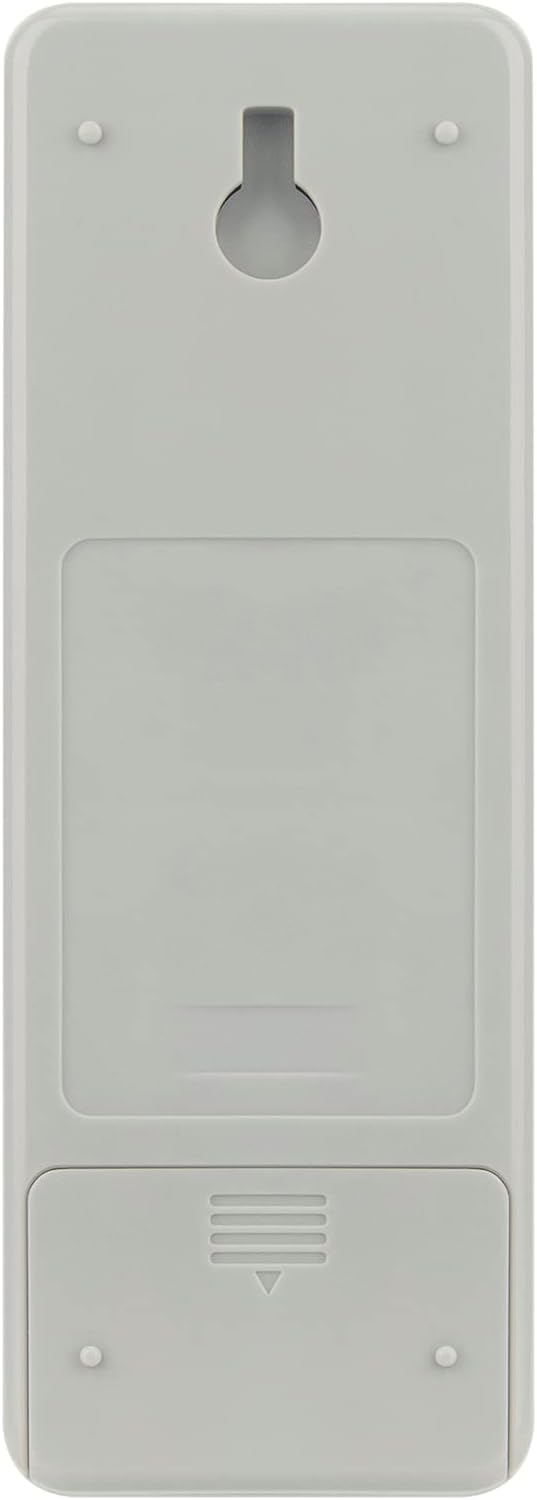
Image: Back of the remote control with the battery compartment.
Once batteries are installed, the remote control is ready for immediate use with compatible Toshiba WH-L11SE air conditioners.
3. Operating Instructions
This section describes the primary functions of the buttons on your ECONTROLLY WC-L03SE remote control.

Image: Front view of the remote control, displaying all buttons and the LCD screen.
- POWER (Red Button): Turns the air conditioner ON or OFF.
- TEMP ▲/▼: Adjusts the temperature setting up or down.
- FAN: Cycles through fan speed settings (e.g., Auto, Low, Medium, High).
- MODE: Selects the operating mode (e.g., Cool, Heat, Dry, Fan, Auto).
- PRESET: Recalls a previously saved preferred setting.
- ONE-TOUCH: Activates a pre-programmed comfort setting with a single press.
- QUIET: Reduces the air conditioner's operating noise level.
- COMFORT SLEEP: Activates a specialized mode for comfortable sleep, often adjusting temperature gradually.
- SWING: Controls the vertical swing of the air conditioner's louvers.
- FIX: Stops the louver swing at a desired position.
- HI-POWER: Activates maximum cooling or heating for rapid temperature change.
- ECO: Engages energy-saving mode.
- TIMER ON/OFF: Sets the time for the air conditioner to turn ON or OFF automatically.
- CLR (Clear): Clears timer settings.
- SET: Confirms timer or other settings.
- SLEEP: Activates sleep mode, similar to Comfort Sleep.
- CHK (Check): Used for system checks or error code display.
- FILTER: Indicates when the air filter needs cleaning or resetting the filter indicator.
- CLOCK: Sets the current time on the remote's display.

Image: Angled view of the remote control.
4. Maintenance
4.1. Battery Replacement
Replace batteries when the remote's display becomes dim or the air conditioner no longer responds reliably to commands. Always replace both batteries at the same time with new AAA alkaline batteries. Do not mix old and new batteries, or different types of batteries.
4.2. Cleaning
To clean the remote control, wipe it gently with a soft, dry cloth. Do not use liquid cleaners, sprays, or abrasive materials, as these can damage the remote's surface or internal components.
5. Troubleshooting
| Problem | Possible Cause | Solution |
|---|---|---|
| Remote control not working. |
|
|
| Air conditioner responds intermittently. |
|
|
6. Specifications
- Model Number: WC-L03SE
- Brand: ECONTROLLY
- Compatible Devices: Toshiba WH-L11SE Air Conditioners
- Power Source: 2 x AAA Batteries (not included)
- Product Dimensions: 7 x 2 x 0.65 inches
- Item Weight: 3 ounces
- Color: White
- Special Feature: Ergonomic design
7. Warranty and Support
This product is a replacement remote control. For specific warranty information, please refer to the terms provided by the seller at the time of purchase. If you encounter any issues or require further assistance, please contact the seller or manufacturer directly through your purchase platform.
For general inquiries or support regarding your Toshiba air conditioner, please refer to the original air conditioner's user manual or contact Toshiba customer service.