
1. Introduction
The XTUGA A140 is a professional 4-channel UHF wireless microphone system designed to deliver clear and reliable audio performance for various applications. This system is ideal for events such as church services, karaoke sessions, weddings, conferences, and small live performances, offering stable signal transmission and ease of use. This manual provides comprehensive instructions for setting up, operating, maintaining, and troubleshooting your A140 wireless microphone system.
2. Package Contents
Please verify that all items listed below are included in your package:
- 1 x 4-Channel UHF Wireless Receiver
- 4 x UHF Wireless Handheld Microphones
- 2 x Antennas
- 1 x Power Adapter
- 1 x 1/4" Audio Cable
- 1 x User Manual (this document)
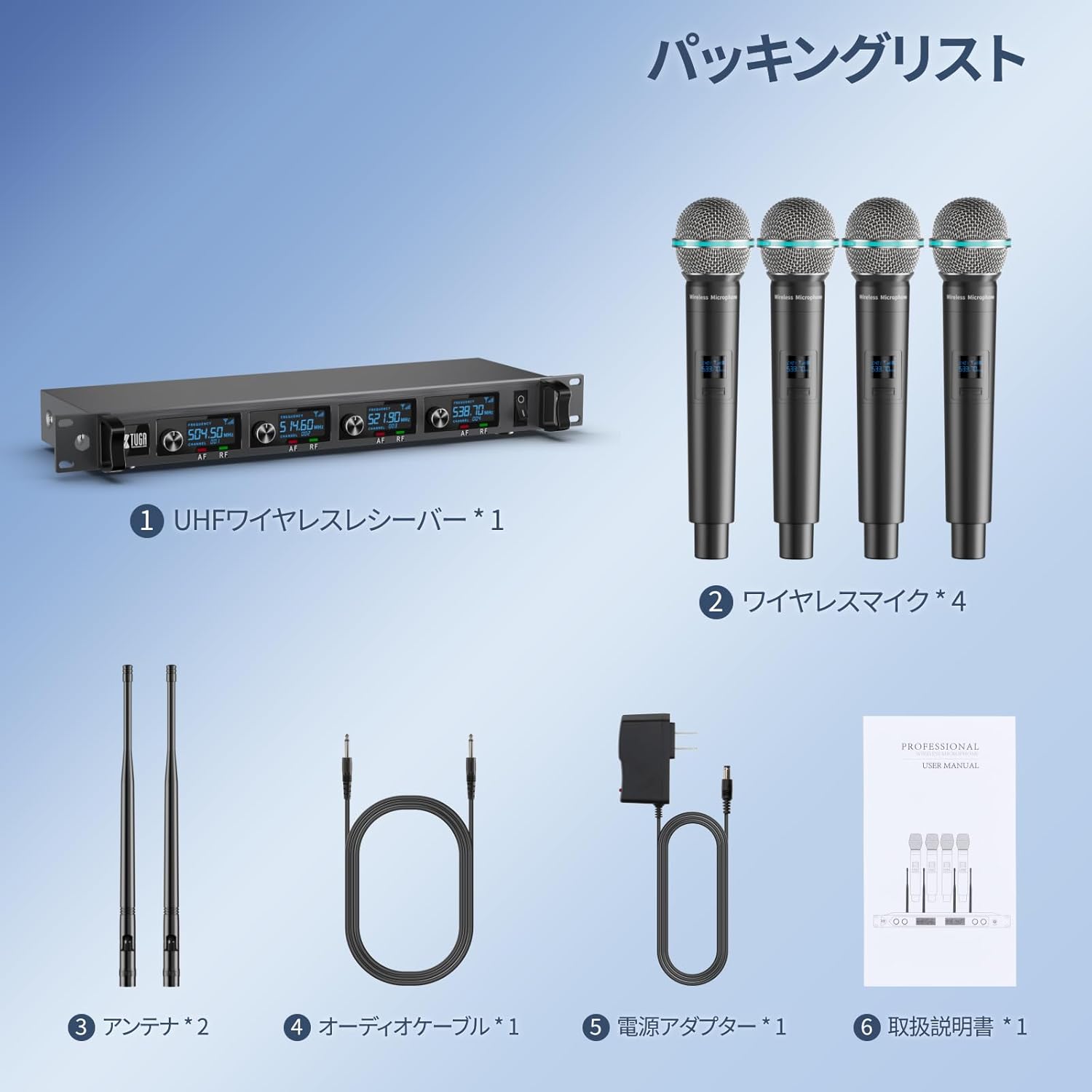
Image: Contents of the XTUGA A140 package, including the receiver, four microphones, antennas, power adapter, and cables.
3. Product Overview
3.1. System Components
The XTUGA A140 system consists of a central receiver unit and four handheld wireless microphones. The receiver processes the audio signals from the microphones, and each microphone operates on a fixed UHF frequency to ensure stable performance.
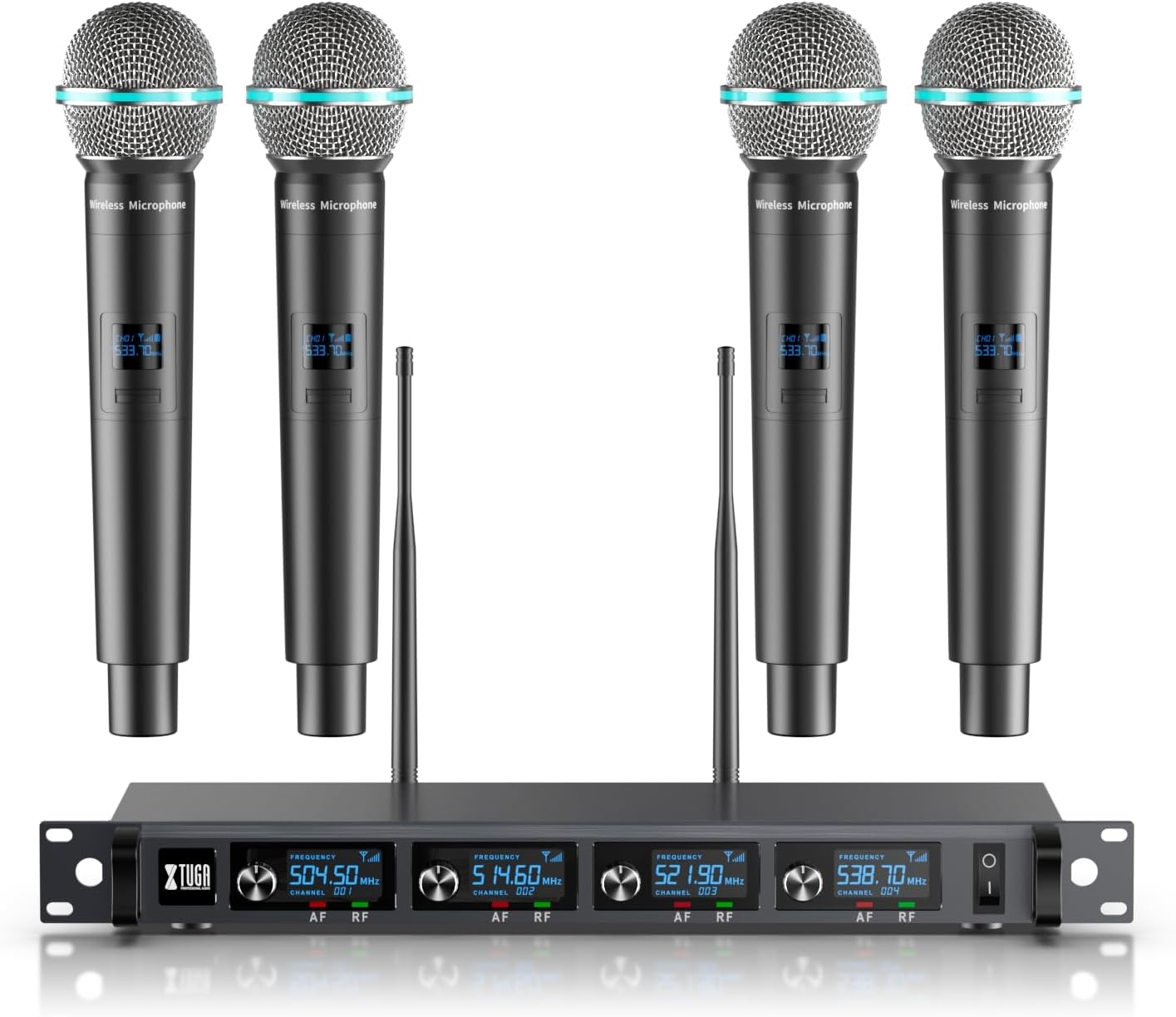
Image: The complete XTUGA A140 wireless microphone system, showing the receiver and four handheld microphones.
3.2. Receiver Features
The receiver unit features a robust all-metal construction for durability. It includes a high-quality LCD display that shows the operating status and battery level of each connected microphone. For connectivity, the receiver is equipped with four XLR balanced outputs and a 1/4-inch (6.35mm) mixed output jack, allowing flexible connection to various external audio devices.
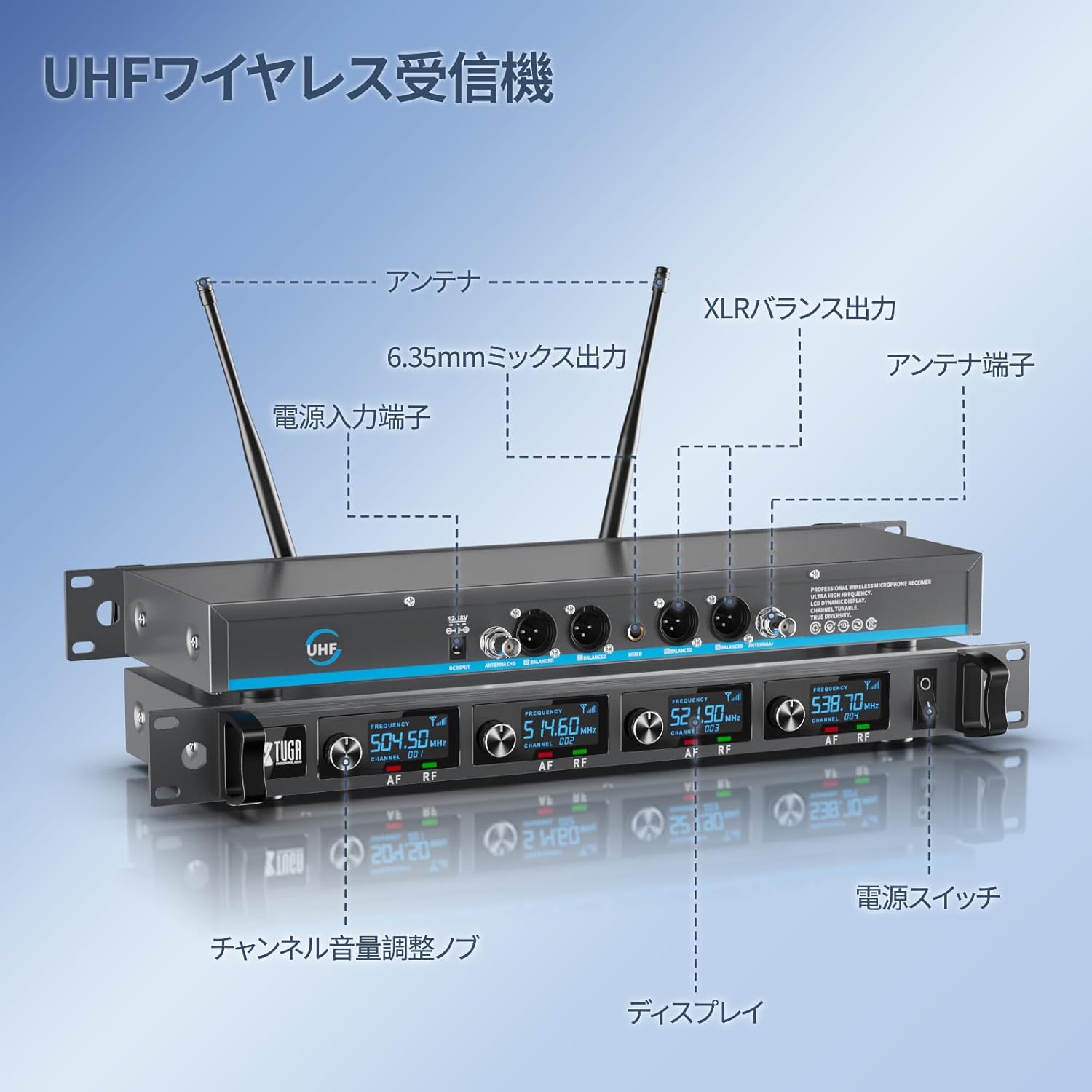
Image: Detailed diagram of the XTUGA A140 receiver, highlighting input/output ports, antennas, and display.
3.3. Microphone Features
Each handheld microphone is constructed with durable metal, designed for heavy use and to protect internal components. They feature high-sensitivity unidirectional dynamic cartridges, specifically engineered to minimize feedback and interference, ensuring smooth sound pickup and clear audio transmission. An LCD display on each microphone provides real-time battery status and operating information.

Image: Close-up view of an XTUGA A140 microphone, illustrating its metal construction, LCD display, and battery compartment.

Image: Diagram illustrating the cardioid polar pattern of the XTUGA A140 microphone, showing its directional sound pickup.
4. Setup
- Unpack the System: Carefully remove all components from the packaging.
- Connect Antennas: Screw the two included antennas into the antenna ports located on the rear of the receiver unit. Ensure they are securely tightened.
- Power the Receiver: Connect the power adapter to the DC input on the receiver and plug it into a suitable power outlet.
- Install Microphone Batteries: Each handheld microphone requires two AA batteries (not included). Unscrew the bottom part of the microphone to access the battery compartment and insert the batteries, observing the correct polarity.
- Connect to Audio System: Use the 1/4" audio cable or XLR cables (not included) to connect the receiver's output to your amplifier, mixer, or PA system. The receiver offers individual XLR outputs for each channel and a mixed 1/4" output.
- Power On: Turn on the power switch on the receiver unit. Then, turn on each microphone using its power switch. The LCD displays on both the receiver and microphones should illuminate, indicating they are powered on and ready for use.
5. Operating Instructions
5.1. Basic Operation
- Ensure the receiver and microphones are powered on as described in the Setup section.
- Adjust the individual volume controls for each microphone channel on the receiver to achieve the desired audio level.
- Speak or sing into the microphone from a suitable distance (typically 2-6 inches) for optimal sound pickup.
- Monitor the LCD displays on both the receiver and microphones for battery status and signal strength.
5.2. Operating Range
The XTUGA A140 system offers a stable operating range of up to 300 feet (approximately 80 meters) in open areas. Environmental factors such as walls, obstacles, and other wireless devices may affect the actual operating range. For best performance, maintain a clear line of sight between the microphones and the receiver.

Image: Illustration depicting the effective operating range of the XTUGA A140 wireless microphone system, showing stable signal reception over distance.
5.3. Connectivity with External Devices
The receiver's multiple output options allow connection to a variety of audio equipment:
- XLR Balanced Outputs: Use these outputs for professional audio setups, connecting each microphone channel individually to a mixer or audio interface for separate control.
- 1/4" Mixed Output: This output combines all microphone signals into a single stereo or mono output, suitable for connecting to amplifiers, karaoke machines, or sound cards.

Image: Diagram showing the XTUGA A140 receiver connected to various external audio devices such as power amplifiers, PA systems, sound cards, karaoke speakers, and mixers.
5.4. Application Scenarios
The XTUGA A140 system is versatile and suitable for numerous applications:
- Home Karaoke
- Company Meetings and Presentations
- Live Performances and Gigs
- Weddings and Ceremonies
- Church Services and Public Speaking

Image: Collage showing various scenarios where the XTUGA A140 system can be used, including home karaoke, business meetings, live music, and weddings.
6. Maintenance
- Cleaning: Use a soft, dry cloth to clean the receiver and microphones. Avoid using abrasive cleaners or solvents.
- Battery Replacement: Replace microphone batteries when the low battery indicator appears on the LCD display to ensure uninterrupted performance.
- Storage: When not in use for extended periods, remove batteries from the microphones and store the system in a cool, dry place away from direct sunlight and extreme temperatures.
- Handle with Care: Although the microphones are built with durable metal, avoid dropping them or subjecting them to strong impacts to prevent damage to internal components.
7. Troubleshooting
| Problem | Possible Cause | Solution |
|---|---|---|
| No sound from microphones. |
|
|
| Interference or static noise. |
|
|
| Microphone On/Off switch malfunction. |
|
|
8. Specifications
| Feature | Receiver | Transmitter (Microphone) |
|---|---|---|
| Signal-to-Noise Ratio | >90dB | N/A |
| Audio Output | 250mV | N/A |
| Channels | 4 Channels | N/A |
| Frequency Response | 30~18KHz | 60-15KHz |
| Sensitivity | <-105dBm@20dBsinada | N/A |
| Operating Range | 80 meters (typical conditions) | N/A |
| Carrier Frequency Range | A: 504.50MHz, 514.60MHz, 521.90MHz, 538.70MHz | N/A |
| Weight | 3.3 kg (Product Size: 52 x 31 x 13 cm) | 33 grams (Microphone Size: 5 x 24.5 cm) |
| Microphone Type | N/A | Dynamic |
| High Frequency Suppression | N/A | 65dB |
| Output Impedance | N/A | 600Ω (±15%) |
| Polar Pattern | N/A | Unidirectional |
| Power Source | Power Cord | 1.5V AA Battery x 2 |

Image: A table summarizing the technical specifications of the XTUGA A140 receiver and microphones, including dimensions.
9. Warranty and Support
The XTUGA A140 Wireless Microphone System comes with a 1-year hassle-free parts and labor warranty, ensuring high quality and reliability. This warranty covers defects in materials and workmanship under normal use.
For technical support, troubleshooting assistance beyond this manual, or warranty claims, please contact XTUGA customer service through the retailer where you purchased the product or visit the official XTUGA brand store online. Please have your product model number (A140) and purchase information ready when contacting support.
Online Resources:


