Introduction
The IFORWAY Portable Power Station is a versatile and compact power solution designed for various applications, including outdoor camping, family travel, and emergency backup. With a 154Wh/41600mAh lithium battery and 200W output, it can efficiently charge a wide range of electronic devices such as phones, tablets, laptops, cameras, fans, and CPAP machines.
Its lightweight design and multiple charging options make it an ideal companion for off-grid adventures or as a reliable power source during outages.
Important Safety Instructions
Please read and understand all safety instructions before operating the IFORWAY Portable Power Station. Failure to follow these instructions may result in electric shock, fire, or serious injury.
- Do not disassemble, repair, or modify the unit.
- Do not expose the unit to fire or extreme temperatures (above 40°C/104°F or below -10°C/14°F).
- Do not use or store the unit in a bathroom or in areas exposed to rain or moisture.
- Use only the provided or approved accessories.
- Keep out of reach of children.
- Ensure proper ventilation during use and charging.
- Avoid dropping or subjecting the unit to strong impacts.
- The unit features multiple safety protections including over temperature, short circuit, over discharge, over recharge, over power, and over voltage protection.
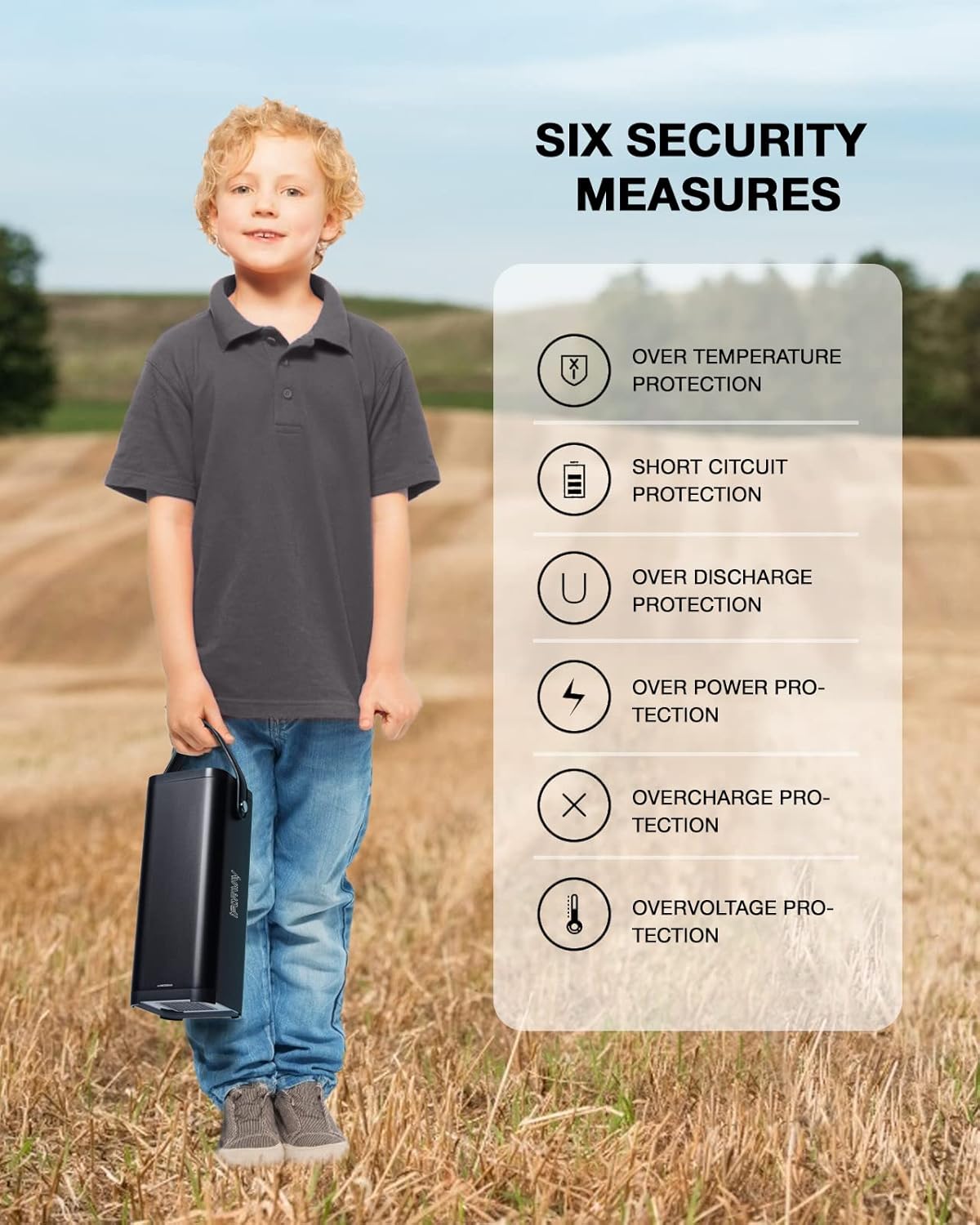
Figure 1: Built-in Six Security Measures for safe operation.
What's in the Box
Upon unboxing your IFORWAY Portable Power Station, please verify that all the following items are included:
- 1 x IFORWAY Portable Power Station
- 1 x DC Adapter
- 1 x AC Cable
- 1 x User Manual (this document)

Figure 2: The IFORWAY Portable Power Station, compact and ready for use.
Product Overview and Ports
Familiarize yourself with the various ports and features of your power station:
- AC Output (110V/200W): Standard power outlet for appliances.
- USB-A Output (x2, 5V 2.4A): For charging smartphones, tablets, and other USB-powered devices.
- QC3.0 Quick Charge (Max 18W): For faster charging of compatible devices.
- DC Input (19V-2A): For charging the power station itself via AC adapter, solar panel, or car charger.
- LED Flashlight: Integrated light with Normal, SOS, and Strobe modes.

Figure 3: Overview of the power station's output ports.
Setup
Initial Charging
Before first use, it is recommended to fully charge your IFORWAY Portable Power Station. This ensures optimal battery performance and longevity.
- Connect the provided DC Adapter to the DC Input port on the power station.
- Plug the AC Cable into the DC Adapter and then into a standard wall outlet.
- The charging indicator lights on the power station will illuminate, indicating that it is charging. The unit is fully charged when all indicator lights are solid.
Operating Instructions
Charging the Power Station
Your IFORWAY Portable Power Station can be charged using three methods:
- AC Wall Outlet: Use the included DC Adapter and AC Cable.
- Solar Panel (MPPT): Connect a compatible solar panel (not included) to the DC Input port. The built-in MPPT controller optimizes solar charging efficiency.
- Car Charger: Connect a compatible car charger (not included) to the DC Input port.

Figure 4: Multiple charging methods for the power station.
Using the AC Output
To power AC devices:
- Ensure the power station is sufficiently charged.
- Press the AC power button to turn on the AC output. The AC indicator light will illuminate.
- Plug your AC device into the AC outlet.
- After use, press the AC power button again to turn off the AC output and conserve battery.
Using the USB Outputs (Standard & Quick Charge)
To charge USB devices:
- Connect your USB device's charging cable to one of the USB-A ports or the QC3.0 port.
- The power station will automatically detect the device and begin charging.
- The QC3.0 port provides faster charging for compatible devices, significantly reducing charging time.

Figure 5: Utilizing the QC3.0 and standard USB ports for device charging.
LED Flashlight Operation
The integrated LED flashlight offers three modes:
- Normal Mode: Press the flashlight button once to turn on the steady light.
- SOS Mode: Press the flashlight button a second time for the SOS signal.
- Strobe Mode: Press the flashlight button a third time for the strobe light.
- Press the button a fourth time to turn off the flashlight.
CPAP Machine Compatibility
The IFORWAY Portable Power Station is suitable for powering CPAP machines. Run times will vary based on the CPAP model, pressure settings, and humidifier usage. Below is an approximate run time table:

Figure 6: Estimated CPAP machine run times.
| Machine | Pressure | Humidifier Setting | Run Time |
|---|---|---|---|
| AirMini | 15 | None | 14 hours |
| AirMini | 20 | None | 9 hours |
| AirSense 10 | 10 | Off | 8.5 hours |
| AirSense 10 | 15 | Off | 7.5 hours |
| AirSense 10 | 15 | On - 4 | 6.5 hours |
| DreamStation Go | 15 | None | 8 hours |
| System One | 10 | On - 3 | 11.5 hours |
| Transcend Auto miniCPAP | 15 | None | 10.5 hours |
Note: Actual run times may vary based on specific device power consumption and environmental factors.
Maintenance
- Cleaning: Use a soft, dry cloth to clean the exterior of the unit. Do not use abrasive cleaners or solvents.
- Storage: If storing the unit for an extended period, charge it to approximately 50-80% every 3-6 months to maintain battery health. Store in a cool, dry place away from direct sunlight and extreme temperatures.
- Battery Care: To prolong battery life, avoid fully discharging the unit frequently.
Troubleshooting
| Problem | Possible Cause | Solution |
|---|---|---|
| Unit not charging | Charging cable or adapter not properly connected; faulty outlet; adapter issue. | Ensure all connections are secure. Try a different outlet. Verify adapter functionality. |
| No output from AC/USB ports | Output not activated; device power draw exceeds limit; unit is too hot/cold. | Press the respective output button to activate. Check device wattage. Allow unit to return to operating temperature. |
| LED flashlight not working | Battery low; button not pressed correctly. | Recharge the power station. Press the flashlight button firmly. |
| Unit shuts down unexpectedly | Overload protection activated; low battery; overheating. | Reduce connected load. Recharge the unit. Allow unit to cool down in a well-ventilated area. |
Specifications
| Feature | Detail |
|---|---|
| Model | portable power station |
| Battery Capacity | 154Wh / 41600mAh |
| Battery Type | Lithium Ion |
| AC Output | 200W (Rated), 220 Volts |
| USB-A Output | 2 x 5V/2.4A |
| QC3.0 Output | Max 18W |
| DC Input | 19V/2A |
| Charging Methods | AC Adapter, Solar Panel (MPPT), Car Charger |
| Dimensions (L x W x H) | 23.37 x 8.89 x 8.89 cm (9.2 x 3.5 x 3.5 inches) |
| Weight | 1.77 kg (3.9 pounds) |
| Special Features | Portable, LED Flashlight (Normal, SOS, Strobe), 6 Security Protections |
Warranty and Support
IFORWAY provides a 2-year warranty from the date of purchase for this portable power station. Additionally, a 30-day free return policy is offered.
For technical support, warranty claims, or any inquiries, please refer to the contact information provided on the IFORWAY official website or your purchase documentation. Please have your model number and purchase date ready when contacting support.


