

Introduction
Thank you for purchasing the F&D A111X 2.1 Channel Multimedia Bluetooth Speaker. This manual provides essential information for the safe and efficient operation of your speaker system. Please read it thoroughly before use and retain it for future reference.
The F&D A111X delivers a 35W audio output with a dedicated subwoofer and satellite speakers, designed to provide clear sound and powerful bass for an immersive audio experience.
Safety Instructions
- Do not expose the speaker system to rain or moisture to prevent fire or electric shock.
- Do not place objects filled with liquids, such as vases, on the apparatus.
- Ensure proper ventilation. Do not block any ventilation openings.
- Place the unit on a stable, flat surface.
- Use only attachments/accessories specified by the manufacturer.
- Unplug the apparatus during lightning storms or when unused for long periods.
- Refer all servicing to qualified service personnel.
- Keep away from direct sunlight, heat sources, and strong magnetic fields.
Package Contents
Please check the package for the following items:
- F&D A111X Subwoofer Unit
- Satellite Speakers (2 units)
- Remote Control
- Audio Input Cable (3.5mm jack)
- User Manual (this document)
Product Overview
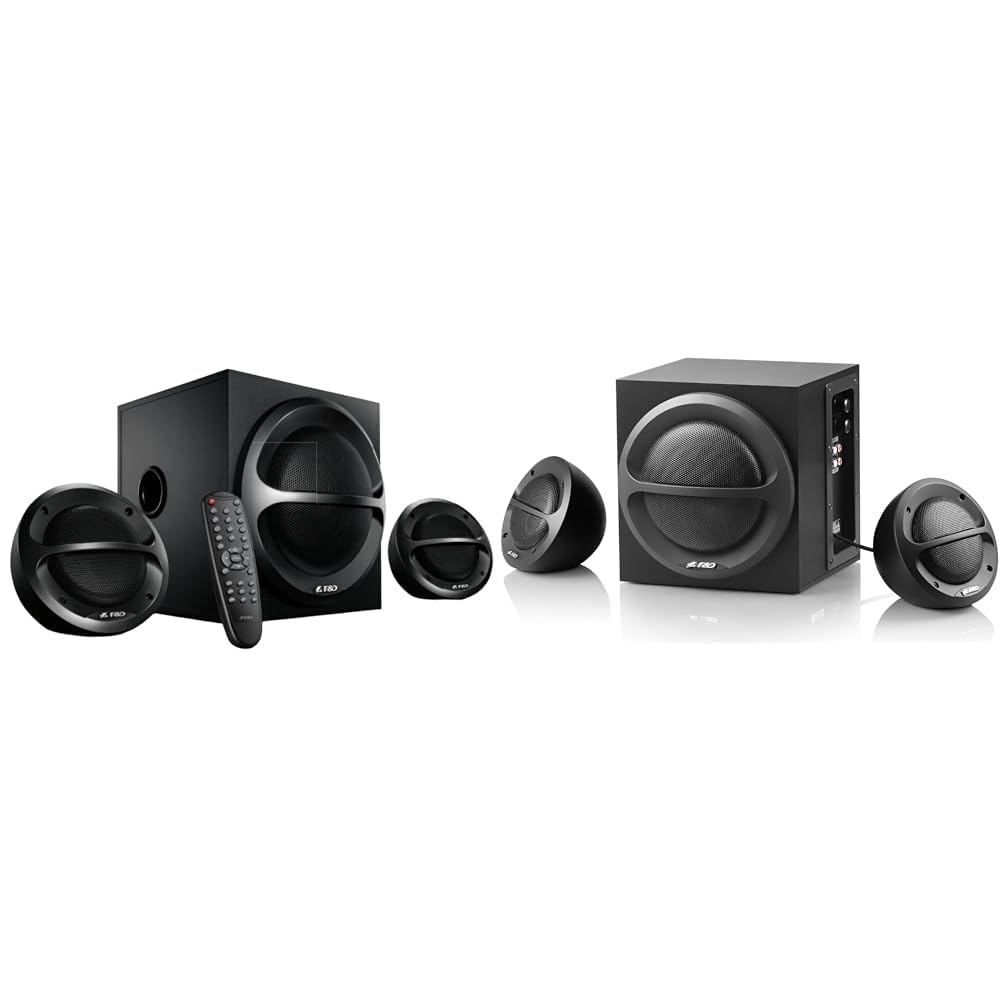
Image: The F&D A111X 2.1 Channel Multimedia Bluetooth Speaker system, featuring a central subwoofer unit and two compact satellite speakers.
Main Unit (Subwoofer)
The subwoofer houses the main controls and connections. It is constructed from wood for enhanced audio resonance.
Satellite Speakers
Two compact satellite speakers provide stereo sound, complementing the subwoofer's bass output. Each satellite speaker features a 1-inch tweeter driver.
Controls
The speaker system features intuitive controls, including a knob control for volume adjustment, typically located on the main unit. A remote control is also provided for convenient operation from a distance.
Setup
- Placement: Position the subwoofer on a stable, flat surface. Place the satellite speakers to the left and right of your listening area for optimal stereo separation.
- Connect Satellite Speakers: Connect the cables from the satellite speakers to the corresponding output ports on the rear of the subwoofer unit.
- Power Connection: Connect the power cable from the subwoofer to an AC power outlet.
- Audio Source Connection:
- For Auxiliary (AUX) Input: Insert the 3.5mm audio jack into the AUX input port on the subwoofer and connect the other end to your audio source (e.g., PC, smartphone, tablet).
- For Bluetooth: Power on the speaker system. The system will automatically enter Bluetooth pairing mode or can be switched to Bluetooth mode using the mode button on the unit or remote.
- Power On: Turn on the speaker system using the power button on the main unit or the remote control.
Operating Instructions
Bluetooth Mode
- Ensure the speaker system is powered on and in Bluetooth mode. The indicator light will typically flash, indicating it's ready for pairing.
- On your smartphone, tablet, or computer, enable Bluetooth and search for available devices.
- Select "F&D A111X" (or similar name) from the list of devices to pair.
- Once paired, the indicator light will become solid, and you can stream audio wirelessly to the speaker system.
- Adjust volume using the knob on the subwoofer or the remote control, or from your connected device.
Auxiliary (AUX) Mode
- Connect your audio source to the AUX input port on the subwoofer using the 3.5mm audio cable.
- Switch the speaker system to AUX mode using the mode button on the unit or remote control.
- Play audio from your connected device.
- Adjust volume using the knob on the subwoofer or the remote control, or from your connected device.
Maintenance
- Cleaning: Use a soft, dry cloth to clean the surfaces of the speakers. Do not use liquid cleaners or abrasive materials.
- Ventilation: Ensure that the ventilation openings on the subwoofer are not blocked to prevent overheating.
- Power Efficiency: The speaker system is designed to be power-efficient. Unplug the unit from the power outlet when not in use for extended periods to conserve energy.
- Storage: If storing the speakers, keep them in a cool, dry place away from direct sunlight and extreme temperatures.
Troubleshooting
| Problem | Possible Cause | Solution |
|---|---|---|
| No power | Power cable not connected; Power outlet not active. | Ensure power cable is securely connected; Try a different power outlet. |
| No sound | Volume too low; Incorrect input mode selected; Audio cable loose/faulty; Bluetooth not paired. | Increase volume; Select correct input mode (AUX/Bluetooth); Reconnect audio cable; Re-pair Bluetooth device. |
| Bluetooth pairing failure | Speaker not in pairing mode; Device too far; Interference. | Ensure speaker is in pairing mode; Move device closer; Turn off other Bluetooth devices. |
| Distorted sound | Volume too high; Poor audio source quality; Loose connections. | Reduce volume; Try a different audio source; Check all cable connections. |
Specifications
| Brand: | F&D |
| Model Name: | A111X |
| Audio Output: | 35 Watts (Total) |
| Channel Configuration: | 2.1 Channel (Subwoofer + 2 Satellite Speakers) |
| Connectivity Technology: | Bluetooth, Auxiliary (3.5mm) |
| Wireless Technology Type: | Bluetooth |
| Audio Output Mode: | Stereo |
| Compatible Devices: | Smartphone, Tablet, PC |
| Power Source: | AC Power |
| Enclosure Material: | Wood |
| Control Method: | Remote, Knob Control |
| Tweeter Driver Diameter: | 1 Inch |
| Mounting Type: | Floor Standing (Implied by design, though can be desk-mounted) |
Warranty and Support
For warranty information and customer support, please refer to the warranty card included with your product or visit the official F&D website. Keep your purchase receipt as proof of purchase for warranty claims.
Online Resources: Product Page on Amazon.in
PDF User Manual: Download PDF Manual


