
1. Introduction
The MSL FORCE IC Card Reader is a contact-type IC card reader/writer designed for seamless connection to your computer via USB. This device facilitates convenient home tax filing (e-Tax) and supports a wide array of smart card operations. These include digital authentication, secure online transactions, balance inquiries, tax services, banking, utility bill payments, and various credit and cash card payment processes.
Important Note: This device does not support basic resident registration cards that lack metal terminals.
2. Product Overview
The MSL FORCE IC Card Reader is a compact, USB-powered device designed for reading various IC chip cards. It features a slot for card insertion and an indicator light to show operational status.
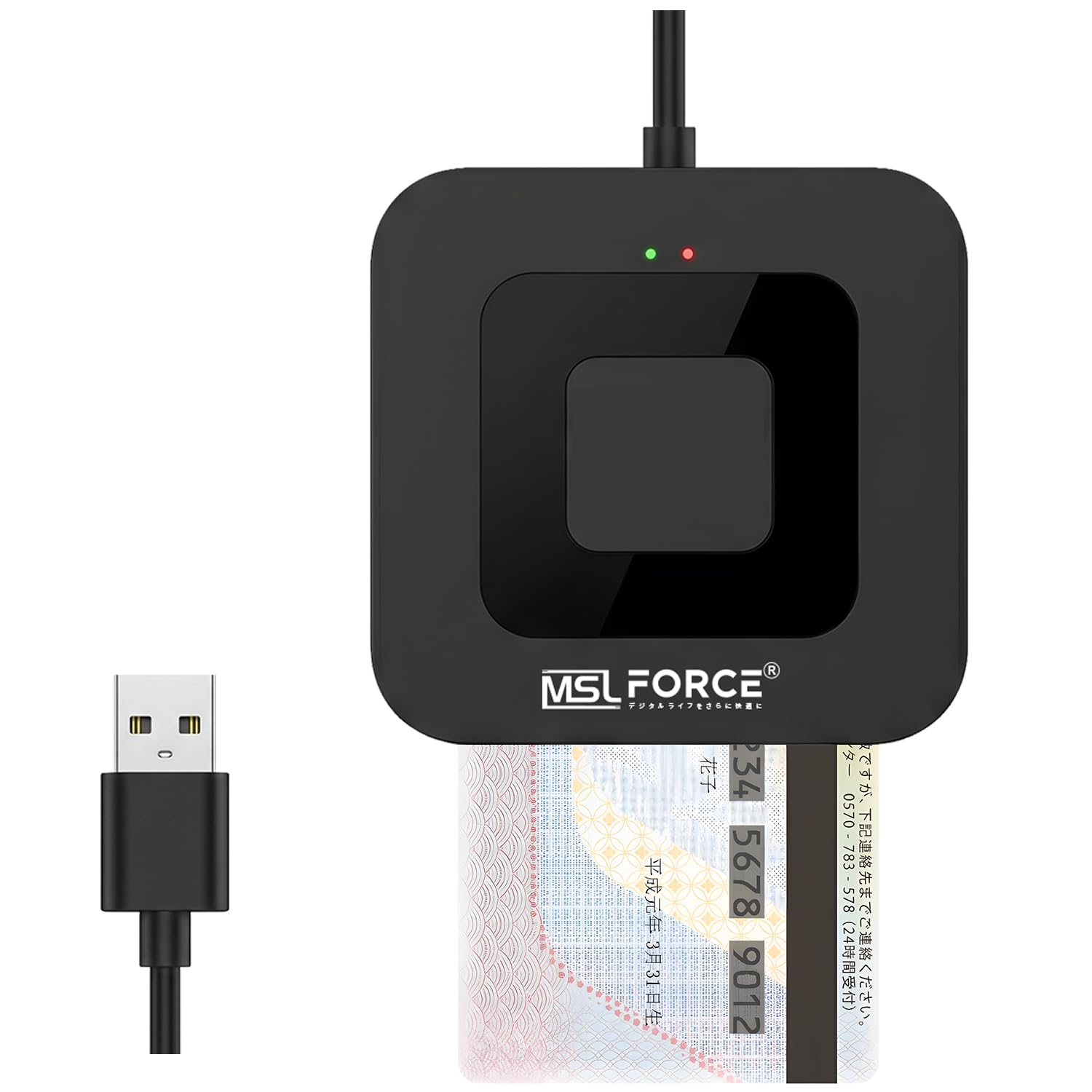
Figure 2.1: Front view of the MSL FORCE IC Card Reader.

Figure 2.2: MSL FORCE IC Card Reader with a smart card inserted, showing correct orientation.
3. Setup
- Connect to Computer: Plug the USB connector of the MSL FORCE IC Card Reader into an available USB port on your computer.
- Power On: The device is powered directly via the USB port (DC5V). It will automatically power on once connected.
- Automatic Recognition: The IC Card Reader features plug-and-play functionality. Your operating system should automatically detect and configure the device without requiring any driver installation.
- Mac OS Users: If you are using a Mac operating system, ensure that Java is installed on your system. You can download and install Java from the official Java website if it is not already present.

Figure 3.1: Connecting the IC Card Reader to a laptop.
4. Operating Instructions
- Insert IC Card: Gently insert your IC chip card into the reader slot. Ensure the metal chip on the card is facing upwards and fully inserted until it clicks or stops.
- Access Services: Open the specific application or website you intend to use (e.g., e-Tax portal, online banking platform, digital signature application).
- Follow On-Screen Prompts: The application will guide you through the process of reading your card, entering PINs, or confirming transactions.
The MSL FORCE IC Card Reader supports a wide range of IC chip cards, including:
- My Number Cards
- e-Tax filing and other electronic government services
- Basic Resident Registration Cards (with metal chip)
- CAC (Common Access Card)
- Government IDs and National IDs
- B-CAS cards
- Tax accountant cards
- Cards for online banking and digital signature applications (e.g., AKO, OWA, ActivClient)
Note: For reading sensitive identity or financial information from contact-type IC cards, integration with specific third-party systems or software may be required by the service provider.

Figure 4.1: Various applications of the IC Card Reader.
5. Compatibility
Operating Systems:
- Windows (32/64bit): 7, 8, 10, 11
- Mac OS: 10.11.1 or later
Card Standards:
- ISO/IEC7816 compliant contact-type IC cards (T0/T1 protocols)

Figure 5.1: Compatibility with Windows and Mac OS.
6. Troubleshooting
- Card Not Recognized:
- Ensure the IC card is inserted correctly with the metal chip facing upwards and fully seated in the slot.
- Verify that your operating system is supported (Windows 7/8/10/11, Mac OS 10.11.1 or later).
- Try connecting the reader to a different USB port on your computer.
- Issues on Mac OS:
- Mac users require Java to be installed. Please ensure Java is installed from the official Java website.
- Application-Specific Problems:
- Some services (e.g., e-Tax, online banking) may require specific software or browser extensions to be installed. Refer to the service provider's instructions.
- If reading identity or financial information, ensure any necessary third-party systems are properly integrated as required by the service.
7. Specifications
| Brand | MSL FORCE |
| Model | IC Card Reader |
| Connectivity Technology | USB Type A |
| Supported Card Standards | ISO/IEC7816 (T0/T1 protocols) |
| Operating Systems | Windows 7/8/10/11, macOS 10.11.1+ |
| Hardware Interface | USB 2.0 |
| Slot Count | 1 |
| Power Input | DC5V (USB Powered) |
| Features | Plug & Play, Compact, Easy Connection, No Setup Required |
| Country of Origin | China |
8. Important Notes and Warnings
- This device does not support reading My Number Cards for online residency status applications.
- The IC Card Reader is not compatible with basic resident registration cards that do not have metal terminals.
- For Mac OS users, Java must be installed on your system for the card reader to function correctly.
9. Warranty and Support
This MSL FORCE IC Card Reader comes with a 1-year manufacturer warranty from the date of purchase. Please retain your proof of purchase for warranty claims.
For technical support or warranty inquiries, please refer to the contact information provided with your product packaging or visit the official MSL FORCE website.