
1. Introduction
The LGIDTECH FUT035Z+ Miboxer 2 in 1 LED Strip Controller is designed to manage both single color and CCT (Correlated Color Temperature) dual white LED strip lights. It integrates Zigbee 3.0 and 2.4G wireless technologies, offering versatile control options including compatibility with various smart home ecosystems and remote controls.
This manual provides essential information for the proper installation, operation, and maintenance of your FUT035Z+ controller.
2. Product Specifications
| Specification | Value |
|---|---|
| Product Name | 2 in 1 LED Strip Controller (Zigbee 3.0 + 2.4G) |
| Model Number | FUT035Z+ |
| Brand | LGIDTECH (Manufacturer: Miboxer) |
| Working Voltage | DC12~24V |
| Output Current | 12A/Channel |
| Total Output | Max 12A |
| Working Temperature | -10~40℃ |
| Wireless Technology | Zigbee 802.15.4 |
| Zigbee Wireless Frequency | 2.400-2.480GHz |
| Zigbee Control Distance | 100m (in open area) |
| 2.4G RF Remote Control Distance | 30 meters |
| Item Weight | 1.41 ounces (40g) |
| Package Dimensions | 3.39 x 1.54 x 0.98 inches (86 x 39 x 25 mm) |

Figure 2.1: This image provides detailed dimensions of the FUT035Z+ controller (74.5mm x 36mm x 17mm) and reiterates key specifications such as working voltage, output, temperature, and wireless control distances.
3. Key Features
- Dual LED Strip Compatibility: Works with both single color and CCT dual white LED strip lights.
- Zigbee 3.0 Standard: Compatible with standard Zigbee 3.0 gateways, including Philips Hue, Amazon Echo Plus (2nd Gen), and Echo Studio.
- 2.4G RF Remote Control: Can be controlled by Miboxer/Mi-Light 2.4GHz series remote controllers (sold separately).
- Signal Transmitting Function: The controller can transmit signals from a remote to other controllers within a 30-meter range, extending the overall control distance.
- Tuya Smart App Control: When paired with a Zigbee 3.0 gateway, enables advanced features like timing settings, music rhythm, automation, scene customization, and device sharing via the Tuya Smart app.
4. Setup and Installation
4.1 Wiring Diagram
Ensure all power is disconnected before proceeding with wiring. Connect the LED strip and power supply to the controller as shown in the diagram below. The controller supports both single color and CCT dual white LED strips.

Figure 4.1: This image displays the LGIDTECH FUT035Z+ controller, highlighting its input and output terminals for LED strips, along with the indicator output mode (Red for Single Color, Green for Dual White) and the SET button.
- Input: Connect your DC12~24V power supply to the V+ and V- terminals.
- Output: Connect your LED strip to the output terminals.
- For Single Color LED strips: Connect the positive (+) to V+ and the negative (-) to W.
- For CCT Dual White LED strips: Connect the common positive (+) to V+, the Warm White (WW) to WW, and the Cold White (CW) to CW.
4.2 Indicator Output Mode
The controller features an indicator to show the current output mode:
- Red Indicator: Single Color mode.
- Green Indicator: Dual White (CCT) mode.
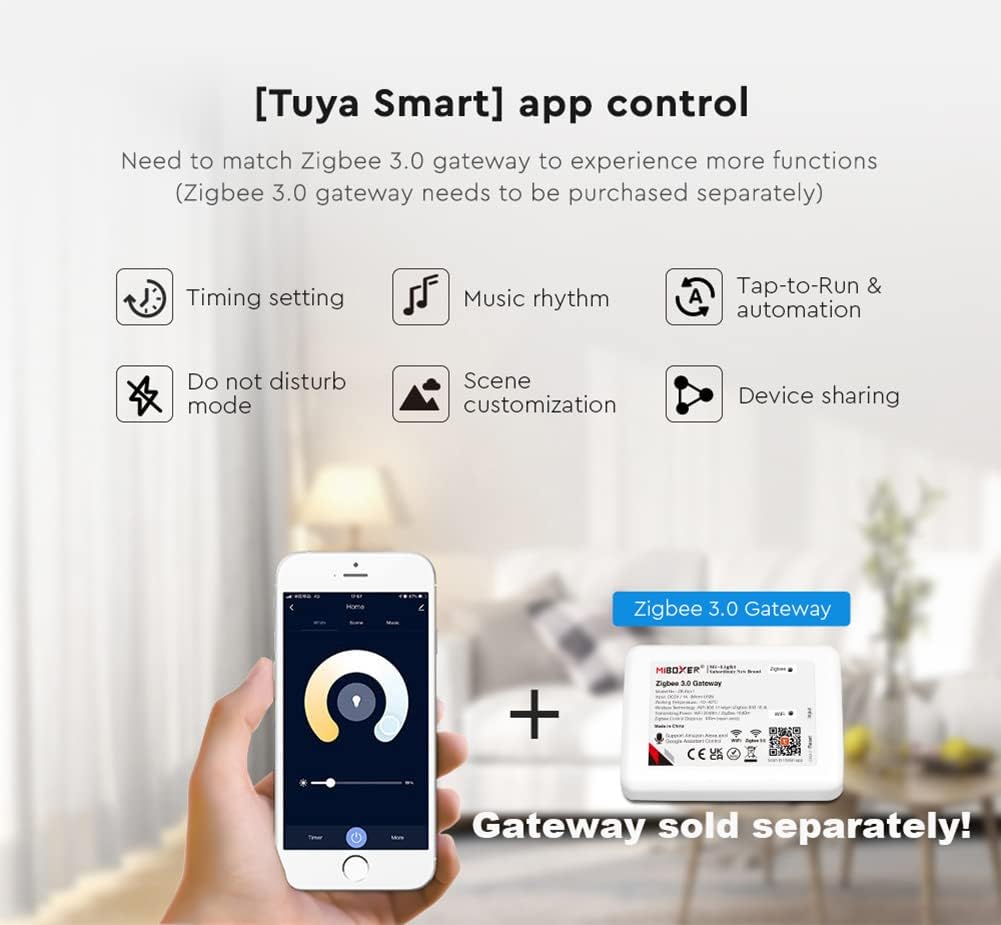
Figure 4.2: This image provides a closer look at the controller, highlighting the LED light interface, the use of classic PC material for high quality, and the two power interfaces (wiring port / DC5.5*2.1).
5. Operation
5.1 Pairing with Zigbee Gateway
To integrate the controller into your Zigbee smart home system:
- Ensure your Zigbee gateway is in pairing mode.
- Long press the 'SET' button on the controller for 3 seconds. The indicator light will flash quickly, indicating it is in Zigbee pairing mode.
- Once successfully paired, the indicator light will stop flashing and remain solid or turn off, depending on the gateway's feedback.
5.2 Changing Output Mode
To switch between Single Color and Dual White (CCT) output modes:
- Press the 'SET' button continuously (short presses) to cycle through the available output modes.
- Observe the indicator light: Red for Single Color, Green for Dual White. Select the mode appropriate for your connected LED strip.
5.3 Remote Control (2.4G RF)
The controller can be operated using compatible Miboxer/Mi-Light 2.4GHz remote controllers (purchased separately). Refer to the remote controller's manual for pairing instructions with the FUT035Z+.

Figure 5.1: This image showcases various compatible Miboxer/Mi-Light 2.4GHz series remote controllers (FUT006, FUT007, B2/T2, K1/K1-B, S1-B/S1-W/S1-G) that can be used with the FUT035Z+ controller. Note that remotes are sold separately.
5.4 Tuya Smart App Control
For advanced control and smart features, connect the controller to a Zigbee 3.0 gateway and integrate it with the Tuya Smart app. This allows for:
- Timing settings
- Music rhythm synchronization
- Tap-to-Run & automation scenarios
- Do not disturb mode
- Scene customization
- Device sharing

Figure 5.2: This image demonstrates the Tuya Smart app's capabilities when used with the controller and a Zigbee 3.0 gateway, including timing settings, music rhythm, automation, do not disturb mode, scene customization, and device sharing.
6. Compatibility
6.1 Zigbee 3.0 Gateways
The FUT035Z+ controller is compatible with standard Zigbee 3.0 gateways, allowing integration into various smart home platforms. Compatible gateways include, but are not limited to:
- Philips Hue Bridge
- Amazon Echo Plus (2nd Gen)
- Amazon Echo (4th Gen)
- Amazon Echo Studio
- Amazon Echo Show (2nd Gen)
- IKEA TRÅDFRI Gateway
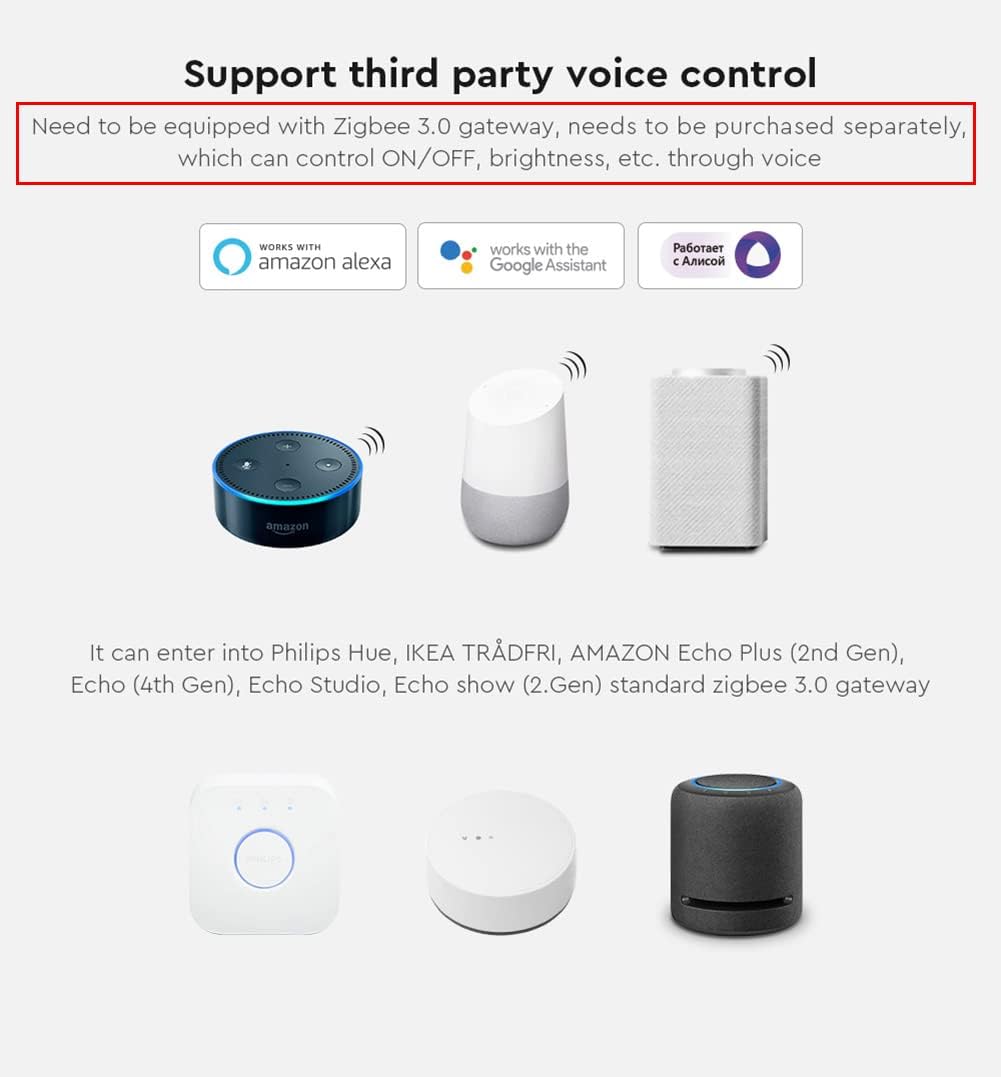
Figure 6.1: This image illustrates the controller's compatibility with third-party voice control systems like Amazon Alexa and Google Assistant, requiring a Zigbee 3.0 gateway. It shows compatible hubs such as Philips Hue, IKEA TRÅDFRI, and Amazon Echo devices.
If you do not possess a Zigbee 3.0 gateway, LGIDTECH ZB-Box1 or ZB-Box2 gateways are available for separate purchase (search B0992J7751 or B0B5PK2683).
7. Signal Transmitting Function
The FUT035Z+ controller features a signal transmitting capability. This means that one controller can receive a signal from a 2.4G RF remote and then re-transmit that signal to another FUT035Z+ controller within a 30-meter range. This allows for an extended control distance, as the signal can hop between multiple controllers, effectively creating a mesh-like network for remote control signals.

Figure 7.1: This diagram explains the signal transmitting feature, where one LED controller can relay signals from a remote to another controller within 30 meters, extending the effective control distance.
8. Troubleshooting
- LED Strip Not Lighting Up:
- Check power supply connections to the controller (V+, V-).
- Verify LED strip connections to the output terminals (V+, W/CW/WW).
- Ensure the power supply voltage matches the LED strip and controller requirements (DC12~24V).
- Confirm the correct output mode (Single Color or Dual White) is selected via the SET button.
- Controller Not Responding to Remote/App:
- For Zigbee control: Ensure the controller is successfully paired with your Zigbee gateway. Check the gateway's status.
- For 2.4G RF remote control: Ensure the remote is properly paired with the controller. Check remote battery levels.
- Verify the controller is within the effective control range (100m for Zigbee, 30m for 2.4G RF in open areas).
- Incorrect Color/Brightness:
- For CCT Dual White strips: Ensure the controller is in Dual White mode (Green indicator).
- Recalibrate or re-pair the controller with your remote/gateway if settings are inconsistent.
9. Maintenance and Safety Information
9.1 Maintenance
- Keep the controller clean and free from dust. Use a dry, soft cloth for cleaning.
- Avoid exposing the controller to extreme temperatures or humidity.
- Do not attempt to open or repair the controller yourself, as this will void any potential warranty and may cause damage.
9.2 Safety Information
- This device is intended for indoor use only.
- Ensure the power supply is disconnected before any installation or wiring work.
- Use only DC12~24V power supplies that meet the controller's specifications.
- Do not exceed the maximum total output of 12A.
- Keep the device away from water, flammable materials, and direct heat sources.
- Ensure proper ventilation around the controller during operation.
10. Warranty and Support
For warranty information and technical support, please refer to the LGIDTECH official website or contact your retailer. Please have your product model number (FUT035Z+) and purchase details ready when seeking support.