1. Introduction
Thank you for choosing the Huzaro Force 4.7 Gaming and Office Chair. This manual provides essential information for the safe assembly, operation, maintenance, and troubleshooting of your new chair. Please read these instructions carefully before use and retain them for future reference.

Image 1: Huzaro Force 4.7 Gaming Chair in a modern gaming setup, showcasing its ergonomic design and integrated footrest.
2. Safety Information
- Ensure all components are securely fastened before use.
- Do not stand on the chair.
- Do not exceed the maximum weight capacity of 140 kg.
- Keep children away from moving parts during adjustment.
- Avoid exposing the chair to direct sunlight or extreme temperatures.
- Use the chair on a flat, stable surface.
3. Package Contents
Please verify that all parts are present before beginning assembly:
- Backrest
- Seat Base with Armrests and Footrest
- Gas Lift Cylinder
- Star Base
- Caster Wheels (5x)
- Mechanism Plate
- Lumbar Cushion
- Neck Cushion
- Assembly Hardware (screws, washers, Allen key)
4. Assembly Instructions
Follow these steps to assemble your Huzaro Force 4.7 chair:
- Attach Wheels to Star Base: Insert the five caster wheels into the holes at the end of each leg of the star base until they click into place.
- Insert Gas Lift: Place the gas lift cylinder into the center hole of the assembled star base.
- Attach Mechanism Plate: Secure the mechanism plate to the underside of the seat base using the provided screws. Ensure the front of the mechanism faces the front of the seat.
- Connect Backrest to Seat: Align the backrest with the mounting brackets on the seat base and secure it with screws.
- Place Seat onto Gas Lift: Carefully place the assembled seat and backrest onto the gas lift cylinder.
- Attach Cushions: Position the lumbar and neck cushions as desired.

Image 2: Detail of the durable caster wheels, designed for smooth movement.
5. Operating Instructions
Your Huzaro Force 4.7 chair offers several adjustment options for optimal comfort:
- Height Adjustment: Pull the lever located under the seat upwards to raise the chair. Sit on the chair and pull the lever upwards to lower it. Release the lever to lock the height.
- Backrest Recline: Use the lever on the side of the chair to adjust the backrest angle. The chair supports recline angles from 90 to 140 degrees. Push the lever down to recline, and pull it up to lock the desired position.
- Footrest Extension: Pull the footrest out from under the seat when desired. It can be folded back in when not in use.
- Armrest Adjustment: The armrests are designed for comfort. Adjust their position as needed for optimal arm support.
- Lumbar and Neck Cushions: Adjust the position of the removable lumbar and neck cushions to provide personalized support.

Image 3: Overview of the chair's key features, including adjustable cushions, armrests, and footrest.

Image 4: Visual representation of the chair's adjustable recline function, from upright to a relaxed position.
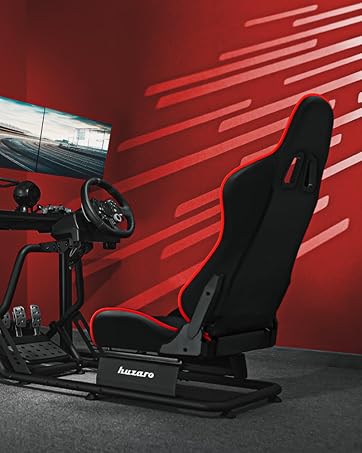
Image 5: Detail of the ergonomic armrests, designed for comfortable support.
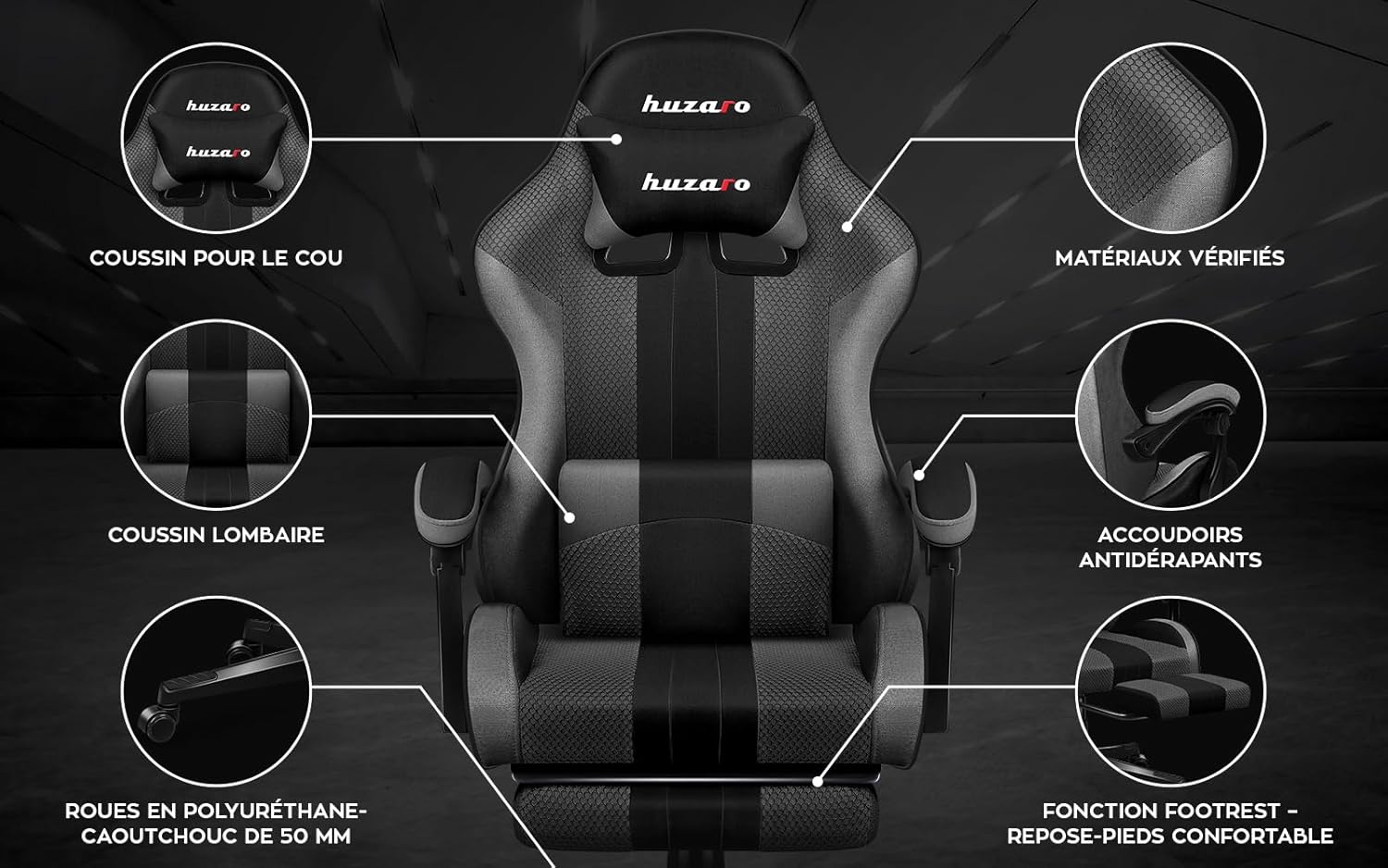
Image 6: The chair with its integrated footrest extended, providing additional comfort for relaxation.
6. Maintenance and Care
To ensure the longevity and appearance of your Huzaro Force 4.7 chair:
- Cleaning: Wipe the chair with a soft, damp cloth. For stubborn stains, use a mild soap solution and dry immediately. Avoid harsh chemicals or abrasive cleaners.
- Material: The chair is made of breathable polyurethane mesh. Regular dusting helps maintain its appearance.
- Inspection: Periodically check all screws and bolts to ensure they are tight. Re-tighten if necessary.
- Moving: When moving the chair, lift it rather than dragging it to prevent damage to the base and floor.

Image 7: Close-up view of the chair's breathable mesh material, highlighting its texture and quality.
7. Troubleshooting
If you encounter any issues with your chair, refer to the following common problems and solutions:
| Problem | Possible Cause | Solution |
|---|---|---|
| Chair does not adjust height | Gas lift cylinder not engaged or faulty | Ensure the lever is fully pulled. If issue persists, contact support. |
| Chair wobbles | Loose screws or uneven floor | Check and tighten all assembly screws. Move chair to a level surface. |
| Backrest does not recline/lock | Recline mechanism jammed or faulty | Ensure the recline lever is fully engaged. Do not force the mechanism. |
| Squeaking noises | Loose connections or friction | Tighten all screws. Apply a small amount of silicone lubricant to moving parts if necessary. |
8. Specifications
| Feature | Detail |
|---|---|
| Brand | huzaro |
| Model Number | Force 4.7 |
| Color | Grey Mesh |
| Material | Polyurethane |
| Product Dimensions (L x W x H) | 50 x 67 x 123 cm |
| Item Weight | 16.8 Kilograms |
| Maximum Load Capacity | 140 kg |
| Special Features | Ergonomic, Adjustable Height, Lumbar Cushion, Neck Cushion, Retractable Footrest |
| Back Style | Solid Back |
| Frame Material | Metal |
| Care Instructions | Clean |

Image 8: Comprehensive dimensions of the chair, including height, width, and depth measurements.
9. Warranty and Support
For warranty information or technical support, please refer to the documentation included with your purchase or contact Huzaro customer service through their official website. Please have your model number (Force 4.7) and purchase details ready when contacting support.


