1. Introduction
The LoraTap WiFi Smart Built-in Switch V2N2 is a compact Wi-Fi control module designed to transform your existing manual roller shutter, curtain, blind, or awning switch into a smart, app-controlled device. This module allows for convenient remote operation, voice control, and scheduled automation of your motorized window coverings, enhancing your home's intelligence and comfort.
Once installed, the original manual switch functionality is retained, providing flexible control options via manual operation, the mobile application, or voice commands through compatible smart assistants like Amazon Alexa and Google Assistant.
2. Product Features
- Smart Control Integration: Seamlessly converts traditional roller shutter switches into smart switches, compatible with the Smart Life app and voice assistants.
- Percentage Control: Allows precise positioning of roller shutters by setting the motor's runtime (adjustable from 1 to 120 seconds) within the app. For example, if total runtime is 120 seconds, setting it to 60 seconds will open/close the shutter 50%.
- Remote Control: Operate your blinds and shutters from anywhere using the mobile application, providing convenience whether you are at home or away.
- Time Scheduling: Set custom schedules for automatic opening and closing of your window coverings, allowing for automated routines like waking up gently with natural light.
- Group Control: Create groups of multiple LoraTap modules within the app to control several roller shutters simultaneously with a single command.
- Family Sharing: Share control of the smart switch with family members, enabling everyone in the household to manage the connected devices.
- Retains Manual Functionality: The original wall switch remains fully functional after the module's installation.
3. Specifications
| Attribute | Value |
|---|---|
| Model Number | SC500W |
| Dimensions (L x W x H) | 4.8 x 4.7 x 2.2 cm |
| Weight | 100 g |
| Operating Voltage | 100-250V AC, 50/60Hz |
| Max. Load Power | 300 Watt |
| Current Rating | 10 Ampere |
| Switch Type | 1-Way |
| Connectivity | Wi-Fi (2.4 GHz only) |
| Terminal Type | Screw Terminal |
| Included in Box | Relay Module |
4. Setup and Installation
Important Safety Information: Installation should only be performed by a qualified electrician or a person with a thorough understanding of electrical wiring. Ensure power is disconnected at the circuit breaker before beginning any installation work.
4.1 Wiring Diagram
The module requires a neutral wire for operation. Ensure your motor has 4 wires (Blue=Neutral, Black=Up/Down, Brown=Down/Up, Green/Yellow=Ground). The module is only compatible with 4-wire motors.
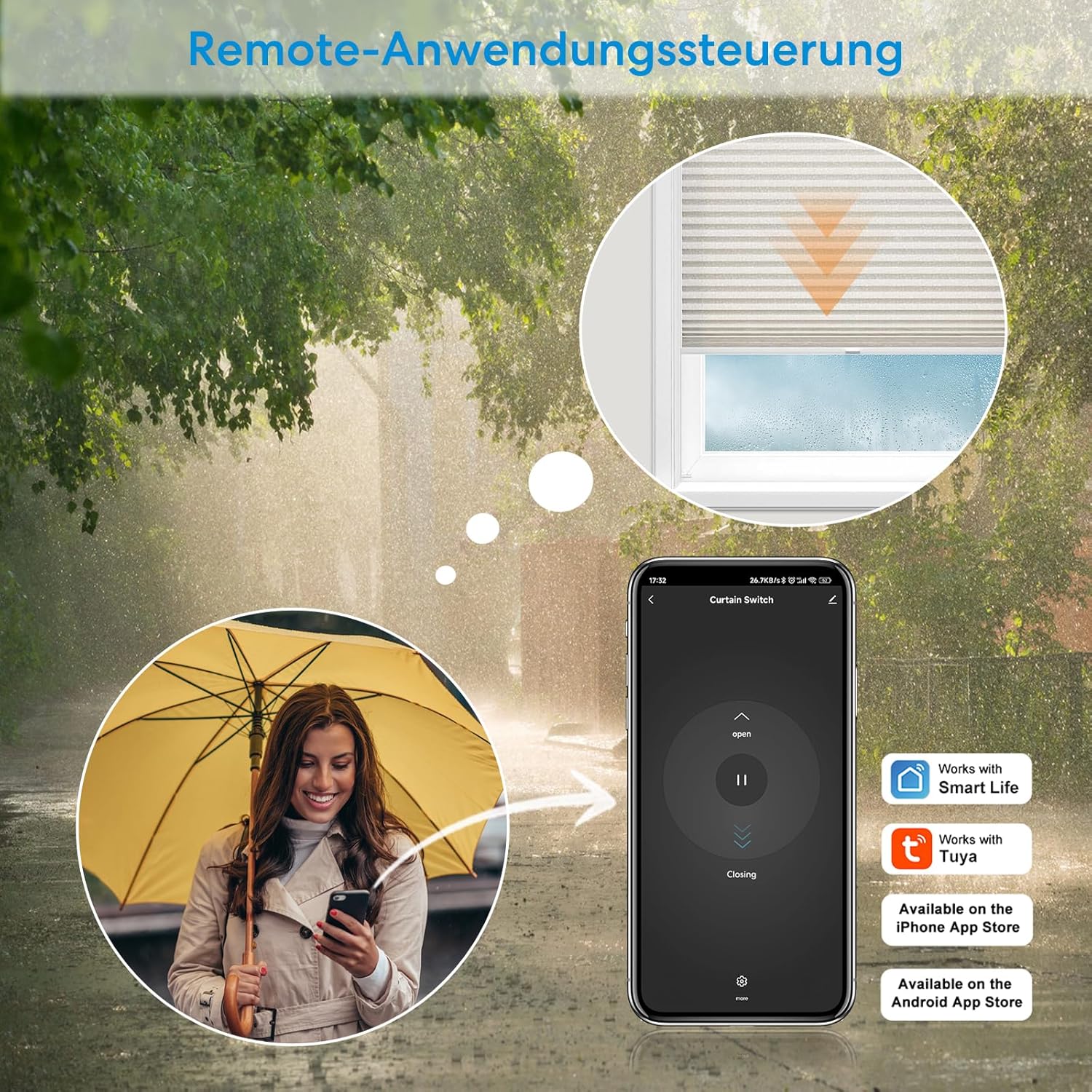
Figure 4.1: Detailed Wiring Diagram. Please ensure a neutral conductor is present for the unit to operate.

Figure 4.2: LoraTap SC500W Module and Basic Wiring Overview.
Wiring Connections:
- Connect the Neutral (N) wire from your power supply to the 'N' terminal on the module.
- Connect the Live (L) wire from your power supply to the 'L' terminal on the module.
- Connect the motor's Neutral wire to the second 'N' terminal on the module.
- Connect the motor's Up/Down wire to the 'L1' terminal on the module.
- Connect the motor's Down/Up wire to the 'L2' terminal on the module.
- Connect the S1 and S2 terminals to your existing wall switch for manual control.
4.2 Wall Switch Compatibility and Dimensions
The module is compatible with rocker switches and 3-button stability switches. It is NOT compatible with 2-gang push-button or spring switches where the motor operates only when the switch is held down.

Figure 4.3: Wall Switch Compatibility and Module Dimensions. The device should be installed in a wall switch box with a minimum depth of 60mm.
The module's dimensions are 48mm x 47mm x 22mm. It requires a wall switch box with a minimum depth of 60mm for proper installation.
4.3 Wi-Fi Network Requirements
The device supports only 2.4 GHz Wi-Fi networks. For optimal performance and signal coverage, the installation location of the device should be within 10 meters of your Wi-Fi router.

Figure 4.4: Wi-Fi Network Confirmation. Ensure the device is within 10 meters of your router for good signal coverage.
5. Operating Instructions
5.1 Mobile App Control
Download the "Smart Life" or "Tuya" app from the App Store (iOS) or Google Play Store (Android). Follow the in-app instructions to add and configure your LoraTap module. Once connected, you can control your roller shutters remotely from anywhere.

Figure 5.1: Mobile App Remote Control. Control your blinds and shutters from your smartphone.
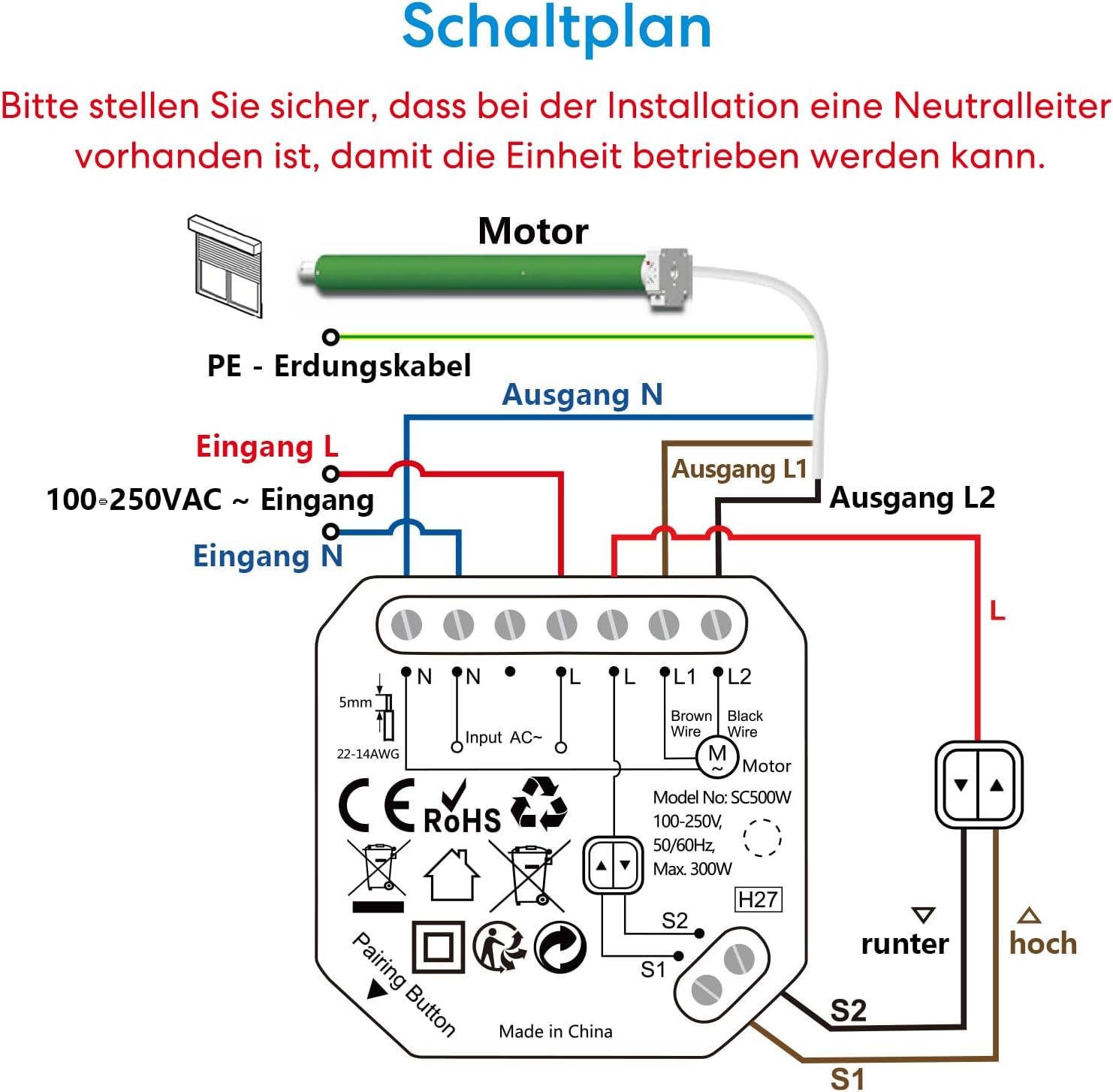
Figure 5.2: Remote Application Control. Manage your window coverings even when you are away.
5.2 Voice Control
The LoraTap module is compatible with Amazon Alexa and Google Assistant. After linking your Smart Life/Tuya account to your voice assistant, you can use voice commands to operate your roller shutters.
- Example commands: "Alexa, open the roller shutter," "Hey Google, close the blinds."
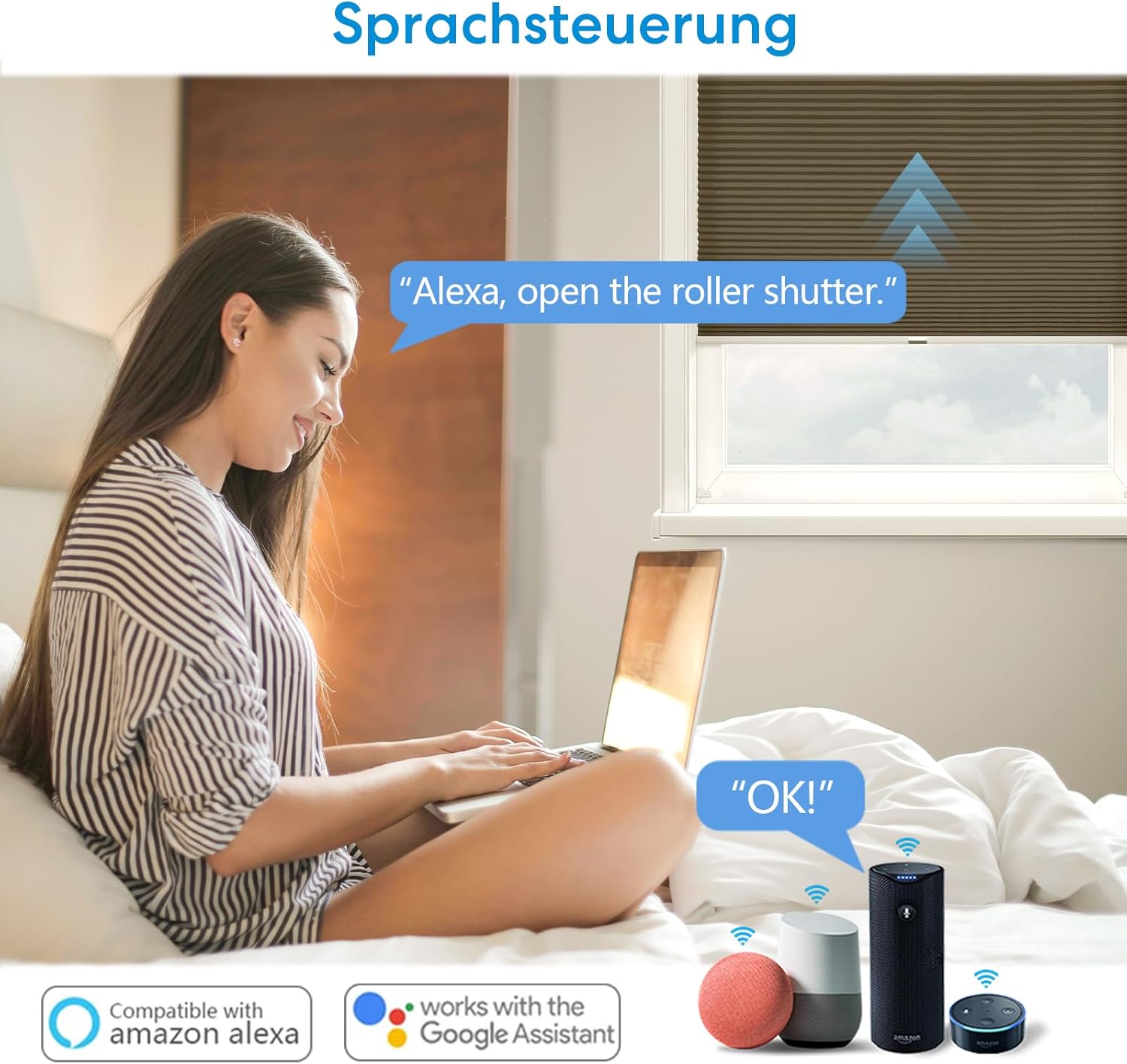
Figure 5.3: Voice Control. Control your roller shutters hands-free.
5.3 Manual Control
The existing wall switch remains fully functional. You can operate the roller shutters manually using the physical switch at any time.
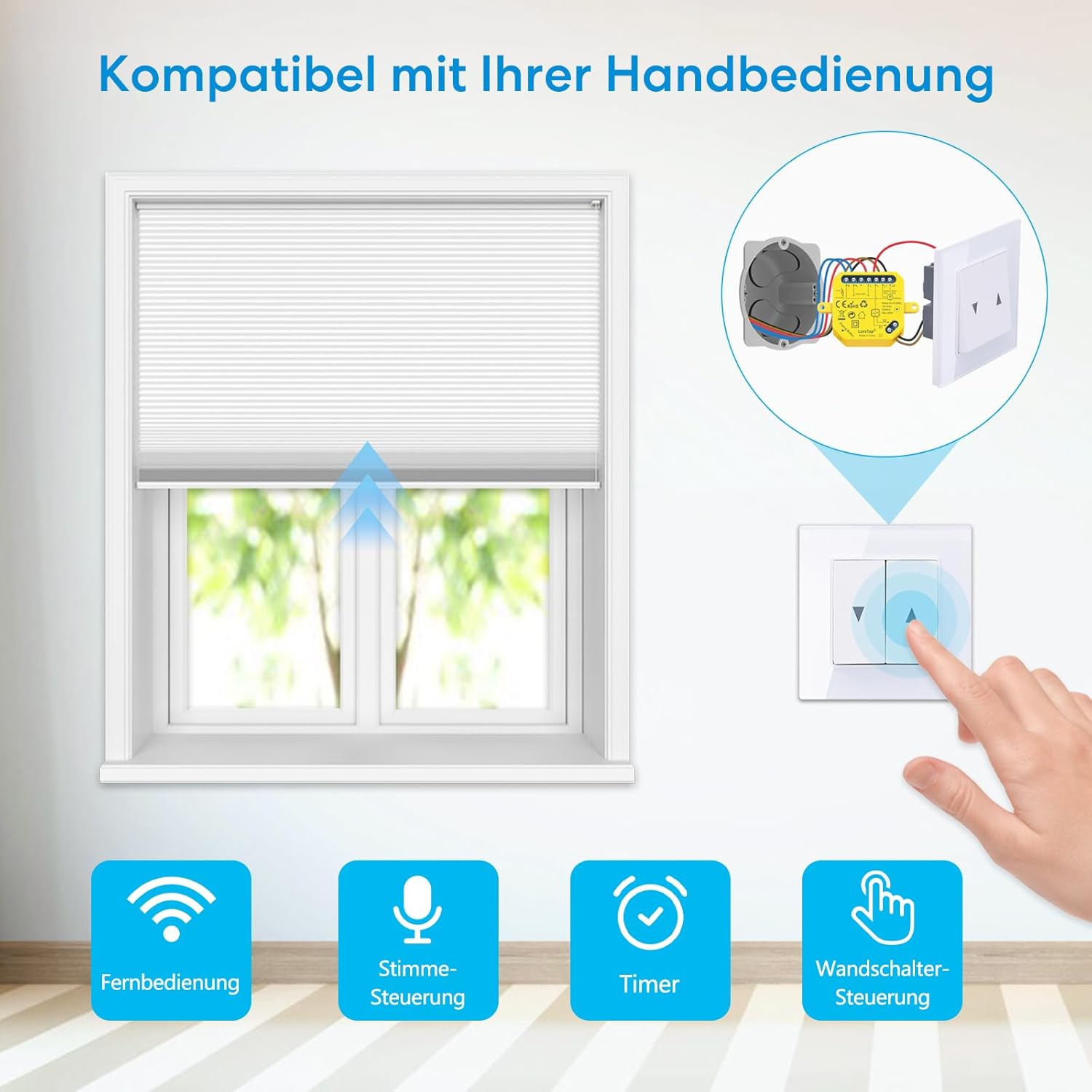
Figure 5.4: Compatible with Manual Control.
5.4 Timer Function and Scheduling
Set up automated schedules within the Smart Life/Tuya app to open or close your roller shutters at specific times. This feature allows for daily routines, enhancing convenience and energy efficiency.

Figure 5.5: Timer Function. Automatically open/close blinds at scheduled times.
5.5 Group Control and Family Sharing
Manage multiple LoraTap modules by creating groups in the app. This allows you to control several roller shutters simultaneously. You can also share access to your devices with family members, enabling them to control the smart switches from their own devices.

Figure 5.6: Device Sharing. Share your device with family members.
6. Maintenance
The LoraTap Smart Built-in Switch V2N2 requires minimal maintenance. Ensure the module is kept dry and free from dust. Periodically check the wiring connections to ensure they remain secure. Do not attempt to open or repair the module yourself, as this will void the warranty and may pose a safety risk.
For cleaning, gently wipe the exterior of the module with a dry, soft cloth. Do not use liquid cleaners or abrasive materials.
7. Troubleshooting
- Device Not Responding:
- Check if the module has power.
- Verify your Wi-Fi network is active and the module is within range (within 10 meters of the router).
- Ensure your smartphone is connected to the internet.
- Restart the module by briefly cutting power at the circuit breaker and restoring it.
- Cannot Connect to Wi-Fi:
- Ensure your Wi-Fi network is 2.4 GHz. The module does not support 5 GHz networks.
- Check your Wi-Fi password for accuracy.
- Move the module closer to the Wi-Fi router during the pairing process.
- Reset the module (refer to app instructions for specific reset procedure, often involves pressing the pairing button).
- Manual Switch Not Working:
- Verify the S1 and S2 wiring connections to the wall switch.
- Ensure your wall switch type is compatible (rocker or 3-button stability switch).
- Roller Shutter Not Moving Correctly (e.g., only partially):
- Check the motor's runtime setting in the app. Adjust it to match the full travel time of your roller shutter.
- Ensure the motor is a 4-wire type and correctly wired to L1 and L2 terminals.
8. Warranty and Support
LoraTap products are designed for reliability and performance. For warranty information and technical support, please refer to the contact details provided with your purchase or visit the official LoraTap website. Please have your model number (SC500W) and purchase details ready when contacting support.
For further assistance, you may also refer to the LoraTap store on Amazon: LoraTap Amazon Store.


